
iTechGuides is reader-supported. When you buy through links on our site, we may earn an affiliate commission. As an Amazon Associate I earn from qualifying purchases. Learn more
How to detect ISP throttling and stop it starts with controlled comparisons, not one slow speed test. Test the affected service against unaffected traffic on the same device, repeat at different times, check your plan’s data and hotspot terms, and compare the route with a VPN. A VPN improvement is evidence, not conclusive proof.
Slow internet does not automatically mean your internet service provider is deliberately limiting you. Wi-Fi interference, a failing router, household uploads, overloaded servers, poor interconnection between networks, cellular conditions, and normal peak-hour congestion can create nearly identical symptoms.
Key takeaways
- A single slow speed test cannot prove ISP throttling because the test measures only one path to one test server.
- The strongest practical indication is a repeatable difference between affected and unaffected traffic under the same conditions, especially across multiple devices and days.
- A VPN can change routing, DNS, peering, and traffic visibility, so faster performance through a VPN may indicate traffic shaping or a better route.
- A disclosed speed reduction after a data allowance, hotspot threshold, or video limit is different from secretly slowing one application or service.
- There is no universal percentage drop that proves throttling; meaningful evidence requires repeated, controlled comparisons.
How to detect ISP throttling and stop it: the short answer
To detect ISP throttling, first test with Ethernet or a controlled cellular connection, pause other household traffic, and compare the affected app with several unaffected services. Repeat the tests at different times and after checking your plan terms. A consistent service-specific slowdown that disappears through a VPN is suggestive, but it may reflect routing or peering congestion rather than deliberate throttling.
What’s actually slowing this PC down?
Pick the symptom - the matching free tool is one click away.
To reduce or stop the problem, correct local network issues, ask the ISP to remove an erroneous restriction or correct provisioning, change the plan if a documented threshold applies, or switch providers. Use a VPN as a diagnostic control or temporary workaround—not as a guaranteed way to defeat an account-level speed cap.
Popular on Amazon
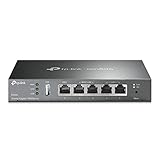
- 【Five Gigabit Ports】1 Gigabit WAN Port plus 2 Gigabit WAN/LAN Ports plus 2 Gigabit LAN Port. Up to 3 WAN ports optimize bandwidth usage through one device.
- 【One USB WAN Port】Mobile broadband via 4G/3G modem is supported for WAN backup by connecting to the USB port. For complete list of compatible 4G/3G modems, please visit TP-Link website.
- 【Abundant Security Features】Advanced firewall policies, DoS defense, IP/MAC/URL filtering, speed test and more security functions protect your network and data.
- 【Highly Secure VPN】Supports up to 20× LAN-to-LAN IPsec, 16× OpenVPN, 16× L2TP, and 16× PPTP VPN connections.
- Security - SPI Firewall, VPN Pass through, FTP/H.323/PPTP/SIP/IPsec ALG, DoS Defence, Ping of Death and Local Management. Standards and Protocols IEEE 802.3, 802.3u, 802.3ab, IEEE 802.3x, IEEE 802.1q
What is ISP throttling?
ISP throttling is the intentional reduction, prioritization, or management of network traffic by an internet service provider. The term is often used too broadly. “Slow internet” and “ISP throttling” are not synonyms.
| Type of traffic management | What is limited | Typical example |
|---|---|---|
| Application-specific throttling | A particular app, service, protocol, or traffic category | One streaming service performs poorly while other services work normally |
| Post-cap speed reduction | The subscriber’s general speed after a usage threshold | Speeds fall after a stated monthly data allowance |
| Hotspot throttling | Tethered or hotspot traffic | A phone performs faster on-device than a laptop connected through its hotspot |
| Video optimization | Video throughput or resolution | Video is limited to a stated resolution while other browsing remains fast |
| Congestion management | Traffic priority during busy periods | Mobile data becomes slower in a crowded area or during peak demand |
| Traffic shaping | Packet flow according to a network policy | The provider smooths or prioritizes traffic to manage capacity |
| Deprioritization | A customer’s priority relative to other customers | A mobile plan becomes slower during congestion after a premium-data threshold |
A separate problem is peering or interconnection congestion. Traffic may travel through a congested connection between the ISP and a content provider, making one service slow without the ISP deliberately targeting that service. A VPN can sometimes avoid that route, which is why VPN results must be interpreted carefully.
For U.S. readers, the FCC rule text on internet traffic management distinguishes traffic-specific degradation from a plan that provides one speed tier up to a disclosed data allowance and a lower speed afterward. The legal result depends on geography, service type, plan disclosures, reasonable network-management practices, state law, and the current legal status of applicable rules. Do not assume that all throttling is illegal or that all throttling is legal.
Outdated Drivers Are Slowing You Down
One free scan finds every outdated or missing driver and matches the right update for your exact hardware.Free scan · exact hardware matchWindows Errors? Fix Them Before They Spread
Repair common Windows errors and clear accumulated junk for a smoother, more stable PC - no reinstall needed.Free scan · no reinstallWhat signs suggest that an ISP may be throttling you?
These patterns justify testing, but none proves deliberate throttling by itself:
- One streaming service is consistently poor while other video services play normally.
- A particular download host is slow while a general speed test remains close to the advertised rate.
- The affected service improves substantially when traffic is routed through a VPN.
- Speeds decline after you reach a monthly data allowance or mobile premium-data threshold.
- Hotspot speeds are much lower than speeds measured directly on the phone.
- Several devices using the same ISP show the same service-specific problem.
- The slowdown appears at predictable evening peak times.
- A mobile connection slows after heavy use even though the phone’s signal indicator appears unchanged.
- Gaming becomes laggy because latency, jitter, or packet loss rises even though download speed looks acceptable.
Service differences are particularly useful clues. For example, “Netflix is slow but YouTube is fast” may indicate application-specific treatment, a different content-delivery route, a DNS selection problem, or congestion between the ISP and Netflix. The symptom tells you what to compare; it does not identify the cause.
Is the problem throttling or an ordinary network fault?
Before accusing the ISP, rule out the more local and more common explanations. The same evidence can otherwise be misread.
| Possible cause | Typical pattern | How to test it |
|---|---|---|
| Weak Wi-Fi | One room or device is affected; Ethernet works better | Test near the router and then over Ethernet |
| Bad router or modem | Several devices are affected; rebooting helps temporarily | Reboot, update firmware, and bypass the router if possible |
| Device problem | Only one computer or phone is slow | Test another device using the same connection |
| Home-network saturation | Performance falls while another device uploads or downloads | Pause cloud backups, torrents, game updates, cameras, and streams |
| Evening congestion | Most services slow at predictable busy times | Compare morning, afternoon, and evening results |
| Destination-server overload | One site, app, or download host is slow | Try another server, mirror, or content source |
| Peering or interconnection congestion | One service or route is poor; a VPN may change the result | Compare direct traffic with different VPN endpoints |
| Data-cap policy | Slowdown follows a usage threshold or billing-cycle event | Check account usage and plan terms |
| Application-specific policy | One app, protocol, or traffic class is repeatedly affected | Compare several apps and protocols under controlled conditions |
| ISP throttling | A repeatable service-specific or plan-triggered pattern persists across devices and tests | Use the full testing protocol below and obtain the provider’s policy in writing |
Do not ignore upload traffic. A cloud backup, livestream, security camera, or video call can saturate upstream capacity and increase latency for every device, even when the household is not downloading much.
Also popular on Amazon
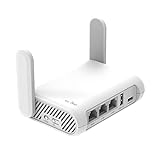
- 【AC1200 Dual-band Wireless Router】Simultaneous dual-band with wireless speed up to 300 Mbps (2.4GHz) + 867 Mbps (5GHz). 2.4GHz band can handles some simple tasks like emails or web browsing while bandwidth intensive tasks such as gaming or 4K video streaming can be handled by the 5GHz band.*Speed tests are conducted on a local network. Real-world speeds may differ depending on your network configuration.*
- 【Easy Setup】Please refer to the User Manual and the Unboxing & Setup video guide on Amazon for detailed setup instructions and methods for connecting to the Internet.
- 【Pocket-friendly】Lightweight design(145g) which designed for your next trip or adventure. Alongside its portable, compact design makes it easy to take with you on the go.
- 【Full Gigabit Ports】Gigabit Wireless Internet Router with 2 Gigabit LAN ports and 1 Gigabit WAN ports, ideal for lots of internet plan and allow you to connect your wired devices directly.
- 【Keep your Internet Safe】IPv6 supported. OpenVPN & WireGuard pre-installed, compatible with 30+ VPN service providers. Cloudflare encryption supported to protect the privacy.
How should you prepare a throttling test?
Use the same device and connection method for comparisons. Ethernet is preferable for fixed broadband because it removes most Wi-Fi variables. For mobile testing, disable Wi-Fi and record the phone’s location and signal conditions.
Record these details before you begin:
- ISP name and plan.
- Service type: fixed broadband, mobile, satellite, or fixed wireless.
- Advertised download and upload speeds.
- Data allowance, hotspot allowance, video policy, and post-threshold terms.
- Modem and router model.
- Device, operating system, and browser.
- Connection type: Ethernet, 5 GHz Wi-Fi, 2.4 GHz Wi-Fi, or cellular.
- Date, exact time, location, and position in the billing cycle.
- Other devices or applications using the connection.
Pause large downloads, cloud backups, torrents, game updates, VPNs, and video streams on other devices. Run browser tests in a private window with extensions disabled. Private browsing reduces some browser variables, but it does not eliminate differences caused by the device, network, server, or ISP.
What tests should you run?
Run more than one kind of test because every test measures a different path and server. A general speed test may use a well-connected server that does not represent the affected application.
- Run a general speed test such as Speedtest and record the selected server.
- Run Fast.com to compare performance through a major video-delivery network.
- Run Cloudflare’s speed test and note download, upload, latency, and other available measurements.
- Use M-Lab’s measurement tools, including its Network Diagnostic Tool where available.
- Test the affected application or service itself—for example, the same video, download, game server, or work application.
- Test a known unaffected service or download source using similar bandwidth.
No speed test is a definitive throttling detector. A test measures the path to its own servers under particular conditions; a high result proves only that that path performed well at that time.
Recommended Free Tools
How do you run a controlled ISP throttling test?
Use the following repeatable sequence rather than relying on one dramatic result.
- Test the affected service directly. Record its playback quality, download rate, latency, errors, or other relevant result.
- Test a general speed-test server. Keep the device, cable, browser, and test order the same.
- Test an unaffected service. Choose another service that uses comparable bandwidth where possible.
- Repeat through a VPN. Use a nearby endpoint first, then a different endpoint if the VPN offers one.
- Repeat on another device or connection. This helps separate a device fault from an ISP-wide pattern.
- Repeat at different times and on different days. Include a low-demand period, afternoon, and evening peak period.
- Compare the results with account usage. Check whether a data, hotspot, or premium-data threshold was crossed.
Use at least three repetitions per condition, two different days, two times of day, the same device and connection method, one affected service, one unaffected service, and a direct-versus-VPN comparison. Save screenshots or exported results with timestamps. There is no universal cutoff—for example, no fixed 30% drop—that proves throttling.
A simple spreadsheet is enough:
Date | Time | Device | Connection type | VPN on/off | Test service | Server/location | Download Mbps | Upload Mbps | Latency ms | Jitter ms | Packet loss | Affected-app result | NotesWhat does a VPN test actually tell you?
A VPN changes the IP address visible to the destination, DNS resolution path, routing and peering, packet encapsulation, and encryption. A VPN can therefore hide some traffic characteristics from the ISP and send traffic over a different route.
Also popular on Amazon

- New-Gen WiFi Standard – WiFi 6(802.11ax) standard supporting MU-MIMO and OFDMA technology for better efficiency and throughput.Antenna : External antenna x 4. Processor : Dual-core (4 VPE). Power Supply : AC Input : 110V~240V(50~60Hz), DC Output : 12 V with max. 1.5A current.
- Ultra-fast WiFi Speed – RT-AX1800S supports 1024-QAM for dramatically faster wireless connections
- Increase Capacity and Efficiency – Supporting not only MU-MIMO but also OFDMA technique to efficiently allocate channels, communicate with multiple devices simultaneously
- 5 Gigabit ports – One Gigabit WAN port and four Gigabit LAN ports, 10X faster than 100–Base T Ethernet.
- Commercial-grade Security Anywhere – Protect your home network with AiProtection Classic, powered by Trend Micro. And when away from home, ASUS Instant Guard gives you a one-click secure VPN.
| VPN result | What it may mean | What it does not prove |
|---|---|---|
| Only the affected service improves through a VPN | Possible traffic classification, DNS issue, route congestion, or interconnection problem | It does not prove intentional throttling |
| Everything becomes slower through a VPN | VPN overhead, a distant or overloaded endpoint, or inefficient routing | It does not show that direct traffic is healthy in every respect |
| Only one VPN endpoint helps | A routing or peering difference is plausible | It is not strong proof of application discrimination |
| The VPN makes no difference | The bottleneck may be local, server-side, congestion-related, or unaffected by the VPN | It does not rule out every kind of ISP policy |
| The VPN cannot restore the speed tier | The access line, subscriber profile, hotspot plan, or account may have a hard cap | Encryption cannot normally defeat an account-level limit |
A VPN may help when the ISP classifies traffic by destination or application, or when the direct route has poor peering. A VPN is unlikely to help with weak Wi-Fi, a failing modem, poor mobile signal, an overloaded destination, ordinary local congestion, a documented post-cap speed, or a hotspot restriction applied to the subscriber profile.
Do these 3 things before closing this tab:
1Clear out junk files and repair common Windows errors2Scan for outdated or missing drivers - takes under a minute3Repair Windows errors before they cause bigger problemsVPN trade-offs include subscription cost, lower or variable speed, additional latency for gaming and calls, blocked websites or streaming services, CAPTCHA challenges, and a shift of trust from the ISP to the VPN provider. Commercial VPN addresses are frequently detected by online services, and VPN traffic itself can sometimes be restricted or deprioritized. A reputable paid service such as Proton VPN is worth evaluating only if its current privacy terms, supported protocols, nearby server availability, and refund conditions fit your needs; a VPN is not a guaranteed speed upgrade.
What should you check in your ISP plan?
Read the official plan page, broadband consumer label where available, service agreement, network-management policy, and account dashboard before deciding that the provider is acting improperly.
Search specifically for:
- Monthly data allowance, soft cap, or hard cap.
- Overage terms and post-threshold speed.
- Mobile premium-data threshold.
- Hotspot or tethering limit.
- Video-streaming resolution or optimization policy.
- Congestion-management language.
- Traffic-management and application-specific disclosures.
- Equipment, modem, and router restrictions.
- Differences between promotional-plan and regular-plan terms.
The FCC transparency framework has included disclosures about blocking, throttling, congestion management, application-specific behavior, device attachment, security, performance, and commercial terms. A plan that clearly says “speeds may be reduced after a stated allowance” is not the same factual situation as an undisclosed slowdown affecting one competing service.
Which commands help diagnose the connection?
Ping, traceroute, DNS lookup, and MTR can reveal latency, routing, and name-resolution clues, but none proves deliberate throttling.
The Tool Desk
Outbyte PC Repair FREEClear out junk files and repair common Windows errorsFree Scan →Outbyte Driver Updater FREEFix the driver behind crashes, sound loss and screen glitchesFind Drivers →Windows
ping 1.1.1.1
tracert example.com
nslookup example.com
For a longer latency sample, run:
Test-Connection 1.1.1.1 -Count 20macOS and Linux
ping -c 20 1.1.1.1
traceroute example.com
dig example.com
On Linux systems with MTR installed:
mtr -rwzc 100 example.com- High latency beginning between your device and router suggests a Wi-Fi or home-network problem.
- High latency appearing farther along the route may indicate congestion or routing changes.
- Traceroute probes may be deprioritized or blocked, so asterisks are not automatically evidence of a fault.
- DNS differences can send users to different destination servers and change the result.
- Normal download speed does not rule out harmful latency, jitter, or packet loss during gaming or calls.
For cellular tests, record whether you are indoors or outdoors, signal bars and available signal metrics, the 4G or 5G indicator, time, approximate location, and the difference between on-device and hotspot results. The FCC mobile speed-test methodology uses defined conditions and time windows for coverage challenges; those procedures are designed for map verification, not as a general home throttling detector.
Can Wehe prove application throttling?
Wehe can provide supporting evidence, but Wehe does not by itself prove that an ISP is currently throttling you, acted intentionally, or violated the law. Wehe is a research-oriented app that tests whether an ISP appears to differentiate traffic associated with particular applications.
Also popular on Amazon

- 【DUAL BAND WIFI 7 TRAVEL ROUTER】Products with US, UK, EU, AU Plug; Dual band network with wireless speed 688Mbps (2.4G)+2882Mbps (5G); Dual 2.5G Ethernet Ports (1x WAN and 1x LAN Port); USB 3.0 port.
- 【NETWORK CONTROL WITH TOUCHSCREEN SIMPLICITY】Slate 7’s touchscreen interface lets you scan QR codes for quick Wi-Fi, monitor speed in real time, toggle VPN on/off, and switch providers directly on the display. Color-coded indicators provide instant network status updates for Ethernet, Tethering, Repeater, and Cellular modes, offering a seamless, user-friendly experience.
- 【OpenWrt 23.05 FIRMWARE】The Slate 7 (GL-BE3600) is a high-performance Wi-Fi 7 travel router, built with OpenWrt 23.05 (Kernel 5.4.213) for maximum customization and advanced networking capabilities. With 512MB storage, total customization with open-source freedom and flexible installation of OpenWrt plugins.
- 【VPN CLIENT & SERVER】OpenVPN and WireGuard are pre-installed, compatible with 30+ VPN service providers (active subscription required). Simply log in to your existing VPN account with our portable wifi device, and Slate 7 automatically encrypts all network traffic within the connected network. Max. VPN speed of 100 Mbps (OpenVPN); 540 Mbps (WireGuard). *Speed tests are conducted on a local network. Real-world speeds may differ depending on your network configuration.*
- 【PERFECT PORTABLE WIFI ROUTER FOR TRAVEL】The Slate 7 is an ideal portable internet device perfect for international travel. With its mini size and travel-friendly features, the pocket Wi-Fi router is the perfect companion for travelers in need of a secure internet connectivity on the go in which includes hotels or cruise ships.
The Wehe public statistics page reported 2,574,956 tests covering data through July 27, 2026, when the research dossier accessed it. That figure is a dataset snapshot, not a guarantee about any individual customer’s current service. Results vary by ISP, application, plan, test population, network condition, and policy changes. A low number of tests for a particular ISP or app is weak evidence.
How can you stop or reduce ISP throttling?
The best remedy depends on the type of restriction identified by the evidence.
Free tools Windows power users keep installed
One-click scans. No signup required.
| Finding | Best next action | Why |
|---|---|---|
| Wi-Fi or home-equipment problem | Use Ethernet, reposition or replace the router, update firmware, or request a modem signal check | A VPN or plan change will not repair the local bottleneck |
| Documented data or hotspot threshold | Reduce usage, wait for the billing cycle, upgrade the allowance, or change plans | The limitation is part of the disclosed service terms |
| Application-specific pattern with VPN improvement | Ask the ISP for a policy explanation; use a suitable VPN temporarily if its trade-offs are acceptable | The VPN may bypass classification or a poor route, but it is not proof or a permanent fix |
| Area or evening congestion | Test alternatives, request an engineering review, or compare another provider | A VPN usually cannot create capacity on the access network |
| Incorrect provisioning or account restriction | Ask the ISP to verify the provisioned tier, account threshold, modem signal, and restriction status | The ISP may be able to correct an error without a new plan |
| Persistent provider-side problem | Escalate with evidence or switch to a provider with better terms or capacity | Changing access networks may address a structural problem |
Changing DNS can help diagnose name-resolution or server-selection problems, but DNS changes do not bypass a hard speed cap. Buying a modern router, mesh system, modem, or Ethernet cable is useful only when local equipment is the bottleneck. Before buying customer-owned cable equipment, confirm that the ISP permits and supports the modem model.
When comparing providers, the FCC Broadband Map guidance can help identify reported availability and advertised maximum speeds. The map does not guarantee real-world performance, capacity at your address, or the absence of data policies.
Independent reader supportYour contribution helps us test, update, and keep practical guides available for everyone.How should you contact the ISP?
Give the provider a concise, evidence-based description rather than making an unsupported accusation:
“I am experiencing a repeatable slowdown affecting [service or app] but not [comparison service]. It occurs on [dates and times], on multiple devices, using [Ethernet or cellular]. My general speed tests show [results], while [affected service] shows [results]. Please confirm whether my account is subject to a data, hotspot, video, congestion, or application-specific restriction, and provide the relevant policy.”
Quick wins for a faster PC:
Fix the driver behind crashes, sound loss and screen glitchesFind Drivers →Repair Windows errors before they cause bigger problemsFix Now →Special offer. See more information about Outbyte and uninstall instructions. Please review EULA and Privacy policy.
Ask the ISP to provide:
- The exact policy or plan term that applies.
- Whether your account crossed a data or premium-data threshold.
- Whether the restriction applies to all traffic or a particular category.
- Whether the line is provisioned at the correct speed tier.
- Whether modem signal levels and line diagnostics are normal.
- Whether the area has a known outage or congestion issue.
- A ticket number and written response.
- A credit or plan correction if the service is not being delivered as sold.
Record the representative’s name, contact date, ticket number, promised follow-up, and any explanation. Attach timestamps, screenshots, invoices, plan terms, and a short table comparing direct and VPN results.
Also popular on Amazon
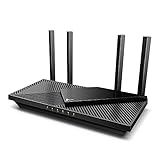
- Wi-Fi 6 Speeds: Up to 2402 Mbps on 5 GHz and 574 Mbps on 2.4 GHz bands ensure smoother streaming and faster downloads; support VPN server and VPN client¹. Actual speeds cannot exceed your internet plan and vary based on conditions, distance, & obstacles.
- A More Responsive Experience: Enjoy smooth gaming, video streaming, and live feeds simultaneously. OFDMA makes your Wi-Fi stronger by allowing multiple clients to share one band at the same time, cutting latency and jitter.²
- Expanded Wi-Fi Coverage: 4 high-gain external antennas and Beamforming technology combine to extend strong, reliable, Wi-Fi throughout your home.
- Improved Battery Life: Target Wake Time helps your devices to communicate efficiently while consuming less power.
- Improved Cooling Design: No heat ups, no throttles. A larger heat sink and redefined case design cools the WiFi 6 system and enables your network to stay at top speeds in more versatile environments.
How can U.S. customers escalate an unresolved complaint?
U.S. customers should contact the ISP first, preserve the evidence, and then consider an informal complaint through the FCC Consumer Complaint Center. The FCC accepts internet complaints involving speed and service problems, but the FCC does not automatically adjudicate every individual dispute or guarantee a refund.
- Contact the ISP and request a ticket.
- Save test results, screenshots, invoices, plan terms, and support transcripts.
- File an informal FCC internet complaint if the matter remains unresolved.
- Check whether a state public-utility or consumer-protection agency has jurisdiction.
- Consider a state attorney general or consumer-protection complaint where appropriate.
- Review the contract before using arbitration or small-claims procedures.
The FCC explains that qualifying complaints are commonly forwarded to the provider, which generally has up to 30 days to respond, as described in the FCC complaint-handling guidance. The FCC complaint categories include internet speed issues.
An informal complaint is different from a formal complaint. Formal procedures may involve a filing fee and different requirements, so check the current FCC complaint questions and answers rather than relying on an old fee amount. FCC complaint data reflects consumer-selected allegations and is not independently verified, according to the FCC complaint-data documentation.
Readers outside the United States should contact the ISP first, then identify the national communications regulator, ombudsman, or consumer-protection agency for their country. Rules differ substantially by country, service type, contract, and applicable network-management exceptions.
Frequently Asked Questions
Can a VPN stop ISP throttling?
A VPN may bypass application-specific traffic classification or a congested direct route, but a VPN normally cannot defeat a hard speed cap applied to the access line, account, hotspot profile, or post-threshold plan tier. Faster VPN results are suggestive evidence, not conclusive proof of throttling.
Can an ISP throttle Speedtest?
An ISP could treat particular test traffic differently, but a fast or slow Speedtest result does not establish what happens to every service. Compare Speedtest with Fast.com, Cloudflare, M-Lab, the affected application, and an unaffected service.
Is ISP throttling illegal?
ISP throttling is not universally illegal or universally legal. The answer depends on the country, service type, plan disclosure, reasonable network-management practices, state law, and the current legal status of applicable rules.
Does changing DNS stop throttling?
Changing DNS can help diagnose a name-resolution or server-selection problem, but DNS changes do not normally bypass an ISP account-level speed cap, hotspot restriction, or subscriber-profile limit.
How can I test mobile throttling?
Disable Wi-Fi, test on the same phone at the same location, record signal conditions and time, compare on-device traffic with hotspot traffic, repeat before and after a suspected data threshold, and compare affected and unaffected services across multiple days.
The Bottom Line
A credible throttling case is built from repeatable comparisons, not a single slow test or a VPN speed increase. Control the home network, compare affected and unaffected traffic, check the plan’s thresholds and disclosures, document the results, and then ask the ISP for a specific explanation. If the provider cannot resolve a documented problem, changing the plan, access method, or provider is usually more reliable than buying “speed-boosting” software.

