
To create a YouTube thumbnail in Adobe Express, start a YouTube thumbnail project, choose a template or blank canvas, add an image, apply your channel branding, and download the finished design. Adobe says the canvas defaults to 1280 × 720 pixels. Adobe Express YouTube Thumbnail Maker supports this workflow on desktop and mobile.
Create a YouTube thumbnail in Adobe Express
- Open the thumbnail maker. In Adobe Express, start a YouTube thumbnail project. Adobe says you can use the tool on desktop or mobile. Open Adobe’s YouTube thumbnail maker.
- Choose a starting point. Select a template to get a ready-made layout, or start with a blank canvas for more control. Adobe describes thousands of templates and says you can search by topic, niche, or aesthetic.
- Add the main image. Use a still from your video, a behind-the-scenes photo, a headshot, or Adobe Stock imagery. Choose a clear, recognizable focal image that suits the video.
- Apply your channel branding. Add your logo and use your channel’s fonts and colors so the thumbnail fits the look of your other videos.
- Download the design. Save the finished thumbnail to your device, then add it to the YouTube video upload.
Make the design readable at small sizes
Adobe’s default YouTube thumbnail canvas is 1280 × 720 pixels. Adobe notes that thumbnails can appear as small as 168 × 94 pixels on mobile, and recommends strong contrast and brief text of 3–5 words. Avoid putting important text in the bottom-left area, where YouTube’s duration badge appears. These are Adobe’s design recommendations, not evidence that a particular thumbnail will increase views or click-through rate. See Adobe’s thumbnail guidance.
- Keep the main subject large enough to recognize when the image is reduced.
- Use a short phrase rather than trying to summarize the whole video.
- Check that text and subject details remain distinct against the background.
- Keep essential text clear of the lower-left duration-badge area.
Resize an existing image for a thumbnail
If you already have an image and want to adapt it to the YouTube thumbnail size, Adobe’s dedicated YouTube resizer accepts JPEG, JPG, PNG, or WebP files smaller than 40 MB. Upload the image, select a size template or adjust its scale, then download it or continue editing in Express. Use Adobe’s YouTube thumbnail resizer.
Adobe’s separate general Resize Quick Action supports JPEG, JPG, PNG, WebP, and HEIC files up to 40 MB. It lets you choose a preset aspect ratio or enter custom dimensions, then download the result or open it in the editor. Adobe’s help page identifies resizing designs for multiple formats as a Premium-plan feature; that restriction applies to the multi-format resize feature, not necessarily to every step of making one thumbnail. Adobe Express image-resizing help.
Free tools Windows power users keep installed
One-click scans. No signup required.
#1 Best Overall
Use a finished design as a reusable template
Adobe says you can turn a new or existing project into a shareable template. In the project, use the three-dot menu beside the Download button and choose the template option. This is useful when you want to reuse a layout for future videos while changing the image or wording.
Independent reader supportYour contribution helps us test, update, and keep practical guides available for everyone.Is Adobe Express free for thumbnail creation?
Adobe’s thumbnail maker page describes a free plan with core photo-editing tools and effects, as well as thousands of free templates. The separate help page marks resizing designs for multiple formats as a Premium feature. Plan details and feature availability can change, so check Adobe’s current pages for the terms that apply to your account and region. Thumbnail maker details · Resize feature details.
Quick Recap
Rank #3
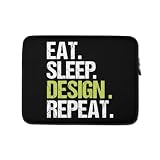
- Grab this funny Eat Sleep Design Repeat design as a gift for your little boy, girl, daughter, son, boyfriend, girlfriend, husband, wife, dad, mom who loves Designing! Wear this artistic design and show your passion for being a great Designer
- This funny Eat Sleep Design Repeat design is also a perfect gift for your Designer niece, nephew, aunt, uncle, grandma or grandpa for birthday, Christmas or any occasion! Please check the size chart in the thumbnails for correct dimensions.
- Lightweight, form-fitting laptop sleeve that protects your laptop from daily wear and tear
- Faux fur-lined interior and padded zipper binding prevent scratches while keeping your device secure with a top-loading zippered enclosure and two sliders
- Designed for on-the-go use with a slim profile that easily slides into backpacks, totes, and carry-on bags
Rank #2

- Grab this funny Eat Sleep Design Repeat design as a gift for your little boy, girl, daughter, son, boyfriend, girlfriend, husband, wife, dad, mom who loves Designing! Wear this artistic design and show your passion for being a great Designer
- This funny Eat Sleep Design Repeat design is also a perfect gift for your Designer niece, nephew, aunt, uncle, grandma or grandpa for birthday, Christmas or any occasion! Please check the size chart in the thumbnails for correct dimensions.
- Lightweight, form-fitting laptop sleeve that protects your laptop from daily wear and tear
- Faux fur-lined interior and padded zipper binding prevent scratches while keeping your device secure with a top-loading zippered enclosure and two sliders
- Designed for on-the-go use with a slim profile that easily slides into backpacks, totes, and carry-on bags
Product prices and availability are accurate as of the date/time indicated and are subject to change. Any price and availability information displayed on Amazon at the time of purchase will apply.

