
Free tools Windows power users keep installed
One-click scans. No signup required.
A newsletter content calendar turns planned topics into a workable send schedule: it shows what is going out, who is responsible, and what must be ready before each send. Start with a spreadsheet, plan around your audience and available production time, and add complexity only when your workflow needs it.
1. Decide what the newsletter is for
Before adding dates, define who the newsletter serves and what it should help those readers do or understand. Choose a small set of recurring themes—your content pillars—that support that purpose. Mailchimp’s content-planning guidance treats audience understanding and goals as core planning inputs.

This gives each proposed topic a test: does it serve the audience and the newsletter’s purpose? If not, leave it out rather than filling a slot for its own sake.
2. Choose a cadence you can sustain
Set a send frequency that fits reader expectations and the time you can reliably spend planning, writing, reviewing, and building each issue. The cited guidance establishes no universal best frequency, so do not assume that weekly or daily is inherently better. Consistency is useful only when the workload is sustainable—and when you have something worth sending. Mailchimp’s email-newsletter style guide puts it simply: “Only send when you have something to say.”
Do these 3 things before closing this tab:
1Repair Windows errors before they cause bigger problems2Scan for outdated or missing drivers - takes under a minute3Clear out junk files and repair common Windows errors3. Start with a calendar format you will maintain
A spreadsheet is a practical starting point for an individual publisher or a small team: it is easy to edit and can grow as the workflow becomes clearer. Mailchimp recommends choosing calendar columns to suit the team and its process; HubSpot provides editorial-calendar templates in Excel, Google Sheets, and Google Calendar formats. See Mailchimp’s calendar guide, HubSpot’s editorial-calendar templates, and HubSpot’s editorial calendar guide.
Use a shared calendar or project-management tool when multiple people need assignments, reminders, deadline ownership, or visibility across production stages. An email-marketing platform calendar can help when you need to see newsletter sends alongside other marketing activity. Choose based on your cadence, content types, collaborators, and stages—not on a feature list you will not use.
4. Add fields that answer real workflow questions
Begin with enough information to tell what is planned, when it is due, who owns it, and where it stands. Add more columns only when they help prevent a recurring problem or guide a decision.
Rank #2
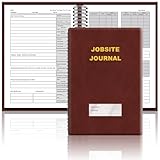
- The Jobsite Journal: this offering features a single black construction planner ensures you have a streamlined tool for organized recording at the jobsite, allowing you to document ideas, create sketches, and monitor progress in one centralized place. Crafted with quality in mind, this journal is a daily essential for jobsite scheduling, serving as a reliable partner for all your documentation needs
- Portable Design: measuring approximately 7 x 10 inches, the construction notebook fits seamlessly into work bags or briefcases, making it a go-to accessory for architects, engineers, and field professionals. Its ample page space ensures notes and sketches remain comprehensive and legible, while its lightweight design supports mobility during site visits and meetings
- Productive Layout: featuring a clear, efficient layout, the construction daily log book eliminates organizational challenges, enabling effortless documentation of critical details-including jobsite activities, task timelines, and milestone dates. It serves as a trustworthy archive for referencing, verifying, and reviewing site information, essential for project accountability and compliance
- Premium Materials for Durability: constructed with high-quality PU leather and premium paper, this project management notebook is built to endure daily use, while offering a smooth writing experience.The sleek, solid-black cover combines modern style with long-lasting durability, preserving its pristine appearance even after frequent use-all while safeguarding your work records. Designed with a spiral binding, it allows for easy, flat-page access, making note-taking effortless
- Versatile Utility: engineered to meet the demands of anyone requiring systematic and dependable note-taking, drafting, or sketching, this Record Construction Planner adapts to various roles-from architects and engineers to site supervisors. Its thoughtful size and design make it suitable for individual use or collaborative teams, ensuring it caters to diverse needs in field observations, project planning, and progress tracking
| Field | What it is for |
|---|---|
| Send date | The planned date the newsletter will go out. |
| Audience or segment | Who the issue is intended for, if you send to different groups. |
| Working topic or subject | The idea being developed; it need not be the final subject line. |
| Theme or content type | How the issue fits a recurring pillar or format. |
| Goal or call to action | What the issue should help readers do, when relevant. |
| Owner | The person responsible for moving the issue forward. |
| Draft due and review due | Milestones that create time to write and check the issue before send day. |
| Status | The current production stage. |
| Assets or campaign link | Where supporting materials or the email campaign can be found. |
| Result or notes | A place to record useful outcomes or lessons after sending. |
For a lean version, use just send date, topic, owner, and status. Mailchimp’s calendar guidance suggests fields such as content type, topic, publish date, assigned team member, status, and key metrics. HubSpot’s content-plan guidance also identifies fields such as title, format or channel, funnel stage, owner, status, goal or CTA, focus keyword where relevant, and URL. Those are options, not a requirement to track every detail.
A simple status sequence is idea, brief, drafting, review, approved, scheduled, sent, and reviewed. If a status does not change what someone does next, remove it.
5. Work backward from the send date
For each issue, set the production milestones before the send date. At minimum, make room for choosing the topic or writing a brief, drafting, review and proofreading, preparing assets, and scheduling or sending. Assign an owner and deadline to each task if more than one person is involved.
Rank #3

- UNDATED PLANNER NOTEBOOK: This personal organizer works great with any planning style! Use it for notes, plans or goals. Works great as a daily journal, weekly planner or to do list notebook. Features a durable plastic cover that will last all year.
- CREATE YOUR OWN daily, weekly or monthly planner with a useful date tracker on every page. Also includes a section with fill-in circles and blank lines for a checklist, habit tracker or agenda planner.
- NO MORE INK GHOSTING: Our premium 80 gsm acid-free paper is thicker than average planners, so you can confidently use most pens without fear of bleed-through. Includes 104 lined pages for note taking and journaling.
- PLAN AHEAD: Perfect daily agenda and planner notebook for school, college, work or home. This productivity planner is ready to be packed full of big plans and busy schedules. Available in a variety of colors.
- PERFECT SIZE: This 8.5 x 11 spiral planner lays flat on your desk and is the perfect size for students, teachers, work or personal use. Lightweight and easy to carry in your tote bag or backpack.
- Choose the topic and brief. Set a date for confirming the audience, purpose, key point, and call to action.
- Draft and gather assets. Allow time for writing and for obtaining links, images, or other supporting material.
- Build and check the email. Leave a review window to proofread the copy, check links and layout, and send a test if that is part of your process.
- Schedule or send. Keep the planned send date visible and account for holidays or other dates that affect your team or audience.
One HubSpot email-marketing PDF illustrates a four-day sequence: topic and image planning on day one; writing and asset gathering on day two; email build, proofreading, and test send on day three; and sending on day four. It is an example workflow, not a universal production deadline. The same PDF advises mapping campaign start dates backward from the send date: HubSpot email marketing plan PDF.
For broader content planning, HubSpot’s content-plan guide suggests planning at least four to six weeks ahead. Treat that as a planning recommendation, not a fixed lead time every newsletter needs; your cadence, production capacity, and how quickly topics become stale should determine the horizon.
6. Leave room for recurring, evergreen, and timely topics
Reserve calendar space for recurring sections or themes, and mix in evergreen material that remains useful over time. Keep some flexibility for timely opportunities, changed priorities, or a topic that no longer makes sense to send. A calendar is a plan, not a reason to publish something that is no longer relevant. HubSpot discusses balancing evergreen and timely content in its content-plan guide and editorial-calendar templates.
Rank #4
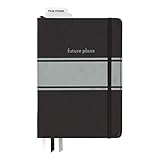
- Includes (1) journal planner and (1) stencil ruler.
- Measures 6" W x 8.5" L and contains 240 pages.
- Let your creativity flow with our personal planner! Keep yourself on task and organized with half of the pages, while drawing, doodling, note taking, or reflecting with the other half.
- Personal journal planner has an elastic band closure and 3 ribbon place markers.
- Comes with a stencil ruler to help with organizational planning and artistic masterpieces.
7. Review results and adjust the plan
Use a small set of measures that connect to the newsletter’s goal and are available in your email platform or through your own tracking. Depending on the purpose, that might include delivery, engagement, clicks, replies, or completed actions. Mailchimp and HubSpot recommend using performance metrics or KPIs, but the cited guidance does not establish one review interval that suits every newsletter.
Set a review rhythm that matches your send cadence and the decisions you need to make. Look for signals that should change upcoming topics, audience targeting, or the workflow itself; also check whether the planned workload is still realistic. Add results to the calendar only if they will inform those decisions.
When to use an email platform’s calendar
If you already schedule campaigns in an email platform, its calendar may provide a useful view of what is planned and what has gone out. Mailchimp says its marketing calendar can display regular and plain-text emails, A/B testing emails, SMS, social posts, and digital ads, with audience filtering. Its current help page describes the calendar at About the marketing calendar.
HubSpot documents marketing-calendar views for campaigns and tasks, as well as marketing-email scheduling. Consult its current help pages for the available workflow: Use your marketing calendar and Create and send marketing emails. Features and access may depend on subscription, so check the current platform documentation for your account before relying on a particular capability.
Quick Recap
Product prices and availability are accurate as of the date/time indicated and are subject to change. Any price and availability information displayed on Amazon at the time of purchase will apply.

