
Free tools Windows power users keep installed
One-click scans. No signup required.
Use Pages’ built-in export to make an editable Word .docx copy of your document. The original Pages file stays intact. Choose the steps for your device below, then open the exported file in Word and check its layout before sharing if formatting matters.
Convert a Pages document to Word on a Mac
- Open the document in Pages.
- Choose File > Export To > Word.
- Follow the export prompts, choose where to save the copy, and export it. Pages creates a Word document in .docx format. Apple’s conversion instructions also describe using the Share button and choosing Export and Send > Word; the visible labels can vary by interface.
Exported changes do not affect the original Pages file. On Mac, you can change or remove the document password during export. Apple’s Pages for Mac guide notes that smart annotations do not appear in exported Word documents.

Convert a Pages document on iPhone or iPad
- Open the document in Pages.
- Tap the More button or the Share button in the toolbar.
- Tap Export or Export and Send, then select Word.
- Save the .docx copy to Files or share it using an available option.
The mobile guide says the original document’s password applies to the exported Word copy. Smart annotations are not included in the export. Apple’s iPhone and iPad instructions document the mobile export options.
Convert Pages to Word on a PC or in a browser
- Sign in to iCloud.com with your Apple Account in a supported browser.
- Open Pages and locate the document.
- Click the More button beside the file, or in the open document’s toolbar, and choose Download a Copy.
- Choose Word. The .docx file downloads to the browser’s default download location.
Pages for iCloud works in a browser on Mac or PC. The browser route is useful when you are on a PC and do not have the Pages app available.
#1 Best Overall
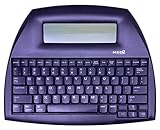
- ALPHASMART NEO2 PORTABLE WORD PROCESSOR WITH USB CABLE AND 3 (AA)BATTERY IS INCLUDED. TESTED/WORKING
Which conversion route should you use?
| Route | Menu path | Where the Word copy goes |
|---|---|---|
| Mac Pages | File > Export To > Word | Save location you choose |
| iPhone or iPad Pages | More or Share > Export or Export and Send > Word | Files or a sharing destination you choose |
| Pages for iCloud.com | More > Download a Copy > Word | Browser’s default download location |
Each route creates a Word .docx copy; the source Pages document remains available for later edits or another export. Apple describes the conversion as making a copy in the new format while leaving the original intact.
Check the Word file before you send it
Exporting creates a Word file, but Apple’s conversion instructions do not promise identical appearance for every document element in every version of Word. Open the .docx in Word and review the parts of the document that matter to the recipient, especially:
- Page breaks and overall pagination
- Fonts and text spacing
- Tables and images
- Annotations, which do not appear in exported Word documents
If something needs correction, edit the Pages original and export a fresh copy. Edits made to the exported Word document do not change the Pages file.
Independent reader supportYour contribution helps us test, update, and keep practical guides available for everyone.What if the recipient requires the older .doc format?
Pages exports to the current Word format, .docx. Apple’s documented route for an older .doc file is to export to the current XML format, open that file in the equivalent Microsoft Office app, and export it to the older format. Apple’s conversion instructions describe this additional step.
Do these 3 things before closing this tab:
1Scan for outdated or missing drivers - takes under a minute2Clear out junk files and repair common Windows errors3Fix the driver behind crashes, sound loss and screen glitchesQuick Recap
Rank #4

- ⌨【Large Print Keyboard】With letter characters larger than usual and command keys in a larger bolder font, these high-contrast keys can really help those who have trouble seeing keyboards. Perfect for elderly, the visually impaired, schools, special needs departments and libraries, as well as companies.
- ⌨【Spill resistant keyboard】It is designed to keep electronic components of keyboard safe. Water-Resistant function protection against accidental spills provides extra peace of mind. Be sure to air dry completely after spill before further use.
- ⌨【High Contrast】Large print keyboard offers increased visibility with easy to see yellow key caps and crisp large print black letters, Easily seen print, even in low light. With a life cycle of 5 million keystrokes, membrane key switches provide a faster response along with a quieter typing experience.
- ⌨【Ergonomics Design】Unfold the feet at back of the keyboard to reduce hand fatigue and enjoy long hours of playing. Full QWERTY English (US) 104 key keyboard layout with numeric keypad, Large Print keys provides superior comfort without forcing you to relearn how to type.
- ⌨【Wide Compatibility & Lifetime After-Sales Service】Compatible with Windows 10 / 8 / 7 / Vista / XP / 2000 / 98 | Also works with Mac OSX and macOS. Easy to install with plug and play technology | No additional software required.Except for Windows systems, other system hotkeys may not work and are only used for typing
Rank #3

- SEE WITH EASE, TYPE WITH CONFIDENCE – Featuring large, bold print, this large font key board makes every character easy to see. A great solution for seniors, students, and visually impaired users who want a more comfortable computer keyboard experience.
- SEE KEYS CLEARLY IN ANY LIGHT – Work day or night with a lighted keyboard for PC that includes 7 colors and 4 brightness levels. This backlit keyboard design ensures the keyboard light up keys stay visible in dim rooms, offices, or late-night study sessions.
- BOOST YOUR PRODUCTIVITY – The full-size 107-key layout includes a number pad and 12 shortcut keys, making this keyboard wired perfect for faster navigation, smoother workflow, and more efficient typing on any project.
- PLUG AND PLAY RELIABILITY – A simple USB keyboard connection delivers instant setup for PC, Chromebook, or as a keyboard for laptop. No software required, just connect this wired keyboard and start typing right away.
- DURABLE AND DEPENDABLE DESIGN – Built to handle daily use, this desktop keyboard is a long-lasting solution for home, office, or shared workspaces. A reliable keyboard designed for comfort and ease of use.
Product prices and availability are accurate as of the date/time indicated and are subject to change. Any price and availability information displayed on Amazon at the time of purchase will apply.

