
iTechGuides is reader-supported. When you buy through links on our site, we may earn an affiliate commission. As an Amazon Associate I earn from qualifying purchases. Learn more
How Powerline Networking Works is straightforward: one adapter connects to your router, converts Ethernet data into a high-frequency signal, and sends that signal through the building’s electrical wiring to a second adapter. The second adapter converts the signal back to Ethernet or Wi-Fi, but real-world speed depends heavily on wiring, interference, and circuit layout.
Powerline networking is a local-area networking technology for connecting devices within a home, apartment, office, or similar premises. It is not internet service delivered through the utility grid. Instead, powerline adapters use existing electrical conductors as a networking path when running Ethernet is inconvenient and Wi-Fi is unreliable.
The central rule is simple: the adapter’s protocol sets the ceiling; the building’s electrical path determines how much of that ceiling is usable.
Key takeaways
- Powerline adapters carry network data over existing electrical wiring while ordinary AC power continues flowing normally.
- An advertised AV1000, AV2000, or G.hn 2400 figure is generally a maximum physical-layer link rate, not guaranteed application throughput.
- Powerline performance depends on circuit topology, breakers, panels, distance along the wiring, electrical noise, filters, and the number of active adapters.
- HomePlug AV/AV2 and G.hn are separate technology families and generally cannot communicate with each other.
- Direct wall-outlet testing, re-pairing, adjacent-outlet testing, and local LAN speed tests are more reliable than judging a product by its box label.
- Ethernet is the best choice when cable is practical; MoCA is often preferable when suitable coaxial cable is already installed.
How Powerline Networking Works in a Typical Home
Powerline networking uses at least two adapters to bridge Ethernet traffic through electrical wiring. The first adapter connects to a router’s LAN port and injects a specialized data signal onto the electrical circuit. The second adapter detects and decodes that signal elsewhere in the building and presents the connection through Ethernet or, on wireless models, a new Wi-Fi access point.
Popular on Amazon
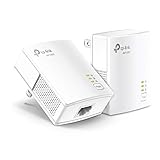
- 𝐄𝐱𝐭𝐞𝐧𝐝 𝐘𝐨𝐮𝐫 𝐄𝐭𝐡𝐞𝐫𝐧𝐞𝐭 𝐂𝐨𝐧𝐧𝐞𝐜𝐭𝐢𝐨𝐧 𝐓𝐡𝐫𝐨𝐮𝐠𝐡 𝐘𝐨𝐮𝐫 𝐄𝐥𝐞𝐜𝐭𝐫𝐢𝐜𝐚𝐥 𝐒𝐲𝐬𝐭𝐞𝐦 - This device is meant for for areas where thick walls block Ethernet connections, where routers or range extenders do not work. Compatible with all TP-Link powerline adapters.
- 𝐀𝐕𝟏𝟎𝟎𝟎 𝐒𝐩𝐞𝐞𝐝𝐬 𝐔𝐩 𝐭𝐨 𝟕𝟓𝟎 𝐅𝐞𝐞𝐭 - Powered by HomePlug AV2, delivers AV1000 powerline speeds through existing electrical wiring. Speeds cannot exceed your internet plan's limit and may be lower due to wiring quality, distance, and interference.
- Ideal for multi-story homes, basements, attics, and garages.
- 𝐂𝐡𝐞𝐜𝐤 𝐛𝐞𝐟𝐨𝐫𝐞 𝐲𝐨𝐮 𝐛𝐮𝐲 - Adapters must be plugged directly into wall outlets on the same electrical circuit. Does not work with power strips, surge protectors, or extension cords. Place away from large appliances, such as washing machines, refrigerators, and air conditioners.
- 𝐀𝐝𝐯𝐢𝐬𝐨𝐫𝐲 - Performance may be limited or blocked in homes with AFCI breakers, which are standard in many homes built after 2000. Powerline may also not work with routers or gateways using modified, open-source (e.g., DD-WRT), or non-standard firmware.
Internet
   │
Router ── Ethernet ── Powerline adapter A
                         │
                  Household electrical wiring
                         │
                 Powerline adapter B ── Ethernet ── TV / PC / console
                                             └── or Wi-Fi access point
The first adapter converts Ethernet frames into a broadband physical-layer signal. The remote adapter performs the reverse conversion. A television, desktop computer, game console, camera, NAS, or wireless access point can then use the connection as though it were connected to the router by Ethernet.
Powerline communication is the broader engineering term. Powerline networking is one consumer application; other applications include industrial control, metering, smart-grid systems, and home automation. Broadband over power lines is a different concept involving internet access over utility-distribution infrastructure.
What happens to the electrical signal?
Household wiring carries ordinary low-frequency AC power and the networking equipment adds a much higher-frequency data signal. Coupling circuitry injects and extracts the data signal, while filters and digital signal processing help separate networking traffic from the power waveform and electrical noise.
What’s actually slowing this PC down?
Pick the symptom - the matching free tool is one click away.
In the United States, household AC power typically operates at 60 Hz. Powerline adapters do not send ordinary Ethernet voltage pulses directly down the mains wiring. Adapters encode Ethernet data into a specialized broadband signal designed for a noisy, shared electrical medium.
The adapters first negotiate a link and measure the characteristics of the electrical path. The adapters can then change transmission parameters as conditions change. Turning on a motor, charger, dimmer, or switching power supply can alter the channel, so a connection that works well at one moment may lose throughput or experience retransmissions later.
Which signal-processing techniques make powerline networking possible?
- OFDM: Orthogonal frequency-division multiplexing divides data across many narrow subcarriers. Noisy frequencies can carry fewer bits or be disabled while cleaner frequencies continue working.
- Adaptive modulation: Clean subcarriers can use denser modulation and carry more bits; impaired subcarriers use a more robust, lower-rate mode or are avoided.
- Forward error correction: Redundant information allows the receiver to reconstruct some corrupted data without requesting every damaged frame again.
- Channel estimation: The adapters measure attenuation, noise, and changing conditions on the electrical path and adapt to those measurements.
- Scheduling and medium access: Multiple adapters share the same wiring, so the devices coordinate transmission instead of transmitting independently at all times.
- MIMO: Some HomePlug AV2 and G.hn systems use more than one conductor combination, such as line-to-neutral, line-to-ground, and neutral-to-ground paths where the product design and local electrical conditions permit it.
Why is the real powerline speed lower than the box speed?
The number printed on a powerline adapter is usually a maximum physical-layer or link rate measured under favorable conditions. TP-Link’s explanation of advertised versus actual powerline speed distinguishes the headline physical-layer rate from usable throughput.
The path from a product label to a file transfer looks like this:
Advertised PHY rate
       ↓
Protocol framing and network overhead
       ↓
Electrical noise and retransmissions
       ↓
Shared-medium contention
       ↓
Ethernet port limit
       ↓
Wi-Fi overhead, if the remote adapter is wireless
       ↓
Actual application throughput
An adapter labeled “2000 Mbps” may advertise a physical-layer rate near 2000 Mbps under ideal conditions, while a file transfer or internet test is substantially slower. There is no universal conversion such as “real speed is always half the box speed.” Wiring, distance, noise, adapter design, traffic, Ethernet port speed, and test method all change the result.
Also popular on Amazon
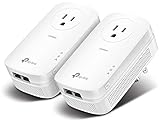
- EXTEND YOUR ETHERNET CONNECTION THROUGH YOUR ELECTRICAL SYSTEM - This device is meant for individuals that are not able to extend their Ethernet connections where routers or range extenders do not work. Speed cannot exceed your internet plan’s limit.
- HOMEPLUG AV2 - Delivers AV2000 powerline speeds over existing electrical wiring, extending home network wired connectivity by up to 750ft through thick walls and other barriers. Ideal for multi-story homes, basements, attics, and garages.
- CHECK BEFORE YOU BUY - Adapters must be plugged directly into wall outlets on the same electrical circuit. Does not work with power strips, surge protectors, or extension cords. Place away from large appliances, such as washing machines, refrigerators, and air conditioners.
- ADVISORY - Performance may be limited or blocked in homes with AFCI breakers, which are standard in many homes built after 2000. Powerline may also not work with routers or gateways using modified, open-source (e.g., DD-WRT), or non-standard firmware.
- 2 GIGABIT PORTS - Provides a secure wired network for connected devices, such as desktops, smart TVs, game consoles, and more. Ethernet cables are included. Tip: Expand connections with an Ethernet switch (sold separately).
The internet connection can also be the bottleneck. A healthy local powerline link may appear slow during an internet speed test because of the ISP service, router load, VPN, Wi-Fi between the client and remote adapter, test-server limitations, or other traffic. For diagnosis, test adapter-to-adapter LAN performance or transfer a large file over the local network when possible.
What are HomePlug AV2 and G.hn?
HomePlug AV2 and G.hn are the two main technology families a consumer is likely to encounter in powerline adapter products. The families should not be treated as interchangeable simply because both products are labeled “powerline.”
| Technology | Common consumer branding | What matters when buying |
|---|---|---|
| HomePlug AV | AV500, AV600, and older AV products | Older or legacy HomePlug family equipment; check compatibility with the exact adapter generation. |
| HomePlug AV2 | AV1000, AV1300, AV2000 | Often includes improved physical-layer rates and MIMO; advertised rates are not guaranteed throughput. |
| G.hn powerline | G.hn 1200, G.hn 2400, and vendor-defined rate classes | A separate ecosystem from HomePlug AV/AV2; check G.hn compatibility, ports, Wi-Fi, and mesh features. |
HomePlug AV/AV2: HomePlug AV and AV2 are consumer powerline technologies widely used in adapter kits. AV2 added features including higher headline physical-layer rates and, in many implementations, MIMO operation. “AV1000” and “AV2000” describe product speed classes rather than guaranteed application performance.
Do these 3 things before closing this tab:
1Clear out junk files and repair common Windows errors2Scan for outdated or missing drivers - takes under a minute3Repair Windows errors before they cause bigger problemsG.hn: G.hn is a broader ITU-T wireline networking standard that can operate over power lines, telephone wiring, coaxial cable, and plastic optical fiber. The ITU-T G.9960 standard record lists the 2023 edition and amendments approved through March 28, 2025. A separate ITU-T description of G.hn identifies the supported in-premises media.
G.hn adapters generally do not communicate with HomePlug AV or AV2 adapters. TP-Link’s G.hn compatibility information explicitly warns that G.hn and HomePlug AV/AV2 are separate ecosystems. Buy a matched kit or expand an existing network with adapters from the same technology family, preferably within the same vendor ecosystem.
Vendor rate classes illustrate why product specifications need context. TP-Link’s 2025 product guide lists G.hn products with advertised powerline rates of 1,428 Mbps and 607 Mbps and HomePlug AV2 products with rates including 1,300 Mbps and 1,000 Mbps. These are product-rated link figures, not promises of internet or file-transfer speed in every home.
Will powerline networking work in different rooms or floors?
Powerline networking often works between rooms and floors, but outlet location alone cannot predict success. The adapters need a sufficiently usable electrical path, and the path may cross branch circuits, breakers, phases, panels, protective devices, or noisy appliances.
Outdated Drivers Are Slowing You Down
One free scan finds every outdated or missing driver and matches the right update for your exact hardware.Free scan · exact hardware matchPC Slower Than It Used to Be?
A free scan shows the junk files, broken settings and background clutter dragging Windows down - then fixes them in one click.Free scan · Windows 10 & 11Powerline adapters do not always need to be on the same breaker. Conversely, saying that powerline works anywhere in a building has the same problem: different electrical layouts produce different results. Crossing breakers, AFCI or GFCI devices, subpanels, transformers, or separate electrical services may weaken or block the link.
Also popular on Amazon
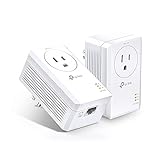
- 𝐄𝐱𝐭𝐞𝐧𝐝 𝐘𝐨𝐮𝐫 𝐄𝐭𝐡𝐞𝐫𝐧𝐞𝐭 𝐂𝐨𝐧𝐧𝐞𝐜𝐭𝐢𝐨𝐧 𝐓𝐡𝐫𝐨𝐮𝐠𝐡 𝐘𝐨𝐮𝐫 𝐄𝐥𝐞𝐜𝐭𝐫𝐢𝐜𝐚𝐥 𝐒𝐲𝐬𝐭𝐞𝐦 - This device is meant for individuals that are not able to extend their Ethernet connections where routers or range extenders do not work. Speeds cannot exceed your internet plan’s limit.
- 𝐇𝐨𝐦𝐞𝐏𝐥𝐮𝐠 𝐀𝐕𝟐 - Delivers AV1000 powerline speeds over existing electrical wiring, extending home network wired connectivity through thick walls and other barriers. Ideal for multi-story homes, basements, attics, and garages.
- 𝐂𝐡𝐞𝐜𝐤 𝐛𝐞𝐟𝐨𝐫𝐞 𝐲𝐨𝐮 𝐛𝐮𝐲 - Adapters must be plugged directly into wall outlets on the same electrical circuit. Does not work with power strips, surge protectors, or extension cords. Place away from large appliances, such as washing machines, refrigerators, and air conditioners.
- 𝐀𝐝𝐯𝐢𝐬𝐨𝐫𝐲 - Performance may be limited or blocked in homes with AFCI breakers, which are standard in many homes built after 2000. Powerline may also not work with routers or gateways using modified, open-source (e.g., DD-WRT), or non-standard firmware.
- 𝐆𝐢𝐠𝐚𝐛𝐢𝐭 𝐏𝐨𝐫𝐭 - provides secure wired networks for desktops, smart TVs or games consoles. Ethernet cables are included.
Electrical distance also differs from physical distance. Two rooms next to each other may be far apart in the wiring, while outlets on different floors may have a relatively favorable path. The only dependable method is to test the intended outlets with the actual adapters.
Manufacturer guidance from TP-Link identifies circuit conditions, interference, traffic, network overhead, AFCI breakers, and separate circuits as factors that can affect powerline range and throughput.
What happens in difficult buildings?
- Homes with multiple panels: A signal may be weakened or stopped between panels, especially where the panels are electrically isolated.
- Different phases or legs: Adapters may work, work slowly, or fail depending on panel design and coupling conditions. Phase differences are not an automatic pass-or-fail rule.
- Detached garages and outbuildings: Separate panels, transformers, long underground runs, and isolation devices can make powerline unreliable. Ethernet in conduit, fiber, or a point-to-point wireless link may be better.
- Apartments: Complex building wiring may allow signals to reach circuits beyond the apartment. Logical pairing and encryption matter; do not assume the signal necessarily stops at the electric meter.
What electrical interference affects powerline networking?
Electrical noise can reduce throughput, increase latency and jitter, cause retransmissions, or produce intermittent drops. Common sources include dimmers, some LED lighting systems, switching power supplies, battery chargers, UPS units, surge protectors, filtered power strips, refrigerators, washing machines, motors, and other appliances.
TP-Link specifically lists dimmers, touch-sensitive switches, short-wave radios, cable systems, VDSL equipment, speakers, and nonstandard or incompatible powerline equipment as possible sources of interference in its powerline interference guidance.
Plug each adapter directly into a wall outlet as the default. Surge protectors, UPS systems, extension cords, and filtered power strips can attenuate the high-frequency networking signal. If an adapter includes a pass-through outlet, follow the manufacturer’s instructions about connecting a power strip or noisy appliance through that outlet; filtering behavior is model-specific.
Try nearby outlets instead of assuming the closest outlet is best. An outlet on another wall may use a more favorable branch of the circuit. Never bypass AFCI or GFCI protection, remove grounding, open an electrical panel, modify wiring, or use an unsafe electrical adapter to improve a network connection.
How do you install a basic powerline adapter pair?
A basic installation usually takes only a few minutes, but button names, LED colors, pairing timeouts, and management apps vary by brand and model.
- Check protocol compatibility. Use a matched kit or adapters from the same family. Do not mix G.hn with HomePlug AV or AV2.
- Place the main adapter near the router. Plug the adapter directly into a wall outlet.
- Connect the router. Use an Ethernet cable from the adapter to a LAN port on the router, not an electrical or telephone port.
- Place the remote adapter. Plug the second adapter directly into a wall outlet in the destination room.
- Wait for the link indicator. The powerline LED may take a short time to show that the adapters have detected each other.
- Pair the adapters. Press the security or pair button on the first adapter, then press the corresponding button on the second according to the product manual. NETGEAR’s pairing instructions document this general security-button approach.
- Connect the remote device. Attach a TV, console, computer, NAS, or access point by Ethernet. If the adapter provides Wi-Fi, configure its wireless network according to the model’s instructions.
- Test the local connection. Use a LAN speed test or large local file transfer where possible. An internet test alone may measure the ISP or Wi-Fi bottleneck instead.
- Move the remote adapter if needed. Test another wall outlet if the connection is slow or unstable.
How do you secure a powerline network?
Powerline security has several separate layers. Powerline pairing or encryption protects the logical adapter network; router and LAN controls protect devices after traffic reaches the router; Wi-Fi encryption protects wireless clients connected through a wireless powerline adapter.
Also popular on Amazon

- EXTEND YOUR ETHERNET CONNECTION THROUGH YOUR ELECTRICAL SYSTEM - This device is meant for areas where thick walls block Ethernet connections, where routers or range extenders do not work. Compatible with all TP-Link powerline adapters.
- AV600 SPEEDS UP TO 750 FEET - Delivers AV600 powerline speeds through existing electrical wiring. Speeds cannot exceed your internet plan's limit and may be lower due to wiring quality, distance, and interference.
- Ideal for multi-story homes, basements, attics, and garages.
- CHECK BEFORE YOU BUY - Adapters must be plugged directly into wall outlets on the same electrical circuit. Does not work with power strips, surge protectors, or extension cords. Place away from large appliances, such as washing machines, refrigerators, and air conditioners.
- ADVISORY - Performance may be limited or blocked in homes with AFCI breakers, which are standard in many homes built after 2000. Powerline may also not work with routers or gateways using modified, open-source (e.g., DD-WRT), or non-standard firmware.
- Pair the adapters with their security buttons or the manufacturer’s setup utility.
- Set a unique powerline network key when the product allows it.
- Change default administrator credentials for the adapter’s app or web interface.
- Use WPA2, WPA3, or the strongest Wi-Fi security mode supported by the wireless model.
- Keep adapter firmware and the management app updated when the vendor provides updates.
- Do not assume physical access to an outlet is harmless, and do not assume the signal is automatically confined to one apartment or house.
Powerline encryption does not secure an unpatched camera, computer, router, or wireless client. Treat the adapters as part of the home network, not as a replacement for ordinary router, device, and Wi-Fi security.
How do you troubleshoot a powerline connection?
Use a controlled sequence that separates adapter problems from electrical-path problems and network bottlenecks.
No link at all?
 ├─ Confirm power and protocol compatibility
 ├─ Re-pair the adapters
 ├─ Test adjacent wall outlets
 ├─ Remove UPS units, surge protectors, and filtered strips
 ├─ Check the router LAN port and Ethernet cable
 └─ If no outlet pair works, use an alternative

Link exists but speed is poor?
 ├─ Try another outlet
 ├─ Unplug suspected noisy appliances temporarily
 ├─ Check the Ethernet port speed
 ├─ Test local LAN throughput
 ├─ Reduce simultaneous powerline traffic
└─ Compare Ethernet, MoCA, mesh, or a wireless bridge- Confirm both adapters are powered and belong to compatible technology families.
- Confirm that the main adapter is connected to an active router LAN port.
- Re-pair the devices using the security or pair controls.
- Remove surge protectors, UPS systems, extension cords, and filtered power strips.
- Test both adapters in adjacent wall outlets. If they cannot pair there, suspect compatibility, configuration, hardware, or cabling.
- If adjacent outlets work, move the remote adapter one room at a time toward the target location.
- Test outlets on different walls and floors.
- Temporarily unplug dimmers, chargers, LED drivers, motors, speakers, and other suspected noise sources.
- Check the Ethernet cable, router port, adapter port speed, and client device.
- Update firmware or use the vendor management utility if supported.
- Reset the adapters only after recording the current network name, Wi-Fi settings, passwords, and other configuration.
- If adjacent outlets work but the target outlet does not, the electrical path is probably the limiting factor rather than the router.
- If no outlet pair works reliably, stop troubleshooting the wiring and use Ethernet, MoCA, mesh Wi-Fi, a wireless bridge, or another suitable alternative.
How does powerline compare with Ethernet, MoCA, and mesh Wi-Fi?
| Option | Best use | Advantages | Limitations |
|---|---|---|---|
| Ethernet | Any location where cable can be installed | Most consistent performance, low latency and jitter, straightforward troubleshooting, and strong upgrade potential | May require drilling, conduit, cable routing, or access to finished walls |
| Powerline | Stationary devices in difficult rooms when Ethernet is impractical | Uses existing electrical wiring and can provide a wired jack without running new cable | Speed and reliability depend on electrical topology, noise, breakers, and outlet placement |
| MoCA | Homes with suitable coax outlets at both locations | Often more predictable throughput and latency than powerline when the coax path is continuous and suitable | Requires usable coaxial wiring and compatible MoCA equipment |
| Mesh Wi-Fi | Phones, tablets, laptops, and roaming clients | Supports mobility and can use modern Wi-Fi 6, Wi-Fi 6E, or Wi-Fi 7 systems | Wireless backhaul can be affected by walls and radio congestion; nodes still need good placement |
| Wireless bridge | Clear line-of-sight links, including some detached-building connections | Can outperform powerline where the radio path is clear and well aligned | Dense walls, metal, distance, and interference can reduce performance |
When is Ethernet better than powerline?
Ethernet is better when cable installation is practical, predictable latency matters, several high-bandwidth devices will share the connection, or the user needs multi-gigabit performance. Ethernet is easier to troubleshoot and offers a more reliable upgrade path.
Quick wins for a faster PC:
Repair Windows errors before they cause bigger problemsFix Now →Scan for outdated or missing drivers - takes under a minuteDriver Scan →Clear out junk files and repair common Windows errorsFree Scan →When is MoCA better than powerline?
MoCA is usually preferable when coax outlets are available at both endpoints and the coaxial wiring is continuous and suitable. Coax generally provides a more predictable path than unknown household electrical wiring, although the exact result depends on the MoCA equipment and the coax installation.
When is mesh Wi-Fi better than powerline?
Mesh Wi-Fi is better for mobile devices and roaming coverage. A wireless powerline extender can create a useful access point in a difficult room, but the powerline section remains a bottleneck before the Wi-Fi connection. A high Wi-Fi class does not eliminate a weak electrical link.
What is best for a detached garage or outbuilding?
Powerline is often a poor first choice for a detached building with a separate panel, transformer, long underground run, or electrical isolation device. Compare Ethernet in conduit, fiber, a point-to-point wireless bridge, and MoCA over suitable coax before buying powerline adapters.
Is powerline networking good for gaming and 4K streaming?
Powerline networking can be adequate for ordinary gaming or a single compressed 4K stream when the electrical path is strong, but neither use case is guaranteed by the product label. Electrical noise and shared traffic can change latency, jitter, and sustained throughput.
Recommended Free Tools
Competitive gamers should prefer Ethernet when available because Ethernet offers more consistent latency and jitter. Powerline may be acceptable for casual gaming if local testing shows stable results. Multiple 4K streams, cloud gaming, NAS transfers, and backups are more likely to expose powerline limitations.
Also popular on Amazon

- Use your existing household electrical wiring to extend your existing Internet service to any room in your house..Standards: IEEE 1901 compliant. IEEE 802.3 compliant, this is not a Wi-Fi device
- Homeplug AV2 technology supports Gigabit speeds through your electrical outlets for improved coverage
- Extremely fast Powerline adapter for Gigabit speeds, perfect for connecting your existing internet access to smart TVs, streaming players & game consoles with 4K HD streaming and lag-free gaming through household electrical wiring, this is not a WiFI device
- Extra plug with our noise filtered power outlet built into the adapter to ensure top performance
- Multiple data streams (MIMO) with Beamforming technology to offer improved coverage by directing the signal where you need it through existing household electrical wiring, this is not a Wi-Fi device
Who should use powerline networking?
Powerline is a sensible retrofit option when Ethernet is difficult to install, Wi-Fi is weak because of distance or building materials, the destination device is stationary, and the user can test the electrical path before committing to the setup.
- Consider powerline for a stationary TV, console, desktop, camera, NAS, or access point in a difficult room.
- Choose Ethernet when cable is practical or predictable high performance is essential.
- Investigate MoCA when suitable coax outlets are available at both locations.
- Choose mesh Wi-Fi when the main requirement is mobile coverage and roaming.
- Consider wireless bridging, Ethernet, or fiber for a detached building.
- Do not rely on powerline without testing when the home has multiple panels, severe electrical noise, complex wiring, or demanding multi-gigabit workloads.
When shopping, match the existing protocol first. Then prefer Gigabit Ethernet ports, consider a pass-through outlet where outlets are scarce, and choose Wi-Fi-capable hardware only when the destination room needs wireless coverage. A return policy is valuable because electrical-path performance cannot be predicted perfectly from specifications.
For mainstream options, readers can compare TP-Link HomePlug AV2 powerline products, while buyers evaluating a separate G.hn ecosystem can review TP-Link’s G.hn product information. NETGEAR users can consult the NETGEAR powerline adapter FAQ. Product availability and hardware generations vary by country, so verify the exact model, protocol, Ethernet port speed, Wi-Fi capability, firmware support, and return terms before buying.
Free tools Windows power users keep installed
One-click scans. No signup required.
Frequently Asked Questions
Do powerline adapters have to be on the same circuit?
Powerline adapters need a sufficiently usable electrical path, but they do not always have to be on the same breaker. Different circuits, phases, panels, AFCI or GFCI devices, and subpanels can weaken or block the connection, so testing the actual outlets is the only reliable answer.
Can G.hn and HomePlug AV2 powerline adapters work together?
G.hn and HomePlug AV/AV2 powerline adapters generally cannot communicate with each other. Use a matched kit or adapters from the same technology family, preferably from the same vendor ecosystem.
Are powerline adapters secure?
Powerline adapters can create a private encrypted logical network when they are paired correctly, but powerline encryption does not secure the router, connected devices, or wireless clients by itself. Pair the adapters, change management credentials, and use modern Wi-Fi security on wireless models.
Why is my AV2000 powerline adapter much slower than 2000 Mbps?
The AV2000 figure is a maximum physical-layer or link-rate claim, not guaranteed application throughput. Protocol overhead, electrical noise, retransmissions, shared traffic, Ethernet port limits, Wi-Fi conditions, and the internet connection can all make real-world speed substantially lower.
The Tool Desk
Outbyte PC Repair FREEClear out junk files and repair common Windows errorsFree Scan →Outbyte Driver Updater FREEFix the driver behind crashes, sound loss and screen glitchesFind Drivers →The Bottom Line
Powerline networking is a useful middle ground between unreliable Wi-Fi and difficult-to-install Ethernet. It works by placing a modulated high-frequency data signal onto existing electrical wiring, but the result depends more on the building’s wiring and interference environment than on the number printed on the adapter box. Test the intended outlets directly, use compatible adapters, and choose Ethernet or MoCA instead when predictable performance matters.

