
Greg Davill’s project connects a ducted reverse-cycle Daikin air conditioner to Home Assistant through the wired P1/P2 bus used by its wall controller—not through an infrared blaster. The prototype pairs an ESP32-C3 with a MAX22088 transceiver breakout and ESPHome firmware, enabling local climate controls, status reporting and automations in his installation. It is a documented, system-specific DIY build, not a universal Daikin retrofit.
What the retrofit does
Davill wanted to monitor and control his air conditioner from Home Assistant for remote operation, timers, solar-aware thermostat behavior and automations that respond to whether he was home. Because his ducted unit used a hardwired wall controller, the usual approach of sending infrared commands for a split system did not fit his installation.
Instead, the project interfaces with the controller’s two-wire P1/P2 connection. The build uses an ESP32-C3 development board and a MAX22088 transceiver breakout. Custom firmware, integrated with ESPHome, uses ESPHome’s Climate component to expose a climate entity to Home Assistant. In Davill’s configuration, ESPHome also provides Wi-Fi logging and over-the-air firmware updates. Davill’s project write-up documents the prototype and its development.
How the P1/P2 interface was developed
Davill describes P1/P2 as a two-wire bus carrying power and modulated data. In his setup, he measured about 15 V at the wall controller and examined signaling at 9600 bps and its cycle timing. Those are observations from his particular system, not safe-to-assume specifications for every Daikin unit or a wiring recipe for another installation.
#1 Best Overall

- SMART CONTROL FOR DAIKIN Sky Air/VRV: Turn your DAIKIN Sky Air/VRV into a smart device with Aidoo AZAI6WSCDA1 by Airzone. This device allows you to control the temperature, fan speed, and louver direction remotely, giving you total control from your smartphone. Check compatibility before purchasing—once selected, we’ll ensure it’s the right model for you.
- CONNECT, CONFIGURE, AND ENJOY: Aidoo connects directly to your air conditioner through a wired connection, preventing communication errors. Once installed, everything is managed through the Airzone Cloud app, available on iOS and Android. It’s also compatible with Alexa and Google Home, so you can use voice commands to control your AC without lifting a finger. Each Aidoo is designed to manage a single AC unit, providing precise and independent control per device.
- SUITABLE FOR SPLIT, FLOOR AND CEILING UNITS: Composed of an indoor and outdoor unit, air conditioners offer efficient and quiet cooling. Split-type units are the most common in homes and offices. Floor systems are installed at the base of a wall, while ceiling-mounted systems (ducted or cassette type) are installed overhead. This Aidoo model is compatible with all of these, giving you remote, efficient control over your indoor climate.
- MORE COMFORT, MORE CONTROL: Imagine walking into your home and the temperature is already perfect. With Aidoo, you can set schedules so your AC turns on or off automatically based on your routine. You can also manage multiple accounts in the Airzone Cloud app—ideal for families or office environments where multiple users need access. Adjust the temperature, change the fan speed, or switch modes from anywhere using Aidoo.
- SIMPLE INSTALLATION AND APP CONNECTION: To connect Aidoo to the Airzone Cloud app, just plug it into your AC and make sure Bluetooth and location services are enabled on your smartphone. Add the device in the app by selecting it from the list, then connect it to your WiFi network by selecting the SSID and entering the password. Once connected, you can group devices into zones and assign custom names to each one.
He initially explored an MM1192 transceiver with an ESP32-C3 and tried to power the interface from the bus; that power-extraction approach did not work. He moved to a MAX22088-based design after finding reference schematics for a bus-powered approach, and adjusted the board’s AC-coupling capacitors to suit the signaling he observed.
The firmware also evolved. Davill first built a standalone ESP32-IDF project, then ported its RMT signaling code into ESPHome. That required adapting to a substantially changed RMT API between ESP-IDF v5 and the v4 version used by ESPHome in his configuration. The details underline that this is electronics and firmware development, rather than a plug-in Wi-Fi accessory.
Rank #2
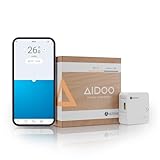
- SMART CONTROL FOR DAIKIN Residential: Turn your DAIKIN Residential into a smart device with Aidoo AZAI6WSCDA0 by Airzone. This device allows you to control the temperature and fan speed remotely, giving you total control from your smartphone. Check compatibility before purchasing—once selected, we’ll ensure it’s the right model for you.
- CONNECT, CONFIGURE, AND ENJOY: Aidoo connects directly to your air conditioner through a wired connection, preventing communication errors. Once installed, everything is managed through the Airzone Cloud app, available on iOS and Android. It’s also compatible with Alexa and Google Home, so you can use voice commands to control your AC without lifting a finger. Each Aidoo is designed to manage a single AC unit, providing precise and independent control per device.
- SUITABLE FOR SPLIT, FLOOR AND CEILING UNITS: Composed of an indoor and outdoor unit, air conditioners offer efficient and quiet cooling. Split-type units are the most common in homes and offices. Floor systems are installed at the base of a wall, while ceiling-mounted systems (ducted or cassette type) are installed overhead. This Aidoo model is compatible with all of these, giving you remote, efficient control over your indoor climate.
- MORE COMFORT, MORE CONTROL: Imagine walking into your home and the temperature is already perfect. With Aidoo, you can set schedules so your AC turns on or off automatically based on your routine. You can also manage multiple accounts in the Airzone Cloud app—ideal for families or office environments where multiple users need access. Adjust the temperature, change the fan speed, or switch modes from anywhere using Aidoo.
- SIMPLE INSTALLATION AND APP CONNECTION: To connect Aidoo to the Airzone Cloud app, just plug it into your AC and make sure Bluetooth and location services are enabled on your smartphone. Add the device in the app by selecting it from the list, then connect it to your WiFi network by selecting the SSID and entering the password. Once connected, you can group devices into zones and assign custom names to each one.
What Home Assistant and Apple Home can control
With the ESPHome Climate entity, Home Assistant can send climate commands and receive updated status. Davill used Home Assistant’s HomeKit integration to expose the system to Apple Home as well. Heat, Cool and Auto worked through the climate mapping in his setup.
Fan Only did not map as he wanted through the climate entity. His workaround was to create a separate template fan that redirected fan-control messages to the air conditioner. That is a concrete implementation detail to account for if matching this project: climate modes and fan controls may not all fit neatly into one entity.
Quick wins for a faster PC:
Scan for outdated or missing drivers - takes under a minuteDriver Scan →Repair Windows errors before they cause bigger problemsFix Now →Fix the driver behind crashes, sound loss and screen glitchesFind Drivers →Rank #3
- SMART CONTROL FOR MIDEA/KAYSUN V5: Turn your MIDEA/KAYSUN V5 into a smart device with Aidoo AZAI6WSCMD1 by Airzone. This device allows you to control the temperature and fan speed remotely, giving you total control from your smartphone. Check compatibility before purchasing—once selected, we’ll ensure it’s the right model for you.
- CONNECT, CONFIGURE, AND ENJOY: Aidoo connects directly to your air conditioner through a wired connection, preventing communication errors. Once installed, everything is managed through the Airzone Cloud app, available on iOS and Android. It’s also compatible with Alexa and Google Home, so you can use voice commands to control your AC without lifting a finger. Each Aidoo is designed to manage a single AC unit, providing precise and independent control per device.
- SUITABLE FOR SPLIT, FLOOR AND CEILING UNITS: Composed of an indoor and outdoor unit, air conditioners offer efficient and quiet cooling. Split-type units are the most common in homes and offices. Floor systems are installed at the base of a wall, while ceiling-mounted systems (ducted or cassette type) are installed overhead. This Aidoo model is compatible with all of these, giving you remote, efficient control over your indoor climate.
- MORE COMFORT, MORE CONTROL: Imagine walking into your home and the temperature is already perfect. With Aidoo, you can set schedules so your AC turns on or off automatically based on your routine. You can also manage multiple accounts in the Airzone Cloud app—ideal for families or office environments where multiple users need access. Adjust the temperature, change the fan speed, or switch modes from anywhere using Aidoo.
- SIMPLE INSTALLATION AND APP CONNECTION: To connect Aidoo to the Airzone Cloud app, just plug it into your AC and make sure Bluetooth and location services are enabled on your smartphone. Add the device in the app by selecting it from the list, then connect it to your WiFi network by selecting the SSID and entering the password. Once connected, you can group devices into zones and assign custom names to each one.
Check compatibility before choosing an approach
This project concerns one ducted reverse-cycle Daikin unit with a P1/P2-connected wired controller. It does not establish compatibility with all Daikin split systems, ducted models, controller revisions or regions. Before buying a controller or attempting a bus interface, identify the exact indoor-unit model, existing controller and region.
Home Assistant’s official Daikin integration documentation lists supported product and controller families with regional and model-specific distinctions, including BRP069A, BRP072C, BRP084C, BRP15B61 and SKYFi-related cases. Check the current documentation for your precise hardware and the features it supports; a family name alone does not confirm that every configuration or function is supported.
Rank #4

- Convenient Deployment: Your wired device can connect to a WiFi network with this wireless bridge. Eliminates the need for long cable runs in your home to get Internet access.
- Universal Compatibility: With RJ45 port, this WiFi bridge works with any Lan-only devices like smart TV, printer, Blu-ray player, game console, camera, Ethernet switch, desktop, laptop PC, Raspberry Pi, etc.
- Stable Connection: 2 powerful external antennas receives stronger WiFi from router than internal ones. The WiFi to Ethernet adapter brings a reliable connection for a non-WiFi device
- Fast Speed: Working with your 5Ghz WiFi network, the Ethernet bridge delivers a 3 times faster transmission compared with the one which only supports 2.4Ghz WiFi band
- Installation is a Breeze: Pair the Ethernet WiFi adapter with your router via WPS in seconds. WEB UI method allows you to pick other existing Wi-Fi signals and do more settings. Driver setup is not needed
Choose between a DIY bus interface and other routes
| Approach | Compatibility to establish | Control path and trade-off | Build and maintenance |
|---|---|---|---|
| Davill-style ESP32-C3 and MAX22088 project | Exact P1/P2 controller and air-conditioner system; the project documents Davill’s setup only. | ESPHome exposes a climate entity for Home Assistant; Davill also used Home Assistant’s HomeKit integration. Local control is the project goal, but behavior on another system is not established. | Requires electronics, bus-protocol and ESPHome firmware work. The author documents Wi-Fi logging and OTA updates in his configuration. |
| Daikin Wi-Fi controller and Home Assistant integration | Exact indoor unit, controller family, region and supported features; consult Home Assistant’s integration page. | Fit and Home Assistant route depend on the specific Daikin hardware. Davill found the fit unclear for his unit and regarded the option he considered as app-oriented with an internet-dependent Home Assistant route at the time. | Uses manufacturer hardware rather than reproducing the bus-interface prototype; the required update and maintenance route depends on the selected controller and integration. |
| P1P2MQTT assembled controller hardware | Confirm current availability and fit with the exact air conditioner and controller. | Named by Davill as an assembled alternative he believed would work with his AC; that is not a universal compatibility guarantee. | May suit readers seeking assembled hardware rather than designing the interface themselves. Check the current product and firmware documentation for its setup and maintenance route. |
The choice turns on your actual controller and priorities: model-specific compatibility, whether the control path meets your local-versus-cloud requirements, willingness to build and maintain firmware, and which modes and status data are supported. The available project account does not establish a universal winner across Daikin systems.
Independent reader supportYour contribution helps us test, update, and keep practical guides available for everyone.What this project does—and does not—establish
Davill’s design is open source, and he says he does not plan to sell assembled units. The project is useful as a record of how one P1/P2 interface was developed, including the firmware and control mapping, but it is not an independently validated product or a cross-model compatibility test. For readers who do not want to build the electronics, P1P2MQTT is an alternative he points to, subject to checking its current availability and compatibility.
Recommended Free Tools
Quick Recap
Best Value
- SMART CONTROL FOR DAIKIN Altherma: Turn your DAIKIN Altherma into a smart device with Aidoo AZAI6WSCDA2 by Airzone. This device allows you to control the temperature and fan speed remotely, giving you total control from your smartphone. Check compatibility before purchasing—once selected, we’ll ensure it’s the right model for you.
- CONNECT, CONFIGURE, AND ENJOY: Aidoo connects directly to your air conditioner through a wired connection, preventing communication errors. Once installed, everything is managed through the Airzone Cloud app, available on iOS and Android. It’s also compatible with Alexa and Google Home, so you can use voice commands to control your AC without lifting a finger. Each Aidoo is designed to manage a single AC unit, providing precise and independent control per device.
- SUITABLE FOR SPLIT, FLOOR AND CEILING UNITS: Composed of an indoor and outdoor unit, air conditioners offer efficient and quiet cooling. Split-type units are the most common in homes and offices. Floor systems are installed at the base of a wall, while ceiling-mounted systems (ducted or cassette type) are installed overhead. This Aidoo model is compatible with all of these, giving you remote, efficient control over your indoor climate.
- MORE COMFORT, MORE CONTROL: Imagine walking into your home and the temperature is already perfect. With Aidoo, you can set schedules so your AC turns on or off automatically based on your routine. You can also manage multiple accounts in the Airzone Cloud app—ideal for families or office environments where multiple users need access. Adjust the temperature, change the fan speed, or switch modes from anywhere using Aidoo.
- SIMPLE INSTALLATION AND APP CONNECTION: To connect Aidoo to the Airzone Cloud app, just plug it into your AC and make sure Bluetooth and location services are enabled on your smartphone. Add the device in the app by selecting it from the list, then connect it to your WiFi network by selecting the SSID and entering the password. Once connected, you can group devices into zones and assign custom names to each one.
Product prices and availability are accurate as of the date/time indicated and are subject to change. Any price and availability information displayed on Amazon at the time of purchase will apply.

