
iTechGuides is reader-supported. When you buy through links on our site, we may earn an affiliate commission. As an Amazon Associate I earn from qualifying purchases. Learn more
Fingerprint authentication and collect attendance systems verify an enrolled person’s identity, then create a time-stamped clock-in, clock-out, break, or class-attendance event. The fingerprint match proves that a successful authentication occurred at a particular terminal and time; it does not prove that the person worked continuously afterward.
A reliable implementation separates biometric authentication from attendance processing. The system should enroll a protected fingerprint template, use one-to-one verification whenever practical, preserve the original punch as an audit record, and apply scheduling, duplicate-prevention, payroll, and reporting rules afterward.
Key takeaways
- Fingerprint authentication verifies a claimed identity, while attendance software separately records and processes the resulting time-stamped event.
- One-to-one verification—an employee ID, card, PIN, or account identifier followed by fingerprint comparison—is generally easier to audit and more privacy-conscious than searching every stored fingerprint.
- A biometric template is sensitive personal information because a fingerprint is not a replaceable secret; encryption, access control, presentation-attack detection, retention limits, and a non-biometric fallback are essential.
- The system should preserve raw punches separately from processed attendance periods so managers can correct a timecard without deleting the original evidence.
- According to the July 2025 NIST SP 800-63B-4 guidance, covered digital-identity authentication deployments should target a false-match rate of 1 in 10,000 or better for all demographic groups and a false-non-match rate below 5%; those figures are not automatically legal requirements for every attendance system.
How does fingerprint authentication and collect attendance work?
Fingerprint authentication and collect attendance workflows have two distinct stages: authentication determines whether the presented finger matches the enrolled person, and attendance recording creates an event after a successful match.
Do these 3 things before closing this tab:
1Fix the driver behind crashes, sound loss and screen glitches2Clear out junk files and repair common Windows errors3Scan for outdated or missing drivers - takes under a minuteEnroll → Capture → Generate template → Verify → Create punch → Apply attendance rules → ReportA practical transaction normally works like this:
- The user selects an action such as
Clock in,Clock out,Start break, orEnd break, unless the server determines the event from the schedule. - The user provides an employee number, student ID, card, PIN, or account identifier.
- The fingerprint sensor captures a sample.
- The terminal or biometric service checks image quality and presentation conditions.
- The matcher compares the sample with the enrolled template.
- If the comparison passes, the terminal creates or submits an attendance event.
- The terminal confirms success with a message, sound, or indicator light.
- The server validates business rules, stores the event, and updates a timecard, shift record, or class register.
- The event becomes available to administrators, payroll, scheduling, and reporting systems according to the organization’s permissions.
A successful biometric event is evidence that a person authenticated at a particular time and device. A fingerprint attendance system does not automatically prove that the person remained at work, attended every minute of a class, or performed assigned duties.
Popular on Amazon
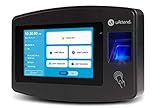
- Advanced Time Tracking: The uAttend JR2000 makes employee time tracking effortless and accurate, powered by a cloud-based system designed for business efficiency.
- Complete Payroll Tasks with Ease: With uAttend, we automate payroll with time and attendance data, handle tax filings, and make switching easy.
- Real-Time Data Access: View, track, and manage employee attendance in real-time from any device, providing flexibility and control no matter where you are.
- Easy Setup & User-Friendly Interface: Enjoy an intuitive interface and straightforward setup process, making it accessible for any team, from first-time users to tech-savvy managers.
- In-Depth Reporting Capabilities: Gain valuable insights into attendance trends, productivity, and labor costs with our comprehensive reporting tools.
What is the difference between verification and identification?
Fingerprint verification checks a claimed identity against one enrolled template. Fingerprint identification searches a population of templates to discover who the person is. Attendance terminals should generally prefer verification unless there is a strong operational reason to use identification.
| Matching mode | Typical flow | Advantages | Trade-offs |
|---|---|---|---|
| One-to-one verification | User ID, card, PIN, or account identifier → fingerprint capture → compare with that user’s template | Faster at larger enrollments; easier to audit; searches less biometric data; better suited to fixed attendance terminals | Users must provide an identifier or possession factor before scanning |
| One-to-many identification | Fingerprint capture → search the entire enrolled database → identify or reject the user | Convenient when users do not carry cards or remember IDs | More computationally expensive; false-match risk grows with the search population; requires stronger governance, thresholds, and performance testing |
NIST SP 800-63B describes biometric comparison as a noisy measurement against a stored reference. The acceptance threshold affects both false matches—impostors accepted incorrectly—and false non-matches—genuine users rejected incorrectly. One-to-one verification also makes an attendance event’s identity claim clearer: the system records that the person who claimed a particular account passed that account’s biometric check.
How should fingerprint enrollment work?
Fingerprint enrollment creates a person record and one or more protected biometric templates that later authentication attempts can use.
Quick wins for a faster PC:
Scan for outdated or missing drivers - takes under a minuteDriver Scan →Repair Windows errors before they cause bigger problemsFix Now →Fix the driver behind crashes, sound loss and screen glitchesFind Drivers →- Create the person record. Add the employee or student, assign a unique internal identifier, and associate the person with a department, class, location, schedule, or timezone.
- Explain the collection. Tell the person why the fingerprint is being collected, what will be stored, who can access it, how long it will be retained, how deletion works, and what alternative is available.
- Obtain required authorization. Record consent or another applicable legal or organizational basis where required. A consent form does not guarantee compliance in every jurisdiction; employment, education, age, public-sector, and biometric-privacy rules vary.
- Capture multiple samples. Enroll one or more fingers several times so the system can accommodate minor placement differences and an injured or unavailable finger.
- Check quality. Reject poor samples and recapture them. Clean and dry the sensor and ask the user to place the finger correctly.
- Generate a template. Prefer a vendor-supported template or protected biometric representation over retaining raw fingerprint images unless the raw image is genuinely necessary and governed.
- Store the template securely. Keep templates in a protected device or controlled biometric service. Encrypt them at rest, restrict access to the matching component, and do not expose them in ordinary administrator reports.
- Record enrollment metadata. Store the person ID, enrolling administrator, enrollment date and time, terminal, finger position, template format and version, and consent or policy status.
- Test immediately. Verify the new enrollment before the user leaves and provide instructions for failed scans.
- Provide a fallback. A PIN, RFID card, supervisor-approved process, or manual adjustment should be available for injury, disability, unreadable fingerprints, sensor failure, or other legitimate exceptions.
NIST SP 800-63A emphasizes clear biometric-use information, consent records, retention and deletion processes, and reasonable assurance that the biometric belongs to the person being enrolled. NIST SP 800-76-1 also addresses sensor cleanliness, correct finger placement, image quality, and reacquisition. Enrollment should be treated as an identity-management operation, not as a casual setup screen.
How should the system record clock-in and clock-out events?
The attendance application should save the successful authentication event first and apply scheduling logic in a separate processing layer.
Recommended event types include:
clock_inclock_outbreak_startbreak_endclass_presentclass_latemanual_adjustment
A useful attendance-event record can include:
attendance_event_id
person_id
event_type
event_time_utc
local_timezone
terminal_id
location_id
authentication_method
match_result
source_event_id
created_at
sync_status
approved_by
correction_reason
Store the biometric template and attendance event in separate data stores or tables with separate permissions and retention rules. The template answers “what reference is used for future matching?” The event answers “what authentication and attendance transaction occurred?” Conflating those records makes deletion, auditing, correction, and incident response harder.
Which clocking policy should be used?
| Policy | How it works | Strength | Failure mode |
|---|---|---|---|
| User-selected action | The terminal displays Clock in, Clock out, Start break, and End break | Clear and explicit | Users can choose the wrong action |
| Automatic alternation | The next valid punch becomes the opposite of the previous state | Simple for users | Breaks, missed clock-outs, corrections, department changes, and simultaneous terminals can produce incorrect states |
| Schedule-aware processing | The server evaluates shifts, open intervals, breaks, location, and prior events | Most adaptable for complex organizations | Requires accurate schedules and stronger business logic |
For most organizations, explicit actions or schedule-aware processing are safer than blindly alternating every successful scan. The raw biometric event should remain immutable or append-only, while a separate attendance-period record can be corrected and approved.
What’s actually slowing this PC down?
Pick the symptom - the matching free tool is one click away.
How can duplicate punches be prevented?
A successful fingerprint match should not create a new payroll or attendance row every time the same person scans repeatedly within a short period.
Use several controls together:
- Reject or suppress identical event types within a configurable short interval.
- Keep the raw duplicate punch even when the processed timecard suppresses it.
- Tell the user whether the person is already clocked in or out.
- Allow an administrator to review suppressed events.
- Never silently overwrite the original punch.
- Use a server-side idempotency key such as
person_id + terminal_id + device_event_id. - Handle two terminals accepting events nearly simultaneously with server-side ordering and conflict rules.
Duplicate prevention should be transparent. A system that silently discards events can hide a genuine correction or a malfunctioning terminal.
What hardware and software does a fingerprint attendance system need?
A complete deployment normally includes a fingerprint terminal or sensor, biometric matching capability, attendance software, a database, administration tools, reporting, and a reliable synchronization path.
| Component | Purpose | Questions to ask |
|---|---|---|
| Fingerprint terminal or sensor | Captures the finger and provides user feedback | Does it support the required fingers, environment, hygiene process, accessibility needs, and authentication methods? |
| Matching engine | Compares a sample with an enrolled template | Is matching one-to-one or one-to-many? Where does matching occur? What threshold and PAD features are used? |
| Attendance API or service | Converts accepted authentication into an event | Does it support idempotency, event types, corrections, webhooks, and error responses? |
| Database | Stores people, protected templates, terminals, raw punches, processed periods, and audit data | Are biometric templates isolated and encrypted? Are retention and deletion automated? |
| Admin portal | Manages enrollment, schedules, devices, exceptions, and access | Are administrator roles separated? Are changes logged? |
| Reporting and payroll integration | Exports hours, lateness, breaks, overtime, and absences | Can corrected records be traced back to original punches? |
| Offline queue | Stores punches during network outages | How are events sequenced, protected, timestamped, deduplicated, and synchronized? |
| Audit log | Records security and operational actions | Does it log enrollment, deletion, failed matches, manual edits, exports, device changes, and synchronization? |
What database structure supports reliable attendance records?
A relational design should keep identity, biometric references, devices, raw punches, and processed attendance periods separate.
Windows Errors? Fix Them Before They Spread
Repair common Windows errors and clear accumulated junk for a smoother, more stable PC - no reinstall needed.Free scan · no reinstallOutdated Drivers Are Slowing You Down
One free scan finds every outdated or missing driver and matches the right update for your exact hardware.Free scan · exact hardware matchpeople
person_id
external_id
name
department_or_class
status
timezone
created_at
ended_at
biometric_templates
template_id
person_id
finger_position
template_format
template_version
encrypted_template
enrolled_at
enrolled_by
deleted_at
terminals
terminal_id
serial_number
location
device_certificate_id
firmware_version
last_seen_at
status
raw_punches
punch_id
person_id
terminal_id
captured_at
received_at
event_type
authentication_method
match_status
device_sequence
sync_status
attendance_periods
period_id
person_id
start_time
end_time
break_minutes
status
source_punch_ids
approved_by
The separation allows an approved timecard correction without destroying the original biometric event. The design also supports investigations into a wrong terminal clock, duplicate upload, manual edit, or payroll-export discrepancy.
What should the server-side processing flow look like?
The following pseudocode illustrates the security and data-separation decisions without depending on a particular vendor SDK.
def process_punch(device_event):
    verify_terminal(device_event.terminal_id, device_event.signature)

    if already_received(device_event.device_id,
                        device_event.sequence_number):
        return {"status": "duplicate"}

    save_raw_event(device_event)

    person = resolve_claimed_identity(device_event)
    if not person:
        return {"status": "rejected", "reason": "unknown_user"}

    sample = decode_sample(device_event.fingerprint_sample)
    if not quality_is_acceptable(sample):
        return fallback_required("poor_sample")

    result = verify_fingerprint(
        sample=sample,
        enrolled_template=get_protected_template(person.id)
    )

    if not result.accepted:
        record_auth_failure(person.id, device_event.terminal_id)
        return fallback_required("fingerprint_not_matched")

    if is_duplicate_punch(person.id, device_event.event_type,
                          device_event.captured_at):
        mark_suppressed_duplicate(device_event)
        return {"status": "duplicate_punch"}

    attendance_event = create_attendance_event(
        person_id=person.id,
        event_type=device_event.event_type,
        captured_at=device_event.captured_at,
        terminal_id=device_event.terminal_id,
        method="fingerprint"
    )

    apply_schedule_rules(attendance_event)
    return {"status": "accepted", "event_id": attendance_event.id}
Matching should normally occur inside a trusted terminal or dedicated biometric service. Ordinary application code should receive a match result and a user identifier, not unrestricted access to every stored biometric template.
How should fingerprint templates and terminals be protected?
Biometric security depends on the entire system, not just the fingerprint algorithm.
Protect templates and communications
- Encrypt biometric templates at rest.
- Encrypt terminal-to-server and service-to-service communications.
- Restrict template access to the matching service or protected device.
- Use managed key storage rather than hard-coded encryption keys.
- Log template enrollment, replacement, deletion, and administrative access.
- Do not include templates or unnecessary biometric identifiers in routine exports.
- Maintain a process for deletion, revocation, replacement, and breach response.
NIST SP 800-63B calls for encryption, access controls, and an authenticated protected channel when biometric information is sent to a central verifier. A template is not automatically harmless or permanently irreversible; the protection properties depend on the template format and implementation.
Authenticate every terminal
The server should verify that a punch came from an authorized terminal rather than trusting a terminal ID supplied in an unprotected request. Device enrollment should include a unique device identity, certificate or strong device credential, firmware and configuration version, permitted location, clock-synchronization status, and a revocation mechanism.
Use presentation-attack detection
Presentation-attack detection, or PAD, evaluates whether the finger presentation appears genuine rather than merely matching a stored pattern. PAD reduces some spoofing risks but is not perfect; effectiveness depends on the sensor, algorithm, deployment, threshold, and configuration. NIST FIPS 201-3 also describes attended and unattended biometric authentication, signed biometric records, and on-card comparison in its identity-card context. Those requirements should not be assumed to apply automatically to every commercial attendance system.
Maintain an audit trail
Log enrollment and deletion, template replacement, authentication success and failure, device identity, synchronization, manual attendance edits, administrator actions, and report or export access. Audit logs should be protected from ordinary users who could otherwise alter evidence of their own actions.
The Tool Desk
Outbyte PC Repair FREEClear out junk files and repair common Windows errorsFree Scan →Outbyte Driver Updater FREEScan for outdated or missing drivers - takes under a minuteDriver Scan →How accurate and reliable are fingerprint attendance systems?
Vendor accuracy claims are meaningful only when their definitions, threshold, sensor, test population, and operating conditions are disclosed.
| Metric | Meaning | Why attendance managers should care |
|---|---|---|
| False match rate (FMR) | An impostor is incorrectly accepted | Measures unauthorized acceptance risk |
| False non-match rate (FNMR) | A genuine user is incorrectly rejected | Measures friction and the need for fallback procedures |
| Failure to enroll | The system cannot create an acceptable template | Determines how many users need another method or re-enrollment |
| Failure to acquire | The sensor cannot capture a usable sample | Reflects environmental, placement, injury, and hardware problems |
| Latency | Time from scan to decision | Affects queues at shift or class changes |
| Availability | Whether the terminal and service can accept punches | Determines whether attendance can continue during outages |
According to the July 2025 NIST SP 800-63B-4 publication, the covered authentication context specifies an FMR of 1 in 10,000 or better for all demographic groups and recommends an FNMR below 5%, alongside appropriate performance testing. An attendance buyer should treat those figures as a benchmark for asking precise questions, not as a universal legal mandate or guarantee for a particular clock.
Also popular on Amazon

- True Standalone Operation, Zero Setup Hassle: Get started in minutes with no WiFi or complex software. Easily export all attendance data via the included USB drive, with ready-to-use Excel reports for instant payroll integration—fully independent time tracking.
- Built to Scale With Your Business: Onboard memory supports up to 500 user profiles and 50,000 punch records. Reliably handles shifts for growing teams without constant maintenance, ideal for expanding small businesses.
- Paperless & Cost-Effective Tracking: Ditch wasteful paper cards and printer ribbons. Our digital system delivers precise, instant records while cutting supply costs—combining accuracy with eco-friendly efficiency.
- Secure, Reliable Data Protection: An internal backup system preserves every punch during unexpected power loss. Your employee records and timesheets stay fully secure and retrievable, with no reset hassle.
- Durable, Versatile Design for Any Workplace: Built with industrial-grade materials for daily durability. Its compact design installs anywhere—warehouses, retail counters, offices, schools, and healthcare facilities—for consistent performance.
Ask vendors:
- Are rates measured per attempt or per transaction?
- What threshold produced the reported rate?
- Which demographic groups and test population were included?
- Which sensor model and firmware were tested?
- Was presentation-attack detection included?
- Were results produced in a laboratory or in field conditions?
- How do dirty, wet, dry, injured, worn, gloved, or cold fingers affect operation?
Why do fingerprint scans fail, and what should users do?
Failed scans commonly result from finger condition, placement, enrollment quality, sensor condition, hardware changes, or an unavailable network rather than from an incorrect identity.
| Problem | Immediate response | Longer-term control |
|---|---|---|
| Wet, oily, dirty, or excessively dry finger | Clean and dry the finger, then try again | Publish clear terminal instructions and maintain cleaning procedures |
| Incorrect placement | Place the enrolled finger flat and in the indicated position | Use enrollment quality checks and user training |
| Cut, burn, swelling, worn fingerprint, cold finger, or gloves | Try a second enrolled finger or use the fallback method | Enroll multiple fingers and provide an equivalent non-biometric route |
| Dirty or damaged sensor | Clean the sensor or move to an approved terminal | Schedule inspection and monitor failure rates by device |
| Poor enrollment template | Re-enroll the user with better samples | Record enrollment quality and test immediately |
| Network outage after local acceptance | Give the user a local success indication | Queue the event securely and reconcile it after reconnection |
| Wrong clock-in or clock-out action | Send the user to the correction workflow | Use explicit labels and retain the original event |
Do not lower the matching threshold indiscriminately to reduce rejected scans. A lower threshold may reduce false non-matches while increasing false matches. Investigate whether the real cause is poor enrollment, sensor maintenance, device configuration, user training, or a need for an alternative method.
Free tools Windows power users keep installed
One-click scans. No signup required.
How should offline operation work?
An offline-capable terminal should continue accepting authorized punches during a network outage and synchronize them later without creating duplicates or losing trustworthy timing information.
Require the terminal to:
- Store events in protected local storage.
- Attach a device-generated sequence number.
- Use a synchronized clock and monitor clock drift.
- Queue events for transmission.
- Deduplicate uploads after reconnection.
- Flag uncertain timestamps or prolonged clock drift.
- Alert administrators when the queue has not synchronized.
Offline mode is not automatically secure. Ask where templates and events are stored locally, who can access the terminal, how long local data remains, what happens if the terminal is stolen, whether local records are signed or otherwise integrity-protected, and how device revocation works.
What privacy and governance rules should be in place?
A fingerprint attendance system should have a written policy that limits biometric collection to a defined purpose and explains the complete data lifecycle.
- Why are fingerprints collected?
- Is collection mandatory, and what equivalent alternative is available?
- Are raw images stored, or only templates and event logs?
- Who can access templates, authentication results, attendance records, and reports?
- Where are biometric data and attendance data processed and stored?
- How long are templates, raw events, audit logs, and processed timecards retained?
- How can a person request correction or deletion?
- What happens when employment, enrollment, or membership ends?
- Is data shared with HR, payroll, school systems, vendors, or other sites?
- What is the breach-response process?
- Will attendance data later be reused for access control, surveillance, or another purpose?
NIST SP 800-63A recommends publicly available information about biometric collection, storage, protection, removal, retention, and deletion. The Federal Trade Commission’s biometric-information policy statement highlights privacy, security, accuracy, and consumer-protection risks. Legal requirements depend on the jurisdiction, industry, employment relationship, participant age, and public or private status of the organization. A general “consent form” is not a universal compliance solution.
A fingerprint is not a password. A fingerprint may be left on an object, and a compromised fingerprint cannot be replaced in the same way as a password. NIST treats biometrics as sensitive information, recommends presentation-attack detection, and discusses pairing biometrics with a physical authenticator in its digital-identity context. An attendance deployment should always provide a usable non-biometric alternative rather than making a failed scan equivalent to an absence.
Independent reader supportYour contribution helps us test, update, and keep practical guides available for everyone.What are the main attendance-system failure modes?
| Edge case | Required behavior |
|---|---|
| New employee or student has not enrolled | Reject biometric use clearly and route the person to enrollment or a temporary fallback |
| Wrong finger or wrong account was enrolled | Require an authorized correction and preserve the enrollment audit trail |
| Finger is unreadable because of injury or work conditions | Use a second finger or equivalent PIN, RFID, or approved manual process |
| Similar or low-quality matches | Use appropriate thresholds, one-to-one verification where possible, and review repeated anomalies |
| User is wearing gloves | Provide a non-biometric method or a safe, policy-approved scanning procedure |
| Sensor is dirty or damaged | Mark the device for maintenance and route users to another terminal |
| Terminal has lost network access | Queue locally, show a clear local result, and reconcile after synchronization |
| Terminal clock is wrong | Monitor drift, flag affected punches, and retain both capture and receipt times |
| Two terminals accept punches nearly simultaneously | Use server-side ordering, device sequence numbers, and conflict rules |
| User forgets to clock out | Flag an open attendance period for review rather than inventing a clock-out time silently |
| User clocks in twice | Suppress the processed duplicate while retaining the raw event |
| User changes department, location, or class | Resolve active assignments at event time and preserve the terminal location |
| Employee is terminated | Disable authentication promptly and apply the documented template-retention policy |
| User requests deletion | Follow the organization’s retention, legal-hold, correction, and deletion procedure |
| Device is replaced | Revoke the old device credential, enroll the replacement, and verify template migration or re-enrollment |
| Template format or algorithm is upgraded | Document the version, test migration, and retain an authorized rollback or re-enrollment plan |
| Payroll export contains a corrected event | Link the corrected period to source punches and record who approved the change |
| Administrator abuses manual adjustments | Use least privilege, approval requirements, immutable audit logs, and periodic review |
| Attendance data is reused for surveillance | Require a new purpose review and communicate any permitted secondary use |
Is fingerprint better than PIN, RFID, facial recognition, or mobile attendance?
Fingerprint attendance is appropriate when reducing ordinary proxy punching at a fixed location is worth the biometric privacy, maintenance, accessibility, and fallback obligations. Fingerprint is not automatically better than a PIN, RFID card, facial recognition, mobile application, or supervisor-approved process.
| Method | Advantages | Disadvantages | Good fit |
|---|---|---|---|
| Fingerprint | Harder to share casually; no card to lose; fast at a fixed terminal | Sensitive data collection; failed scans; sensor maintenance; compromised fingerprints cannot be replaced | Fixed workplaces or campuses with meaningful proxy-attendance concerns |
| PIN | Low privacy burden; inexpensive; easy to replace | Easy to share or observe | Small groups or privacy-sensitive sites with low proxy risk |
| RFID card or key fob | Easy to issue, replace, and administer; useful with dirty, damaged, or gloved hands | Cards can be lost or shared; possession does not prove who used the card | Warehouses, field environments, or organizations avoiding biometric collection |
| Facial recognition | Contactless operation; can work where touching a sensor is impractical | Lighting and camera-angle issues; facial biometric and privacy concerns | Only after a careful risk, accuracy, accessibility, and legal review |
| Mobile attendance | No dedicated terminal; supports distributed teams; can combine account and device controls | Requires app, device, network, and account security; location is not proof of work | Remote or multi-site teams, with clear limits on location tracking |
| Manual or supervisor-approved | Minimal biometric infrastructure; flexible exceptions | Labor-intensive and more vulnerable to falsification or inconsistent review | Small groups or situations where biometric collection is inappropriate |
RFID, PIN, mobile, and manual methods should be evaluated on total cost of ownership, recurring software fees, payroll integration, offline behavior, data residency, retention, accessibility, and fallback usability—not only on the price of the reader.
What should buyers ask vendors?
- Matching: Is the product one-to-one verification, one-to-many identification, or both? Can the organization disable identification?
- Biometric storage: Are raw fingerprint images stored? What template format is used? Where are templates stored, and who can retrieve them?
- Protection: Are templates encrypted at rest and in transit? How are keys managed? Does the terminal authenticate to the server?
- Spoof resistance: Is PAD supported? Which sensor, firmware, and configuration were tested?
- Accuracy: What are the FMR, FNMR, enrollment-failure, and acquisition-failure results? Are results broken out by demographic group and field conditions?
- Offline behavior: Can the clock operate without the network? How are local events protected, sequenced, timestamped, synchronized, and deduplicated?
- Data lifecycle: What are the retention, deletion, correction, export, breach, and device-replacement procedures?
- Operations: How are dirty sensors, injured fingers, gloves, and repeated failed scans handled?
- Attendance logic: Does the system preserve raw punches? Can managers audit manual corrections and suppressed duplicates?
- Integration: Are APIs, export formats, scheduling features, and payroll integrations documented?
- Accessibility: Is the fallback method equivalent in convenience and availability to fingerprint scanning?
- Total price: Does the quoted price include hardware, subscription, additional clocks, administrators, payroll services, implementation, support, and replacement devices?
What are the current commercial options?
Commercial suitability depends on location, edition, subscription terms, implementation, and support. The following prices are US figures observed in the supplied research on August 16, 2026; buyers should confirm current prices and contract terms before purchase.
| Option | Observed product or pricing signal | Potential fit | Important limitation |
|---|---|---|---|
| uAttend | RE2000 listed at $99.99; BN6000N at $139.99; BN6500N at $159.99; JR2000 at $179.99 | Small US businesses wanting packaged fingerprint, RFID, or PIN clocks with hosted attendance | Hardware requires a monthly cloud subscription; the clocks will not work without one |
| uAttend cloud plans | US active-employee plans were listed at approximately $29–$195 per month; additional clocks were listed at $12 per month and administrators at $8 per month | Organizations that prefer a hosted portal and optional payroll services | Recurring charges and cloud dependence must be included in total cost |
| ZKTeco | The 2026 official catalog lists multiple fingerprint time-attendance terminals and software families | Organizations wanting a broad hardware range and local-integrator deployment | No reliable US retail price or complete licensing total was established in the supplied research |
| PIN, RFID, mobile, or manual alternatives | No single product price established in the supplied research | Organizations prioritizing lower biometric risk, distributed work, gloves, damaged fingers, or simple replacement | Sharing, device, network, location, or administrative-falsification risks remain depending on the method |
uAttend’s time-clock overview signals fingerprint, RFID, cloud attendance, required subscription, additional-device fees, and export features. uAttend may suit a small US business that wants a packaged clock-plus-cloud service, but it is a poor fit for a one-time-purchase requirement, a site that cannot send attendance data to a cloud service, or an organization needing highly customized on-premises biometric matching.
ZKTeco may suit a larger or more configurable deployment handled by an experienced integrator. Buyers should obtain written confirmation of software licensing, regional support, template compatibility, device interoperability, offline behavior, data location, and the complete implementation cost before selecting a model.
When should an organization choose fingerprint attendance?
Choose fingerprint attendance when the organization has fixed terminals, a real problem with ordinary proxy punching, staff who can use the sensors safely and accessibly, a documented privacy basis, and the resources to maintain a fallback and audit process.
Choose PIN, RFID, mobile, or manual attendance instead when biometric collection is disproportionate, users commonly work with gloves or damaged fingers, the site cannot maintain sensors, cloud processing is unacceptable, the workforce changes frequently, or the organization cannot provide meaningful deletion, access-control, and incident-response procedures.
Recommended Free Tools
The best design is not the one with the most biometric features. The best design produces trustworthy, reviewable attendance records while minimizing the biometric data collected and ensuring that legitimate users are not penalized by a failed scan.
Frequently Asked Questions
Does a fingerprint attendance system prove that an employee worked all day?
No. A fingerprint attendance system records evidence of a successful authentication event at a particular terminal and time; the event does not prove continuous presence, work, or class participation afterward. Schedules, access records, supervisor review, or other controls are needed for broader conclusions.
Should an attendance system use one-to-one or one-to-many fingerprint matching?
One-to-one verification is generally preferable for attendance: the user supplies an ID, card, PIN, or account identifier and the system compares the fingerprint with that person’s template. One-to-many identification is more convenient but searches the entire biometric database, creating greater performance, false-match, privacy, and governance concerns.
Can a fingerprint attendance terminal work during a network outage?
A properly designed terminal can accept authorized punches offline, store them in protected local storage with sequence numbers and clock monitoring, and synchronize them after reconnection. Offline operation is not automatically secure, so buyers must verify local-data protection, device access controls, timestamp handling, and duplicate prevention.
What should happen when a fingerprint scan fails?
The user should clean and dry the finger, retry with correct placement, try a second enrolled finger, or use an equivalent fallback such as a PIN, RFID card, supervisor confirmation, or approved manual adjustment. Repeated failures should trigger investigation or re-enrollment rather than indiscriminately lowering the match threshold.
The Bottom Line
Fingerprint authentication can reduce ordinary proxy attendance and automate clocking, but the fingerprint match and attendance record are separate facts. Build or buy the system around one-to-one verification, protected templates, trusted terminals, offline reconciliation, duplicate-resistant event processing, transparent corrections, independent accuracy evidence, and an equivalent non-biometric fallback. Adopt fingerprint attendance only when those controls justify the privacy and operational costs.

