
What’s actually slowing this PC down?
Pick the symptom - the matching free tool is one click away.
iTechGuides is reader-supported. When you buy through links on our site, we may earn an affiliate commission. As an Amazon Associate I earn from qualifying purchases. Learn more
Ethernet is the best connection for the lowest and most consistent latency in online gaming, but Ethernet vs Wi‐Fi gaming is not a guaranteed ping contest. A cable removes the local wireless hop, interference, and airtime contention; however, server distance, ISP routing, congestion, and bufferbloat can dominate the final Internet ping. Strong 5 GHz or 6 GHz Wi‐Fi can still be excellent.
For a stationary competitive-gaming PC or console, use Ethernet whenever safely practical. Keep Wi‐Fi when cabling is impractical and local latency remains stable under household load. If both connections lag during uploads or downloads, fix bufferbloat or WAN congestion before buying a “gaming” router.
Key takeaways
- Ethernet usually delivers more predictable latency, lower jitter, and fewer local spikes because the gaming device does not compete for wireless airtime.
- Ethernet does not guarantee a lower Internet ping because wired and wireless devices normally use the same router, ISP, route, and game server.
- Strong 5 GHz or 6 GHz Wi‐Fi near a capable access point is good enough for many players, while 2.4 GHz is generally more congested.
- Bufferbloat can add substantial latency during uploads and downloads on both Ethernet and Wi‐Fi; the IETF identifies excessive unmanaged queues as a problem for interactive applications such as games.
- Test the local router, the Internet path, and latency under load before replacing hardware.
Ethernet vs Wi‐Fi gaming at a glance
Ethernet is the default winner for consistency, while Wi‐Fi wins on convenience and mobility. The practical difference is usually the first local network segment, not the entire route to the game server.
PC Slower Than It Used to Be?
A free scan shows the junk files, broken settings and background clutter dragging Windows down - then fixes them in one click.Free scan · Windows 10 & 11Outdated Drivers Are Slowing You Down
One free scan finds every outdated or missing driver and matches the right update for your exact hardware.Free scan · exact hardware match| Factor | Ethernet | Wi‐Fi | What it means for gaming |
|---|---|---|---|
| Local connection | Device connects directly by cable | Device uses a radio link to an access point | Ethernet removes one wireless transmission step. |
| Latency consistency | Usually more predictable | Varies with signal, interference, airtime, and hardware | Consistency often matters more than the average ping. |
| Jitter | Usually lower on a sound cable and port | Can increase when the channel is busy or packets are retransmitted | Lower jitter reduces uneven response and rubber-banding. |
| Local interference | Not affected by neighboring Wi‐Fi networks or radio obstacles | Can be affected by walls, nearby networks, and household devices | Wireless conditions can change during a match. |
| Performance under household traffic | Still affected by router queues and WAN congestion | Affected by WAN congestion plus shared wireless airtime | Neither connection automatically fixes bufferbloat. |
| Mobility and installation | Requires a cable run | Fast to deploy and suitable for handhelds | Wi‐Fi is often the sensible choice for portable devices. |
| Best use | Competitive play, cloud gaming, remote play, and stationary consoles | Portable gaming and devices with a strong nearby signal | Choose based on the environment, not the router’s marketing label. |
What is the difference between Ethernet and Wi‐Fi for gaming?
Ethernet sends traffic from the gaming device through a cable to the router, while Wi‐Fi sends traffic over radio to the router or access point. After that local connection, both paths generally continue through the same modem or ONT, ISP, Internet route, and game server.
Popular on Amazon
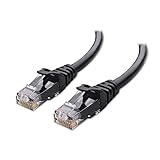
- High-Performance Connectivity: This Cat 6 ethernet cable is designed for superior performance, with a 24 AWG copper wire core. It provides universal connectivity as an ethernet cord for LAN network components such as PCs, servers, printers, routers, and more, ensuring reliable and fast network connections
- Advanced Cat6 Technology: Experience Cat6 performance with higher bandwidth at a Cat5e price. This network cable is future-proof, ready for 10-Gigabit Ethernet and backwards compatible with any existing Cat 5 cable network. It meets or exceeds Category 6 performance according to the TIA/EIA 568-C.2 standard
- Reliable Wired Network Solution: Known variously as a Cat6 network cable, ethernet cable Cat 6, or Cat 6 data/LAN cable, this RJ45 cable offers a more secure and reliable connection than wireless networks. It's ideal for internet connections that demand consistency and security
- Durable and Secure Design: The connectors of this ethernet cable feature gold-plated contacts and strain-relief boots for enhanced durability. Bare copper conductors not only improve cable performance but also comply with communication cable specifications
- High-Speed Data Transfer: With up to 550 MHz bandwidth, this ethernet cord is ideal for server applications, cloud computing, video surveillance, and streaming high-definition video. It also supports Power over Ethernet (PoE, PoE+, PoE++) for powering devices like IP cameras, VoIP phones, and wireless access points, ensuring fast and reliable network performance.
The paths look like this:
- Ethernet: Gaming device → Ethernet cable → router or access point → modem/ONT → ISP → game server.
- Wi‐Fi: Gaming device → radio link → access point/router → modem/ONT → ISP → game server.
Ethernet therefore does not magically shorten the route across the Internet. Ethernet mainly removes variables between the gaming device and the home network: wireless interference, signal attenuation through walls, shared airtime, and local retransmissions.
Wi‐Fi can approach wired performance when the client is close to the access point, the signal is strong, the channel is not congested, and household traffic is controlled. Wi‐Fi becomes less predictable when the device is distant, separated by floors or dense walls, attached to a busy 2.4 GHz network, or connected through a wireless mesh backhaul.
What matter more for gaming: ping, jitter, packet loss, or speed?
Latency, jitter, packet loss, and latency under load matter more than headline download speed once a connection has enough capacity for the game. Online game traffic is usually modest compared with game downloads, video streaming, or cloud backups, so a faster broadband tier cannot by itself repair an unstable connection.
- Ping or latency
- The time required for packets to travel to a destination and back, normally measured in milliseconds. A game’s displayed ping may represent a particular server, region, or smoothed measurement rather than every part of the connection.
- Jitter
- Variation between successive latency measurements. A stable 40 ms connection is generally preferable to one that alternates between 15 ms and 150 ms.
- Packet loss
- Packets that fail to reach their destination. Prediction and correction can conceal some loss, but persistent loss can cause rubber-banding, missing hit registration, voice problems, and disconnects.
- Bufferbloat
- Extra latency caused by oversized or unmanaged queues when the connection is busy. IETF RFC 7928 describes excessive queues and bufferbloat as causes of high latency affecting interactive applications including games.
Ethernet generally improves the local consistency of the connection. Ethernet cannot eliminate packet loss beyond the home, high server latency, a poor ISP route, or queueing at the WAN bottleneck.
Why does Ethernet usually win for low-latency gaming?
Ethernet usually wins because a direct cable avoids local radio uncertainty. A healthy Ethernet link does not compete for Wi‐Fi airtime, does not weaken as it passes through walls, and is not directly affected by neighboring wireless networks or changing radio conditions.
That usually means:
- Fewer local latency spikes caused by interference or contention.
- More consistent delivery when several nearby devices use Wi‐Fi.
- Less dependence on signal strength, channel utilization, and client-driver behavior.
- A simpler troubleshooting baseline: if the wired device still lags, the problem is less likely to be the local wireless hop.
- No wireless mesh backhaul when the cable runs all the way to the main router or a wired access point.
Ethernet is not latency-free. A damaged cable, faulty port, bad switch, link-negotiation issue, failing router, or overloaded ISP can still cause poor performance. Ethernet is also not automatically better than every wireless arrangement: a defective cable, overloaded powerline adapter, or distant mesh satellite may perform worse than a strong direct Wi‐Fi connection.
Does Wi‐Fi add ping?
Wi‐Fi adds a local wireless transmission step, but the added idle delay may be small under excellent conditions. The more important difference is often consistency: interference, contention, retransmissions, and wireless queues can turn an otherwise acceptable connection into one with visible spikes.
Quick wins for a faster PC:
Repair Windows errors before they cause bigger problemsFix Now →Fix the driver behind crashes, sound loss and screen glitchesFind Drivers →Clear out junk files and repair common Windows errorsFree Scan →There is no honest universal “Wi‐Fi adds exactly X milliseconds” figure. Local Wi‐Fi behavior depends on the Wi‐Fi generation, signal strength, channel width, channel utilization, nearby networks, client and access-point hardware, drivers, firmware, other wireless devices, and mesh design.
A strong nearby Wi‐Fi connection may show almost the same average Internet ping as Ethernet. If Wi‐Fi produces occasional 150 ms spikes while Ethernet remains steady, the match can feel much worse even when the average values look similar. For competitive shooters, fighting games, racing games, tournaments, cloud gaming, and remote play, that consistency makes Ethernet the safer recommendation.
Also popular on Amazon

- Cat 6 performance at a Cat5e price but with higher bandwidth
- High Performance Cat6, 30 AWG, RJ45 Ethernet Patch Cable provides universal connectivity for LAN network components such as PCs,computer servers,printers,routers,switch boxes,network media players,NAS,VoIP phones
- Jadaol cat6 standard cable support Cat8 and Cat7 network and provides performance of up to 250 MHz 10Gbps and is suitable for 10BASE-T, 100BASE-TX (Fast Ethernet), 1000BASE-T/1000BASE-TX (Gigabit Ethernet) and 10GBASE-T (10-Gigabit Ethernet)
- UTP(Unshielded Twisted Pair) patch cable with RJ45 gold-plated Connectors and are made of 100% bare copper wire, ensure minimal noise and interference
- The unique flat cable shape allows for a cleaner and safer installation. You can easily and seamlessly make the cable run along walls, follow edges & corners or even make it completely invisible by sliding it under a carpet.
When is Wi‐Fi good enough for gaming?
Wi‐Fi is good enough when the gaming device has a strong 5 GHz or 6 GHz connection to a nearby access point and latency remains stable while the household network is busy. A practical good-Wi‐Fi setup has these characteristics:
- The device is close to the access point, with few walls or floors between them.
- The client uses 5 GHz or 6 GHz when those bands provide a stable signal.
- The router and client support a modern Wi‐Fi generation and have current firmware and drivers.
- The gaming device is not connected through a distant wireless mesh node.
- Large uploads, downloads, cloud backups, livestreams, and security-camera uploads do not saturate the connection.
- Local ping has no persistent packet loss or repeated spikes.
Free tools Windows power users keep installed
One-click scans. No signup required.
| Wi‐Fi band | Strength | Limitation | Gaming guidance |
|---|---|---|---|
| 2.4 GHz | Longer range and better wall penetration | More congestion and generally lower throughput | Use only when range makes 5 GHz or 6 GHz unreliable. |
| 5 GHz | Higher throughput and more channel options than 2.4 GHz | Shorter range than 2.4 GHz | Usually the practical default for a nearby gaming device. |
| 6 GHz | Lower congestion in suitable environments | Shorter range, weaker obstacle penetration, and compatibility requirements | Excellent when the device is close enough to maintain a strong signal. |
Do Wi‐Fi 6E or Wi‐Fi 7 beat Ethernet?
Wi‐Fi 6E and Wi‐Fi 7 can make Wi‐Fi better, but they do not make Wi‐Fi equivalent to a cable in every environment. Newer standards can improve capacity, efficiency, throughput, and multi-device behavior, and can reduce latency in compatible, well-configured environments. They cannot remove distance, walls, signal degradation, interference, airtime contention, or a congested ISP connection.
Wi‐Fi 6E extends compatible Wi‐Fi into the 6 GHz band. Wi‐Fi 7 can provide higher throughput and potentially lower latency, but the result depends on the router, client adapter, drivers, channel conditions, and manufacturer implementation. Microsoft states that Windows 11 Wi‐Fi 7 support requires Windows 11 version 24H2 or later, a compatible adapter, compatible networking hardware, suitable drivers, and the required security support.
| Technology | Potential benefit | What it does not solve |
|---|---|---|
| Wi‐Fi 5 | Can provide good performance on a clear 5 GHz connection | Weak signal, congested channels, wireless mesh backhaul, or WAN bufferbloat |
| Wi‐Fi 6 | Improved efficiency and multi-device behavior | Physical walls, poor placement, incompatible clients, or distant servers |
| Wi‐Fi 6E | Access to the 6 GHz band where router and client support it | Short range and obstacles; it is not automatically better at a distance |
| Wi‐Fi 7 | Potentially higher throughput, capacity, and lower latency in compatible conditions | Wireless contention, signal problems, ISP congestion, and game-server distance |
Do not buy Wi‐Fi 7 solely because a box advertises a large link rate. The gaming device must support the standard, the access point must be placed well, and the local network must actually be the bottleneck.
Why can gaming lag on Ethernet during downloads?
Ethernet can lag during downloads or uploads because the router, modem, Wi‐Fi interface, or ISP connection may build a large queue. Bufferbloat is independent of whether the gaming device uses a cable or radio link. A household upload from cloud backup, livestreaming, camera footage, or file synchronization can be especially disruptive because upload capacity is often more limited.
The Bufferbloat project explains that queueing can occur at the ISP bottleneck and on Wi‐Fi interfaces, and identifies Smart Queue Management techniques such as CAKE and FQ‐CoDel as ways to control queueing latency. The project describes an increase of approximately less than 15–25 ms under load as indicating that latency is well controlled; that range is a practical project guideline, not a universal gaming standard or guarantee.
Router features labeled QoS are not interchangeable. Device-priority QoS may give one console preference over another device, while SQM actively manages queues at a bottleneck. “Gaming acceleration” or game-category prioritization may help in some setups, but it does not automatically control the ISP queue.
Use SQM only when the router can sustain the required broadband speed with queue management enabled. SQM rates generally need to be set below measured line speed and then retested. Advanced users may consider an OpenWrt-compatible router, but OpenWrt and SQM require more configuration than a typical consumer router.
Also popular on Amazon

- 40 Gbps 2000 Mhz High Speed: The Cat 8 ethernet cable support max. 40 Gbps data transfer and 2000 MHz Brandwith, ideal for gaming and streaming, greatly improving upload and download speed, sound, image and resolution quality
- Excellent Anti-interference: The ethernet cable comes with 4 shielded foiled twisted pairs (F/FTP), pure copper core and gold-plated RJ45 connector, reducing interference, noise and crosstalk, making network speed faster and more stable
- Marvelous Durability: Internet cable wrapped with quality cotton braided cord, which makes the LAN cable stronger and more durable. The test proves that this internet cable can be bent at least 10000 times without broken, very suitable for long-term use
- PoE Supported: All lengths of ethernet cord can support the PoE power supply function except 65ft. You don't need additional power supply when installing a PoE camera, which is very convenient and safe
- Wide Compatibility: With the RJ45 Connector, network cable can be perfectly compatible with computers, laptops, modems, routers, PS5, X-Box and other networking devices. It can also be fully backward compatible with Cat7, Cat6e, Cat6, Cat5e, Cat5
How should you test Ethernet and Wi‐Fi for gaming?
Run a controlled Ethernet-versus-Wi‐Fi comparison on the same device, router, game region, and approximate time, then test both idle and under load. A game’s single ping number is not enough to identify the faulty segment.
1. Test the local link on Windows
- Connect the PC to Wi‐Fi and open Command Prompt or Windows Terminal.
- Find the router address by running
ipconfigand locating Default Gateway under the active adapter. - Replace the example address if necessary and run
ping -t 192.168.1.1. - Stop the test with
Ctrl+C. - Repeat the test over Ethernet, then repeat while another household device performs a large upload or download.
Use the gateway shown by ipconfig; common alternatives include 192.168.0.1 and 10.0.0.1. Spikes to the gateway while Wi‐Fi is idle indicate a local wireless, adapter, or router problem. Spikes only under household traffic point toward queueing or congestion.
2. Test an Internet destination
Run ping -t 1.1.1.1 to test reachability to Cloudflare, then stop with Ctrl+C. The command tests Cloudflare, not the game server. A high result to 1.1.1.1 does not prove that the game uses the same route or has the same latency.
3. Trace a route carefully
Run tracert example.com when the game or platform provides a relevant service hostname. Intermediate routers may deprioritize diagnostic packets, so one unusual hop does not necessarily represent the final gaming latency.
4. Test latency under load
Use a test that measures latency while uploading and downloading, not only throughput. The Bufferbloat project lists Speedtest, Waveform, Cloudflare Speed Test, and LibreQoS-related tools as possible starting points. RRUL-style testing models approximately 5 seconds idle, 60 seconds under simultaneous load, and 5 seconds idle; the model is useful for understanding latency under load, not a mandatory consumer test.
| Observed result | Most likely explanation | Next step |
|---|---|---|
| Ethernet and Wi‐Fi have similar idle ping, but Wi‐Fi spikes | Interference, weak signal, contention, driver, or mesh issue | Improve placement, use 5/6 GHz, update software, or run Ethernet. |
| Both connections spike during uploads or downloads | Bufferbloat or WAN congestion | Test and configure SQM or investigate the broadband connection. |
| Ethernet is stable but both connections have high ping to the game | Server distance, ISP routing, or server-side conditions | Check game region, VPN status, ISP route, and other servers. |
| Wi‐Fi is poor only in one room | Coverage, walls, channel conditions, or mesh placement | Move the access point, add a wired access point, or consider MoCA. |
| Ping is stable but gameplay feels bad | Frame-time problems, display or input latency, server tick rate, or game-specific netcode | Check local performance and game-specific diagnostics. |
| Several devices lag at once | Router queueing, saturated bandwidth, or ISP limitation | Find the traffic source and test latency under load. |
What should you do if Ethernet is not practical?
Use the most wired path that your home layout allows, then optimize Wi‐Fi only after ruling out bufferbloat. Consider these options in order:
- Run a long Ethernet cable. Route a reputable Cat5e or Cat6 patch cable along baseboards or inside a surface raceway. Avoid sharp bends, crushing, and walkways where the cable creates a safety hazard. Expensive “gaming Ethernet” branding does not reduce ping.
- Install a wired access point. A closer access point connected to the main router by Ethernet gives the gaming device a short wireless hop without adding a wireless backhaul.
- Use a mesh system with wired backhaul. A device connected to a mesh satellite by cable still uses a wireless satellite-to-router backhaul unless the backhaul itself is wired.
- Use MoCA over suitable coaxial wiring. MoCA can provide a more consistent room-to-room wired link than powerline in many homes, but coaxial layout, splitters, filters, and ISP equipment determine compatibility.
- Use strong 5 GHz or 6 GHz Wi‐Fi. Move the access point into a more open, central location and keep the gaming device close enough for a strong signal.
- Treat powerline networking as a fallback. Powerline results vary substantially with electrical wiring and can be less predictable than Ethernet or MoCA.
Steam recommends testing a direct wired connection when troubleshooting intermittent Steam Deck network failures and notes that wireless and powerline connections can experience interference or instability. A USB-to-Ethernet adapter is a practical option for a laptop, handheld, or other device without a built-in Ethernet port; Microsoft documents USB-to-Ethernet adapters as an Ethernet option for Windows devices without an Ethernet connector.
How does mesh networking change the Ethernet-versus-Wi‐Fi choice?
A cable to a mesh satellite is not the same as a fully wired Ethernet path. Mesh systems can involve three different local paths:
| Device path | Backhaul | Expected behavior |
|---|---|---|
| Device → Wi‐Fi → main router | Not applicable | One wireless local hop; quality depends on signal and airtime. |
| Device → Ethernet → mesh satellite → wireless backhaul → main router | Wireless | The device-to-satellite link is wired, but the satellite still depends on a wireless hop. |
| Device → Ethernet → mesh satellite → Ethernet backhaul → main router | Wired | Usually the most stable mesh arrangement. |
For competitive gaming, connect the device to the main router or a wired access point when possible. A wireless mesh node can improve coverage while still adding another variable to latency and jitter.
Also popular on Amazon
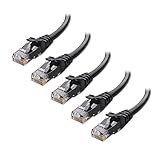
- High-Performance Connectivity: This Cat 6 ethernet cable is designed for superior performance, with a 24 AWG copper wire core. It provides universal connectivity as an ethernet cord for LAN network components such as PCs, servers, printers, routers, and more, ensuring reliable and fast network connections
- Advanced Cat6 Technology: Experience Cat6 performance with higher bandwidth at a Cat5e price. This network cable is future-proof, ready for 10-Gigabit Ethernet and backwards compatible with any existing Cat 5 cable network. It meets or exceeds Category 6 performance according to the TIA/EIA 568-C.2 standard
- Reliable Wired Network Solution: Known variously as a Cat6 network cable, ethernet cable Cat 6, or Cat 6 data/LAN cable, this RJ45 cable offers a more secure and reliable connection than wireless networks. It's ideal for internet connections that demand consistency and security
- Durable and Secure Design: The connectors of this ethernet cable feature gold-plated contacts and strain-relief boots for enhanced durability. Bare copper conductors not only improve cable performance but also comply with communication cable specifications
- High-Speed Data Transfer: With up to 550 MHz bandwidth, this ethernet cord is ideal for server applications, cloud computing, video surveillance, and streaming high-definition video. It also supports Power over Ethernet (PoE, PoE+, PoE++) for powering devices like IP cameras, VoIP phones, and wireless access points, ensuring fast and reliable network performance.
What can PC and console gamers check?
Windows PC
Run netsh wlan show drivers in Command Prompt to inspect supported wireless standards and adapter capabilities. Microsoft’s current Wi‐Fi 7 guidance begins Windows 11 Wi‐Fi 7 support at version 24H2, subject to compatible hardware and drivers. Confirm that the PC is actually using Ethernet when a cable is connected, and update the adapter driver and router firmware before drawing conclusions.
PlayStation
PlayStation’s official connection guidance supports both Wi‐Fi and Ethernet setup. PS5 supports IPv6 but does not support IPv6-only network connections, so a router configured as IPv6-only should be changed to use IPv4.
Xbox
Microsoft’s Xbox Game Development Kit documentation says Xbox consoles can apply QoS packet tags over both Wi‐Fi and wired interfaces when the relevant behavior is enabled. QoS tagging may help compatible network environments recognize latency-sensitive traffic, but it does not guarantee a lower Internet ping.
Nintendo Switch and Switch 2
Nintendo recommends connecting a Switch dock’s LAN port to the router for latency problems when a wired connection is available. Nintendo’s current support guidance also references the Nintendo Switch 2 dock’s LAN connection.
The Tool Desk
Outbyte Driver Updater FREEScan for outdated or missing drivers - takes under a minuteDriver Scan →Outbyte PC Repair FREEClear out junk files and repair common Windows errorsFree Scan →Steam Deck and handhelds
Handhelds naturally favor Wi‐Fi, but a USB-C Ethernet adapter or dock can provide a controlled test and a stable connection during stationary play. Check USB compatibility, power delivery, operating-system support, and adapter heat before buying a higher-speed adapter.
Cloud gaming and remote play
Cloud gaming and remote play are more sensitive to latency, jitter, packet loss, and upload quality because the network carries an interactive video stream as well as control input. Ethernet is especially valuable for the client device and, where relevant, the host PC.
Independent reader supportYour contribution helps us test, update, and keep practical guides available for everyone.Does a gaming router lower ping?
A gaming router usually cannot lower ping by itself. A router cannot change the physical distance to a game server, fix ISP peering or routing, reduce server load, alter a game’s netcode, or repair congestion in the access network.
A router upgrade can be worthwhile when it provides a real solution to a measured problem:
Do these 3 things before closing this tab:
1Clear out junk files and repair common Windows errors2Fix the driver behind crashes, sound loss and screen glitches3Repair Windows errors before they cause bigger problems- Better coverage or a better access-point location.
- Reliable Ethernet ports and support for a wired access point or wired mesh backhaul.
- Smart Queue Management or another effective anti-bufferbloat feature.
- Hardware capable of handling the broadband connection while queue management is enabled.
- Stable firmware, useful monitoring, and sensible client-management controls.
RTINGS’ router-latency research emphasizes latency, jitter, congestion, bufferbloat, QoS/SQM, and mesh behavior rather than treating a gaming-router label as a replacement for Ethernet. TP-Link and other vendors may advertise gaming-device prioritization, gaming bands, wired ports, or optional route-acceleration services; evaluate each feature separately rather than treating the marketing category as proof of lower ping.
Also popular on Amazon

- High Performance Cat6 Cable - The Cat6 ethernet cables 100ft supports frequencies of up to 500 MHz and high-speed 10GB internet connection for LAN network applications such as PCs,computer servers,printers,routers,switch boxes,network media players,NAS,VoIP phones and more, while remaining fully backward compatible with your existing network.
- Outdoor&Indoor Ethernet Cable - The cat 6 ethernet patch cable features 8 solid copper conductors 24 AWG. Each of the 4 unshielded twisted pairs (UTP) are separated by a PE cross insulation to isolates pairs and prevent crosstalk and covered by a 5.8mm PVC jacket with RJ45 connectors and gold-plated contacts. The molded strain relief boots help avoid snags that will damage your cables. They are molded for flexibility and resist common wear and tear.
- Lan Cable with RJ45 - UTP(Unshielded Twisted Pair) patch cable with RJ45 gold-plated Connectors, this cat6 cable support Cat8 and Cat7 network and provides performance of up to 500 MHz 10Gbps and is suitable for 10BASE-T, 100BASE-TX (Fast Ethernet), 1000BASE-T/1000BASE-TX (Gigabit Ethernet) and 10GBASE-T (10-Gigabit Ethernet)
- High Quality Control - are designed with extremely well-matched components for outstanding uniform impedance and very low return loss, providing lower crosstalk, and a higher signal-to-noise ratio. Each Cat 6 internet cable 6 ft goes through rigorous testing to ensure a secure wired internet connection with exceptional speed and reliability.
- Support – Cat6 Ethernet cable with CM grade PVC jacket complies with TIA/EIA 568-C.2, is ETL verified and RoHS compliant. If an item is defective or breaks within a year, we will issue a replacement. For questions or concerns please contact our friendly, USA-based customer Support team.
Do not replace a router merely because it advertises a huge Wi‐Fi link rate. If the gaming device is already wired and both wired and wireless connections show the same stable high ping, the likely issue is outside the local Wi‐Fi network.
What should you do when Ethernet does not improve gaming?
If Ethernet does not improve the experience, investigate the server, route, WAN, and device rather than assuming the cable failed. Work through this checklist:
- Confirm that the game uses the same region or server for both tests.
- Verify that the wired link negotiated at the expected speed.
- Try another Ethernet cable, adapter, router port, or switch port.
- Confirm that the device is not still using Wi‐Fi while the cable is attached.
- Repeat the test with VPNs, proxies, traffic filters, and unusual network software disabled.
- Test idle latency and latency during upload and download.
- Check whether the game’s displayed ping is averaged, smoothed, or server-specific.
- Compare different game regions only when the game makes that option available.
Ethernet can improve consistency without producing a dramatic reduction in the displayed average ping. If both Ethernet and Wi‐Fi are consistently high but stable, likely causes include game-server distance, ISP routing, VPN distance, cellular or satellite limitations, fixed-wireless conditions, or server-side load.
Recommended Free Tools
Ethernet or Wi‐Fi: which should you choose?
Choose Ethernet when the device is stationary and the cable can be routed safely. Ethernet is particularly appropriate for competitive multiplayer, cloud gaming, remote play, tournament play, and any setup where Wi‐Fi already shows jitter, packet loss, or periodic spikes.
Choose Wi‐Fi when cabling is impractical and testing shows a strong, stable local connection. A nearby 5 GHz or 6 GHz access point is a sensible choice for laptops, handhelds, portable consoles, and casual gaming.
Upgrade the router only when testing identifies a router-level need. Coverage problems may call for better placement or a wired access point. Latency under load may call for SQM-capable firmware or hardware. A device that is already wired and stable does not need a premium Wi‐Fi router to solve a server-distance problem.
Use this decision tree:
- Can you run Ethernet safely? Run it to the main router or a wired access point.
- Can you not run Ethernet, but Wi‐Fi is strong and stable? Keep Wi‐Fi and optimize placement and band selection.
- Does Wi‐Fi spike while Ethernet stays stable? Fix placement, interference, band selection, drivers, or mesh backhaul.
- Do both connections spike during household traffic? Test for bufferbloat and configure SQM or address WAN congestion.
- Are both connections stable but the game ping is high? Investigate server region, ISP routing, VPN use, and game-server conditions.
Frequently Asked Questions
Is Ethernet always better than Wi‐Fi for gaming?
Ethernet is usually better for consistent low-latency gaming, but Ethernet is not always better than a strong direct Wi‐Fi connection. Ethernet removes local wireless interference and contention, while both connection types still share the same router, ISP route, and game server.
Will Ethernet lower my ping by a fixed number of milliseconds?
No. Ethernet may reduce local delay and jitter, but there is no universal ping reduction. Server distance, ISP routing, congestion, bufferbloat, and game-server conditions may dominate the displayed ping.
Is Wi‐Fi 7 as good as Ethernet for gaming?
Wi‐Fi 7 can improve wireless capacity and latency in compatible environments, but Wi‐Fi 7 does not remove signal loss, walls, interference, airtime contention, or WAN congestion. Ethernet remains the more predictable choice when a safe cable run is practical.
Does a gaming router fix lag?
A gaming router can help with coverage, wired backhaul, hardware capacity, or bufferbloat when it provides effective SQM. A gaming-router label cannot fix game-server distance, ISP routing, server load, or a saturated broadband connection.
The Bottom Line
Bottom line: Ethernet wins Ethernet vs Wi‐Fi gaming for consistency and is the best first choice for a stationary competitive-gaming device. Strong 5 GHz or 6 GHz Wi‐Fi is perfectly practical when cabling is difficult. Test local latency and latency under load before spending money: Wi‐Fi-specific spikes call for wireless improvements, while spikes on both Ethernet and Wi‐Fi point to bufferbloat, WAN congestion, the ISP, or the game server.
What’s actually slowing this PC down?
Pick the symptom - the matching free tool is one click away.

