
Windows Errors? Fix Them Before They Spread
Repair common Windows errors and clear accumulated junk for a smoother, more stable PC - no reinstall needed.Free scan · no reinstallOutdated Drivers Are Slowing You Down
One free scan finds every outdated or missing driver and matches the right update for your exact hardware.Free scan · exact hardware matchiTechGuides is reader-supported. When you buy through links on our site, we may earn an affiliate commission. As an Amazon Associate I earn from qualifying purchases. Learn more
The Epson EcoTank ET-8550 is worth buying for frequent home photo, artwork, and 13×19-inch printing, especially when low bottled-ink costs matter more than the highest professional color accuracy. The $749.99 U.S. list-price all-in-one combines six-color photo printing, scanning, copying, duplexing, Wi-Fi, and Ethernet, but its lack of an automatic document feeder makes it a poor office scanner.
The ET-8550 is a specialized all-in-one rather than a cheap general-purpose printer. Its strongest justification is the combination of wide-format output and an economical refillable ink system: the smaller ET-8500 offers a similar photo experience, but the ET-8550 is the model that can print borderless images up to 13×19 inches.
Key takeaways
- The Epson EcoTank ET-8550 prints borderless photos and artwork up to 13×19 inches, or A3+, on compatible media.
- The six-color Claria ET Premium system adds gray and photo black to cyan, magenta, yellow, and pigment black for text.
- Epson estimates about 4 cents of ink for a 4×6-inch photo, but the estimate excludes paper, cleaning ink, failed prints, electricity, and maintenance.
- The ET-8550 has a flatbed scanner, copier, automatic duplex printing, Wi-Fi, Wi-Fi Direct, USB, and Ethernet, but no automatic document feeder.
- Independent testing finds excellent detail and gamut, although some colors can be visibly inaccurate or more saturated than a calibrated professional workflow.
- The ET-8550 is a poor value for mostly text printing, occasional use, multi-page scanning, or pigment-ink archival work.
What is the Epson EcoTank ET-8550?
The Epson EcoTank ET-8550 is a wireless, wide-format, refillable-tank all-in-one inkjet printer designed for home photos, creative work, and occasional office printing. Epson describes the model in its official ET-8550 specifications as a six-color EcoTank Photo printer with print, scan, copy, and connectivity features.
Quick wins for a faster PC:
Fix the driver behind crashes, sound loss and screen glitchesFind Drivers →Repair Windows errors before they cause bigger problemsFix Now →The printer uses Epson 552 Claria ET Premium ink. Pigment black handles ordinary text, while dye-based cyan, magenta, yellow, gray, and photo black are used for photographic output. The gray and photo-black inks are important differences from a standard four-color EcoTank: gray helps smooth tonal transitions, and photo black is optimized for photographic density and contrast.
Popular on Amazon

- CARTRIDGE-FREE PRINTING — Print lab-quality photos, graphics and creative projects; Get vibrant colors and sharp text with Epson's high-accuracy printhead and Claria ET Premium 6-color inks
- INK BOTTLES — Save on photos1 and creative projects with affordable in-house printing; All-in-one printer allows you to print 4" x 6" photos for about 4 cents each vs. 40 cents with traditional ink cartridges1
- LESS FREQUENT INK REPLACEMENT — Replacement ink bottles don't have to be changed nearly as often as ink cartridges¹; Printer, scanner and copier lets you print up to 6,200 color pages³
- PRINT FOR LONGER — Up to 2 years of ink in the box² (and with every replacement ink set) for fewer out-of-ink frustrations with this wireless printer
- ZERO CARTRIDGE WASTE — Epson EcoTank printer helps reduce the amount of cartridge waste ending up in landfills; Cartridge-free printer uses high-yield ink bottles; Each replacement ink bottle set is equivalent to about 100 individual ink cartridges⁴
The ET-8550 is the wide-format counterpart to the Epson EcoTank Photo ET-8500. The core photo-oriented concept is similar, but the ET-8550 is the model to choose when 11×17-inch or 13×19-inch output matters. The ET-8500 stops at 8.5×11 inches.
Who should buy the ET-8550?
The ET-8550 is a strong fit for people who print enough color-heavy work to benefit from refillable tanks and who will actually use its large paper path.
- Home photographers: The printer can produce small snapshots as well as large borderless prints without sending every image to a lab.
- Artists and designers: The wide paper sizes suit portfolios, cards, posters, illustrations, and presentation pieces.
- Crafters and Etsy sellers: Compatible specialty media and thick stock can support selected creative projects, provided the media is loaded through the correct path.
- Families: Frequent photo printing is a better justification than occasional school documents.
- Small home businesses: The ET-8550 can combine creative printing with ordinary documents, copying, and scanning.
- Photographers who need an all-in-one: The scanner and copier make the ET-8550 more flexible than a dedicated photo printer.
The ET-8550 is a poor fit for users who mainly print black-and-white text, labels, or shipping documents. A less expensive four-color EcoTank or a monochrome laser printer will usually be a more rational purchase for that workload. The ET-8550 is also the wrong tool for an office that regularly scans contracts, tax packets, or school forms because the flatbed requires manual page placement.
Recommended Free Tools
What are the ET-8550’s main specifications?
The following specifications describe the U.S. model and U.S. pricing information supplied in the research dossier. Regional versions can differ in model name, ink codes, warranty, paper support, and pricing.
| Feature | Epson EcoTank ET-8550 |
|---|---|
| Printer type | Wireless wide-format refillable-tank all-in-one inkjet |
| Ink system | Six-color Epson 552 Claria ET Premium: pigment black, photo black, gray, cyan, magenta, and yellow |
| Maximum print size | 13×19 inches / A3+ |
| Borderless printing | Up to 13×19 inches on compatible media |
| Functions | Printing, scanning, copying, and automatic two-sided printing |
| Scanner | Flatbed; no automatic document feeder |
| Connectivity | Wi-Fi, Wi-Fi Direct, USB, and Ethernet |
| Paper capacity | Epson launch material lists 170 sheets total, plus a one-sheet rear straight-through path |
| Specialty-media thickness | Approximately 1.3 mm, subject to Epson’s compatibility and loading instructions |
| U.S. list price | $749.99, according to the supplied Epson price snapshot |
| U.S. promotional price observed | $599.99 after a $150 discount; promotions and availability change |
| Warranty | U.S. specification material lists a one-year limited warranty; confirm current registration terms |
Epson’s launch announcement for the EcoTank Photo models provides the paper-capacity and thick-media details. The rear straight-through path is particularly relevant for heavier sheets because thick media generally should not be forced through a normal curved paper path.
How good is the ET-8550’s photo quality?
The ET-8550 produces excellent-looking home photos with very fine detail, strong saturation, a broad color gamut, and smooth gradients. Independent ET-8550 testing by RTINGS supports that overall assessment while also identifying color-accuracy limitations.
The six-color arrangement is useful in visible ways. Gray helps the printer transition through neutral tones, while photo black improves photographic blacks compared with a basic four-color office printer. The result is especially convincing on Epson Premium Glossy, Ultra Premium Glossy, Luster, and Velvet Fine Art papers when the correct media setting is selected.
However, vivid output is not identical to accurate output. Some colors may appear oversaturated or deviate from a calibrated original, particularly when the workflow relies on default driver settings. A photograph can look more dramatic on the printer’s output while still having less accurate skin tones, neutral grays, blues, or reds than a carefully color-managed print.
Epson’s “lab-quality” language should therefore be treated as marketing terminology rather than a guarantee that every image will match a commercial lab or professional pigment printer. For casual viewing, family albums, crafts, and wall art, the ET-8550’s output is highly competitive. For color-critical commercial proofing, evaluate test prints with your own paper and profile workflow.
How should photographers manage color?
Photographers using Lightroom, Photoshop, or another color-managed application should choose either application-managed color or Epson-driver-managed color, not both. Select the correct ICC profile for the actual paper, choose the matching Epson media preset, and disable the competing color-management system to avoid double color management.
The ET-8550 supports Epson’s Print Layout software for more controlled photo printing. Basic mobile printing through Epson Smart Panel is convenient, but mobile printing should not be confused with a full desktop color-managed workflow. The Epson ET-8550/ET-8500 user guide documents supported media and relevant driver controls.
How large can the ET-8550 print?
The ET-8550’s defining feature is borderless output up to 13×19 inches on supported media. The printer also handles common sizes such as 4×6, 5×7, 8×10, 11×14, 11×17, A3, and A3+.
“Supports 13×19” does not mean every 13×19 sheet will feed reliably or print borderlessly. Paper type, thickness, printable-area rules, driver settings, and feed direction all matter. Thick specialty media generally uses the rear straight-through or manual feed. Third-party paper may require experimentation with paper type, thickness, ICC profiles, and loading direction.
The printer can print on selected glossy, semi-gloss, luster, matte, and fine-art media, and Epson describes customized CD/DVD printing among its capabilities. The ET-8550 is not a cutting plotter: it does not automatically cut stickers, labels, or paper. The printer also does not laminate finished prints or replace a commercial production workflow.
How much does the ET-8550 cost to run?
Epson estimates approximately 4 cents of ink per 4×6-inch photo, compared with approximately 40 cents for cartridge-based printing, under Epson’s stated standardized methodology. The Epson product notes make clear that actual cost varies with the image, print settings, temperature, humidity, and printing frequency.
Do these 3 things before closing this tab:
1Scan for outdated or missing drivers - takes under a minute2Repair Windows errors before they cause bigger problems3Fix the driver behind crashes, sound loss and screen glitchesThe 4-cent figure is an ink-only estimate, not the total cost of a finished photograph. Real spending also includes photo paper, ink consumed during nozzle checks and cleaning, wasted prints, maintenance-box replacement, electricity, and the printer’s purchase price. Full-coverage 13×19 images can use much more ink than a standardized 4×6 test image.
Epson lists yields of up to approximately 6,700 black pages and 6,200 color pages under its document-yield methodology. Epson’s specification sheet lists up to approximately 7,300 pages for photo black under its stated methodology. Those figures are not promises that the printer will produce that many full-color photographic pages. Document yields and photo yields measure different workloads.
Also popular on Amazon

- INNOVATIVE CARTRIDGE-FREE PRINTING — High-capacity ink tanks mean no more dealing with lots of tiny ink cartridges; Epson’s exclusive EcoFit ink bottles make filling easy to keep you using this home office printer for longer
- CLEAR AND VIBRANT PRINT QUALITY ― Create memorable prints and projects; Unique Micro Piezo Heat-Free Technology allows wireless color printer to produce sharp text and impressive color photos and graphics on virtually any paper type
- ZERO CARTRIDGE WASTE — By using an Epson EcoTank printer you can help reduce the amount of cartridge waste ending up in landfills
- BUILT IN SCANNER AND COPIER ― All-In-One Epson EcoTank is more than a printer; High-resolution flatbed scanner and color display come together for easy document copying and navigation; Boost productivity with this printer, copier, scanner, and fax
- LESS FREQUENT INK REPLACEMENT — Replacement ink bottles don't have to be changed nearly as often as ink cartridges¹; Printer, scanner and copier lets you print up to 4,500 pages black/7,500 color² extra
| Cost or yield claim | What it means | What it does not mean |
|---|---|---|
| About 4 cents per 4×6 photo | Epson’s standardized ink estimate | Total photo cost or guaranteed result for every image |
| Up to 6,700 black pages | Stated document-yield figure | 6,700 dense black photos or graphics |
| Up to 6,200 color pages | Stated standardized color-document yield | 6,200 large, full-coverage color prints |
| Up to 7,300 photo-black pages | Stated photo-black yield methodology | A complete photo-print yield for all six inks |
The high purchase price changes the value calculation. The ET-8550 becomes easier to justify when a buyer prints photos, artwork, or wide-format work regularly. A low-volume user may never print enough pages to recover the upfront premium over a cheaper printer, even if the ink cost per print is lower.
What does Epson 552 replacement ink cost?
The supplied U.S. Epson store snapshot was checked on August 18, 2026. At that time, the 70 mL 552 pigment-black bottle was listed at $23.99, photo black at $21.99, and individual cyan, magenta, yellow, and gray bottles were generally $21.99 each. A cyan/magenta/yellow three-pack was listed at $65.95, while a five-pack containing cyan, magenta, yellow, photo black, and gray was listed at $109.95.
Free tools Windows power users keep installed
One-click scans. No signup required.
A nominal replenishment of the five-color pack plus pigment black therefore came to approximately $133.94 before tax or shipping, assuming all colors were available. The gray bottle was marked out of stock on the Epson pages checked, so availability is a dated snapshot rather than a permanent condition. Check the current Epson 552 ink listing before budgeting a complete refill.
Epson recommends genuine ink and states that damage caused by non-genuine ink may not be covered under the limited warranty. Cheaper third-party ink may reduce consumable prices, but the dossier does not establish that third-party products deliver equivalent color, clog resistance, or warranty protection.
Is the ET-8550 fast enough?
The ET-8550 is fast enough for home photo work and moderate everyday printing, but its headline speeds require context. Epson lists approximately 15 seconds for a 4×6-inch borderless draft photo on Premium Photo Paper Glossy and up to approximately 16 pages per minute for some document-printing conditions.
The 15-second photo figure is a draft-mode result and should not be treated as the time required for a high-quality, large, color-managed print. Actual speed depends on print quality, paper, image complexity, connection, and software. Large glossy or fine-art prints can take considerably longer, and the printer is not intended to behave like a high-volume production press.
How good are scanning, copying, and office features?
The ET-8550 has a good flatbed scanner for photographs, artwork, documents, and occasional copies. Independent testing reports a scan area extending to legal size, making the scanner more useful than a basic letter-only unit.
The major limitation is the lack of an automatic document feeder. Every page of a multi-page scan or copy must be placed manually on the glass. That is acceptable for a few pages, photographs, or artwork, but inconvenient for contracts, tax records, school packets, and office batches. The ET-8550 also has no fax functionality.
Automatic two-sided printing improves ordinary document use, but duplex printing does not compensate for the missing ADF. The ET-8550 is a creative printer with occasional office capabilities, not a document-management machine.
What connectivity does the ET-8550 offer?
The ET-8550 supports Wi-Fi, Wi-Fi Direct, USB, and Ethernet, along with Epson Smart Panel and mobile printing. The connectivity mix works for a home shared printer: Wi-Fi handles computers and phones, Ethernet suits a fixed home-office installation, Wi-Fi Direct can connect compatible devices without a normal network, and USB provides a direct fallback.
Mobile printing is useful for quick snapshots and documents. Photographers who care about predictable color should use a desktop application with the correct paper profile and color-management settings rather than treating a phone print command as equivalent to a calibrated workflow. RTINGS documents the printer’s connectivity and scanning capabilities in its independent review.
What paper and media does the ET-8550 handle?
The ET-8550 supports Epson photo papers, luster and matte stocks, fine-art media, ordinary letter and legal paper, and selected specialty media up to approximately 1.3 mm thick. Compatible paper matters as much as the printer for final image quality.
| Media type | Best use | Important consideration |
|---|---|---|
| Premium or Ultra Premium Glossy | Bright, saturated photos and photo gifts | Requires the correct glossy media setting and careful handling |
| Luster or semi-gloss | Portraits, portfolios, and reduced-glare display prints | Paper profile and media preset affect color and contrast |
| Velvet Fine Art | Matte-looking artwork and fine-art presentation | Use the supported feed path and paper instructions |
| Presentation Matte | Graphics, cards, and non-reflective creative work | Output may look less saturated than glossy media |
| Thick specialty stock | Selected craft and art projects | Approximately 1.3 mm maximum; rear straight-through loading is generally required |
| Third-party paper | Lower-cost or specialized workflows | May require testing of profiles, thickness, settings, and feed direction |
Paper economics deserve attention. On a photo printer, paper can cost as much as or more than the ink, especially for 11×17 and 13×19 sheets. Budget for test prints when trying third-party fine-art stock, because a profile mismatch or feed problem can waste both paper and ink.
Is the ET-8550 reliable?
The balanced answer is that the ET-8550 is a conventional photo inkjet that requires regular use and maintenance, not that the model is inherently defective. Independent testing reports possible clogging after periods of inactivity. Long idle periods can lead to nozzle-check problems, uneven colors, or missing lines.
Owners who print regularly should run a small color test periodically and use the nozzle-check procedure when output changes. Head cleaning can restore missing nozzles, but repeated or deep-cleaning cycles consume ink and should not be used casually. Keep paper and the printer away from excessive heat, dust, and humidity.
- Print a small color test periodically if the printer would otherwise sit unused.
- Run a nozzle check when a color is missing or lines appear uneven.
- Use ordinary cleaning only when the nozzle check indicates a problem.
- Avoid repeated deep-cleaning cycles unless Epson’s troubleshooting instructions call for them.
- Match the selected paper type and feed path to the actual stock.
- Use genuine ink if warranty coverage and Epson’s specified operating conditions matter.
Epson’s U.S. specification material lists a one-year limited warranty, but registration and genuine-ink conditions can affect extended coverage terms. Confirm the current terms through the Epson ET-8550 support hub before relying on a warranty assumption.
Independent reader supportYour contribution helps us test, update, and keep practical guides available for everyone.What happens when the wrong paper setting is selected?
Incorrect paper settings can produce washed-out photos, excessive ink, slow printing, smearing, weak black density, or incorrect borderless behavior. The printer driver uses the selected media type to control ink volume and other print parameters, so “plain paper” is not an interchangeable setting for glossy or fine-art stock.
Also popular on Amazon
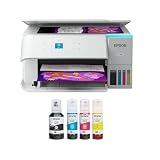
- STRESS-FREE PRINTING — Epson EcoTank comes with enough ink to print up to 6,600 pages black/5,500 color¹⁰ for fewer out-of-ink frustrations. Each replacement ink bottle set is equivalent to about 80 cartridges¹¹
- SIMPLE INK REFILLING — Supersized ink tanks and uniquely keyed EcoFit bottles make refilling ink simple—no mess, no stress and no ink bottle mix-ups
- THE WORLD’S #1 SELLING SUPERTANK PRINTER² — Epson invented EcoTank to revolutionize the way people print; we’ve sold 100 million EcoTanks worldwide⁷ and this is our 7th generation of cartridge-free printers
- ADVANCED PRODUCTIVITY FEATURES — Fast 15 black/8 color ISO ppm print speeds with zero warmup time, built-in scanner, 100-sheet paper tray, auto duplex printing and a 1.44" color display for easy navigation
- STUNNING PRINT QUALITY — High 4800 x 1200 dpi print resolution for exceptional photos and text; enjoy amazing image quality on a wide range of media
Check the paper source, paper size, paper type, print quality, and borderless option before starting a valuable print. Epson’s user guide and paper-compatibility instructions should take precedence over generic third-party loading advice.
What’s actually slowing this PC down?
Pick the symptom - the matching free tool is one click away.
How does the ET-8550 compare with the ET-8500?
The ET-8550 and ET-8500 share the same basic six-color photo-tank concept, but maximum paper size is the decisive difference. Choose the ET-8550 for 11×17 or 13×19 work; choose the ET-8500 when letter-size output is sufficient.
| Criteria | ET-8550 | ET-8500 |
|---|---|---|
| Photo ink concept | Six-color Claria ET Premium system | Same general six-color photo-oriented system |
| Maximum size | Up to 13×19 inches / A3+ | Up to 8.5×11 inches |
| Best reason to choose it | Wide-format photos, artwork, and posters | Six-color home photo printing without wide-format output |
| U.S. price snapshot | $749.99 list; $599.99 promotional price observed | $699.99 observed on August 18, 2026 |
| Value decision | Worth the premium when large media is genuinely needed | Better when all output is letter-size or smaller |
The ET-8500 price was observed at $699.99 on August 18, 2026, while the ET-8550 list price was $749.99 before promotion. When the price difference is small, the ET-8550 can be the more compelling purchase, but buyers should not pay for wide-format capability they will never use.
Which alternatives should you consider?
| Alternative | Best for | Why choose it instead | Main compromise |
|---|---|---|---|
| Epson EcoTank Photo ET-8500 | Six-color photo printing up to letter size | Similar photo-oriented ink system without paying for 13×19 output | Cannot print the ET-8550’s 11×17 or 13×19 sizes |
| Canon PIXMA PRO-200 / PRO-200S | Dedicated photographic printing and color accuracy | Independent comparison favors the Canon for color accuracy | Cartridge-based, print-only, and less versatile for scanning and office work |
| Epson SureColor P700 | Pigment-ink fine-art and professional photography | Better fit for pigment-ink characteristics, longevity priorities, and specialized workflows | Print-only and less convenient as a general home all-in-one |
| Standard Epson EcoTank | Documents, schoolwork, and occasional color graphics | Lower purchase price and better fit for text-heavy use | Not equivalent to the ET-8550’s six-color wide-format photo system |
Independent comparison testing from RTINGS favors the Canon PIXMA PRO-200 for professional photo color accuracy, while the Epson wins on recurring-cost control and all-in-one versatility. The SureColor P700 is the more appropriate direction when pigment-ink fine-art characteristics matter more than scanning, copying, and inexpensive bottled ink.
ET-8550 buying decision
Buy the ET-8550 if you regularly print photos or artwork, need borderless 13×19 output, want scanning and copying in the same device, and accept that accurate color may require a managed workflow.
The Tool Desk
Outbyte Driver Updater FREEFix the driver behind crashes, sound loss and screen glitchesFind Drivers →Outbyte PC Repair FREERepair Windows errors before they cause bigger problemsFix Now →Consider buying only during a good promotion if you want wide-format printing but print infrequently. A lower purchase price reduces the risk that the printer’s high upfront cost and maintenance needs outweigh its low ink cost.
Choose the ET-8500 if your largest planned print is 8.5×11 inches. The ET-8550’s central advantage is paper size, not necessarily a completely different class of everyday photo quality.
Choose the Canon PIXMA PRO-200 or PRO-200S if dedicated photo output and color accuracy are more important than tank economics, scanning, copying, and office features.
Choose the Epson SureColor P700 if pigment-ink fine-art printing and professional permanence priorities outweigh the convenience of an all-in-one.
Outdated Drivers Are Slowing You Down
One free scan finds every outdated or missing driver and matches the right update for your exact hardware.Free scan · exact hardware matchPC Slower Than It Used to Be?
A free scan shows the junk files, broken settings and background clutter dragging Windows down - then fixes them in one click.Free scan · Windows 10 & 11Choose a cheaper EcoTank or monochrome laser if the real workload is mostly text, labels, forms, or occasional school printing.
Frequently Asked Questions
Does the Epson ET-8550 print 13×19 photos?
Yes. The Epson EcoTank ET-8550 supports borderless printing up to 13×19 inches, also called A3+, on compatible media. The paper type, thickness, feed path, and driver settings determine whether a particular 13×19 sheet feeds correctly and supports borderless output.
Is the Epson ET-8550 ink cost really 4 cents per photo?
Epson estimates about 4 cents of ink for a standardized 4×6-inch photo, but the figure is not the total cost of a finished print. Paper, cleaning cycles, wasted prints, maintenance, electricity, and the printer’s purchase price are excluded, and full-coverage photos may use more ink.
Does the ET-8550 have an automatic document feeder?
No. The Epson ET-8550 has a flatbed scanner but no automatic document feeder, so multi-page scanning and copying require manually placing each page on the glass.
Can the ET-8550 use thick paper?
Yes, Epson lists specialty-media support up to approximately 1.3 mm thick, subject to compatibility and loading instructions. Thick stock generally requires the rear straight-through or manual feed, and third-party media may need testing.
Is the ET-8550 suitable for professional fine-art printing?
The ET-8550 can produce excellent detailed artwork and photos, but its dye-based photo inks are not the same as a specialized pigment-ink fine-art system. Photographers who prioritize pigment-ink characteristics, archival permanence, and professional color workflows should consider the Epson SureColor P700 instead.
The Bottom Line
Bottom line: The Epson EcoTank ET-8550 is one of the most versatile home photo printers for buyers who genuinely need 13×19 output. Its six-color bottled-ink system, strong visual quality, scanner, copier, duplex printing, and network connectivity make the high purchase price defensible for frequent creative use. The ET-8550 is not a universal bargain: text-only users, document-heavy offices, occasional printers, and photographers who require pigment-ink fine-art permanence should choose a different class of printer.

