
Quick wins for a faster PC:
Fix the driver behind crashes, sound loss and screen glitchesFind Drivers →Repair Windows errors before they cause bigger problemsFix Now →Scan for outdated or missing drivers - takes under a minuteDriver Scan →Yes. ChromeOS supports USB flash drives, external hard drives, SD cards and other removable storage. In ChromeOS 78, Google also documented backing up and restoring a Linux environment using Chromebook storage, an external drive or Google Drive. Whether you can write to an attached drive depends in part on whether the Chromebook is managed by an organization.
What ChromeOS 78 added for external drives
ChromeOS 78 made external storage a documented destination for backing up a Linux environment image. Google Cloud’s Chrome Enterprise release article, published November 5, 2019, says the image can be backed up to local Chromebook storage, an external drive or Google Drive: Chrome Enterprise release 78.
Google’s Android Developers Blog described exporting an entire Linux workspace to external storage or Drive, then restoring it on the same Chromebook or another one: Linux on ChromeOS. This is a Linux-environment backup feature, not a claim that ChromeOS can back up every part of the Chromebook—including all user data and settings—to a USB drive.
Chrome 78 was in beta on September 19, 2019, according to the Chromium Blog. The capability is described in period-specific ChromeOS 78 documentation; those 2019 announcements should not be read as a guarantee that every current Chromebook or Linux configuration exposes identical options.
#1 Best Overall

- High-capacity storage to go, fast data transfer rates, you can save and backup any files, movies, music, photos, games and more.
- Simple & Ultra slim, the small, light weight enclosure features massive capacity and high quality and reliability.
- Plug and Play - Without software to install, just plug and play with USB connection.
- Ultra-fast Data Transfers - Works with USB3.0 and USB2.0 to deliver, up to 6Gbps transfer speed, which is about 10 times as fast as USB 2.0.
- System Compatibility - It can compatible with PC, Desktop, Laptop, MacBoo, Chromebook, Xbox One series console and so on.
Which external drives can a Chromebook use?
Google’s Chrome Enterprise policy documentation includes USB flash drives, external hard drives, optical storage, SD cards and other memory cards in its definition of external storage: ExternalStorage policy. The ChromeOS Files app also serves as a handoff point for files between ChromeOS, Google Drive, Android and Linux workflows, as described in the ChromeOS file manager documentation.
For ordinary file storage, choose the drive based on the job rather than the Chromebook label alone. Check that the connector matches an available port or that you have a suitable adapter, and confirm the drive’s capacity and portability needs.
Rank #2

- Easily store and access 2TB to content on the go with the Seagate Portable Drive, a USB external hard drive
- Designed to work with Windows or Mac computers, this external hard drive makes backup a snap just drag and drop
- To get set up, connect the portable hard drive to a computer for automatic recognition no software required
- This USB drive provides plug and play simplicity with the included 18 inch USB 3.0 cable
- The available storage capacity may vary.
| Drive type | Portability | Capacity and transfer speed | Fit for repeated Linux backups |
|---|---|---|---|
| USB flash drive | Small and easy to carry. | Capacity and speed vary by model; compare the specifications of the particular drive. | Convenient for occasional backups when its capacity is sufficient; frequent transfers may favor a larger drive designed for sustained use. |
| External hard drive | Usually bulkier than a flash drive and may need more careful handling. | Capacity and speed vary by model and connection; compare the specifications of the particular drive. | Can suit larger or repeated image backups when its capacity, connection and portability work for the user. |
The ChromeOS 78 announcements do not provide universal capacity or transfer-speed figures for either category. Those are properties of individual drive models and connections, so verify them before buying.
Why might a Chromebook let you read but not write?
External storage is normally allowed read and write access by default in Google’s Chrome Enterprise policy documentation. An administrator can instead configure read-only access or block read and write access entirely. That means a school- or work-managed Chromebook may not behave like a personal Chromebook, even when the same drive works elsewhere.
The Tool Desk
Outbyte Driver Updater FREEScan for outdated or missing drivers - takes under a minuteDriver Scan →Outbyte PC Repair FREEClear out junk files and repair common Windows errorsFree Scan →Rank #3

- 【Versatile Storage Expansion – For Gaming, Work & Everyday Use】 Running out of space on your PS5 or Xbox Series X/S? This external hard drive lets you store and play PS4 / Xbox One games directly, instantly freeing up your console’s internal storage for next‑gen titles. At the same time, it handles work file backups, media libraries, and cross‑device data transfers with ease. One drive, all your needs. *(Note: PS5 / Xbox Series X|S games cannot be run or stored directly from the external hard drive. However, by offloading your PS4 / Xbox One games, you can free up valuable space for newer titles.)*
- 【Patented Silicone Sleeve – Data Protection You Can Count On】 Worried about drops? We’ve got you covered. The patented built‑in silicone sleeve acts like a shock‑absorbing armor, cushioning your drive against bumps and falls. Whether it’s important work documents, precious family photos, or hard‑earned game saves, your data deserves this level of protection.
- 【Plug & Play, Compatible with Computers & Consoles】 No complicated setup—just plug in and go. Works seamlessly with Windows, Mac, and Linux computers, as well as PS4, PS5, Xbox One, and Xbox Series X/S. Process files at the office, back up data at home, or enjoy gaming in your downtime—one drive handles all your devices, simply and hassle‑free.
- 【USB 3.0 Ultra‑Fast Transfer – No More Waiting】 Tired of watching progress bars crawl? With USB 3.0 speeds up to 5Gbps, large files transfer in seconds. Whether you’re moving work documents, transferring hundreds of gigs of games, or backing up a year’s worth of photos, you get more done in less time.
- 【Sleek, Lightweight, and Ready to Go】 Weighing just 0.16 kg—lighter than a can of soda—this compact drive features a stylish mirror‑and‑frosted finish. Toss it in your bag and go, whether you’re heading to the office, visiting a friend for a gaming session, or giving a presentation on the road.
- Drive opens, but files cannot be saved: the device may be subject to a read-only external-storage policy.
- Drive does not appear or cannot be accessed: an administrator may have blocked external storage, or the connection may need checking.
- Personal Chromebook: the enterprise policy settings do not necessarily apply, but they explain why managed devices can impose different access rules.
If the Chromebook is managed, ask its administrator whether external storage is permitted and whether write access is enabled. Do not assume that reformatting the drive will solve a restriction enforced by device policy.
Independent reader supportYour contribution helps us test, update, and keep practical guides available for everyone.Choosing storage for a Chromebook
For a portable handoff or occasional file transfer, a USB flash drive is often the simpler form factor. For a larger Linux workspace backup or recurring archives, compare external hard drives by capacity, connector compatibility, speed and portability. In either case, check whether the Chromebook has USB-A or USB-C ports and whether the drive requires an adapter or separate power.
Rank #4
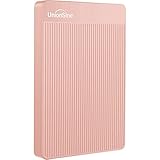
- 【Upgraded version】 - The mirror logo strip is combined with the striped non-slip design. The rounded corners of the shell are more suitable for holding. The strips play a heat dissipation function to ensure a stable and fast transmission process.
- 【Ultra-thin and quiet】 - The motherboard adopts JMicron 578 noise-free solution, giving you a quiet working environment. Lightweight and portable size designed to fit in your pocket for easy portability.
- 【Ultra-Fast Data Transfers】 - Pairing this external hard drive with JMicron 578 solution USB 3.0 and USB 2.0 interfaces enables blazing-fast data transfer. It boasts theoretical read speeds of up to 125MB/s and write speeds of up to 103MB/s."
- 【Plug and Play】 - With no software to install, just plug it in and the drive is ready to use.The hard disk chip is wrapped with an aluminum anti-interference layer to increase heat dissipation and protect data.
- 【What You Get】 - 1 x Portable Hard Drive, 1 x USB 3.0 Cable, 1 x User Manual, Gift-type shell packaging ,Three-year manufacturer's warranty and free technical support services.
Before relying on a drive for Linux backups, ensure it has enough free space for the image and test that you can save to it. If the Chromebook is managed, confirm access with the administrator first; Google’s policy allows organizations to make storage read-only or unavailable.
Quick Recap
Best Value

- 【Upgraded version】 - The mirror logo strip is combined with the striped non-slip design. The rounded corners of the shell are more suitable for holding. The strips play a heat dissipation function to ensure a stable and fast transmission process.
- 【Ultra-thin and quiet】 - The motherboard adopts JMicron 578 noise-free solution, giving you a quiet working environment. Lightweight and portable size designed to fit in your pocket for easy portability.
- 【Ultra-Fast Data Transfers】 - Pairing this external hard drive with JMicron 578 solution USB 3.0 and USB 2.0 interfaces enables blazing-fast data transfer. It boasts theoretical read speeds of up to 125MB/s and write speeds of up to 103MB/s.
- 【Plug and Play】 - With no software to install, just plug it in and the drive is ready to use.The hard disk chip is wrapped with an aluminum anti-interference layer to increase heat dissipation and protect data.
- 【What You Get】 - 1 x Portable Hard Drive, 1 x USB 3.0 Cable, 1 x User Manual, Gift-type shell packaging ,Three-year manufacturer's warranty and free technical support services.
Product prices and availability are accurate as of the date/time indicated and are subject to change. Any price and availability information displayed on Amazon at the time of purchase will apply.

