
Free tools Windows power users keep installed
One-click scans. No signup required.
iTechGuides is reader-supported. When you buy through links on our site, we may earn an affiliate commission. As an Amazon Associate I earn from qualifying purchases. Learn more
Can LED TVs be repaired? Yes—many LED-TV problems involving cables, settings, software, power boards, main boards, speakers, or backlights can be repaired. A cracked or failed display panel is different: replacement may be technically possible, but the exact-model cost, part availability, and handling risk often make replacement the more sensible choice.
Before buying a board or backlight kit, identify what still works, isolate external devices, check warranty coverage, and obtain a diagnosis based on the TV’s complete model number. A black screen alone does not prove that the LED backlight has failed.
Key takeaways
- LED TVs are LCD televisions with LED backlighting, so a black screen can result from the backlight, display electronics, an external source, or the panel itself.
- A “No Signal” message usually points toward the input, HDMI cable, source device, receiver, or service provider rather than a failed display.
- A faint image visible during a flashlight test suggests a backlight problem, but the test is not conclusive.
- Power boards, main boards, T-Con or display-control boards, speakers, cables, and backlight assemblies may be repairable when the exact replacement part is available.
- Cracked glass, spreading black blotches, bonded-ribbon failures, and extensive lines often involve the display panel and require a model-specific repair quote.
- Warranty, retailer protection, extended coverage, repair cost, repair warranty, software support, and the price of an equivalent replacement TV should all influence the decision.
What type of failure does your TV have?
Use the symptom as a starting point, not as a final diagnosis. Several different faults can produce the same visible problem.
| Symptom | Likely category | Repair outlook |
|---|---|---|
| TV will not turn on | Outlet, remote, power cord, power board, or main board | Often diagnosable; sometimes repairable |
| Standby light is on but the TV will not start | Remote, software, main board, or power-control fault | Start with a reset and the physical power button |
| “No Signal” appears | Wrong input, HDMI cable, external device, receiver, or service-provider issue | Usually not a TV hardware failure |
| Sound but no picture | External device, HDMI path, backlight, display circuitry, or panel | Often diagnosable; repair depends on the test result |
| Flashlight reveals a faint image | Likely LED-backlight failure | Often repairable, but disassembly is delicate |
| Flickering or dim sections | Backlight strips, power regulation, panel electronics, or source signal | Requires model-specific diagnosis |
| Vertical or horizontal lines | Panel, ribbon bond, T-Con, or signal circuitry | Panel faults are frequently uneconomical |
| Cracked glass or spreading ink-like marks | Damaged display panel | Usually a replacement-panel decision, not a minor repair |
| TV turns off after a few minutes | Thermal issue, power board, backlight protection, or software | Often requires diagnosis |
| Discoloration or bright spots | Backlight diffuser, panel damage, image retention, or source issue | Varies substantially by display technology |
What does “LED TV” mean?
An LED TV generally is an LCD television that uses light-emitting diodes for its backlight. The LCD panel creates the image, while the LED strips or edge-light system illuminates that image. Separating those two functions is important: a failed backlight can leave a usable LCD panel looking black, while a damaged panel can show lines, blotches, or permanent image defects even when the backlight works.
Popular on Amazon

- The heavy-duty suction cup is made of natural rubber and durable ABS. Rubber suction cup with heavy-duty locking handle with latch, easy to use.
- Super suction, rubber foot grip is stronger, suction cup lifting capacity is 13 kg (28.6 lb). A large screen needs to use two absorbers at the same time.
- Professional 3-piece screen nylon spudger,2 plastic triangle tools and 1 x Ultra-thin stainless steel triangle tool high hardness and toughness, reusable, it can easily open the screen cover, and prevent scratching the shell, which is the ideal choice for professionals and DIY people
- The 9-piece set of screen repair tools includes: 2 heavy-duty suction cups, 3 nylon spudgers, 2 plastic triangle tools, 1 ultra-thin stainless steel triangle tool,1 microfiber cleaning cloth
- A screen disassembly kit designed specifically for electronic devices, LCD screens, glass, tiles and smooth surfaces, suitable for iPhone, iPad, iMac, MacBook, tablet, laptop, Samsung and other LCD screens
A typical LED-LCD television may contain an LCD display panel, LED backlight strips or an edge-light assembly, a power-supply board, a main or control board, T-Con or other display-control circuitry, speakers, Wi-Fi and tuner circuitry, input connectors, ribbon cables, wire harnesses, an infrared remote receiver, and physical controls. External equipment—including cable boxes, streaming sticks, game consoles, soundbars, and AV receivers—can also create symptoms that look like a TV failure.
Not every flat-panel TV has the same architecture. OLED and QD-OLED televisions create light at the pixel rather than using an LCD panel and conventional LED backlight. Mini-LED sets are still LCD televisions but use a more complex backlight system. Repair procedures, failure modes, and parts therefore depend on the display technology and exact model.
What should you check before opening an LED TV?
Complete the following checks before ordering a part. These steps are low-risk and can distinguish an external problem from an internal TV fault.
Windows Errors? Fix Them Before They Spread
Repair common Windows errors and clear accumulated junk for a smoother, more stable PC - no reinstall needed.Free scan · no reinstallOutdated Drivers Are Slowing You Down
One free scan finds every outdated or missing driver and matches the right update for your exact hardware.Free scan · exact hardware match- Test the wall outlet. Plug in another appliance that you know works. Bypass a questionable surge protector, switched outlet, or extension cord.
- Check the power cable. Reseat the cable at the TV and wall. Look for cuts, crushed sections, loose connections, or heat damage.
- Try the physical power button. A failed remote or depleted remote batteries can imitate a dead TV.
- Check the standby indicator. No light suggests a power path, cord, board, or indicator problem. A light means that at least part of the standby circuit is operating, but it does not prove that the main board or panel is healthy.
- Press Home, Volume, or Input. If the TV’s own menu, volume bar, or input overlay appears, the display is producing an image and the problem may be an external source or connection.
- Distinguish “No Signal” from a blank screen. “No Signal” usually means the TV is working but is not receiving usable content from the selected input.
- Disconnect external devices. Remove every HDMI, USB, antenna, optical, and network-related connection where practical. Turn on the TV with no source connected.
- Test the TV’s built-in functions. Try a built-in app, settings menu, picture test, or sound test. A built-in app working while an HDMI source fails points toward the source, cable, receiver, or input path.
- Restart the source equipment. Power off the cable box, streaming device, game console, router, soundbar, or receiver. LG’s current troubleshooting flow uses a wait of about five seconds before reconnecting certain external equipment; exact procedures vary by device.
- Try a known-good HDMI cable and source. Reconnect devices one at a time so the connection that recreates the fault can be identified.
- Perform a model-specific power reset. A power reset is not the same as a factory reset and normally does not intentionally erase user settings.
LG’s no-picture and no-sound troubleshooting sequence recommends checking the on-screen volume or menu, separating a “No Signal” message from a completely blank screen, resetting external equipment, reconnecting HDMI cables, and unplugging the TV before holding its physical power button for about 10 seconds. The LG procedure is not a universal instruction for every brand or model.
How do you perform a safe basic power reset?
A basic power reset can clear a temporary software or power-control malfunction, but reset instructions vary by manufacturer and model.
- Turn off the TV and unplug it from the wall.
- Hold the TV’s physical power button for approximately 10 seconds.
- Wait briefly, reconnect the TV directly to a known-good outlet, and test it with external devices still disconnected.
Do not confuse this procedure with a factory reset. A factory reset can remove network credentials, app logins, picture calibration, channel settings, and other saved information. Record important settings before using a factory-reset option.
Sony’s general power-reset guidance also identifies restart or reset procedures as possible remedies for temporary no-picture, no-power, or flashing-LED problems.
Quick wins for a faster PC:
Scan for outdated or missing drivers - takes under a minuteDriver Scan →Repair Windows errors before they cause bigger problemsFix Now →How do you use built-in TV diagnostics?
Use the TV’s own diagnostic tools when they are available and write down the exact result. Built-in tests are more useful than guessing from a symptom alone.
- Picture Test: checks whether the TV can generate a test image independently of an HDMI source.
- Sound Test: helps separate an audio-output setting or source problem from a speaker or main-board problem.
- HDMI test: may identify cable or signal issues on supported models.
- Network test: helps separate an internet or streaming issue from a display fault.
- Self Diagnosis: may group several of these checks under one menu.
- Firmware update: can address software problems when the TV remains operational and the manufacturer provides an applicable update.
On some Samsung TV models from 2022 and later, Samsung places relevant diagnostics under All Settings → Support → Device Care → Self Diagnosis. Samsung states that menu availability varies by model. Use Samsung’s Picture Test, HDMI test, and self-diagnosis instructions for the specific television rather than treating that path as universal.
Which common LED-TV faults are repairable?
Why does a TV have no power?
A TV with no power may have a failed outlet, surge protector, power cord, internal fuse, power-supply board, main-board power-control circuit, or shorted internal load. First determine whether the standby light is absent, whether the physical button works, and whether the outlet and cable have been tested.
LG’s power troubleshooting guidance begins with outlet, cord, and physical-button checks before directing the owner toward service. A power-board or main-board replacement may be practical, but live mains-side testing and component-level diagnosis should be left to a trained technician.
Do these 3 things before closing this tab:
1Clear out junk files and repair common Windows errors2Fix the driver behind crashes, sound loss and screen glitches3Repair Windows errors before they cause bigger problemsWhy is there sound but no picture?
Sound without a picture can result from an HDMI source, an incorrect input, a failed backlight, display-control circuitry, or the panel. Press the TV remote’s Home or Volume button first. If the TV menu or volume bar appears, the screen and at least some display functions are working, so investigate the source and HDMI path before opening the set.
Also popular on Amazon

- GuuYebe Pry Tool is designed for disassembling a variety of electronics and also spudger tool has a unique ergonomic design. The trim tool helps pry and poke when you need a little more power, the Ultra thin opening tool easily slips between the tightest gaps and corners, and Opening picks are useful for prying open Electronics devices or Car heir surface or Panels to Install or Repair.
- Pry Tool Features: GuuYebe Trim Removal Tool Kit Features is pry or poke and suck screen or panel and tweezer electronic components Functions. 6 different kinds of trimming tools spudger for prying to different Scenario, Small Suction Cup use of suck up phone screen or panel(the Transparent Sucker is for small screen or panel only), ESD Tweezers is for tweezer components or Panel. keep to easy opening electronics cases by trim tool without scratching or damaging devices or cars.
- Spudger Tool Application: GuuYebe trim removal tool kit is designed for all models of TVs screens cars laptops door automotive electronics devices cell Phone boats repair and installer and trimming jobs with a variety of shapes and sizes. The spudger is easy to hold in hand and has access to some hard-to-reach spaces and crevices. Suction Cup and ESD tweezers assist with work to easy replacement and installation.
- Panel Removal Tool Multifunctional Use: Metal Spudger is prying TVs Screen car panel door panel boats and bicycle tire removing,Ultra-Thin Opening Tool is prying LCD LED Screen laptop macbook, Plastic Opening Pick(Triangular Plate) is opening ipad tablet notebook, Ultra-Thin Metal Opening Pick is prying iPhone android phone ipod apple watch, Plastic Spudger is prying audio glue laden devices door panel,Suction Cup is suck the panel or Screen up, ESD tweezers take in panel or other components.
- 24 X 7 After-Sales Service, GuuYebe team Provides 7 X 24 Online Services for our Customers, If you have any issues, we will provide online pry tool instruction services for you privately, Meanwhile trim removal tool kit Provides a warranty for 1 Year more. If you get any issues with the trim tool, we provide a free return by amazon service. Our slogan is to let every customer become our loyal brand Customer.
A flashlight test can provide a useful clue: in a dark room, shine a flashlight close to the screen at an angle while audio is playing. A faint image may indicate that the LCD is creating an image but the LED backlight is not illuminating it. The test is not definitive; a board or display fault can also produce a black-looking screen.
LG’s sound-without-picture guidance specifically recommends checking the TV’s own on-screen indicators and external equipment before assuming that the panel or backlight has failed.
What causes flickering, dim areas, or bright spots?
Flickering or localized dimness can involve aging LED strips, a backlight driver or power-regulation fault, a loose connection, panel electronics, or the incoming picture signal. Bright spots can result from displaced or damaged backlight diffusers, panel damage, or another optical-layer problem. LED strips can fail progressively, so replacing one strip may leave other aged strips at risk.
Backlight replacement is often possible, but reaching the strips usually requires removing the rear cover, bezel, LCD panel, diffuser layers, and fragile ribbon connections. A large panel can crack or develop pressure marks if it is flexed, twisted, contaminated with dust, or supported unevenly.
What causes vertical or horizontal lines?
Lines can be caused by a ribbon connection, T-Con or display-control circuitry, signal processing, panel electronics, or the panel’s bonded ribbon connections. A T-Con replacement does not fix every line problem. Lines that remain in the same location across menus and inputs, especially with visible panel damage, make a panel fault more likely and often make repair uneconomical.
Why are the colors wrong or are parts of the picture missing?
Incorrect colors, colored blocks, half-screen images, or missing sections can involve the source signal, HDMI path, ribbon cables, display-control board, main board, or panel. Test the built-in menu or picture test and try another source before buying a board. A problem visible in the TV’s own menus is more suggestive of an internal display path than a defective streaming box.
Why does the TV restart or turn off after a few minutes?
Repeated shutdowns can result from overheating, a failing power board, backlight protection, a shorted internal load, corrupted software, or a main-board fault. Note whether the set becomes hot, whether the standby light flashes, whether the picture briefly returns, and whether the fault occurs with all external devices disconnected.
The Tool Desk
Outbyte PC Repair FREEClear out junk files and repair common Windows errorsFree Scan →Outbyte Driver Updater FREEFix the driver behind crashes, sound loss and screen glitchesFind Drivers →Why is there no sound?
No sound can result from mute status, low volume, an incorrect audio-output selection, an HDMI or source problem, a soundbar or receiver route, failed internal speakers, or audio-processing circuitry on the main board.
Check the on-screen volume indicator, select the intended internal speaker or external audio output, test another source, and run the built-in sound test if available. LG’s no-audio troubleshooting instructions use those checks before treating the speakers as failed.
What does a cracked screen or black spreading blotch mean?
Cracked glass, impact marks, pressure damage, and spreading ink-like black areas usually indicate physical damage to the display panel rather than a replaceable cable or backlight strip. The television may still power on and produce sound, but the image-producing assembly is damaged.
LG’s cracked- or damaged-screen guidance directs owners toward warranty information or parts and service channels. The guidance should not be interpreted as saying that every damaged panel is impossible to replace; it means that the exact service and warranty position must be established.
Can an LED-TV backlight be repaired?
Yes, an LED-TV backlight can often be repaired by replacing failed LED strips, a complete backlight assembly, or a power/backlight driver board. Backlight failure is more plausible when the TV has sound, the screen briefly lights and then goes dark, one region is dim, or a flashlight reveals a faint image.
Also popular on Amazon

- Ultra Thin Adhesive – 1mm wide black double sided tape designed for precision electronics repair, ideal for LCD and glass bonding in tight spaces.
- Strong Acrylic Bond – Despite its slim profile, this tape offers high viscosity and strong adhesion for secure, lasting repairs.
- 50m Long Roll – Includes 50 meters (164 feet) of tape—ample length for multiple projects across smartphones, tablets, and laptops.
- Universal Compatibility – Works with iPhone, Samsung Galaxy, Huawei, LG, Xiaomi, Motorola, Sony, OnePlus, Google, and more.
- Bonus Tool Included – Each roll includes an anti-static tweezer to aid clean, accurate placement and handling of the tape.
Backlight repair is not a simple “remove the back cover and swap a part” operation on many televisions. The LCD panel may need to be lifted away from the diffuser layers without bending it. Large panels should be handled by at least two people, with a clean, broad, flat work surface. One broken edge or twisted corner can turn a repairable backlight fault into a destroyed-panel replacement.
Before ordering a kit, verify the complete model number, screen size, panel version where applicable, strip arrangement, connector type, and part number. Do not buy a backlight kit solely because the screen is black. A failed main board, T-Con, panel, or power circuit can produce the same symptom.
Can you replace an LED-TV board yourself?
Many board swaps are more approachable than component-level repair, but a replacement board must match the exact TV model, board number, revision, connector layout, and sometimes regional or firmware requirements. A board that looks similar may not be electrically or functionally compatible.
Before ordering a board
- Photograph the model and serial label.
- Record the complete model number, including regional suffixes.
- Photograph the original board and every connector.
- Record the board number and revision printed on the board.
- Compare connector locations and mounting points.
- Confirm the seller’s return policy, particularly for used or refurbished parts.
- Check whether the board requires pairing, programming, or a firmware procedure.
A used board can contain the same underlying fault as the original, and a replacement part may arrive damaged. Label cables before removal, never force ribbon connectors, use appropriate electrostatic precautions, and test the repair before fully reassembling the television only if the manufacturer’s guide permits that procedure safely.
Samsung’s U.S. self-repair program includes selected televisions and provides model-specific guides, tools, and genuine parts through its repair ecosystem. Samsung also advises users to seek qualified help when they are uncertain about repair safety. Samsung states on that page that genuine repair parts carry a 90-day limited warranty from delivery.
Can a cracked LED-TV screen be repaired?
A cracked LED-TV screen may be replaceable, but panel replacement is a specialized, high-risk repair that must be quoted for the exact model. The panel is often the most expensive assembly, may be difficult to source, and can cost enough that an equivalent replacement television is the better purchase.
Panel replacement requires exact compatibility, a clean and large work area, multiple people for larger screens, careful protection against flexing and twisting, and precise handling of fragile glass, ribbon connections, diffuser layers, and optical films. Reassembly can introduce dust, pressure marks, uneven illumination, or new damage even when the replacement panel initially appears correct.
What’s actually slowing this PC down?
Pick the symptom - the matching free tool is one click away.
Do not buy a panel before receiving a firm diagnosis and total quote. Compare the panel price, shipping, labor, diagnostic fee, possible return costs, and repair warranty with a new TV of equivalent size and features. Samsung’s U.S. warranty terms address non-warranted damage, including cracked screens, and may affect how warranty service is evaluated; consult the written Samsung warranty terms for the applicable product and region.
When is DIY repair reasonable?
DIY repair is most reasonable when the fault is external, the TV is outside any coverage you need to preserve, the exact part and model-specific guide are available, and the repair does not require unsafe live testing or delicate panel handling.
| Skill level | Examples | Main risks |
|---|---|---|
| Beginner | Remote batteries, HDMI or power cables, input selection, external-device reset, software update, and basic power reset | Misdiagnosis, lost settings, or replacing a working cable unnecessarily |
| Intermediate | Main-board, power-board, T-Con, speaker, ribbon-cable, or LED-strip replacement using a model-specific guide | Wrong part, electrostatic damage, broken connectors, panel damage, and incomplete diagnosis |
| Advanced or professional | Live mains-side testing, component-level repair, bonded-ribbon repair, panel replacement, OLED or Mini-LED display-module work | Electric shock, stored electrical energy, fire risk, and destruction of the display |
What safety rules matter when repairing a TV?
- Unplug the TV before opening it.
- Do not work on a wet, physically damaged, or burning-smelling set.
- Do not defeat fuses, bypass safety components, or install an improvised replacement.
- Do not probe live mains circuitry unless properly trained and equipped.
- Remember that unplugging a TV does not automatically make every internal circuit safe to touch.
- Use electrostatic precautions for boards and connectors.
- Keep children and pets away from the work area.
- Use two people to move or lift a large display panel.
- Stop if the repair guide, part identity, or safety procedure is unclear.
Samsung’s self-repair guidance recommends consulting a qualified technician or Samsung support when the safety of a self-repair is uncertain. That recommendation is especially important for power-board diagnostics and any operation that requires live measurements.
Independent reader supportYour contribution helps us test, update, and keep practical guides available for everyone.Should you use the manufacturer or an independent repair shop?
Use the manufacturer or an authorized service channel when the TV may still be under warranty, the repair involves a panel or specialized display technology, the model requires programming, or you need a documented service warranty. An independent shop may be appropriate for an out-of-warranty board, power, speaker, or backlight repair when the shop can identify the failed assembly and provide a meaningful written warranty.
Before authorizing work, ask whether the shop repairs panels or only swaps boards, whether the diagnostic fee is separate, whether the quote includes labor and shipping, whether replacement parts are new or used, what warranty applies, and what happens if the diagnosis changes after disassembly.
Also popular on Amazon
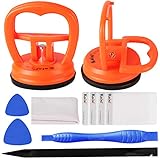
- High Quality & Super Suction-- Screen suction cup is made of durable ABS and natural rubber materials, and has a long service life. The suction cup has a lifting capacity of 1-2 kg , which can help you open the phone screen.
- Important - Do NOT Use for Heavy Objects Examples:Large screens such as TV, moving appliances (refrigerators, washing machines), or installing architectural glass.These tasks require industrial-grade vacuum lifters or mechanical clamps.Small suction cups lack the strength to hold heavy weights, and misuse could lead to falls or injuries. Weight limit: Designed for lightweight items (up to 1-2kg), such as phones or tablets.
- 【Easy to use】- LCD suction cup with locking handle with latch, easy to use. If you want to open a mobile phone screen other than iPhone, use a tool to remove the glue layer connected to the LCD screen, and then use the screen suction cup to open the screen.
- 【Wide Application】-The lcd screen suction cups designed for electronic devices, LCD screens, and smooth surface screens. Suitable for opening iPhone, iPad, iMac, MacBook, tablet, laptop, Samsung and other LCD screen.
- 【Screen opening tools】- The phone repair suction cup tool in the screen opening tool set have high hardness and toughness, can be reused, can help open the screen cover, and prevent scratching the casing, which is ideal for professionals and DIY.
These U.S. manufacturer examples illustrate why service terms must be checked rather than assumed:
| Brand or channel | What the cited U.S. information indicates | Important qualification |
|---|---|---|
| Samsung Self-Repair | Selected TVs have model-specific guides and genuine parts; Samsung states genuine repair parts carry a 90-day limited warranty from delivery. | Availability and safety guidance are model-specific; warranty service may have authorized-service conditions. |
| LG Direct Service | LG offers out-of-warranty TV service, uses genuine LG replacement parts, and says a diagnostic fee may be waived when the customer proceeds with repair. | The fee can change; obtain a current quote. The cited information is for the United States. |
| Sony Service Center | Sony states that qualifying service-center repairs are covered for 90 days for parts and 90 days for labor, or the remainder of the factory warranty, whichever is longer. | Coverage is subject to the applicable repair terms and product or regional conditions. |
See LG’s U.S. warranty and Direct Service information for current service details. Sony’s repair-support information is available through its U.S. product repair portal, and its stated repair-coverage language is described in the Sony service warranty article.
How much does LED-TV repair cost?
There is no reliable universal LED-TV repair price. The total depends on the model, failed assembly, parts availability, labor rate, diagnosis, shipping, taxes, repair warranty, and whether the technician discovers additional damage. A generic “average repair cost” can be more misleading than useful.
Recommended Free Tools
For context only, the iFixit television-parts catalog showed example board and component prices of $39.99, $45.99, $203.99, $232.99, and $347.99 when the cited page was crawled in August 2026. According to iFixit’s television-parts catalog, those are individual listed-part examples, not complete repair prices; labor, diagnosis, shipping, taxes, and additional parts are excluded. Prices and availability are volatile.
Use the exact model number to request a written quote. A board that costs less than a replacement TV may still be a poor choice if labor is high, the part has no return policy, the repair warranty is short, or the television is likely to develop another age-related fault.
Should you repair or replace the TV?
Repair is more attractive when the fault is an external device, cable, setting, software issue, speaker, board, or backlight; the TV is relatively new or high-end; the exact part is available; and the repairer offers a meaningful warranty. Replacement is more attractive when the panel is cracked, the required panel is unavailable, the total quote approaches the cost of an equivalent new TV, or the set has obsolete software and streaming support.
Do not treat a 50% repair-cost rule as a universal industry law. A high-end 77-inch OLED, a Mini-LED LCD, and a budget 43-inch LED TV have different replacement values, feature sets, expected service lives, and repair risks.
What’s actually slowing this PC down?
Pick the symptom - the matching free tool is one click away.
| Question | Why it matters |
|---|---|
| What is the complete model number? | Parts, repair procedures, panel versions, menus, and warranty terms can vary by model and region. |
| What is the total repair quote? | Include diagnosis, parts, labor, shipping, taxes, and possible return or disposal costs. |
| Is the panel involved? | Panel work is usually riskier and less economical than modular board or backlight work. |
| What warranty covers the repair? | A repair without meaningful coverage increases the risk of paying twice. |
| How old is the TV? | Age alone does not determine repairability, but additional board or backlight failures may become more likely over time. |
| Does the TV still have adequate software support? | A new TV may provide better streaming compatibility, updates, and connectivity even if the old set can be repaired. |
| What is the price of an equivalent replacement? | Compare size, resolution, HDR capability, refresh rate, smart-TV platform, inputs, and display technology—not just screen size. |
Repair-versus-replace worksheet
Fill in these values before approving a repair:
- TV age: ______
- Complete model number: ______
- Original purchase price: ______
- Current price of an equivalent replacement: ______
- Diagnostic fee: ______
- Parts: ______
- Labor: ______
- Shipping or pickup: ______
- Repair warranty: ______
- Panel involved? Yes / No
- Smart-TV and software support still adequate? Yes / No
- Warranty, retailer, extended-plan, or credit-card coverage available? Yes / No
Take photographs of the model label, visible damage, standby-light behavior, error messages, on-screen symptoms, connectors, and board markings before contacting a technician or parts seller. Photos make it easier to verify the diagnosis and avoid ordering a visually similar but incompatible part.
Bottom line: are LED TVs worth repairing?
Many LED TVs can be repaired, especially when the problem is an external connection, software fault, power board, main board, speaker, cable, or backlight assembly. Diagnose the set before buying parts, and check warranty or service-plan coverage before opening it.
The main economic warning sign is display-panel damage. A cracked or internally failed panel is not automatically impossible to replace, but panel availability, labor, shipping, handling risk, and the repair warranty can make replacement the better decision. The safest and most accurate next step is an exact-model diagnosis and a written total quote.
Frequently Asked Questions
Can a black-screen LED TV be repaired?
A black-screen LED TV can often be repaired, but a black screen does not identify the failed part by itself. Check the TV menu, volume bar, input message, external HDMI devices, and flashlight response before concluding that the LED backlight has failed.
Does a flashlight test prove that an LED-TV backlight has failed?
No. A faint image visible under a flashlight suggests that the LCD is producing an image while the backlight is not illuminating it, but a board or display fault can create a similar symptom. A flashlight test is a diagnostic clue, not proof.
Is it worth replacing a cracked LED-TV screen?
Replacing a cracked LED-TV screen can be technically possible but is often uneconomical. Request a quote for the exact model and compare the complete panel, labor, shipping, and warranty cost with an equivalent replacement TV.
Can I replace an LED-TV board myself?
A main board, power board, or display-control board can sometimes be replaced by a careful DIY repairer using a model-specific guide. Verify the complete model number, board number, revision, connectors, and return policy, and avoid live mains testing unless properly trained.

