
Quick wins for a faster PC:
Clear out junk files and repair common Windows errorsFree Scan →Fix the driver behind crashes, sound loss and screen glitchesFind Drivers →iTechGuides is reader-supported. When you buy through links on our site, we may earn an affiliate commission. As an Amazon Associate I earn from qualifying purchases. Learn more
The BrosTrend AX1800 USB WiFi 6 Adapter AX4L Linux Compatible is a reasonable choice for Ubuntu, Debian, Linux Mint, Zorin, and related systems, especially with Linux kernel 6.17 or newer. It is not universal plug-and-play hardware: Fedora, Arch, Kali, Pop!_OS, OpenWrt, SteamOS, and other unsupported systems may require troubleshooting or a different adapter.
The important qualification is that the AX4L’s Linux compatibility depends more on the distribution, kernel, architecture, firmware, and driver path than on the “AX1800” label. The adapter can use the in-kernel rtw89_8852bu driver on kernels BrosTrend lists from 6.17 onward, while older supported systems may need BrosTrend’s separate DKMS-based driver.
Key takeaways
- The AX4L advertises 1,201 Mbps at 5 GHz and 574 Mbps at 2.4 GHz, but AX1800 is a theoretical aggregate link-rate class rather than a guaranteed internet speed.
- BrosTrend lists Ubuntu, Debian, Linux Mint, Raspberry Pi OS, Zorin, MX Linux, Linux Lite, elementary OS, and related Debian-family systems as supported, subject to the exact kernel and hardware architecture.
- BrosTrend’s current compatibility table associates the AX4L with the in-kernel
rtw89_8852budriver from Linux kernel 6.17 onward. - Older kernels may require BrosTrend’s external
8852budriver, DKMS, Linux headers, firmware, and a temporary Ethernet or USB-tethered internet connection. - BrosTrend does not currently list Fedora Workstation, Arch Linux, Kali Linux, Pop!_OS, Manjaro, OpenWrt, SteamOS, and several other systems as supported.
- The AX4L is best for Debian-family desktop or Raspberry Pi users who accept some driver maintenance; it is a poor first choice for users demanding vendor-independent, zero-maintenance Linux Wi-Fi.
What is the BrosTrend AX1800 USB WiFi 6 Adapter AX4L Linux Compatible?
The BrosTrend AX4L is a large, desktop-oriented USB 3.0 dual-band Wi-Fi 6 adapter with two external antennas. BrosTrend markets the model as the “AX1800 USB WiFi 6 Linux Compatible WiFi Adapter” and lists support for 802.11ax, 802.11ac, 802.11n, 802.11a, 802.11b, and 802.11g networks on its AX4L product page.
The AX4L uses two external 5 dBi antennas and includes a 3.3-foot USB extension cable. The extension cable lets you move the radio and antennas away from the back of a metal desktop case, which is often more useful than simply plugging a large adapter directly into a rear USB port. BrosTrend lists WPA, WPA2, and WPA3 security, along with beamforming, OFDMA, BSS Color, Target Wake Time, uplink and downlink MU-MIMO, and 1024-QAM features.
Popular on Amazon
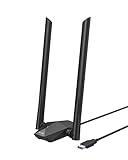
- Speed Up PC WiFi: The latest 1800Mbps USB WiFi adapter delivers wireless speeds that are 38% faster than any AC1300 USB WiFi adapter. Easy setup with pre-loaded driver and no need to run any CD ROM. Supports Windows 11 / 10 ONLY and Linux is NOT supported
- Upgrade Dual-band Speeds: Get 1201Mbps on 5GHz or 574Mbps on 2.4GHz on desktop, laptop PC with this USB WiFi 6 adapter. It meets all your needs for HD streaming, online gaming and video calls
- Broader Range: 2 pieces of 5dBi high gain antennas ensure stronger signal reception through multiple walls and floors. Beamforming technology delivers targeted signals and reliable connections no matter where your PC is located
- Find Optimal Signal: Comes with desktop design and a 3.3-foot USB 3.0 extension cable. Flexibly place your WiFi 6 USB adapter in a spot with optimal signal reception
- Ultra-smooth Experience: OFDMA, UL/DL MU-MIMO technologies enable the most efficient connection on PC. Say goodbye to buffering with this USB WiFi adapter
| Specification | BrosTrend AX4L claim |
|---|---|
| Interface | USB 3.0 |
| Wi-Fi class | AX1800 |
| 5 GHz maximum link rate | 1,201 Mbps |
| 2.4 GHz maximum link rate | 574 Mbps |
| Antennas | Two external 5 dBi antennas |
| Security | WPA, WPA2, and WPA3 |
| Wireless mode | Station mode |
| Listed chipset | RTL8832BU on the product and specification pages |
| Linux driver association | rtw89_8852bu in-kernel driver or BrosTrend 8852bu driver |
| Included cable | 3.3-foot USB extension cable |
| Listed dimensions | 243.8 × 101 × 27 mm |
| Listed architectures | x86, x86_64, aarch64, and armhf |
| Operating temperature | 0–40°C |
The manufacturer’s AX4L specification page identifies the chipset as RTL8832BU, while BrosTrend’s Linux pages associate the AX4L with rtw89_8852bu and an external 8852bu driver. Those labels are not fully consistent. The safest conclusion is to treat the driver association as the practical compatibility information and verify the physical adapter’s USB identifiers with lsusb if a problem occurs.
How fast is the AX4L in real use?
The AX4L’s AX1800 label combines a theoretical maximum of 1,201 Mbps on 5 GHz with 574 Mbps on 2.4 GHz. The two figures are not a promised download speed, a single-client throughput test, or a measurement of the user’s internet connection.
Actual performance depends on the router, negotiated channel width, Wi-Fi generation, signal strength, interference, antenna placement, USB connection, driver quality, encryption overhead, and the server at the other end of a transfer. A Wi-Fi 6 router is needed to use the adapter’s 802.11ax features; with a Wi-Fi 5 or Wi-Fi 4 router, the AX4L operates using the older standard supported by that router.
Free tools Windows power users keep installed
One-click scans. No signup required.
USB 3.0 is appropriate for a high-throughput adapter, but a USB 3.0 port does not guarantee a high Wi-Fi rate. A congested 2.4 GHz network, a distant router, a narrow channel, or a slower broadband plan can become the limiting factor. The external antennas and extension cable may make better placement possible, but the available research does not establish a controlled range improvement.
The searched material contains manufacturer specifications and customer reviews, but no independent controlled AX4L benchmark for throughput, latency, range, or stability. The AX4L may be suitable for general desktop connectivity, streaming, downloads, and local file transfers, but claims such as “lag-free gaming” or guaranteed 4K streaming should be treated as manufacturer marketing rather than verified test results.
Which Linux distributions does the AX4L support?
The most favorable compatibility situation is a conventional Ubuntu or Debian derivative running a current, distribution-supported kernel. BrosTrend lists Ubuntu, Debian, Linux Mint, Raspberry Pi OS, Zorin, MX Linux, Linux Lite, elementary OS, and related Debian-derived systems, but distribution names alone are not enough: the exact release, kernel, architecture, firmware, and USB environment also matter.
| Reader’s system | BrosTrend-listed position | Practical verdict |
|---|---|---|
| Ubuntu | Listed as supported | Good candidate; check the running kernel and prefer the in-kernel driver when available. |
| Debian | Listed as supported | Good candidate; firmware, headers, DKMS, and the kernel version may matter. |
| Linux Mint | Listed as supported | Reasonable candidate, but verify the exact Mint kernel; customer reports on the product page are mixed. |
| Raspberry Pi OS | Listed with Raspberry Pi support | Plausible, subject to Pi model, architecture, kernel, USB power, and driver availability. |
| Zorin OS | Listed as supported | Good candidate when its underlying kernel and package environment match the driver requirements. |
| MX Linux or Linux Lite | Listed as supported | Reasonable candidate; check the specific release and kernel. |
| Fedora Workstation | Not currently listed as supported | Do not buy as a plug-and-play Fedora adapter. |
| Arch Linux | Not currently listed as supported | Avoid unless you are prepared to adapt and maintain the driver yourself. |
| Kali Linux | Not currently listed as supported | Poor fit, particularly for specialized wireless tooling. |
| Pop!_OS | Not currently listed as supported | Do not assume Ubuntu ancestry makes the adapter supported. |
| Manjaro | Not currently listed as supported | Poor first choice because it is outside the vendor’s listed support path. |
| OpenWrt | Not currently listed as supported | Poor fit for router, access-point, or embedded use. |
| SteamOS | Not currently listed as supported | Poor fit for a gaming appliance or immutable system. |
BrosTrend’s Linux compatibility table says its support model is limited by newer-than-Ubuntu kernels, modified kernels, and immutable systems. BrosTrend gives Arch Linux and Pop!_OS as examples that may not fit its driver-release model, and Kali or Armbian as examples of modified-kernel environments.
What’s actually slowing this PC down?
Pick the symptom - the matching free tool is one click away.
“Not supported” does not prove that the AX4L can never work on a particular distribution. It means BrosTrend does not currently promise or maintain that combination. An external module may need manual changes, and a later kernel update may break a working installation.
Also popular on Amazon
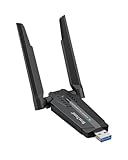
- Linux Plug-and-Play: This AXE3000 WiFi 6E Linux USB adapter works with all Linux distributions with kernel of 5.18 or newer (older kernels not supported)
- Broad Linux Compatibility: The Linux USB WiFi adapter is compatible with Ubuntu, Linux Mint, Debian, Raspberry Pi OS, Kali Linux, Fedora, Arch Linux, and more. Perfect for users running dual-boot setups, multiple distros, or virtual machines. Also supports Windows 11/10 (driver required)
- WiFi 6E Tri-Band Speeds: Get up to 1201 Mbps on 6 GHz, 1201 Mbps on 5 GHz, or 574 Mbps on 2.4 GHz with the Linux USB WIFi adapter. Ideal for coding, large file transfers, server access, and remote collaboration. Built with a Mediatek MT7921AU chipset. 6 GHz is only available on recent Linux distros or Windows 11
- Extended Range with Dual Antennas: This Linux compatible WiFi adapter features dual adjustable antennas and Beamforming technology to enhance signal focus, providing stronger and more reliable coverage throughout your home or office
- High-Speed USB 3.0 Interface: USB 3.0 ensures the wireless Linux USB adapter reaches its full WiFi 6E speeds, delivering fast and stable connections. For optimal performance, plug the adapter into a USB 3.0 port
Does the AX4L work out of the box on Linux?
The AX4L may work without BrosTrend’s installer when the running kernel includes the listed in-kernel rtw89_8852bu driver and the required firmware is present. BrosTrend’s current table lists that in-kernel support from Linux kernel 6.17 onward. On older kernels, the AX4L may require BrosTrend’s separate 8852bu driver, which BrosTrend lists for kernels from 4.4 through 7.0.
An in-kernel driver is normally preferable because the distribution ships and integrates it with the kernel. A vendor DKMS driver is separate software that may be rebuilt for each kernel update and may stop working when headers, kernel patches, or module interfaces change. Firmware is a separate component again: a driver can be present while the wireless device still needs a binary firmware package.
There is also a first-party installation inconsistency. The AX4L product page says to install the Linux driver before plugging in the adapter, while BrosTrend’s current centralized Linux installation page says to boot the system, insert the adapter, and then run the installer. Prefer the current centralized BrosTrend Linux installation page, but if the installer does not detect the device, unplug the AX4L, rerun the installer, reboot if requested, and reconnect it. Neither sequence has been independently tested in the supplied research.
The Tool Desk
Outbyte Driver Updater FREEScan for outdated or missing drivers - takes under a minuteDriver Scan →Outbyte PC Repair FREERepair Windows errors before they cause bigger problemsFix Now →What should you check before buying the AX4L?
Check the running kernel before purchasing rather than relying only on the distribution name:
uname -rA kernel version of 6.17 or newer is the most favorable documented situation because BrosTrend lists the in-kernel rtw89_8852bu driver for the AX4L from that point. An older kernel may still be usable through the vendor driver, but the setup is more dependent on DKMS, headers, dependencies, firmware, and future kernel updates.
- Confirm that the target distribution appears on BrosTrend’s current supported-distribution table.
- Check whether the system is conventional, immutable, or using a custom kernel.
- Confirm that the computer has a USB 3.0 port and enough physical space for the large adapter and antennas.
- Arrange temporary Ethernet or phone USB tethering for the initial installation.
- On a Raspberry Pi, check the architecture, USB power budget, enclosure clearance, and available driver support.
- If the machine is offline or air-gapped, prepare the driver, firmware, headers, DKMS packages, and dependencies on another computer before buying.
How do you install the AX4L Linux driver?
BrosTrend’s current Linux installation procedure assumes that the computer has temporary internet access through Ethernet or USB tethering from a phone. The connection may be needed to download the driver, DKMS, Linux headers, firmware, or other package dependencies.
- Connect the computer to the internet through Ethernet or phone USB tethering.
- Update the operating system and reboot.
- After the system has booted, insert the AX4L, following the current centralized installer page rather than the conflicting older product-page sequence.
- Open a terminal.
- Run BrosTrend’s documented command:
sh -c 'wget linux.brostrend.com/install -O /tmp/install && sh /tmp/install'- Enter the administrator password when prompted.
- Reboot if the installer says that a reboot is necessary.
- Reconnect to Wi-Fi and confirm that the wireless interface appears.
On Debian-family systems, BrosTrend says that its installer may install required dependencies and may add an APT repository for future driver updates. Users of non-Debian distributions may need to rerun the installer to obtain a newer driver. The installer creates /tmp/brostrend.log.txt; retain that file if installation fails and contact BrosTrend support with the log.
Recommended Free Tools
Running a vendor-hosted shell installer is a maintenance and trust decision. Users who prefer to minimize third-party modules should first determine whether the running kernel already provides rtw89_8852bu and whether the distribution supplies the required firmware. Do not install a vendor DKMS driver automatically when the in-kernel path is already working.
Also popular on Amazon

- WiFi 7 Upgrade for Speed & Reliability: Supercharge your PC with the WiFi 7 USB adapter and unlock the full potential of the 6 GHz band. Thanks to 4K-QAM, 160 MHz channels, Multi-RU, and Preamble Puncturing, it cuts through network congestion to deliver ultra-fast, rock-solid connection. 𝗡o𝘁𝗲: MLO (Multi-Link Operation) technology is currently NOT supported
- Unmatched Tri-Band Speeds: Experience blazing wireless speeds up to 6.5 Gbps—2882 Mbps on 6 GHz, 2882 Mbps on 5 GHz, and 688 Mbps on 2.4 GHz. Enjoy exceptional throughput and low latency for all your high-demand tasks with the WiFi adapter for desktop pc
- Focused Signal, Smooth Connection: Equipped with dual external antennas, this USB WiFi adapter amplifies signal reception for your desktop or laptop. Beamforming technology targets your router for a stronger, more stable connection, even through walls
- One Adapter, Every Scenario: This USB WiFi 7 adapter delivers uncompromised performance for competitive gaming, demanding multitasking, and seamless 4K/8K streaming. It fully unleashes today’s top-tier internet speeds and is ready for what’s next
- Easy Installation, WiFi 7 Ready: The USB WiFi adapter features a pre-loaded driver for effortless setup—no CD or downloads needed. Compatible with Windows 11/10 (Windows 11 is required to access the 6 GHz band; Windows 10 only supports 5 GHz and 2.4 GHz bands). 𝗡o𝘁𝗲: Not compatible with macOS, Linux, or Bluetooth connection
What firmware does a Debian system need?
Firmware requirements vary with the detected hardware and driver path. BrosTrend documents the following Debian command as a remedy when relevant firmware is missing:
sudo apt install --yes firmware-realtek firmware-mediatekThat command should be treated as BrosTrend’s documented troubleshooting remedy, not as a universal first step or proof that both firmware families are required for every AX4L installation. Install the package appropriate to the detected hardware and distribution policy when possible, particularly on systems where non-free firmware repositories must be enabled separately.
What should you do if Linux does not detect the adapter?
Start by checking whether the USB bus sees the AX4L and whether the kernel reports an error:
lsusb
sudo dmesg | tail -n 100
ip link
If lsusb shows a USB device but ip link does not show a wireless interface, the adapter may be stuck in a USB mode-switching state. BrosTrend documents an AX1L/AX4L case in which the device initially appears with USB identifier 0bda:b832. Consult the vendor’s USB mode-switching troubleshooting page rather than assuming that the adapter is physically defective.
If the AX4L does not appear in lsusb, try a different USB 3.0 port, avoid an unpowered hub, check the extension cable, and test the adapter on another computer. A Raspberry Pi or compact desktop may not provide enough USB power in every configuration, so a powered hub can be relevant.
Why can the driver fail after installation?
A failed installation usually indicates a dependency, kernel, driver, or support-path problem rather than a Wi-Fi password problem. Check the following:
- Run
uname -rand compare the kernel with BrosTrend’s current driver table. - Confirm that Linux headers matching the running kernel are installed.
- Confirm that DKMS is available when using the external driver.
- Confirm that the machine has working temporary internet access.
- Check that the distribution is vendor-supported.
- Check whether the system uses an immutable image or custom kernel.
- Inspect
/tmp/brostrend.log.txtfor the installer’s failure details.
If Wi-Fi disappears after a kernel update, the external DKMS module may not have rebuilt, matching headers may be missing, the new kernel may not match the module, or the distribution may have introduced a patch conflict. On a Debian-derived system, check whether the new kernel provides the in-kernel rtw89_8852bu driver before reinstalling the vendor module. BrosTrend recommends the in-kernel driver where it is available.
Does the AX4L support Raspberry Pi?
BrosTrend lists Raspberry Pi 2 and newer and identifies aarch64 and armhf architectures among the supported hardware architectures. Raspberry Pi compatibility is plausible, but the usable combination still depends on the Pi model, Raspberry Pi OS release, running kernel, USB power, firmware, and driver path.
Also popular on Amazon

- Unlock High-Speed WiFi: This AX900 dual-band USB WiFi 6 adapter enhances your PC WiFi with speeds and flexibility, offering up to 600Mbps on the 5GHz band and up to 286Mbps on the 2.4GHz band
- Faster and Flexible Connection: Our WiFi 6 adapter delivers up to 38% faster 5GHz speeds (600Mbps vs. 433Mbps) and 43% faster 2.4GHz speeds (286Mbps vs. 200Mbps) than the AC600 adapter. Effortlessly stream on 5GHz and switch to 2.4GHz for less demanding tasks
- Tiny Size: With a compact design measuring 1.4 × 0.7 × 0.3 inches, this USB WiFi 6 dongle seamlessly integrates with your desktop or laptop computer, ensuring both portability and a clutter-free workspace
- Advanced WiFi Tech: WiFi 6 technologies, such as OFDMA, MU-MIMO, and 1024-QAM, enable fast and reliable WiFi performance for your PC. Enjoy uninterrupted wireless connectivity with this USB WiFi 6 adapter
- Easy Initial Setup: It comes with a pre-loaded driver for Windows 11/10/7, eliminating the need for CD installation. Simply plug it in and install. Note: Mac and Linux are NOT supported. For optimal performance, please connect it to a WiFi 6 router
Raspberry Pi users should plan for several practical constraints. The AX4L is physically large, the two antennas need clearance, 2.4 GHz may be congested, and a headless Pi may need Ethernet or USB phone tethering before the driver can be installed. A powered hub may be necessary if the Pi cannot provide sufficient USB power in the chosen setup. Kernel updates can also alter external-driver compatibility.
Is the AX4L suitable for gaming, streaming, and file transfers?
The AX4L is potentially suitable for ordinary desktop internet access, streaming, downloads, and local file transfers when the distribution and driver are stable. The external antennas and extension cable are useful for a desktop where adapter placement matters.
Competitive gaming is a more demanding use case because consistency and latency matter more than the headline link rate. The supplied research does not provide independent latency or stability testing, so the AX4L should not be presented as a guaranteed low-latency or “lag-free” gaming solution.
Windows Errors? Fix Them Before They Spread
Repair common Windows errors and clear accumulated junk for a smoother, more stable PC - no reinstall needed.Free scan · no reinstallOutdated Drivers Are Slowing You Down
One free scan finds every outdated or missing driver and matches the right update for your exact hardware.Free scan · exact hardware matchAccess-point mode, monitor mode, packet injection, enterprise authentication, OpenWrt, and long-term unattended systems are riskier choices. The specification lists station mode, and BrosTrend’s unsupported-distribution list includes OpenWrt, so users buying the adapter for router, security-testing, or specialized wireless functions should choose hardware with documented support for those exact functions.
How much does the AX4L cost and is it available?
BrosTrend’s AX4L product page displayed a price of $42.99 when checked on August 18, 2026. The $42.99 figure is a manufacturer-page price observed on that date, not a guaranteed current or street price.
Availability was inconsistent in the supplied checks: the product page displayed an add-to-cart option, while the BrosTrend collection page showed the AX4L as sold out. Check the live product and collection pages immediately before publication or purchase. Price and stock should not be treated as stable facts.
Independent reader supportYour contribution helps us test, update, and keep practical guides available for everyone.What are the best alternatives to the AX4L?
The strongest alternative direction for Linux users is a MediaTek-based adapter with broader distribution coverage and a well-established in-kernel driver path. Hardware specifications alone are not enough: an adapter with the same AX1800 rating can have a very different chipset, revision, and Linux experience.
Do these 3 things before closing this tab:
1Scan for outdated or missing drivers - takes under a minute2Repair Windows errors before they cause bigger problems3Fix the driver behind crashes, sound loss and screen glitches| Adapter | Wireless and hardware position | Linux position | Best fit |
|---|---|---|---|
| BrosTrend AX4L | Wi-Fi 6, AX1800, USB 3.0, two external 5 dBi antennas | BrosTrend lists Debian-family systems and in-kernel rtw89_8852bu from kernel 6.17; external driver may be needed on older kernels. |
Ubuntu, Debian, Mint, Zorin, and Raspberry Pi users willing to manage drivers. |
| Panda Wireless PAU0F AXE3000 | Wi-Fi 6E, USB 3.0, 2.4/5/6 GHz, two 5 dBi antennas; advertised up to 1.2 Gbps on 5/6 GHz and 600 Mbps on 2.4 GHz. | Panda lists Ubuntu, Mint, Fedora, Debian, openSUSE, Kali, Manjaro, Pop!_OS, Zorin, and others. Linux support remains dependent on kernel, firmware, and regulatory configuration. | Users seeking broader Linux distribution coverage or 6 GHz support. |
| TP-Link Archer TX20U Plus | Wi-Fi 6 AX1800, USB 3.0, two high-gain antennas, advertised 1,201/574 Mbps rates. | TP-Link’s US product page officially lists Windows 10 and 11, not Linux. | Windows users or Linux buyers who independently verify the exact revision and driver situation. |
| Older Wi-Fi 5 adapter | Usually lower headline capability, but potentially sufficient for ordinary broadband and older routers. | Exact support depends on the model, chipset, USB ID, revision, and in-kernel driver. | Users prioritizing mature Linux support and value over Wi-Fi 6 features. |
The Panda Wireless PAU0F AXE3000 is the more interesting Linux-oriented alternative in the supplied research. Panda lists broader distribution support, while Linux Wireless documents MT7921 USB support beginning with kernel 5.18 in its MediaTek driver documentation. Wi-Fi 6E still requires a compatible router and appropriate 6 GHz regulatory support, so the extra band is not automatically useful.
Also popular on Amazon
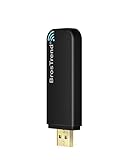
- Linux Plug-and-Play: Designed for Linux OSes, this Linux WiFi adapter works out of the box with all distributions running kernel 6.2 or newer, using the driver built into the Linux kernel. Simply plug it in to add dual-band WiFi connectivity to your computer
- Broad Linux Compatibility: This Linux USB WiFi adapter is compatible with Ubuntu, Linux Mint, Debian, Raspberry Pi OS, Kali Linux, Fedora, Arch Linux, Manjaro, and more. For Linux kernels older than 6.2, our manual driver installer supports Debian-based distributions running kernels 4.4–7.0
- AC1200 Dual-Band WiFi: Upgrade your desktop PC or laptop with speeds up to 867 Mbps on the 5 GHz band or 300 Mbps on 2.4 GHz. This WiFi USB adapter delivers fast wireless connectivity for HD/4K streaming, web browsing, and everyday use. Built with a Realtek RTL8812BU or RTL8822BU chipset. Bluetooth is not supported
- Stronger 5 GHz WiFi Signal: Equipped with 2 internal antennas and 2 independent power amplifiers, this Linux compatible WiFi adapter enhances 5 GHz signal strength to help maintain a stable and reliable wireless connection
- High-Speed USB 3.0 Connection: The USB 3.0 interface provides the bandwidth needed for high-speed WiFi data transfer between the adapter and your computer. Backward compatible with USB 2.0 ports
The TP-Link Archer TX20U Plus is a hardware-spec comparison rather than a Linux recommendation. Its AX1800 rating, USB 3.0 interface, and dual antennas do not establish Linux compatibility, and TP-Link’s official US page lists Windows 10 and 11 only.
Who should buy the AX4L?
Buy the AX4L when the computer runs Ubuntu, Debian, Linux Mint, Raspberry Pi OS, Zorin, MX Linux, Linux Lite, elementary OS, or a closely related supported system; when the running kernel is preferably 6.17 or newer; when external antennas are useful; and when temporary internet access is available for setup.
The AX4L is also defensible for a Debian-family user on an older supported kernel who is comfortable installing a vendor driver and repairing it after kernel changes. That is a different purchase proposition from a plug-and-play adapter.
Do not make the AX4L the first choice for Fedora, Arch, Kali, Pop!_OS, Manjaro, OpenWrt, SteamOS, Tails, immutable systems, heavily customized kernels, permanently offline machines, or users who need monitor mode, packet injection, access-point mode, or specialized wireless tooling. BrosTrend does not currently list those environments as supported, and the research does not establish reliable behavior there.
Final verdict
The BrosTrend AX1800 USB WiFi 6 Adapter AX4L Linux Compatible is a conditional recommendation, not a universal Linux adapter. The AX4L has attractive hardware for a desktop—USB 3.0, Wi-Fi 6, two external antennas, WPA3, and Raspberry Pi/ARM claims—but its value depends on the software path.
For a supported Ubuntu or Debian-family system with Linux 6.17 or newer, the AX4L is substantially more appealing because BrosTrend lists an in-kernel rtw89_8852bu driver. For older supported kernels, the vendor’s DKMS driver can be a workable solution, provided the user has internet access, headers, firmware, and patience for maintenance. For Fedora, Arch, Kali, Pop!_OS, OpenWrt, SteamOS, or a zero-maintenance installation, choose a better-documented alternative instead of buying on the AX1800 label alone.
Frequently Asked Questions
Does the BrosTrend AX4L work with Linux kernel 6.17?
BrosTrend’s current Linux compatibility table associates the AX4L with the in-kernel rtw89_8852bu driver beginning with Linux kernel 6.17. The exact result still depends on firmware, distribution packaging, architecture, and the device’s detected USB identifiers.
Can the BrosTrend AX4L work without an internet connection during installation?
The initial AX4L Linux installation may require temporary internet access to download the driver, DKMS, Linux headers, firmware, and dependencies. BrosTrend suggests Ethernet or USB tethering from a mobile phone; an offline or air-gapped installation requires preparing the needed packages in advance.
Is the AX4L officially supported on Fedora, Arch, Kali, or Pop!_OS?
BrosTrend does not currently list Fedora Workstation, Arch Linux, Kali Linux, or Pop!_OS as supported AX4L distributions. The adapter might work with manual driver adaptation in some cases, but BrosTrend does not provide a responsible plug-and-play guarantee for those systems.
Is 1,801 Mbps the actual internet speed of the AX4L?
No. The AX4L’s 1,201 Mbps 5 GHz rate plus 574 Mbps 2.4 GHz rate is a theoretical aggregate Wi-Fi link-rate label. Actual throughput depends on the router, channel width, signal, interference, USB connection, driver, encryption, and internet service.
The Bottom Line
Bottom line: The AX4L is a good conditional buy for supported Ubuntu/Debian-family systems, particularly with kernel 6.17 or newer and a USB 3.0 port. It is not the right first choice for unsupported distributions, offline machines, specialized wireless tools, or anyone who wants completely vendor-independent Linux support.
What’s actually slowing this PC down?
Pick the symptom - the matching free tool is one click away.

