
What’s actually slowing this PC down?
Pick the symptom - the matching free tool is one click away.
iTechGuides is reader-supported. When you buy through links on our site, we may earn an affiliate commission. As an Amazon Associate I earn from qualifying purchases. Learn more
The best white noise apps for iPhone and iPad in 2026 depend on your priority: White Noise Lite is the safest free all-purpose choice, myNoise offers the deepest sound control, Dark Noise is best for Apple automation, and BetterSleep suits people who want a complete sleep-content platform rather than a simple noise machine.
A dedicated app is not always necessary. Apple’s built-in Background Sounds feature may be enough for basic masking, while third-party apps add custom mixes, colored noise, sound libraries, timers, offline playback, widgets, Apple Watch controls, or sleep stories. The rankings below are feature-and-value recommendations based primarily on current US App Store listings and official product information, not independent laboratory audio testing or overnight reliability tests.
Key takeaways
- White Noise Lite is the best free general-purpose choice, with more than 50 sounds, custom mixing, background playback, timers with fade, AirPlay, and iPhone/iPad support.
- White Noise is listed at $0.99 in the US App Store and adds Apple Watch and Apple TV support to the traditional noise-machine experience.
- myNoise is the strongest pick for detailed sound customization and explicitly advertises offline listening, no ads, and no subscriptions in its listing.
- Dark Noise is the best fit for widgets, lock-screen controls, Siri Shortcuts, AirPlay, custom mixes, and fade-out timers.
- BetterSleep offers more than 300 sounds plus meditations, sleep stories, tracking, and HealthKit integration, but its premium model makes it a different purchase from a basic white-noise utility.
Quick comparison: which white noise app should you choose?
The best white noise app for iPhone and iPad in 2026 is different for a free user, a sound enthusiast, a productivity user, and someone seeking guided sleep content. This table gives the shortest route to a decision.
Free tools Windows power users keep installed
One-click scans. No signup required.
| App | Best for | Price model observed in the US App Store | iPhone/iPad support | Offline playback | Timer or fade | Main drawback |
|---|---|---|---|---|---|---|
| White Noise Lite | Free, broad sound library | Free with advertising; paid White Noise app available | Yes; supports iPad screen orientations | Verify exact current behavior | Advanced timer and alarm with fade in/out | Free version includes advertising |
| White Noise | Low-cost dedicated noise machine | $0.99 listing; in-app purchases also shown | Yes; also Apple Watch and Apple TV | Verify exact current behavior | Check current listing and app controls | More utility-like than minimalist competitors |
| myNoise | Precise sound customization | Free with in-app purchases; purchase signals include $14.99 and $19.99 options | Yes; iOS/iPadOS 15.1 or later | Explicitly advertised | Adjustable soundscapes; verify exact timer controls | More technical interface and multiple unlock options |
| Dark Noise | Apple automation | Free with in-app purchases; current unlock price should be checked | iPhone, iPad, and Mac | Verify exact current behavior | Fade-out timer | Not necessarily the best value for one basic sound |
| BetterSleep | Complete sleep platform | Free with in-app purchases; multiple US listing prices from $11.99 to $99.99 | Yes; also Apple Watch, Apple TV, Mac, and Apple Vision | Verify exact current behavior | Timers and bedtime reminders | Premium content and tracking make it subscription-oriented |
| Noisli | Work, study, and productivity | $1.99 listing | Yes | Verify current behavior | Timer available; fade behavior should be confirmed | Smaller feature set and incomplete App Store privacy disclosure |
| Calm White Noise | Minimalist one-time purchase | $1.99 listing; described as a one-time purchase | Yes; also Apple Watch | Verify exact current behavior | Fade-out sleep timer | Only 14 curated soundscapes |
Prices and in-app purchase terms can change by country, tax region, promotion, and date. The prices in the table are US App Store observations from the research period, not permanent prices or universal prices.
Popular on Amazon
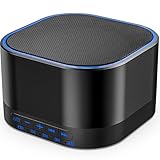
- ❤Notice: This sound machine needs to be plugged in for use.
- ❤20 Non-Looping Sleep Sounds: White noise ,Brown noise, pink noise, blue noise, fan,brook, rain, ocean,bird and Bonfire,suitable for for Baby and Kids and Adults.
- ❤Precise Volume & Timer Settings:With 32 Levels of Volume ,it is perfect for baby sleeping .And you can set 1 hour,2 hours,3 hours,4 hours and continuous play,control the comfort level for your own environment.
- ❤Unique Design: Solid-state design with 3.01inch*3.01inch *1.77inch,it is portable for home, office or travel,can give you a perfect sleep.
- ❤Function & Safety:Memory function automatically restores your previous volume, sound and time,it is powered by AC or USB.The machine is approved by FCC, CE and RoHS,don't need to worry about accidents.
What counts as a white noise app?
A white noise app can mean several different kinds of audio tool, and the category matters more than the label. A dedicated noise generator is not directly equivalent to a meditation service that happens to include rain sounds.
| Category | What it provides | Best suited to |
|---|---|---|
| Synthetic noise | White, pink, brown, blue, violet, gray, or similar generated or looped noise | Consistent masking, sleep, travel, and noisy surroundings |
| Environmental recordings | Rain, fans, ocean, trains, cafés, forests, wind, and household sounds | People who prefer realistic ambience over a steady hiss |
| Sleep-content platforms | Noise plus meditations, sleep stories, hypnosis sessions, tracking, or coaching | Users wanting a broader bedtime service |
| Automation-focused sound tools | Widgets, Shortcuts, timers, lock-screen controls, and quick playback | People who want sound integrated into Apple routines |
| Simple utility apps | A small set of sounds with minimal setup | Anyone who wants to press play and stop adjusting |
Which white noise app is best for most people?
White Noise Lite is the best default recommendation for most iPhone and iPad owners. The App Store listing describes more than 50 perfectly looped sounds, individual mix controls for volume, pitch, position, and variance, background audio, lock-screen and headphone controls, AirPlay, and an advanced alarm and timer system that fades audio in and out. The listing also confirms iPhone and iPad support, including portrait and landscape orientations.
White Noise Lite works well as a traditional noise-machine replacement because it covers the most common requirements without forcing an immediate purchase. Users can choose a single sound or build a multi-layer mix, lock the device, use another app, and set a gradual fade rather than ending playback abruptly. The main compromise is advertising in the free version, and some advanced capabilities may require an upgrade. See the current White Noise Lite App Store listing for the feature and compatibility details shown for your region.
Which app is the best low-cost paid upgrade?
White Noise is the most straightforward low-cost paid upgrade. The US App Store listing observed during research showed a $0.99 price and support for iPhone, iPad, Apple Watch, and Apple TV. The app retains the broad dedicated-noise-machine approach while offering a path away from the advertising limitation of the free version.
White Noise is a practical choice for someone who wants familiar utility rather than a meditation library or an elaborate automation system. The trade-off is presentation: the interface and feature set may feel more traditional than newer minimalist apps, and the exact distinction between the standalone paid app and any in-app upgrades should be checked on the live App Store page before purchase. Prices are not guaranteed outside the US or after the research date. Consult the White Noise App Store page for the current price and purchase options.
Which app gives you the most control over sound?
myNoise is the best choice for readers who want to shape a soundscape instead of merely selecting one. Its listing emphasizes adjustable soundscapes, slider-based control, animated soundscapes, offline listening, and no ads or subscriptions. The additional control makes myNoise especially suitable when a standard white-noise hiss sounds too harsh or when a user wants to balance several layers.
myNoise is also the clearest offline candidate in this shortlist because offline listening is explicitly marketed in the listing. The app requires iOS/iPadOS 15.1 or later according to its App Store information. The US listing shows more than one purchase signal, including “Full Access” at $19.99 and “All You Can Hear” at $14.99, so readers should inspect the current unlock descriptions rather than assume that one payment includes every feature. The myNoise App Store listing contains the current platform and purchase information.
Which white noise app is best for Apple automation?
Dark Noise is the strongest pick for Apple-device automation. Dark Noise combines more than 50 sounds and custom mixes with widgets, lock-screen controls, Siri Shortcuts, AirPlay, animated sound icons, and a timer that fades out the noise. These features make Dark Noise a good fit for a shortcut that starts a focus sound, a bedtime routine that stops playback gradually, or a widget that avoids opening a full app.
Dark Noise is not automatically the best choice for someone who needs only one fan or rain sound. The app is free to download with in-app purchases, but the indexed US App Store information does not expose one clear current unlock price. Check the purchase screen before publication or purchase. The Dark Noise App Store page supports the integration and feature claims above; the recommendation is not an independent claim about sound quality or playback reliability.
Also popular on Amazon

- ✨ SUPERIOR SOUND QUALITY – The plug-in white noise sound machine delivers crystal-clear sound, blocking distractions to create a peaceful environment—whether you're working in an office, relaxing at home, or winding down for the night. Ideal for privacy, focus, and calm in any space.
- ✨ 20 NON-LOOPING SOUNDS FOR ANY ENVIRONMENT - Enjoy a wide range of 20 relaxing, non-looping sounds including two types of white noise, brown noise, pink noise, 6 fan sounds, rain, thunder, brook, and gentle music box tones. A powerful sound machine for sleep, focus, or noise masking.
- ✨ PLUG-IN DESIGN WITH OPTIONAL WIRE EXTENSION - This elegant Italian-designed white noise machine plugs directly into the wall for a clean look. Also includes a cable option for flexible placement — ideal for offices, therapy rooms, nurseries, or bedrooms.
- ✨ ADJUSTABLE VOLUME, TIMER & MEMORY - Customize your sound experience with easy volume control and timer settings. Perfect as a noise machine for office privacy, or a white noise sound machine for babies or adults at bedtime. Automatically remembers your last settings.
- ✨ DUAL-COLOR NIGHT LIGHT & PORTABLE SIZE - Features a soft night light in two calming colors — ideal for night feeding, bathroom noise blocking in hallways, or hotel stays. This white noise sound machine doubles as a travel noise machine for peace anywhere you go.
Which app is best for sleep stories and guided content?
BetterSleep is the best fit for a complete sleep platform, not for a bare-bones noise machine. The listing advertises more than 300 sounds, more than 250 meditations and hypnosis sessions, more than 100 sleep stories, Smart Mix functionality, timers, bedtime reminders, sleep tracking, sleep recording, and optional HealthKit integration.
BetterSleep’s Smart Mix feature is intended to make distracting audio loops less noticeable, but the product remains substantially broader than a white-noise generator. BetterSleep is free to download with in-app purchases, and the US listing shows multiple purchase signals ranging from $11.99 to $99.99. The listing alone does not make every billing interval sufficiently clear, so those figures should not be converted into monthly or annual subscription prices without checking the live in-app purchase screen. The BetterSleep App Store listing also identifies its wider Apple-platform compatibility.
Quick wins for a faster PC:
Repair Windows errors before they cause bigger problemsFix Now →Scan for outdated or missing drivers - takes under a minuteDriver Scan →Which app is best for work and study?
Noisli is the best focused productivity choice. Noisli offers rain, thunder, wind, forest, water, café, train, fan, white, pink, and brown noise, with background audio while using other apps or browsing the web. The $1.99 US App Store listing makes Noisli a simple option for office masking, study sessions, and concentration without buying a larger sleep-content ecosystem.
Noisli’s narrower focus is also its limitation. Noisli does not target sleep tracking, a large meditation catalog, or Apple Watch control in the supplied evidence. The App Store listing says the developer has not provided details about its privacy practices to Apple, which is a meaningful disclosure limitation rather than proof of harmful data handling. Review the current Noisli App Store privacy section before installing.
Which app is best if you want a minimalist one-time purchase?
Calm White Noise is the cleanest minimalist option in the shortlist. Its listing describes 14 curated soundscapes, mixing, seamless looping, a fade-out sleep timer, Apple Watch control, no ads, no tracking, and a $1.99 one-time purchase with lifetime access.
Calm White Noise is attractive when a small, carefully selected library is preferable to hundreds of choices. Fourteen sounds may be too restrictive for users seeking many machine sounds, colored-noise variations, or technical frequency controls. Because the app is comparatively new, update history and long-term reliability deserve a check before treating the app as a mature overnight solution. See the Calm White Noise App Store listing for current claims and price.
Which app is best for each use case?
| Need | Recommended app | Why | Important qualification |
|---|---|---|---|
| Free, broad sound library | White Noise Lite | 50+ sounds, mixing, background playback, timers, and AirPlay | Free version includes advertising |
| No recurring subscription | White Noise, myNoise, Noisli, or Calm White Noise | These listings show a low-cost purchase or non-subscription language | Confirm current US App Store terms and regional pricing |
| Most sound control | myNoise | Adjustable soundscapes and offline listening | Interface may feel technical |
| Custom mixes with automation | Dark Noise | Mixes, widgets, lock-screen controls, Siri Shortcuts, and AirPlay | Current unlock price should be checked |
| Sleep stories and guided content | BetterSleep | Sounds, meditations, hypnosis sessions, stories, reminders, and tracking | Premium model and privacy permissions matter |
| Focus and productivity | Noisli | Concentrated library of environmental and colored noise | Privacy disclosure is incomplete in its listing |
| Apple Watch control | White Noise, BetterSleep, or Calm White Noise | Each listing identifies Apple Watch support | Verify the exact watch controls in the current version |
| Siri Shortcuts and widgets | Dark Noise | Explicit support for both automation-oriented features | Feature availability can depend on current OS version |
| Offline use | myNoise | Offline listening is explicitly advertised | Verify offline behavior for other apps before relying on them without Wi-Fi |
| iPad bedside or landscape use | White Noise Lite | Listing explicitly mentions all screen resolutions and portrait/landscape orientations | Brightness and multitasking still need personal testing |
Do these apps work on both iPhone and iPad?
Most shortlisted apps support both iPhone and iPad, but “available on iPad” does not always mean that the app has an equally polished iPad layout. Compatibility and iPad-specific design should be treated as separate questions.
| App | Verified Apple-platform information from the listing | Minimum OS information supplied in the research |
|---|---|---|
| White Noise Lite | iPhone and iPad; all screen resolutions and portrait/landscape orientations are advertised | Check the current listing |
| White Noise | iPhone, iPad, Apple TV, and Apple Watch | iOS 14.0 or later in the iPad view during research |
| myNoise | iPhone and iPad; also Mac with Apple silicon and Apple Vision support listed | iOS/iPadOS 15.1 or later |
| Dark Noise | iPhone, iPad, and Mac | Check the current listing |
| BetterSleep | iPhone and iPad; Apple Watch, Apple TV, Mac, and Apple Vision also listed | Check the current listing |
| Noisli | iPhone and iPad | Check the current listing |
| Calm White Noise | iPhone, iPad, and Apple Watch | Check the current listing |
App Store compatibility can change independently of an app’s marketing copy. Before publication, check the exact minimum iOS/iPadOS requirement visible on the live US App Store page. On iPad, also test landscape mode, Split View or multitasking, control size, and whether the screen remains unnecessarily bright at night.
Are the sounds continuous recordings or short loops?
The supplied listings provide useful feature signals, but they do not provide independent audio measurements. They also do not establish that one app sounds objectively better than another. The practical issue is whether the app offers seamless looping, mixing, or enough control to make repetition unobtrusive.
Also popular on Amazon

- 【Notice】This sound machine with night light needs to be plugged in for use.
- 【❤️30 Non Looping Sounds for Noise Canceling】Our Plug-in sound machine has 30 Non-looping natural soothing sounds including 3 white noise like brown noise, pink noise and white noise, 2 fan sounds and 15 nature sounds like rain, river, thunderstorm, sea waves, singing birds and 10 lullabies. It can block animal calls, neighbor noise, street noise, urban traffic and used for sleep aid, sound therapy, concentration, privacy protection and anxiety relief. Prefect sound machine for adults baby kids students elderly and office privacy noise canceling.
- 【🧡12 Night Lights Create Comfortable Environment】The white noise machine has unique 12 color night lights and 10 adjustable night lights creating a romantic and warm environment for your favorite style. It can choose different light colors and brightness to meet the needs of different scenarios, which can be used in the office, nursing baby, bedside sleep. It can be used not only as white noise, but also as a night light, or as sound and light simultaneously, giving you a triple experience.
- 【💜5 Times & Memory Function】This sleep machine has 5 timing functions, you can set 1 hour, 2 hours, 3 hours, 4 hours or choose continuous playback. Timing function let you free your hands, peace of mind sleep. In addition, The sleep machine also has a memory function to remember the sound track, light and volume Settings you last used, so you don't need to set them again when you use them next time.
- 【💚36 Volume Levels & Easy to Use】 Compared to the sound machine on the market, our sound machine for sleep has the highest 36 level adjustable volume and large volume which Can effectively block the noise and provide you with more accurate volume and show better sound effect, to create a perfect environment for your sleep. In addition, the button interface design is simple and clear, the button switch is easy to use, the overall design is suitable for any age group, and can be easily used by the elderly.
- White Noise Lite: advertises more than 50 “perfectly looped” sounds, individual volume, pitch, position, and variance controls, plus recording and looping tools.
- Dark Noise: advertises more than 50 sounds and custom mixes.
- myNoise: advertises animated and adjustable soundscapes with offline listening.
- BetterSleep: advertises more than 300 sounds and Smart Mix functionality intended to make distracting loops less noticeable.
- Noisli: combines environmental sounds with white, pink, and brown noise.
- Calm White Noise: says its 14 soundscapes loop seamlessly.
For a sound that will run overnight, listen for an audible loop point, try a mix of two quiet layers, and test the app with the screen locked. Those checks are more useful than assuming that a larger sound count means better audio.
Does playback continue after you lock the iPhone or iPad?
Several apps explicitly advertise background playback, but “background audio” does not guarantee that an app will mix with every other audio service or survive every interruption on every iOS release.
- White Noise Lite advertises background audio, lock-screen and headphone controls, and AirPlay.
- Noisli advertises background audio while using other apps or browsing the web.
- Dark Noise advertises AirPlay, widgets, lock-screen controls, and Siri Shortcuts.
Before relying on an app overnight, start playback, lock the device for at least five minutes, open another app, and test Bluetooth or AirPlay if you plan to use an external speaker. An incoming call, alarm, navigation prompt, Bluetooth disconnection, another app taking over the audio session, Low Power Mode, or system memory pressure can change the result. Background playback also does not automatically mean that the app can play simultaneously with Apple Music, Spotify, podcasts, or another audio app.
What timer features should you look for?
A useful timer should let you choose a duration and fade the sound gradually rather than stopping at full volume. The best timer depends on whether you want sound for part of the night, a wake-up sequence, or uninterrupted all-night playback.
| App | Timer-related feature supported by the supplied listing | What to verify yourself |
|---|---|---|
| White Noise Lite | Advanced alarm and timer system with audio fade-in and fade-out | Available durations and alarm behavior |
| Dark Noise | Timer that fades out noise | Custom duration and behavior after interruptions |
| BetterSleep | Timers and bedtime reminders | Which timer functions are free or premium |
| Calm White Noise | Fade-out sleep timer | Duration choices and whether all-night playback is supported |
| Noisli | Timer in its product ecosystem | Exact iOS controls and whether the timer fades or stops |
Which apps avoid subscriptions?
For readers who specifically want to avoid recurring payments, the shortlist divides into inexpensive paid utilities and broader freemium services. White Noise, Noisli, and Calm White Noise show upfront US App Store prices in the supplied research. myNoise’s listing states no subscriptions while showing multiple paid access options. BetterSleep and Dark Noise use in-app purchases, while BetterSleep is the clearest subscription-heavy sleep platform in the group.
PC Slower Than It Used to Be?
A free scan shows the junk files, broken settings and background clutter dragging Windows down - then fixes them in one click.Free scan · Windows 10 & 11Outdated Drivers Are Slowing You Down
One free scan finds every outdated or missing driver and matches the right update for your exact hardware.Free scan · exact hardware match| Purchase approach | Apps | What the reader gets or should check |
|---|---|---|
| Free entry point | White Noise Lite, BetterSleep, Dark Noise, myNoise | Check ads, feature limits, account requirements, and unlock screens |
| Low-cost upfront listing | White Noise: $0.99; Noisli: $1.99; Calm White Noise: $1.99 | Prices observed in the US App Store during research; confirm current terms |
| Paid access without subscription language | myNoise | Listing shows Full Access at $19.99 and All You Can Hear at $14.99; determine what each unlock includes |
| Premium sleep-content model | BetterSleep | US listing shows multiple purchase signals from $11.99 to $99.99, but billing intervals are not sufficiently clear there |
Do not copy a yearly price or free-trial length from an old comparison article. Check the live App Store purchase screen for monthly price, annual price, trial length, auto-renewal, free-tier usability, and any lifetime unlock. App Store prices, introductory offers, regional taxes, and subscription terms can change.
Does a white noise app collect health or sleep data?
Privacy differences can be more important than sound counts when an app offers sleep tracking, recording, advertising, or HealthKit access. No app should be called universally “private” without checking its current App Store privacy label and privacy policy.
- BetterSleep says it can optionally integrate with HealthKit and includes sleep tracking and sleep recording. Grant those permissions only if the related features are useful to you.
- Noisli states in its App Store listing that the developer has not provided details about its privacy practices to Apple. That is an incomplete disclosure, not proof of a particular data practice.
- Calm White Noise states that it has no ads and no tracking in its listing. Treat that as the developer’s current product disclosure and recheck the privacy label.
- White Noise Lite includes advertising in the free version, so readers who want to minimize advertising should compare the paid option or another app.
Before installing, open the app’s App Store privacy section, read the linked privacy policy where available, and avoid granting microphone, HealthKit, notification, or tracking permissions that are not needed for your use.
Do you need a dedicated white noise app?
Not necessarily. Check whether the current version of iOS or iPadOS on your device includes Apple’s built-in Background Sounds feature. A built-in option may be enough for basic continuous masking and can avoid a third-party account, advertising, subscription, or additional tracking.
Also popular on Amazon
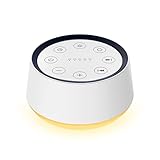
- ❤[Plug In White Noise Machine] This sound machine needs to be plugged in for use.
- ❤[30 Natural and Soothing Sounds] Our white noise machine provides 30 soothing sounds, including 3 Brown noise, 2 White noise(White noise, Pink noise), 2 fan noises( Loud and Soft Fan), 8 lullabies and 15 natural sounds( Rain, Sea waves, Brook, Bird, Train, etc.). This sound machine suitable for relieve stress, relax your mind and create a relaxing sleep environment.
- ❤[12 Night Light Colors] Sound machine with 12 kinds of light color, to suit your personal preferences at any time. You can choose the suitable nightlight to decorate the environment and create the perfect atmosphere for sleep and rest.
- ❤[10 Adjustable Levels Night Light] An adjustable soft lighting creates a comfortable sleeping atmosphere for baby kids and adults. Change your surroundings to create the perfect atmosphere for baby sleep, it is the best choice for night feedings.
- ❤[5 Timer Settings & Memory Function] This sound healing machine can be played continuously or 1,2,3, 4 hours auto-off timer, it is good for taking naps, relaxation, meditation, concentration while studying and working. The white noise machine is powered by AC. Our white noise machine can remember the last sound and volume level you selected when restarted, no need to reset to your previous settings.
Use the built-in option first if you only need:
- A basic background sound that starts quickly.
- No custom multi-layer mix.
- No specialized colored-noise controls.
- No sleep stories, meditation library, tracking, or Apple Watch controls.
Choose a dedicated app when you need:
- Custom layers with independent volume or frequency controls.
- More white-noise colors and environmental recordings.
- Offline sound downloads or explicitly advertised offline playback.
- Fade-out timers, fade-in alarms, widgets, or Siri Shortcuts.
- Sleep stories, meditations, bedtime reminders, or HealthKit integration.
- Apple Watch, Apple TV, or AirPlay controls beyond the built-in feature.
Apple’s exact Background Sounds menu path and sound list should be verified directly on the publication device before publication because the supplied research did not retrieve an official Apple support page confirming the 2026 interface.
Independent reader supportYour contribution helps us test, update, and keep practical guides available for everyone.How should you choose between white, pink, brown, and nature sounds?
Noise color is mainly a practical listening preference, not a guarantee of better sleep or concentration. Try the sound at a low comfortable volume and choose the texture that masks the surrounding noise without becoming distracting.
| Sound type | Typical character | Useful starting point |
|---|---|---|
| White noise | Broad, even-sounding hiss | Masking steady household or environmental noise |
| Pink noise | Generally perceived as softer or deeper than white noise | When white noise feels too sharp |
| Brown noise | Deeper, bass-heavy character | When a lower-frequency sound is more comfortable |
| Nature sounds | Variable rain, wind, water, forest, or ocean ambience | When a realistic environment is preferable to a constant hiss |
| Fan or machine sounds | Familiar mechanical masking | When a steady appliance-like sound feels less distracting |
Do not treat any app’s claims about tinnitus, anxiety, insomnia, or focus as established clinical outcomes. Individual responses vary, and the supplied evidence does not independently prove that one noise color is medically superior.
What should you test before relying on an app overnight?
- Lock-screen playback: Start the sound, lock the iPhone or iPad, and wait at least five minutes.
- Background use: Open another app and confirm that playback continues.
- Interruption recovery: Test Bluetooth or AirPlay reconnection and note what happens after a call, alarm, or navigation prompt.
- Timer behavior: Set a short timer and confirm whether the sound fades out or stops abruptly.
- Loop quality: Listen for an audible repetition point, especially on long nature recordings.
- Volume and heat: Use a comfortable low volume and check the device or speaker during an extended test.
- Offline access: Disable Wi-Fi and cellular data only after confirming that the app has downloaded or supports the required sounds.
- Permissions: Review microphone, HealthKit, notification, and tracking requests before granting access.
How do you handle common white-noise app problems?
Playback stops after the screen locks
Check whether the app explicitly supports background audio, then test the audio route, Bluetooth connection, AirPlay destination, and competing audio apps. Calls, alarms, navigation prompts, Low Power Mode, memory pressure, or another app taking over the iOS audio session can interrupt playback. A five-minute locked-screen test is safer than assuming that an App Store “background audio” claim guarantees all-night playback.
The Tool Desk
Outbyte PC Repair FREERepair Windows errors before they cause bigger problemsFix Now →Outbyte Driver Updater FREEScan for outdated or missing drivers - takes under a minuteDriver Scan →The sound feels too harsh
Lower the volume first, then try pink or brown noise, a rain or fan layer, or an app with frequency and slider controls such as myNoise. Do not assume that a higher volume provides better masking; the appropriate level depends on the room and listener.
The user expects tinnitus treatment
Some listings, including White Noise Lite, mention tinnitus masking, but that is a product claim rather than clinical evidence. No app in this comparison should be described as treating, curing, or diagnosing tinnitus. Persistent, sudden, unilateral, or bothersome tinnitus should be discussed with a qualified healthcare professional.
The user wants to mix white noise with Apple Music
Do not assume that background playback means simultaneous mixing with Apple Music, Spotify, podcasts, or another audio service. iOS audio-session behavior varies, and one app may pause when another begins playback. Test the exact combination you intend to use.
The user wants sound for a baby
Use low-volume playback and keep the phone or speaker away from the baby’s head. A white-noise app does not prevent SIDS or treat infant sleep problems. Separate ordinary ambient-noise use from medical, developmental, or sleep-safety claims.
Recommended Free Tools
The user wants all-night playback
Consider battery use, heat, speaker wear, room volume, Bluetooth or AirPlay reliability, timer behavior, and offline access. A dedicated speaker may be more practical than leaving an iPhone or iPad connected at high volume for the entire night.
Also popular on Amazon

- 【🎧Note】 The sound machine needs to be plugged in to operate.
- 【🎧30 Soothing and Sleeping Sounds】 The sound machine has 2 fan sounds such as soft fan, loud fan. 5 white noises such as white noise, brown noise, pink noise. 15 natural sounds like rain, thunder rain, river, brook, sea waves, singing birds, etc. and 8 soothing music such as piano, heart's beating, meditation, etc., designed to imitate the most real white noise to provide the most perfect sleeping experience for Baby Kids Adults. Classic designs make perfect Christmas white elephant gifts.
- 【🎧Compact and Portable, Easy to Use】 The iDealSleep plug in white noise machine is small and lightweight Compact and portable, and the simple and clear button design is suitable for any age group, don't worry that the elderly will not use it, it can be easily put into your backpack or suitcase, let you anytime, anywhere Easily carry sleep sounds.
- 【🎧Help Baby Sleep】iDealSleep white noise sound machine provides a variety of sound options, not only white noise suitable for adults, but also lullabies for children. It also adds friendly nature sounds and the sound of mother's heartbeat, so that The baby is like being under the care of the mother, helping the baby to fall asleep peacefully. A sleeping baby not only grows up healthy, but also means more sleep for the whole family.
- 【🎧Auto-Off Timer and Memory Function】Our sleep sounds machine is used for relaxation, sleep, work, travel, study, meditation, etc.; you can choose to play Continuously or Auto-Off Timer,the timer has 3 options: 1 hour, 2 hours, 3 hours, when the playback reaches the time you set, the sound will gradually decrease and stop working. When you use it again, the memory function will restore the sound and volume of the last time you used it, and there is no need to select the sound and volume again.
How this comparison was made
This comparison uses current US App Store listings and official product information supplied for the shortlist. The ranking weighs sound variety, mixing controls, background playback, timer functions, offline signals, Apple integration, purchase model, privacy disclosures, iPhone/iPad compatibility, and use-case fit. The comparison does not include independent laboratory measurements, controlled sleep studies, battery benchmarks, or overnight reliability tests, so “best” means the strongest feature-and-value fit rather than objectively superior audio quality.
App Store prices, operating-system requirements, privacy labels, features, and compatibility can change independently. Recheck each listing immediately before publication, especially for subscription pricing, trials, lifetime unlocks, offline behavior, and the exact minimum iOS/iPadOS version.
Frequently Asked Questions
What is the best free white noise app for iPhone and iPad in 2026?
White Noise Lite is the best free general-purpose white noise app for iPhone and iPad in 2026 because its listing advertises more than 50 sounds, custom mixing, background playback, timers with fade, lock-screen controls, AirPlay, and iPad support. The free version includes advertising.
Do these 3 things before closing this tab:
1Repair Windows errors before they cause bigger problems2Fix the driver behind crashes, sound loss and screen glitches3Clear out junk files and repair common Windows errorsWhich white noise app does not require a subscription?
White Noise, Noisli, and Calm White Noise show low-cost upfront US App Store prices in the supplied research, while myNoise states that it has no subscriptions in its listing. Confirm the current purchase terms because App Store prices and product models can change.
Which white noise app works offline on iPhone or iPad?
myNoise is the clearest offline choice in this comparison because its App Store listing explicitly advertises offline listening. Offline behavior for the other apps should be verified in the current listing or inside the app before relying on playback without Wi-Fi or cellular service.
Can white noise apps treat tinnitus or sleep disorders?
White noise apps should not be treated as cures or treatments for tinnitus or sleep disorders. Some app listings mention tinnitus masking or sleep benefits, but those are product claims rather than independent clinical evidence; persistent, sudden, unilateral, or bothersome tinnitus should be discussed with a qualified healthcare professional.
Is a dedicated white noise app necessary on an iPhone or iPad?
A dedicated white noise app is not necessary if Apple’s built-in Background Sounds feature provides the sound and controls you need. A third-party app becomes useful for custom mixes, colored-noise choices, offline playback, fade timers, widgets, Siri Shortcuts, Apple Watch controls, sleep stories, meditations, or tracking.
The Tool Desk
Outbyte PC Repair FREEClear out junk files and repair common Windows errorsFree Scan →Outbyte Driver Updater FREEFix the driver behind crashes, sound loss and screen glitchesFind Drivers →The Bottom Line
Bottom line: Start with White Noise Lite if you want a broad free noise machine. Choose White Noise, Noisli, or Calm White Noise for a low-cost purchase, myNoise for detailed sound control, Dark Noise for Apple automation, and BetterSleep only when stories, meditations, tracking, and broader sleep content justify its premium model. If you need only a basic background sound, check Apple’s built-in Background Sounds feature before downloading anything.

