
Crashes, No Sound, or Screen Glitches?
Random freezes, missing sound and display glitches usually trace back to one bad driver. Find and replace yours safely.Free scan · under a minuteWindows Errors? Fix Them Before They Spread
Repair common Windows errors and clear accumulated junk for a smoother, more stable PC - no reinstall needed.Free scan · no reinstallFor software that depends on old PC hardware, device behavior, or game timing, start with 86Box, which emulates a complete PC. For a documented Windows 98 installation path, consider DOSBox-X. A conventional virtual machine can be more convenient when a program works with generic virtual hardware, but it may not reproduce the behavior a particular title expects.
Choose an approach based on what the software needs
| What matters most | Starting point | Tradeoff |
|---|---|---|
| Period hardware behavior, older peripherals, or speed-sensitive games | 86Box | Detailed hardware emulation and configuration, with higher host CPU demand and less host integration than conventional virtualization. (86Box documentation) |
| A documented, configurable Windows 98 installation path | DOSBox-X | Requires configuration and installation media; video and drive settings may need adjustment. (DOSBox-X installation guide; DOSBox-X Windows 98 guide) |
| Convenience for software that tolerates generic virtual hardware | A conventional virtual machine | Guest code typically runs on the host CPU, which can be convenient, but may not reproduce older CPU or device behavior. (86Box documentation) |
Check whether the program requires a particular card, timing behavior, or installation medium before choosing. Compatibility depends on the specific application and configuration; none of these approaches guarantees that every Windows 98 program will work.
When 86Box is the better fit
86Box is a low-level x86 emulator for older operating systems and software designed for IBM PC-compatible computers. Unlike a typical hypervisor, which generally runs guest instructions on the host CPU, it emulates the processor and the rest of the PC system. You can configure components such as the CPU, chipset, video and sound cards, network adapters, and storage controllers. That makes it a useful starting point when an application or game relies on era-specific hardware behavior.
Host requirements and speed
86Box’s published minimum host requirements include a 64-bit Intel Core 2, AMD Athlon 64, or ARMv8 processor or newer, and at least 4 GB of RAM. Minimum supported host operating systems vary by platform; check the current 86Box documentation for your system. Most emulation logic runs in one thread, so per-clock performance matters. The documentation does not provide a reliable formula for predicting the maximum emulated configuration on a given host: workload and selected hardware both affect speed.
#1 Best Overall

- Drivers Pack for Internet, Wireless, Lan Ethernet, Video Graphics, Audio Sound, USB 3.0, Motherboard, Webcams, Bluetooth, Chipset. It will scan your Windows and install the latest drivers. No Internet connection is required. Perfect to update drivers, installing new hard drive or installing a missing driver. Supports Windows 10, 7, 8, 8.1, Vista, & XP in 64 & 32 Bit. In 42 Languages
If emulation runs well below full speed, the 86Box FAQ recommends trying a slower emulated CPU. Its example Windows 98 First Edition setup uses a Pentium II 450 MHz, 128 MB of RAM, a Matrox Mystique 220, and Voodoo 2 SLI. Treat that as one era-appropriate example, not a universal requirement. (86Box documentation and FAQ)
When DOSBox-X makes sense
DOSBox-X provides a documented process for installing Windows 98, with configuration choices for CPU cores, disk images, CD-ROM images, networking, and video. Its guide recommends Windows 98 SE if you are unsure which edition to install. You will need Windows 98 installation media you are entitled to use; confirm whether it is Full or Upgrade media, since the guide covers Full retail and OEM media and does not cover the Upgrade edition’s additional requirements. (installation guide; Windows 98 setup guide)
Rank #2

- 2-in-1 USB-A & USB-C External DVD Drive: Built-in two transmission cables, this portable optical drive works as external CD DVD drive and CD DVD burner. Ideal for playing media, burning discs and backing up photos, files and software for laptops and desktops
- USB 3.0 High Speed CD DVD Burner: Up to 5Gbps transmission speed, max 8X DVD read speed and 24X CD rewrite speed. Backward compatible with USB 2.0, providing stable low-latency data transfer for your external dvd drive
- Wide Compatibility External Optical Drive: Plug and play with desktop PC, laptop and MacBook. Fully supports Windows XP/Vista/7/8/10/11, Linux and Mac OS. Not compatible with Blu-ray discs, TV, tablet, smartphone and Chromebook
- Tray-Type Portable DVD Drive for Laptop: User-friendly tray design protects discs from scratches during insertion and removal. 0.3kg/10.6oz lightweight body with wire drawing surface, compact to carry, available in black and white two color options
- Operation Guide: If your laptop cannot recognize this CD/DVD drive, please connect the laptop power supply to solve the problem of insufficient power causing recognition.If you're experiencing issues with your external CD drive, please feel free to contact us at any time
Plan for installation and device configuration
The guide installs Windows using disk images and attaches CD-ROM media or an image as needed. During installation, it recommends the normal CPU core. After installation, the dynamic_x86 core should work for most use cases, though some configurations may produce application crashes or blue screens. Windows 98 video support depends on the emulated adapter and its installed driver. Attach CD-ROM or floppy drives before boot if the guest needs them.
Follow the DOSBox-X installation guide for its full sequence and settings. The guide describes a setup path, not guaranteed compatibility with every application.
Do these 3 things before closing this tab:
1Scan for outdated or missing drivers - takes under a minute2Repair Windows errors before they cause bigger problems3Fix the driver behind crashes, sound loss and screen glitchesRank #3
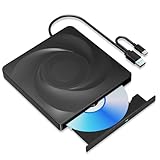
- 🔵【Easy Plug & Play CD/DVD Player】No additional drivers are required for this external cd/dvd drive. Simply plug it into your laptop or desktop pc, insert your cds or dvds, and let our drive do the rest. Enjoy using media player, burning, or ripping software to read, write, and rip your discs!
- 🔵【Latest USB 3.0 Tech】Enjoy faster data transfer and more stable performance with advanced USB 3.0 technology. Also backward compatible with USB 2.0, perfect for recording music, videos, installing software or creating CD/DVD backups.
- 🔵【Remarkable Writing & Reading Speed】Each of our external cd/dvd drives is equipped with a brand-new movement for reliable performance. Boasting up to 8x DVD-R Write Speed and 24x CD Write Speed for outstanding performance and quick data accessibility.
- 🔵【Compact & Portable】Our slim, lightweight design is ideal for on-the-go use. Whether you're at home, in the office, or on the move, you can easily carry this portable cd/dvd drive with you. Our high-quality USB 3.0 External CD drive/DVD drive is the ideal solution for all your CD/DVD reading and writing needs - just as convenient as an internal optical disc drive.
- 🔵【Broad Compatibility】This external USB DVD/CD drive is designed to work seamlessly with Windows (98/ SE/ ME/ 2000/ XP/ Vista/ Windows 11/10/8/7), Mac OS, making it suitable for a wide range of PCs, Laptops and Comprehensive Computers.
What to try if a program does not work
- Check whether it needs particular hardware. If it expects an older video or sound card, or depends on period-specific behavior, try configuring that hardware in 86Box.
- For slow emulation in 86Box, reduce the emulated CPU speed. The host’s performance and the guest configuration both affect results.
- For DOSBox-X crashes or blue screens, revisit the CPU core. The installation guide recommends the normal core during installation and notes that dynamic_x86 may not work cleanly in every configuration.
- For missing media or devices, check what was attached before boot. DOSBox-X’s guide says CD and floppy drives must be attached before startup if the guest will use them.
- For display problems, check the emulated video adapter and driver. Windows 98 support depends on both.
Because compatibility varies by program, guest configuration, drivers, host platform, and installation media, judge the result against the specific application you want to run.
Quick Recap
Best Value

- WINDOWS 11 INSTALACION Y CONFIGURACION
Rank #4

- 2-in-1 USB-A & USB-C External DVD Drive: Built-in two transmission cables, this portable optical drive works as external CD DVD drive and CD DVD burner. Ideal for playing media, burning discs and backing up photos, files and software for laptops and desktops
- USB 3.0 High Speed CD DVD Burner: Up to 5Gbps transmission speed, max 8X DVD read speed and 24X CD rewrite speed. Backward compatible with USB 2.0, providing stable low-latency data transfer for your external dvd drive
- Wide Compatibility External Optical Drive: Plug and play with desktop PC, laptop and MacBook. Fully supports Windows XP/Vista/7/8/10/11, Linux and Mac OS. Not compatible with Blu-ray discs, TV, tablet, smartphone and Chromebook
- Tray-Type Portable DVD Drive for Laptop: User-friendly tray design protects discs from scratches during insertion and removal. 10.6oz/300g lightweight body with wire drawing surface, compact to carry, available in black and white two color options
- Operation Guide: If your laptop cannot recognize this CD/DVD drive, please connect the laptop power supply to solve the problem of insufficient power causing recognition.If you're experiencing issues with your external CD drive, please feel free to contact us at any time
Product prices and availability are accurate as of the date/time indicated and are subject to change. Any price and availability information displayed on Amazon at the time of purchase will apply.

