
Crashes, No Sound, or Screen Glitches?
Random freezes, missing sound and display glitches usually trace back to one bad driver. Find and replace yours safely.Free scan · under a minuteWindows Errors? Fix Them Before They Spread
Repair common Windows errors and clear accumulated junk for a smoother, more stable PC - no reinstall needed.Free scan · no reinstalliTechGuides is reader-supported. When you buy through links on our site, we may earn an affiliate commission. As an Amazon Associate I earn from qualifying purchases. Learn more
Toggl Track is the best general-purpose time tracking app for Android for most freelancers and small project teams. Clockify is the strongest free/team alternative, while QuickBooks Time or Hubstaff is better for GPS, geofencing, payroll, and field attendance. No single Android time tracker fits personal productivity, client billing, and employee monitoring equally well.
The right choice depends on what the phone must do: start a timer quickly, record billable hours, work without signal, verify a job-site visit, export payroll data, or monitor employee activity. A simple manual timer and a GPS workforce platform are different categories, even when both appear in an Android app store.
Key takeaways
- Toggl Track is the best overall Android choice for freelancers and small project teams because its Android app includes one-tap timing, widgets, Quick Settings tiles, reminders, calendar sync, reports, and picture-in-picture controls.
- Clockify is the best budget-oriented team option; Clockify’s 2026 comparison lists a free tier for up to five users, although current limits and prices should be confirmed on its live pricing page.
- QuickBooks Time is the strongest fit for businesses that need GPS while workers are clocked in, geofences, job-site workflows, offline operation, and QuickBooks integration.
- Hubstaff is better suited to workforce management than private personal tracking because its feature set can include GPS, scheduling, screenshots, activity controls, and other monitoring tools.
- Android support does not guarantee a good mobile experience: widgets, Quick Settings controls, Wear OS support, offline synchronization, permissions, and battery behavior matter as much as the existence of an app.
Best time tracking apps for Android at a glance
The following recommendations separate personal and project tracking from attendance and workforce monitoring. “Best” means best for the stated use case, not an objective ranking for every Android user.
| App | Best for | Android strengths | Offline position | GPS or geofencing | Free or price signal | Monitoring intensity | Main drawback |
|---|---|---|---|---|---|---|---|
| Toggl Track | Freelancers and small project teams | One-tap timer, widgets, Quick Settings tiles, reminders, calendar sync, picture-in-picture, shortcuts | Mobile synchronization is advertised; test offline editing and conflict handling before relying on it | Not a core strength | Free plan for limited users; Starter listed at $9/user/month; Premium listed at $14/user/month for the first annual-billing year, renewing at $18 | Low to medium | Not designed primarily for GPS, payroll, or job-site attendance |
| Clockify | Budget-conscious individuals and teams | Android app, project tracking, reports, broad platform coverage, integrations | Confirm the exact offline workflow and synchronization behavior for the current app | Feature packaging requires current-plan verification | Clockify’s 2026 comparison lists free use for up to five users and paid tiers beginning at $3.99/seat/month | Low to medium | Less focused on Android-native conveniences than some alternatives; advanced controls are paid |
| QuickBooks Time | QuickBooks customers, payroll, and field teams | Mobile clock-in/out, job context, manual entries, offline functionality, GPS workflows | Online and offline mobile functionality is advertised | GPS while clocked in and geofence reminders | U.S. 30-day trial language; worker charges vary by plan and offer | Medium to high | Business subscription and accounting dependencies can make it excessive for a solo timer |
| Hubstaff | Distributed and field workforces | Android support, GPS, scheduling, job-site controls, workforce features | Verify the exact offline and sync behavior by plan | GPS and geofenced job sites | Paid workforce-oriented product; current pricing and feature gates require verification | High | Potentially intrusive for privacy-sensitive teams or personal use |
| Harvest | Agencies and freelancers focused on billing | Useful candidate for time, expense, invoice, and project workflows; verify current Android depth | Verify from current documentation | Not the primary reason to choose it | Current plan limits, pricing, and Android feature coverage require live verification | Low to medium | Not the obvious choice for GPS attendance or workforce monitoring |
| My Hours | Simple client and project tracking | Positioned in current comparisons as a simpler time-reporting option | Verify current offline support | Not established as its primary differentiator | Check the current pricing page and project limits | Low | May not provide the payroll, geofencing, or enterprise administration a larger team needs |
| Timesheet | Android-first features | Vendor coverage highlights widgets, Wear OS, NFC, Wi-Fi, location triggers, and offline tracking | Offline tracking is highlighted by the vendor-affiliated comparison | Location triggers are highlighted; verify collection behavior | Free plan with limited projects/integrations is indicated; confirm current terms | Low to medium, depending on triggers | Independent evidence and long-term support should be checked before making it the overall winner |
For current Android-specific criteria such as widgets, Wear OS, NFC or location triggers, and offline operation, see the Android time-tracking comparison. The comparison is useful for identifying features to test, but its Timesheet recommendation is vendor-affiliated and should not be treated as independent testing.
#1 Best Overall

- 【DIGITAL MULTIFUNCTION WATCHES】 ⌚:Appeals to mens, especially to those who like doing sports, shock resistant, stop watch, and LED back light functions make it perfect for all kind of sport and daily use
- 【3ATM WATERPROOF WATCHES FOR MEN】⌚:Mens wrist watches is waterproof 30M/3ATM, suitable for sweat-proof, rain-proof and hand-wash. BUT NOT for bathing, swimming, diving, or immersion in water. Please avoid hot water and steam. Note: Keep your hands dry before pressing the button; do not press underwater.Fashion and casual style, suitable for most indoor or outdoor activities.
- 【Mens Analog Watch】⌚ Mens watch made with anti-scratch mineral dial window, exquisitely crafted. Ultra soft silicone strap, wear-resistant and scratch-resistant, breathable, easy to maintain. Men's wrist watch is an ideal present for you and your loved ones.
- 【Mens Digital Watch】⌚ Simple and easy-to-operate functions, with Waterproof, 12/24 hours switch, alarm clock, hourly alarm and daily alarm, Auto Date, Stop Watch, LED Light
- 【Purchase without Worry】⌚ This stylish and simple sport work watches surprising woemen watch casual watch is very suitable for active lifestyles, will suitable for personal use and good for anniversary, graduation, business, birthday, Christmas, for father, boyfriend, or other male friend, classmates.
Which Android time tracking app is best overall?
Toggl Track is the best overall choice for most freelancers, consultants, and small project teams. The recommendation is based on a low-friction Android workflow rather than the largest feature list. Toggl Track’s official Android page lists one-tap time entry, reports, calendar synchronization, reminders, picture-in-picture, shortcuts, widgets, and Quick Settings tiles.
Those controls address the main failure in mobile time tracking: forgetting to start, stop, or switch a timer. A widget or Quick Settings tile can be more valuable to a freelancer than a large administrative feature set that requires opening a web dashboard.
Toggl Track is not the best universal choice. GPS, geofenced attendance, payroll rules, job-site verification, and intensive employee monitoring are not its core strengths. A construction company or field-service employer should evaluate QuickBooks Time or Hubstaff instead.
Do these 3 things before closing this tab:
1Fix the driver behind crashes, sound loss and screen glitches2Repair Windows errors before they cause bigger problems3Scan for outdated or missing drivers - takes under a minuteToggl Track’s pricing page lists a free plan for a limited number of users, Starter at $9 per user per month, Premium at $14 per user per month for the first year on annual billing before renewal at $18 per user per month, and custom Enterprise pricing. Prices, billing conditions, user limits, and promotions can change, so confirm the current Toggl Track pricing and plan details before subscribing. The Android page also advertises a 30-day Premium trial.
Is Clockify the best free time tracking app for Android?
Clockify is the best free/team-oriented candidate when minimizing subscription cost is the priority. Clockify’s 2026 comparison lists Android, iOS, browser extensions, desktop operating systems, and a free tier for up to five users. The same comparison lists paid tiers beginning at $3.99 per seat per month, followed by Basic at $3.99, Standard at $5.49, Pro at $7.99, and Enterprise at $11.99, but the live pricing page should control the final published price.
Clockify makes sense for teams replacing spreadsheets with projects, timers, reports, and a wider integration ecosystem. The free plan should not be treated as unlimited business functionality. Before adopting it, check the current limits for users, projects, clients, reports, exports, billable rates, approvals, scheduling, and administrative features.
Clockify is less compelling when the decisive requirement is a highly polished Android-native workflow with Wear OS controls, specialized triggers, or the shortest possible path from unlocking the phone to starting the correct project. A current comparison has also described GPS, kiosk, and team scheduling as unavailable in a compared Clockify configuration; because plan packaging may change, check the live Clockify pricing and feature matrix rather than treating that comparison as a permanent product limitation.
Quick wins for a faster PC:
Clear out junk files and repair common Windows errorsFree Scan →Fix the driver behind crashes, sound loss and screen glitchesFind Drivers →What is the best Android time tracker for freelancers and billable work?
Toggl Track is the strongest freelancer choice for most client-billing workflows, while Harvest is a worthwhile billing-oriented alternative. A freelancer normally needs client and project organization, billable and non-billable entries, hourly rates, estimates, budget alerts, reports, and exports—not employee GPS or screenshots.
Toggl Track’s Starter plan includes billable rates, project estimates and alerts, team-level productivity and revenue reports, and project tasks. Premium adds profitability analysis, fixed-fee projects, scheduled reports, timesheet approvals, and more customizable reporting, according to the Toggl Track plan comparison.
Harvest belongs on the shortlist when time tracking must connect closely to expenses, invoicing, and client-facing project administration. Current comparison coverage identifies Harvest as a billing and project-tracking alternative, but the supplied research does not independently verify its current Android capabilities, plan boundaries, or pricing. Confirm those details on the official Harvest pricing page and product documentation before choosing it.
For either app, check whether the workflow supports multiple rates by person or project, fixed-fee work, estimates versus actuals, profitability, invoice-ready PDF or CSV exports, expenses, and payment collection. A timer that records hours is not automatically an invoicing system.
Rank #2

- Shock-resistant and durable: The watch is made of high-quality materials and has a strong shock-resistant structure, making it suitable for various outdoor sports and daily wear.
- Multiple functions: The watch has multiple functions such as stopwatch, calendar, backlight, alarm clock, etc., making it more convenient for your daily life.
- Easy to read: The watch has a clear digital display, and the numbers are large and easy to read, even in dark environments.
- Comfortable to wear: The watch has a soft and comfortable silicone strap, which fits comfortably on your wrist and is not easy to fall off.
- Water resistant: The watch has a water resistance of up to 50 meters, in general, suitable for swimming and snorkeling, but not diving.
Which Android time tracking app is best for GPS and field teams?
QuickBooks Time is the best fit when field attendance, GPS, job sites, and QuickBooks workflows must work together; Hubstaff is the stronger alternative when broader workforce controls are needed.
QuickBooks Time supports Android phones and tablets. Its mobile materials describe GPS tracking while employees are clocked in, geofences that can remind workers to clock in or out near job sites, job and mileage workflows, manual entries, and online/offline functionality. The QuickBooks Time GPS documentation explains the GPS and geofence workflow.
QuickBooks states that off-the-clock GPS points are not saved on its servers, while the app may request location permission to determine whether a user has entered a geofence. That distinction matters: “GPS tracking” does not necessarily mean continuous employer visibility when a worker is off the clock. Businesses should still review the current privacy documentation, explain the policy to workers, and confirm local employment and privacy requirements.
QuickBooks Time is especially practical when approved hours must flow into QuickBooks-related accounting or payroll processes. The total cost can include the time-tracking subscription, per-worker charges, and an active accounting subscription. U.S. offer language describes a 30-day trial, but Premium and Elite worker charges vary by selected plan and current offer; check the current QuickBooks Time pricing page before calculating the business case.
Hubstaff should be considered by teams that need GPS, geofenced job sites, scheduling, invoicing, expense tracking, productivity controls, screenshots, or broader workforce oversight. Hubstaff is a workforce-management product, not merely a private project timer. The Hubstaff feature overview identifies its Android, GPS, scheduling, job-site, invoicing, expense, and integration capabilities, but current plan gates and U.S. prices should be confirmed on the live pricing page.
How do Android-native features change the choice?
A genuinely useful Android app reduces the number of steps between deciding to track time and recording an accurate entry. Platform availability alone is not enough. Evaluate these controls before committing:
- One-tap start and stop: The app should make the current or recent project easy to select.
- Home-screen widget: A widget can expose timer controls without opening the full app.
- Quick Settings tile: A tile can be useful when the phone is already unlocked but the app is not open.
- Notifications and lock-screen controls: Persistent controls can help stop or switch an active timer.
- Picture-in-picture: A floating timer can keep timing visible while another app is open.
- Wear OS: A watch control may be useful for workers who cannot repeatedly handle a phone.
- Offline operation: Verify that starting, stopping, editing, and synchronization—not merely app launch—work without connectivity.
- Tablet support: A tablet may suit a reception desk, shared kiosk, or job-site station better than a personal phone.
- Permissions: Location, notifications, background activity, and mobile-data permissions can affect reliability and privacy.
Toggl Track explicitly advertises Android widgets, Quick Settings tiles, picture-in-picture, shortcuts, reminders, and synchronization on its official Android time-tracking page. Timesheet’s Android-specific comparison highlights widgets, Wear OS, NFC, Wi-Fi, location triggers, and offline tracking, but those claims come from a source closely affiliated with Timesheet and should be independently verified.
Do not assume that an integration works fully from Android. An integration may only start a timer from a browser extension, import calendar events through the web dashboard, synchronize projects after web setup, or export approved timesheets from an administrator console.
What’s actually slowing this PC down?
Pick the symptom - the matching free tool is one click away.
What should agencies and project teams compare?
Agencies should compare reporting, estimates, rates, approvals, integrations, and user economics—not just timer controls. A team replacing spreadsheets usually needs to answer questions such as:
- Which clients and projects consumed the most time?
- How much time was billable versus non-billable?
- Are estimates being exceeded?
- Are projects profitable at the assigned rates?
- Can a manager approve, correct, and audit timesheets?
- Can approved hours reach invoicing, accounting, or payroll?
Toggl Track is a good fit when project tracking and reporting are more important than attendance enforcement. Clockify is attractive when a broad, cost-conscious team platform is the priority. Harvest deserves consideration when invoicing and expenses are central. QuickBooks Time is a better match when time entries are part of a field-work and accounting workflow.
Integrations should be evaluated by function. Project-management connections may include Asana, Trello, Jira, ClickUp, Monday, or Basecamp; accounting connections may include QuickBooks, Xero, or FreshBooks; calendar connections may include Google Calendar, Outlook, or iCal; and automation may involve Zapier, webhooks, or an API. Toggl Track advertises integrations with more than 100 tools through its browser extension and lists Google and Outlook Calendar integrations on its plan page. The number of integrations matters less than whether the exact connection starts timers, syncs projects, imports meetings, or exports approved hours on the plan you will buy.
Rank #3

- Micro Light, Hourly Time Signal, Auto Calendar
- 12/24 Hour Formats
- Dial Code: Digital
- Water Resistant
- Daily Alarm
How should privacy affect an Android time-tracking decision?
Privacy should be a deciding factor whenever an app collects location, screenshots, app and website activity, or other data beyond intentional time entries. A manual project timer and an employee-monitoring platform should not be ranked as interchangeable products.
| Monitoring level | Typical mechanisms | Reasonable use | Main concern |
|---|---|---|---|
| Low | Manual timer and manual timesheet | Freelance billing, study, personal projects | Forgotten or inaccurate entries |
| Medium | Calendar automation, reminders, idle detection | Reducing omissions without continuous surveillance | Automation may misclassify activity; Android and desktop support can differ |
| High | GPS, screenshots, app or URL monitoring, automatic activity capture | Specific field-attendance or compliance scenarios | Privacy, consent, trust, battery use, retention, and legal obligations |
Before deploying a workforce app, establish when location is collected, whether data is retained, who can view it, how corrections work, how off-the-clock time is excluded, and how records are exported or deleted. Employees should receive clear notice and consent where required by local law. Employers should not assume screenshots or activity data prove productivity.
Toggl Track’s desktop activity tracking is described for Windows and macOS desktop apps, not as an Android-only feature. That distinction is important for readers who want automatic activity reconstruction: an Android timer may not observe phone activity in the same way a desktop agent observes applications and websites.
What happens when the phone loses signal?
A reliable offline workflow should preserve the local start or stop event, show pending synchronization, sync when connectivity returns, avoid duplicate entries, and preserve the original timestamp. “Has an Android app” does not prove that all of those behaviors exist.
QuickBooks Time’s official support material states that its mobile app offers online and offline functionality, but businesses should still test the exact actions used by workers: starting a shift, stopping a shift, adding a job code, editing an entry, and syncing after reconnection. For other apps, verify whether offline support covers only timer events or also editing and reports.
Run an offline test before deployment:
- Open the app while connected and confirm the correct workspace, user, project, or job.
- Disable Wi-Fi and mobile data, or use a controlled area with no signal.
- Start a short entry, stop it, and add any required note or job code.
- Reconnect and wait for synchronization.
- Check the web dashboard or another authorized device for one entry with the original time.
- Repeat the test after editing an entry, because conflict behavior can differ from simple start/stop behavior.
How do Android battery and permission settings affect tracking?
Battery optimization, restricted background activity, missing location permission, disabled notifications, and manufacturer-specific task killing can interrupt timers, reminders, and location features. Android labels vary by manufacturer and operating-system version, so there is no single universal menu path.
- Open Android Settings → Apps → [time-tracking app] → Battery and review whether background activity is restricted.
- Open Notifications for the app and allow the alerts needed for active timers, reminders, or geofence prompts.
- Open Permissions and grant only the permissions the workflow requires. Location settings may include “Only while using the app” or another manufacturer-specific choice.
- Check whether mobile data is restricted while the app runs in the background.
- Test the app after the phone has been idle, restarted, or placed in a low-power mode.
- For GPS workflows, compare battery impact with a manual clock-in, kiosk, QR, NFC, or geofence-reminder alternative.
Location-based features can use more battery and create stronger privacy objections than manual timing. If continuous location is unnecessary, consider manual clock-in with job selection, a kiosk or shared tablet, QR or NFC check-in, or approval after the shift.
Independent reader supportYour contribution helps us test, update, and keep practical guides available for everyone.What should you do when a timer or timesheet goes wrong?
If you forgot to start tracking
Use reminders, calendar integration, widgets, Quick Settings controls, and easy manual corrections to reduce omissions. Automatic reconstruction can help, but a reminder or inferred activity does not automatically create a defensible client invoice or employment record.
If you forgot to stop tracking
Look for idle detection, end-of-day reminders, maximum-duration warnings, manual edits, and edit history. Confirm whether idle detection works on Android or only through a desktop application. Teams should use approval workflows so corrections are visible rather than silently overwriting records.
Free tools Windows power users keep installed
One-click scans. No signup required.
If two devices create overlapping entries
Stop the timer on the original device, check recent entries before starting a timer elsewhere, designate one device as the source of truth for active timers, and review synchronization status. Resolve overlaps before exporting or approving a timesheet.
If GPS drains the battery or workers object
Use manual clock-in with job selection, a geofence reminder without continuous tracking if the product supports it, a kiosk or tablet, QR or NFC check-in, or manager-approved timesheets. The least intrusive method that verifies the business requirement is usually the better operational choice.
Rank #4
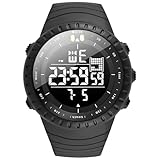
- Fashionable and trendy items: Watches have gone beyond the role of simply telling the time and have been successfully upgraded to fashionable and trendy decorations, which not only show the value of one's life, but are also known to represent "man's self-esteem". men tend to use watches to express their personality .Clothing everyone must wear every day, while a watch is not necessarily worn by everyone, therefore, a watch will be the highlight in your outfit.
- Multi-function military sports watches : Six-hand Multi-function Quartz Movement ,3 functional little sub-dials for chronograph minute,chronograph second,chronograph 1/10 second.Clear date display.3 buttons in the case to Start/Pause,Adjust time/calender and Reset.The dial contains phosphors inside,It will make the pointer glow at night(Need to absorb enough highlights before illuminating)b-dial.
- Super Luminous : Luminous Hands & Calibration , is convenient to read the time in the dark(Luminous function needs to be activated by light)
- Water Resistant Mens Watches: 30M (100FT) Water Resistant , withstands splashes or brief immersion in water, Perfect for all kind of business, casual, indoor and outdoor activities and daily use , but not suitable for swimming or bathing
- Best Gifts for Men: Hight Quality Gift Box -- Good gift for husband, father, brother, grandfather, friends...Great surprise for Birthday, Business-gift, Christmas, Valentine day, Wedding, New Year, Father’s Day
If the free plan stops working after growth
Check user and project caps, historical-data retention, exports, report restrictions, paid-seat requirements, minimum base fees, accounting subscriptions, and whether inactive users are billed. A free plan is useful only if the data can be exported and the workflow remains viable when the team grows.
How much do Android time tracking apps really cost?
The real cost includes seats, base fees, billing frequency, renewal prices, accounting subscriptions, add-ons, and plan-gated features—not only the headline monthly price. The following figures are the plan signals in the supplied research and should be rechecked immediately before publication or purchase.
The Tool Desk
Outbyte PC Repair FREERepair Windows errors before they cause bigger problemsFix Now →Outbyte Driver Updater FREEFix the driver behind crashes, sound loss and screen glitchesFind Drivers →| App | Published signal | Cost questions to verify | Who should pay for it |
|---|---|---|---|
| Toggl Track | Free limited-user plan; Starter $9/user/month; Premium $14/user/month for the first annual-billing year and $18/user/month renewal; Enterprise custom | Free user limit, annual versus monthly billing, renewal date, taxes, and Premium features | Freelancers, consultants, and project teams needing polished manual tracking |
| Clockify | Clockify’s 2026 comparison lists free use for up to five users and paid tiers from $3.99/seat/month | Live plan names, current prices, seat rules, feature gates, and export/report restrictions | Individuals and small teams prioritizing low entry cost |
| QuickBooks Time | U.S. 30-day trial language; Premium and Elite worker charges vary | Base fee, per-worker fee, accounting subscription, GPS/mileage tier, and current offer | Businesses already using or planning to use QuickBooks workflows |
| Hubstaff | Paid workforce-oriented service; exact current prices require live verification | GPS, screenshots, scheduling, payroll, and activity features by plan | Teams with a documented need for workforce controls |
| Harvest, My Hours, Timesheet, and Jibble | Current comparisons identify them as billing, simple tracking, Android-first, or attendance alternatives | Current Android functions, free limits, paid seats, integrations, and retention | Choose only after matching the product to billing, Android, or attendance requirements |
Use official pricing pages rather than third-party roundups for the final decision: Clockify, QuickBooks Time, Hubstaff, Harvest, My Hours, and Jibble. Prices differ by country and may change with annual billing, introductory offers, or renewals.
How should you choose an Android time tracking app?
Choose the app by the record you need to produce, then test the Android workflow before migrating real data. Use this decision framework:
- Personal productivity: Start with Toggl Track or My Hours. Avoid paying for GPS, payroll, or screenshots you will not use.
- Freelance billing: Choose Toggl Track for a fast timer and project reporting; investigate Harvest when expenses and invoicing are central.
- Agency management: Compare rates, estimates, profitability, approvals, reports, exports, and project-management integrations before comparing timer buttons.
- Employee attendance: Require clock-in/out, breaks, overtime, corrections, approvals, audit history, and payroll export.
- Field service or construction: Choose QuickBooks Time or Hubstaff when GPS, geofences, job sites, mileage, and schedules are genuinely necessary.
- Android-first interaction: Investigate Timesheet alongside Toggl Track, but verify vendor claims, privacy terms, Android-version support, integrations, and maintenance history.
- Privacy-sensitive work: Prefer manual tracking or low-monitoring features and document exactly what data is collected and when.
Android setup checklist
Use this generic setup sequence after installing the official app from Google Play. App labels and locations vary by product and Android version.
- Install the official Android app and create or join the correct workspace.
- Add clients, projects, tasks, jobs, or cost codes before the first real entry.
- Set billable status, hourly rates, estimates, breaks, or overtime rules if the product supports them.
- Enable only the notifications and permissions required for the chosen workflow.
- Add the widget, notification control, Quick Settings tile, or watch control if available.
- Test a short entry with connectivity disabled, then verify synchronization after reconnecting.
- Open a report or export and confirm that dates, rates, project names, and billable status are correct.
- Configure reminders for forgotten starts and stops.
- For teams, test employee corrections, manager approvals, overlapping entries, and audit history.
- For GPS, document on-clock collection, off-clock behavior, retention, access, and battery expectations before rollout.
Frequently Asked Questions
What is the best free time tracking app for Android?
Clockify is the strongest free/team-oriented candidate, while Toggl Track is the better free choice for many individual freelancers who value a polished Android timer. Clockify’s 2026 comparison lists free use for up to five users, but current limits and features should be confirmed on Clockify’s live pricing page.
Recommended Free Tools
Can Android time tracking apps work offline?
Some Android time tracking apps can record timer activity or manual entries offline and synchronize later, but offline support is not universal. Test starting, stopping, editing, synchronization, duplicate prevention, and timestamp preservation before relying on an app for payroll or client billing.
Which Android time tracking app has GPS?
QuickBooks Time and Hubstaff are the strongest GPS-oriented choices in this comparison. QuickBooks Time describes GPS while workers are clocked in and geofence reminders near job sites; Hubstaff is a broader workforce-management option with GPS and job-site controls.
What is the best Android time tracking app for freelancers?
Toggl Track is the best general-purpose Android time tracking app for most freelancers because it combines fast manual timing with projects, billable rates, estimates, reports, reminders, widgets, and Quick Settings controls. Harvest is a useful alternative when invoicing and expenses are the main priority.
Are Android time tracking apps private?
Privacy depends on the app and enabled features. A manual timer usually records intentional entries, while workforce platforms may collect GPS, screenshots, app or website activity, or attendance information. Review location collection, off-the-clock behavior, retention, administrator access, notice, consent, and deletion rules before deployment.
Do these 3 things before closing this tab:
1Repair Windows errors before they cause bigger problems2Fix the driver behind crashes, sound loss and screen glitches3Clear out junk files and repair common Windows errorsThe Bottom Line
Choose Toggl Track for the best balance of Android convenience, manual project tracking, and freelancer-friendly billing. Choose Clockify when a low-cost team tier matters most. Choose QuickBooks Time when GPS, geofences, field attendance, and QuickBooks workflows matter; choose Hubstaff when you need broader workforce monitoring. Test offline behavior, permissions, exports, and the exact free-plan limits before moving important timesheets.
Quick Recap
Product prices and availability are accurate as of the date/time indicated and are subject to change. Any price and availability information displayed on Amazon at the time of purchase will apply.

