
iTechGuides is reader-supported. When you buy through links on our site, we may earn an affiliate commission. As an Amazon Associate I earn from qualifying purchases. Learn more
In April 2026, the best RTX 3060 laptop is the Lenovo Legion 5, but only when a used, refurbished, open-box, or clearance unit is meaningfully cheaper than a comparable RTX 4050 or RTX 4060 laptop. The Acer Nitro 5 is the best budget option, while the Dell G15 is the strongest cheap choice for sustained plugged-in performance.
The RTX 3060 Laptop GPU is now an older, discontinued-generation platform. That does not make every RTX 3060 laptop a bad purchase: a high-power RTX 3060 in a well-cooled Legion 5, Dell G15, ASUS TUF A15, or ROG Strix can still deliver capable 1080p gaming. The purchase makes sense only when the complete laptop—GPU power, display, CPU, RAM, storage, battery, warranty, and condition—offers better value than newer alternatives.
Key takeaways
- The Lenovo Legion 5 is the safest overall RTX 3060 laptop choice when it has a high-power GPU, a good 165Hz display, 16GB RAM, a healthy battery, and a returnable warranty-backed listing.
- The RTX 3060 Laptop GPU has 6GB of GDDR6 VRAM, while the RTX 4060 Laptop GPU has 8GB; the extra VRAM gives the RTX 4060 more headroom for newer games and higher resolutions.
- RTX 3060 laptop performance varies substantially by power limit: documented Legion 5 configurations reach 130W or 140W, and some ASUS TUF A15 configurations reach 140W including Dynamic Boost.
- A 1080p 144Hz or 165Hz screen, 16GB RAM, and at least a 512GB SSD are the practical minimums for an RTX 3060 gaming laptop in 2026.
- Buy an RTX 4060 instead when the price difference is modest, because the RTX 4060 combines a newer architecture, 8GB VRAM, and DLSS 3 Frame Generation support.
Which RTX 3060 laptop is best in April 2026?
The Lenovo Legion 5 is the best overall RTX 3060 laptop in April 2026 because the model family commonly combines strong cooling, high GPU power limits, good 1080p displays, and accessible RAM and SSD upgrades. The exact regional SKU still matters: the Legion 5 15ACH6H is documented with RTX 3060 configurations up to 130W, while the Legion 5 15IAH7H lists an RTX 3060 configuration up to 140W in Lenovo’s specifications.
Recommended Free Tools
Choose the Legion 5 only after checking the individual listing. A Legion 5 with a dim 120Hz panel, 8GB RAM, a worn battery, or a missing high-wattage charger can be a worse purchase than a cheaper Dell G15 or Nitro 5. A good RTX 3060 Legion 5 should have 16GB RAM or an inexpensive upgrade path, a 1080p 165Hz screen with strong color coverage, a healthy battery, the correct Lenovo adapter, and no thermal or display defects.
Popular on Amazon

- Beyond Performance: The Intel Core i5-13420H processor goes beyond performance to let your PC do even more at once. With a first-of-its-kind design, you get the performance you need to play, record and stream games with high FPS and effortlessly switch to heavy multitasking workloads like video, music and photo editing.
- AI-Powered Graphics: The state-of-the-art GeForce RTX 4050 graphics (194 AI TOPS) provide stunning visuals and exceptional performance. DLSS 3.5 enhances ray tracing quality using AI, elevating your gaming experience with increased beauty, immersion, and realism.
- Visual Excellence: See your digital conquests unfold in vibrant Full HD on a 15.6" screen, perfectly timed at a quick 165Hz refresh rate and a wide 16:9 aspect ratio providing 82.64% screen-to-body ratio. Now you can land those reflexive shots with pinpoint accuracy and minimal ghosting. It's like having a portal to the gaming universe right on your lap.
- Internal Specifications: 8GB DDR5 Memory (2 DDR5 Slots Total, Maximum 32GB); 512GB PCIe Gen 4 SSD
- Stay Connected: Your gaming sanctuary is wherever you are. On the couch? Settle in with fast and stable Wi-Fi 6. Gaming cafe? Get an edge online with Killer Ethernet E2600 Gigabit Ethernet. No matter your location, Nitro V 15 ensures you're always in the driver's seat. With the powerful Thunderbolt 4 port, you have the trifecta of power charging and data transfer with bidirectional movement and video display in one interface.
Lenovo’s Legion 5 15ACH6H specification sheet and the Legion 5 15IAH7H specifications are more reliable than a seller’s generic “Legion 5 RTX 3060” description because the same family name covers multiple CPUs, displays, memory configurations, and GPU power limits.
| Model | Best for | GPU power to verify | Display to seek | Main drawback |
|---|---|---|---|---|
| Lenovo Legion 5 15ACH6H / 15IAH7H | Best overall | Up to 130W or 140W depending on SKU | 1080p 165Hz; 100% sRGB preferred | Older platform and used-unit risk |
| Dell G15 5510 / 5511 / 5520 | Sustained performance on a budget | Verify exact SKU | 1080p 165Hz preferred | Heavy chassis and weak panel variants |
| Acer Nitro 5 AN515-45 / AN515-57 / AN515-58 | Lowest-cost availability | Verify exact SKU | 1080p 144Hz; wide gamut preferred | Variable screen, cooling, and build quality |
| ASUS TUF Gaming A15 / F15 | Balanced value | Up to 140W on some A15 configurations | 144Hz or 165Hz with acceptable color | Many substantially different configurations |
| ASUS ROG Strix G15 / G17 | High-refresh-rate 1080p gaming | Verify exact SKU | High-refresh 1080p | Less portable and often expensive used |
| Lenovo Legion 5 Pro | Premium display and chassis | Verify exact SKU | High-resolution 16:10 panel | 1600p or QHD can overtax 6GB VRAM |
| MSI GP66 Leopard | Premium used performance | Verify exact SKU | High-refresh panel after testing | Battery, wear, and regional availability |
What should you look for in an RTX 3060 laptop?
The best RTX 3060 laptop configuration is not necessarily the one with the highest advertised wattage. Prioritize the complete system in this order: current value, GPU power and cooling, display quality, CPU and platform age, upgradeability, build quality, battery and noise, and seller protection.
| Decision factor | Recommended target | Why it matters |
|---|---|---|
| GPU | RTX 3060 Laptop GPU with a verified high power limit | Power limits, cooling, boost behavior, and Dynamic Boost can materially change performance. |
| VRAM | 6GB is acceptable for 1080p; treat it as a limitation | High-resolution textures, ray tracing, and 1440p/1600p gaming consume more memory. |
| RAM | 16GB dual-channel | 8GB is a weak starting point for gaming in 2026. |
| Storage | 512GB SSD minimum; 1TB preferred | Modern games are large, and a small drive quickly becomes restrictive. |
| Display | 1080p at 144Hz or 165Hz; approximately 300 nits and 100% sRGB preferred | Refresh rate alone does not guarantee good brightness, color, response time, or low ghosting. |
| Upgrades | Accessible RAM and at least one usable NVMe SSD slot | Upgradeable systems are safer buys when the used configuration is not perfect. |
| Condition | Return protection, correct charger, and verified battery | A cheap older laptop can become expensive if the battery, adapter, screen, or cooling system needs replacement. |
How much does RTX 3060 laptop power limit matter?
RTX 3060 laptop power limit matters because two laptops with the same GPU name can have materially different sustained performance. Manufacturers combine different power limits, boost clocks, cooling systems, processors, memory configurations, and display resolutions. NVIDIA’s RTX 30-series laptop comparison identifies the GPU platform, but the laptop manufacturer’s specification sheet is needed to verify the implementation in a particular model.
The Tool Desk
Outbyte Driver Updater FREEFix the driver behind crashes, sound loss and screen glitchesFind Drivers →Outbyte PC Repair FREEClear out junk files and repair common Windows errorsFree Scan →Lenovo documents RTX 3060 configurations up to 130W in the Legion 5 15ACH6H and up to 140W in the Legion 5 15IAH7H. ASUS lists some 2022 TUF Gaming A15 configurations at up to 140W total GPU power, consisting of a 115W base level plus 25W Dynamic Boost. Those figures apply to documented configurations, not every laptop carrying the Legion 5 or TUF name.
Use a hardware-monitoring utility after purchase to inspect the GPU’s actual power behavior under a sustained load. A high advertised limit is useful only if the cooling system can maintain clocks without severe throttling, the original charger is present, and the laptop runs in its performance mode while plugged in.
ASUS’s TUF Gaming A15 technical specifications and the company’s ROG and TUF GPU power table illustrate why the exact configuration must be checked rather than inferred from the family name.
Which Lenovo Legion 5 configuration should you buy?
Buy the Lenovo Legion 5 when the individual unit has a high-power RTX 3060, a quality 165Hz display, 16GB RAM, and a healthy battery. The 15ACH6H and 15IAH7H are the most relevant families, but CPU generation, display quality, ports, memory, and GPU power vary by SKU and region.
- Best gaming screen: Seek a 1080p 165Hz panel with approximately 300 nits and 100% sRGB coverage where possible.
- Best GPU configuration: Verify whether the listing corresponds to the 130W 15ACH6H configuration or a 140W 15IAH7H configuration.
- Best ownership profile: Prefer a unit with two accessible RAM slots, an upgradeable SSD, the genuine charger, and documented battery health.
- What to avoid: Do not pay a premium for an 8GB model, poor 120Hz screen, damaged hinge, swollen battery, or listing without returns.
A Lenovo outlet specification provides a useful example of the screen quality worth seeking: the listed Legion 5i Gen 7 configuration specifies a 15.6-inch FHD 165Hz display with 300-nit brightness, 100% sRGB, Dolby Vision, and G-SYNC. The specification describes that particular outlet SKU and should not be generalized to every Legion 5 laptop.
Lenovo’s outlet specification for the Legion 5i Gen 7 shows the type of panel that can justify choosing an older RTX 3060 laptop over a newer but cheaper machine with a poor display.
Is the Dell G15 a good cheap RTX 3060 laptop?
The Dell G15 is a good cheap RTX 3060 laptop when sustained plugged-in performance, cooling mass, and price matter more than portability. The G15 5510, 5511, and 5520 families are bulky, but their substantial chassis can be attractive for long gaming sessions.
The major warning is the display. Some Dell G15 configurations use basic 120Hz panels, while better listings offer 165Hz screens. Confirm refresh rate, brightness, color coverage, and response behavior before buying; an RTX 3060 paired with a poor panel is not automatically a good bargain.
What’s actually slowing this PC down?
Pick the symptom - the matching free tool is one click away.
Dell’s product documentation confirms RTX 3060 6GB configurations, but the individual processor, screen, RAM, storage, and adapter combination must be checked against the listing. Choose the G15 over a Nitro 5 when the price is similar and the G15 has the better panel or cooling configuration. Choose a Legion 5 instead when the price gap is small and the Legion has a clearly superior screen or condition.
Is the Acer Nitro 5 the best budget RTX 3060 laptop?
The Acer Nitro 5 is the best budget RTX 3060 laptop when it is substantially cheaper than a comparable Legion 5 or Dell G15 and has 16GB RAM, an acceptable screen, and a verified GPU power limit. Nitro 5 models are widely available in used and clearance channels, and many provide straightforward RAM and SSD upgrades.
Acer lists an RTX 3060 6GB Nitro 5 configuration with a 15.6-inch 144Hz Full HD display. The specification confirms the type of configuration available, but AN515-45, AN515-57, and AN515-58 systems differ in CPU, panel, cooling, and GPU power.
Acer’s Nitro 5 AN515-45 specification should therefore be used as a SKU reference, not as proof that every RTX 3060 Nitro 5 has the same screen or performance. Avoid a Nitro 5 with only 8GB RAM unless the price is low and a second RAM slot is confirmed. Avoid dim, narrow-gamut panels unless the discount is large enough to justify using an external monitor.
Is the ASUS TUF A15 better than the Nitro 5?
The ASUS TUF A15 can be better than the Nitro 5 when the exact configuration has a high-power RTX 3060, a Ryzen 7 or comparable processor, 16GB RAM, and a good 144Hz or 165Hz display. The TUF A15 is not automatically better because ASUS sold many substantially different configurations under the same family name.
Also popular on Amazon
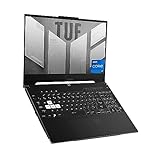
- SUPERCHARGED RTX GRAPHICS - Gameplay graphics are silky smooth with the NVIDIA GeForce RTX 3060 6GB GDDR6 at 1050W with Dynamic Boost, with cutting-edge AI features like NVIDIA DLSS and Ray-Tracing.Voltage:20.0 volts.Connectivity Technology : Bluetooth 5.2
- MUX SWITCH BOOST - A MUX Switch lets the GPU communicate directly with the display, increasing performance and decreasing latency
- READY FOR ANYTHING - Use your gaming laptop to stream and multi-task with ease thanks to an Intel Core i7-12650H Processor with 24MB Cache, up to 4.7 GHz, 10 cores (6 P-cores and 4 E-cores) and 16GB of blisteringly fast 4800MHz DDR5 RAM on Windows 11
- SWIFT VISUALS – Stay one step ahead of the competition thanks to its 144Hz 15.6” Full HD (1920 x 1080) IPS Type Display
- AMPLE STORAGE FOR ALL YOUR GAMES - Store all your game library, and load them fast on your 512GB PCIe NVMe M.2 SSD to take advantage of the full RTX gaming experience
Some 2022 ASUS TUF A15 configurations list up to 140W total RTX 3060 GPU power, including Dynamic Boost. Check the model number and technical specification for the particular listing. Also verify the screen’s color coverage, because a high refresh rate does not guarantee a good productivity or creative-work display.
The TUF F15 can be a reasonable alternative, but compare its processor, GPU limit, display, and battery condition directly with an A15 or Legion 5. A full-performance TUF A15 is generally more attractive than a thin or lower-power configuration sold at the same price.
Which premium RTX 3060 laptops are worth buying used?
The ASUS ROG Strix G15 and G17, Lenovo Legion 5 Pro, MSI GP66 Leopard, and Acer Predator Helios 300 are the premium used RTX 3060 models worth considering when their condition and price are better than newer budget laptops.
Quick wins for a faster PC:
Repair Windows errors before they cause bigger problemsFix Now →Fix the driver behind crashes, sound loss and screen glitchesFind Drivers →ASUS ROG Strix G15 and G17
The ROG Strix G15 and G17 suit buyers who want high-refresh-rate 1080p gaming, strong CPU performance, and more aggressive cooling than entry-level systems. Buy only after checking the exact GPU power configuration, battery health, screen quality, original adapter, and return protection. The larger G17 can be less portable, while both models can be expensive if their premium chassis is not reflected in the price.
Lenovo Legion 5 Pro
The Legion 5 Pro is the best RTX 3060 laptop for screen quality and chassis design when its price is close to a standard Legion 5. Its 16-inch 16:10 high-resolution display is useful for productivity and creative work, but the higher pixel count increases the workload on a 6GB RTX 3060. Expect to use DLSS Super Resolution, reduced settings, or a lower internal render resolution in demanding games.
MSI GP66 Leopard
The MSI GP66 Leopard can deliver strong used performance in configurations with a high-power RTX 3060 and capable cooling. Treat the GP66 as a listing-specific purchase rather than a universal recommendation: battery life is not a major strength, display quality varies, used wear can be significant, and service or upgrade support differs by region.
Acer Predator Helios 300
The Predator Helios 300 can be a good used choice when the unit is clean, fairly priced, and equipped with a strong display and cooling system. Age, battery condition, fan wear, and hinge condition deserve extra attention because many available units have had several years of use.
Which RTX 3060 laptop models should you rank lower?
Lower-ranked RTX 3060 models are not unusable; they simply require a larger discount or a more careful configuration check.
- HP Victus 16: Potentially good value, but verify the panel, GPU power limit, RAM, and hinge or chassis condition. Avoid listings with weak screens or only 8GB RAM unless upgrading is easy.
- MSI GF65 Thin and Katana variants: Low prices can be attractive, but thin cooling systems, lower GPU power limits, screen quality, and build compromises can make an equally priced Nitro 5 or Legion 5 a better choice.
- Gigabyte A5: Specifications can be strong, but check thermals, panel quality, availability, and regional after-sales support before buying.
- ASUS TUF Dash F15: The design can be portable, but the particular CPU and GPU power combination may be less appealing than a full-performance TUF A15 or Legion 5.
Is RTX 4050 better than RTX 3060 in a laptop?
RTX 4050 is not universally faster than RTX 3060 in laptops, but RTX 4050 systems usually offer a newer platform, better efficiency, and DLSS 3 Frame Generation support. A high-power RTX 3060 can match or exceed a low-power RTX 4050 in some native rasterized games, so compare the complete laptop rather than the GPU name alone.
Both GPUs commonly have 6GB of VRAM, so RTX 4050 does not remove the memory limitation for demanding high-resolution gaming. RTX 4050 becomes the better purchase when the newer laptop has a comparable display and CPU, a meaningful warranty, better battery condition, and only a modest price premium.
RTX 3060 laptops support DLSS features associated with the Ampere generation, but RTX 3060 laptops do not support NVIDIA’s hardware-based DLSS 3 Frame Generation feature available on RTX 40-series laptop GPUs. Frame Generation is useful only in supported games and does not eliminate every latency or image-quality trade-off. NVIDIA’s RTX laptop comparison material identifies DLSS 3 support on RTX 4050 and RTX 4060 laptop GPUs, while NVIDIA’s Ada laptop announcement describes the RTX 40-series platform.
Windows Errors? Fix Them Before They Spread
Repair common Windows errors and clear accumulated junk for a smoother, more stable PC - no reinstall needed.Free scan · no reinstallCrashes, No Sound, or Screen Glitches?
Random freezes, missing sound and display glitches usually trace back to one bad driver. Find and replace yours safely.Free scan · under a minuteIs RTX 4060 better than RTX 3060 in a laptop?
RTX 4060 is generally better than RTX 3060 in a laptop, particularly when the RTX 4060 machine has a reasonable power limit and costs only modestly more. RTX 4060 provides 8GB of GDDR6 memory instead of the RTX 3060 Laptop GPU’s 6GB, supports the newer Ada feature set including DLSS 3 Frame Generation, and is usually sold with a newer CPU, battery, display, and warranty.
The RTX 3060 remains defensible when it is substantially cheaper or paired with a clearly superior chassis, display, cooling system, or upgrade path. Do not describe the RTX 4060 as a minor upgrade: the 8GB memory capacity and newer feature set matter, although the benefit still depends on the game, resolution, settings, and laptop power configuration.
Notebookcheck’s RTX 4060, RTX 3060, and RTX 4050 comparison identifies the RTX 4060 Laptop GPU as an 8GB part and the RTX 3060 Laptop GPU as a 6GB part. NVIDIA’s laptop comparison data also lists 8GB for RTX 4060 laptop GPUs and 6GB for RTX 4050 laptop GPUs.
How should you compare an RTX 3060 laptop with an RTX 5060 laptop?
Compare an RTX 3060 laptop with an RTX 5060 laptop only at the current listing level: price, warranty, GPU power, display, CPU, RAM, storage, and condition all matter. The available buying research shows newer RTX 5060 systems appearing alongside refurbished RTX 3060 listings, which reinforces that RTX 3060 laptops now compete primarily through discounted used and refurbished value rather than normal current retail availability.
Free tools Windows power users keep installed
One-click scans. No signup required.
Do not use the RTX 3060’s 2021 launch price as a 2026 buying benchmark. NVIDIA announced RTX 3060 laptops starting at $999 in 2021, but historical launch pricing does not establish what a used, refurbished, open-box, or clearance laptop should cost in April 2026.
Also popular on Amazon

- Nvidia Ray-tracing RTX3060 Video Adapter, Ultimate gaming experience;
- 15.6" High Definition (1920 × 1080) Display, 144 Hz
- 512 GB Solid State Disk, 8GB Memory
- Weighs 4.1 lbs. and measures 0.9" thin
NVIDIA’s 2021 RTX 3060 laptop announcement is useful only for historical context. Current prices vary by country, tax, shipping, seller, condition, warranty, RAM, storage, and screen, so every live price should be checked on publication day and labeled with currency, region, condition, retailer, and date.
Independent reader supportYour contribution helps us test, update, and keep practical guides available for everyone.What screen is best for an RTX 3060 laptop?
A 1080p 144Hz or 165Hz display is the safest screen choice for an RTX 3060 laptop because the GPU is better suited to high-refresh 1080p than native QHD or 1600p gaming. Seek approximately 300 nits, 100% sRGB or equivalent wide-gamut coverage, acceptable response time, and G-SYNC, Advanced Optimus, or another suitable adaptive-sync or display-switching feature where the specific model supports it.
A 144Hz label alone does not guarantee a good screen. Check for narrow 45% NTSC color coverage, low brightness, ghosting, flicker, poor response times, and uneven backlight. A 60Hz screen is difficult to justify unless the laptop is exceptionally cheap or will primarily drive an external monitor.
Do these 3 things before closing this tab:
1Repair Windows errors before they cause bigger problems2Fix the driver behind crashes, sound loss and screen glitches3Clear out junk files and repair common Windows errorsQHD and 1600p screens can be excellent for text, photographs, video editing, and general productivity, but the higher resolution increases GPU workload. An RTX 3060 Legion 5 Pro can still be a good productivity machine, but gaming may require DLSS Super Resolution, reduced quality settings, or a lower internal render resolution.
How much RAM and storage does an RTX 3060 laptop need?
An RTX 3060 laptop should have 16GB of RAM and at least a 512GB SSD in 2026; 1TB is preferable for a system that will store several large games. An 8GB configuration is acceptable only when the laptop has an accessible second RAM slot, compatible memory is easy to source, and the purchase price accounts for the upgrade.
Prefer upgradeable memory over soldered memory, but verify the actual design of the model and SKU. Confirm whether the laptop has one or two RAM slots, the supported memory type, the number of NVMe slots, and whether an included drive occupies the only available slot. Do not assume that two laptops with the same model family have identical upgrade options.
What should you inspect before buying a used RTX 3060 laptop?
A used RTX 3060 laptop should pass a performance, cooling, display, battery, physical-condition, and ownership check before payment or before the return period expires.
GPU and sustained performance
- Confirm that the laptop contains an RTX 3060 Laptop GPU rather than an RTX 3050, a desktop GPU, or a listing with incorrect software information.
- Use a trusted hardware-monitoring utility to check the GPU model, memory size, power behavior, temperatures, and clocks.
- Run a demanding game or benchmark for at least 15–20 minutes while the genuine charger is connected.
- Watch for clock-speed drops, severe throttling, crashes, driver resets, flickering, or visual artifacts.
Cooling and noise
- Listen for grinding, rattling, or irregular fan-bearing noise.
- Confirm that both fans ramp up normally under load.
- Inspect vents for dust, blocked airflow, and damaged fins.
- Ask whether the laptop has been repasted or repaired, but do not treat repasting claims as proof of good cooling.
- Do not use a cool idle temperature as evidence that the laptop has healthy load thermals.
Display
- Test for dead pixels, backlight bleed, flicker, image retention, and uneven brightness.
- Confirm the actual refresh rate in the operating system.
- Check color coverage with a measurement or reliable review when the seller claims 100% sRGB.
- Test response behavior in motion because a high refresh-rate panel can still have visible ghosting.
Battery and charger
- Check battery health and cycle count where the operating system or manufacturer utility exposes those details.
- Confirm that the charger is genuine and has the correct wattage for the laptop.
- Avoid generic or undersized adapters that may prevent full performance or create a safety concern.
- Check for chassis swelling, which can indicate a failing battery.
Physical condition and ownership
- Inspect hinges, lid, keyboard, touchpad, rubber feet, ports, screws, and access panels.
- Verify the serial number and warranty status where possible.
- Ensure the laptop is not BIOS-locked or enrolled in an organization’s device-management system.
- Confirm Windows activation and remove any previous owner’s accounts.
- Prefer manufacturer-refurbished or reputable retailer-refurbished systems with clear returns over untested private-party listings.
Should you buy new, refurbished, open-box, or used?
The condition of an RTX 3060 laptop changes the acceptable price and risk more than the GPU label does. Because RTX 3060 laptops are an older generation in April 2026, normal current retail inventory is less important than the seller’s protection and the exact condition of the machine.
| Condition | When it makes sense | What to verify |
|---|---|---|
| New old stock | Only with a large discount compared with newer laptops | Actual sealed condition, warranty start date, battery age, and return policy |
| Manufacturer refurbished | Often the most defensible RTX 3060 purchase | Warranty length, battery coverage, included charger, and returns |
| Retailer refurbished | Useful when grading and returns are clear | Who performed the refurbishment, battery guarantee, seller rating, and return terms |
| Open-box | Potentially excellent when the discount is meaningful | Original adapter, missing accessories, cosmetic grade, and full return rights |
| Private-party used | Lowest price potential and widest model selection | Live testing, battery, thermals, BIOS lock, ownership, charger, and seller history |
Refurbished marketplace searches can be noisy and may mix RTX 3060, RTX 4050, RTX 5060, and unrelated systems. Treat “recertified” as a seller-specific description rather than an automatic equivalent to manufacturer refurbishment. Retailer grading, warranty coverage, and battery guarantees must be read on the individual listing.
What is the final RTX 3060 laptop buying decision?
Buy the Lenovo Legion 5 if the unit is in excellent condition, has a good 165Hz display and 16GB RAM, and is clearly cheaper than a comparable RTX 4060 laptop. Buy the Dell G15 when sustained plugged-in performance and low price matter more than weight. Buy the Acer Nitro 5 when it is substantially cheaper and has an acceptable screen plus an upgradeable 16GB configuration.
Choose the ASUS TUF A15 when the exact model has a high-power RTX 3060, a good display, and a strong CPU. Choose the ROG Strix, Legion 5 Pro, GP66, or Predator Helios 300 only when the premium chassis, cooling, or display is genuinely valuable and the used condition is documented.
Outdated Drivers Are Slowing You Down
One free scan finds every outdated or missing driver and matches the right update for your exact hardware.Free scan · exact hardware matchWindows Errors? Fix Them Before They Spread
Repair common Windows errors and clear accumulated junk for a smoother, more stable PC - no reinstall needed.Free scan · no reinstallSkip the RTX 3060 when an RTX 4060 laptop is only modestly more expensive, when the RTX 3060 unit has 8GB of non-upgradeable RAM, when the display is defective or poor, when the correct charger is missing, or when the seller provides no meaningful return protection. The RTX 3060 is still a capable 1080p GPU, but price and condition—not the old model name—determine whether the laptop is a smart purchase in April 2026.
Frequently Asked Questions
Is an RTX 3060 laptop still worth buying in April 2026?
An RTX 3060 laptop is worth buying in April 2026 when it is used, refurbished, open-box, or clearance-priced substantially below a comparable RTX 4050 or RTX 4060 laptop. The RTX 3060 is usually a poor buy when sold as new old stock at a price close to newer systems.
What is the best RTX 3060 laptop model?
The Lenovo Legion 5 is the best overall RTX 3060 laptop when the specific unit has a high-power GPU, a good 165Hz display, 16GB RAM, a healthy battery, the genuine charger, and return protection. The exact 15ACH6H or 15IAH7H configuration must be verified because specifications vary by SKU and region.
How much RAM should an RTX 3060 laptop have?
An RTX 3060 laptop should have 16GB of RAM in 2026. An 8GB model should be considered only when a second RAM slot is confirmed and the purchase price makes the upgrade worthwhile.
Do these 3 things before closing this tab:
1Repair Windows errors before they cause bigger problems2Fix the driver behind crashes, sound loss and screen glitches3Clear out junk files and repair common Windows errorsIs an RTX 4060 laptop better than an RTX 3060 laptop?
An RTX 4060 laptop is generally better because it has 8GB VRAM, a newer architecture, and DLSS 3 Frame Generation support. An RTX 3060 laptop remains reasonable when it is substantially cheaper or has a clearly superior screen, chassis, cooling system, or upgrade path.
The Bottom Line
Bottom line: The Lenovo Legion 5 is the best RTX 3060 laptop to target in April 2026, followed by the Dell G15 for heavy-duty value and the Acer Nitro 5 for the lowest-cost purchase. Require 16GB RAM, a 1080p 144Hz or 165Hz display, a verified GPU power limit, a genuine charger, healthy cooling, and return protection. If a comparable RTX 4060 laptop is only modestly more expensive, buy the newer RTX 4060 instead.

