
iTechGuides is reader-supported. When you buy through links on our site, we may earn an affiliate commission. As an Amazon Associate I earn from qualifying purchases. Learn more
The best printer for a small business is usually a color laser multifunction printer with automatic duplex printing, an ADF, Ethernet, Wi-Fi, and high-yield toner. Choose a monochrome laser all-in-one for mostly black-and-white documents, a refillable ink-tank printer for high-volume color at lower supply cost, and a wide-format inkjet only when tabloid output is essential.
There is no single best printer for every small business. A freelancer printing 100 pages per month, a five-person office scanning contracts, and a retailer producing color signage have different requirements. The recommendations below match printer type and model to workload, scanning needs, color use, paper handling, security, and total ownership cost.
Key takeaways
- The Brother MFC-L8930CDW is the strongest general recommendation for a shared small office that needs fast color document printing, according to RTINGS’ current small-business testing.
- The Brother MFC-L2820DW is a practical monochrome all-in-one for primarily black-and-white documents, but its ADF is slow and it cannot scan both sides automatically.
- The Brother MFC-L2740DW is a better compact monochrome choice when single-pass duplex scanning matters because it combines a 35-page ADF with automatic two-sided scanning and copying.
- The Canon MAXIFY GX7020 is better suited to substantial color volume with slower print queues because its quoted tank capacity is approximately 6,000 black pages and 14,000 color pages.
- Maximum monthly duty cycle is an upper-limit specification, not a sensible target for the printer’s average monthly workload.
Which printer is best for a small business?
For most shared small offices, buy a color laser multifunction printer. A color laser all-in-one handles fast text printing, color proposals, reports, copying, and scanning while avoiding the ink-drying issue associated with inkjet printers. The Brother MFC-L8930CDW is the article’s best overall recommendation because RTINGS currently ranks it as its top small-business printer, reports speeds of up to 34 pages per minute in black or color, and notes its sharp documents and high-yield toner options.
The Tool Desk
Outbyte PC Repair FREERepair Windows errors before they cause bigger problemsFix Now →Outbyte Driver Updater FREEScan for outdated or missing drivers - takes under a minuteDriver Scan →That recommendation changes when the business has a more specific workflow:
Popular on Amazon

- BEST FOR SMALL BUSINESSES – Engineered for extraordinary productivity, the Brother DCP-L2640DW Monochrome (Black & White) 3-in-1 combines laser printer, scanner, copier in one compact footprint and delivers high-quality black & white prints
- FAST PRINTER WITH EFFICIENT SCANNING – Produces documents quickly with print speeds up to 36 ppm(2) and scan speeds up to 23.6/7.9 ipm(3) (black/color). A 50-page auto document feeder(4) allows for convenient, time saving multi-page scanning and copying
- FLEXIBLE CONNECTION OPTIONS – Easily navigate the changing demands of your business with secure multi-device connectivity via built-in dual-band wireless (2.4GHz / 5GHz) and Ethernet. Or connect locally to a single computer via USB interface
- BROTHER MOBILE CONNECT APP – Print, scan, and manage your wireless printer anytime, from almost anywhere from your mobile device. Order Brother Genuine Supplies, track toner usage, and complete more work on-the-go(5)
- CHOOSE BROTHER GENUINE TONER – When it’s time to replace your toner, be sure to choose Brother Genuine TN830 or TN830XL replacement toner. And with Refresh EZ Print Subscription Service, you’ll never worry about running out of toner again and you’ll enjoy savings of up to 50%(6) on Brother Genuine Toner. Get started with Refresh today with a Free Trial(1)
| Business need | Best printer type | Recommended direction | Main qualification |
|---|---|---|---|
| Invoices, contracts, forms, and shipping documents | Monochrome laser all-in-one | Brother MFC-L2820DW | Choose a duplex-scanning model instead if two-sided scanning is frequent. |
| Black-and-white documents with heavy two-sided scanning | Monochrome laser all-in-one with single-pass duplex scanning | Brother MFC-L2740DW or similar | Verify current availability and supply costs before purchase. |
| Shared office documents with color charts and proposals | Color laser all-in-one | Brother MFC-L8930CDW or Xerox C325 | Color toner costs more than monochrome toner. |
| Large volume of color pages at a slower pace | Refillable ink tank | Canon MAXIFY GX7020 or a current equivalent | Ink-tank printers are slower than laser printers and may lack duplex scanning. |
| Tabloid or 11-by-17-inch output | Wide-format inkjet | Epson WorkForce Pro WF-7310 | Not a general-purpose winner for text-heavy offices. |
| Print-only black-and-white work | Single-function monochrome laser | Brother HL-L2460DW or Xerox B230/B310 | Buy an all-in-one if copying or scanning may become necessary. |
| Large team, high volume, or centralized administration | Business-class or enterprise laser MFP | Xerox VersaLink or HP LaserJet Enterprise | Usually excessive for a freelancer or one-person office. |
What is the best overall small-business printer?
The Brother MFC-L8930CDW is the best overall small-business printer for a shared office that needs fast color documents and multifunction capability. RTINGS identifies the model as its current top small-office printer, with black-and-color print speeds of up to 34 pages per minute, sharp document output, high-yield toner options, and a relatively low-maintenance profile compared with tested alternatives. See RTINGS’ small-business printer comparison for the testing context.
The model makes the most sense when several employees print proposals, internal reports, invoices, presentations, and customer-facing documents from a shared network. Ethernet is preferable for a fixed office printer, while Wi-Fi gives a home office or flexible team easier placement.
Before buying, verify the MFC-L8930CDW’s current U.S. availability, purchase price, toner yields and prices, exact duplex-scanning implementation, dimensions, weight, and warranty. Those details can change independently of the model’s basic recommendation.
Recommended Free Tools
What is the best monochrome printer for a small business?
The Brother MFC-L2820DW is the best fit for a small business that prints mostly black-and-white documents and does not regularly scan two-sided originals. RTINGS reports a print speed of up to 33 pages per minute, an automatic document feeder, and approximately 1,300 pages from its regular toner cartridge. The same review reports an ADF speed of approximately seven pages per minute and no duplex scanning.
The MFC-L2820DW is appropriate for invoices, contracts, accounting records, forms, labels, and shipping paperwork. The printer is a poor fit for color documents, high-volume scanning, or an office that routinely digitizes two-sided contracts.
Consider the Brother MFC-L2740DW instead when scanning workflow matters more than the last page per minute. Brother lists the MFC-L2740DW with speeds of up to 32 pages per minute, a 250-sheet paper tray, a 35-page ADF, automatic duplex printing, single-pass duplex scanning and copying, Wi-Fi, Ethernet, and a 2.7-inch color touchscreen. The official Brother MFC-L2740DW specifications support those feature claims.
Brother’s MFC-L2880DW is another model to compare in this category, but current price, availability, toner yields, and exact scanning features should be checked before publication or purchase.
What is the best color multifunction printer?
The Xerox C325 is a strong color multifunction alternative when copying and scanning are central to a small-office workflow. TechRadar describes the C325 as a color laser MFP with approximately 33 pages per minute of monochrome printing, a 250-sheet paper tray, a 50-sheet ADF, and a dual-scan ADF. Xerox’s manufacturer listing places the C325 in the 2–7-user category with average monthly use of 6,000 pages.
The print-speed figures deserve careful labeling. TechRadar reports approximately 33 monochrome pages per minute, while Xerox lists up to 35 pages per minute. Manufacturer and independent-review figures can differ because of test methods, document configurations, or rated-versus-observed performance. Neither figure guarantees the speed of mixed jobs containing color, duplex pages, scans, and image-heavy documents.
Also popular on Amazon

- INNOVATIVE CARTRIDGE-FREE PRINTING — High-capacity ink tanks mean no more dealing with lots of tiny ink cartridges; Epson’s exclusive EcoFit ink bottles make filling easy to keep you using this home office printer for longer
- CLEAR AND VIBRANT PRINT QUALITY ― Create memorable prints and projects; Unique Micro Piezo Heat-Free Technology allows wireless color printer to produce sharp text and impressive color photos and graphics on virtually any paper type
- ZERO CARTRIDGE WASTE — By using an Epson EcoTank printer you can help reduce the amount of cartridge waste ending up in landfills
- BUILT IN SCANNER AND COPIER ― All-In-One Epson EcoTank is more than a printer; High-resolution flatbed scanner and color display come together for easy document copying and navigation; Boost productivity with this printer, copier, scanner, and fax
- LESS FREQUENT INK REPLACEMENT — Replacement ink bottles don't have to be changed nearly as often as ink cartridges¹; Printer, scanner and copier lets you print up to 4,500 pages black/7,500 color² extra
An official Xerox store listing viewed in the United States on August 18, 2026 showed a C325 special price of $649.99 against a regular price of $699.99. The price is time-sensitive and does not establish the lowest available retail price. Check replacement toner prices, yields, starter-cartridge capacity, warranty terms, and service availability before treating the C325 as a low-cost purchase.
What is the best low-running-cost color printer?
The Canon MAXIFY GX7020 is the better direction for a business that prints substantial color volume but can tolerate slower output than a laser. TechRadar lists a 250-sheet main tray and quoted tank capacity of approximately 6,000 monochrome pages and 14,000 color pages. TechRadar also notes that the GX7020 is slower than a laser and lacks duplex scanning.
Windows Errors? Fix Them Before They Spread
Repair common Windows errors and clear accumulated junk for a smoother, more stable PC - no reinstall needed.Free scan · no reinstallCrashes, No Sound, or Screen Glitches?
Random freezes, missing sound and display glitches usually trace back to one bad driver. Find and replace yours safely.Free scan · under a minuteRefillable ink tanks can produce excellent color economics because the printer uses bottles rather than conventional small cartridges. The trade-off is slower document throughput and continued inkjet maintenance. A tank printer is a poor choice for an office that prints only occasionally, needs fast shared queues, or scans two-sided paperwork every day.
Verify Canon’s current U.S. availability, replacement-bottle prices and yields, current printer price, and whether a successor has replaced the GX7020. Epson EcoTank business models are also worth considering for high-volume color, while the Epson WorkForce Pro line may be more appropriate when office-document speed matters more than the lowest possible color supply cost.
When is a wide-format printer the right choice?
The Epson WorkForce Pro WF-7310 is appropriate only when wide-format output is a central business requirement. TechRadar includes the WF-7310 among its small-business wide-format recommendations, making it relevant for businesses that need tabloid-size or similar output.
A wide-format inkjet is not automatically a better office printer. A text-heavy office that never prints tabloid pages will generally get more value from a monochrome or color laser MFP with better document handling. Compare the WF-7310 on supported paper sizes, media handling, color quality, ink cost, and permanence rather than on its wide-format capability alone.
Which budget print-only printers should a small business consider?
A print-only monochrome laser is sensible when the business already owns a scanner or never scans and copies. Brother HL-L2460DW and Xerox B230/B310 are reasonable directions for basic black-and-white printing, but a print-only model should not be substituted for an all-in-one when employees regularly process signed forms, receipts, IDs, or invoices.
Xerox’s small-business range illustrates how price and workload positioning rise together. The B225 is listed as a print/copy/scan model rated for up to 36 pages per minute, 1–5 users, and average monthly use of 2,500 pages. The B235 adds fax to the same broad user and volume class. Xerox positions the faster B305 and B315 for 1–10 users and average monthly use of 6,000 pages, with listed speeds of up to 40 and 42 pages per minute respectively.
Observed U.S. Xerox store prices on August 18, 2026 were $239.99 special/$299.99 regular for the B225, $299.99/$329.99 for the B235, $429.99/$499.99 for the B305, and $499.99/$549.99 for the B315. These are dated manufacturer-listing observations, not independent value or reliability findings. Check current pricing and supply costs before purchase.
Also popular on Amazon
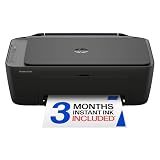
- PERFECT FOR BASIC PRINTING NEEDS – Print everyday color documents like to-do lists, letters, financial documents and recipes
- KEY FEATURES – Color print, copy, scan, and a 60-sheet input tray, plus mobile and wireless printing
- OPTIMIZE PRINT FORMATTING WITH HP AI – Print web pages and emails with precision—no wasted pages or awkward layouts; HP AI easily removes unwanted content, so your prints are just the way you want
- ICON LCD – Print your basic documents with ease from the intuitive control panel
- PRINT SPEED – Up to 7.5 ppm black, 5.5 ppm color
How should a business choose between laser, cartridge inkjet, and ink tank?
Printer technology should follow the business’s actual page mix and maintenance tolerance, not the lowest advertised purchase price.
What’s actually slowing this PC down?
Pick the symptom - the matching free tool is one click away.
| Printer type | Best for | Advantages | Disadvantages |
|---|---|---|---|
| Monochrome laser | Invoices, contracts, forms, accounting records, and shipping documents | Fast sharp text, no color-toner expense, and generally low maintenance for regular office documents | No color; some models separate toner and drum replacement |
| Color laser | Shared offices, proposals, presentations, charts, and marketing documents | Fast consistent document output, sharp text, network-friendly operation, and no ink-drying issue | Higher purchase price, potentially expensive toner, and usually weaker photo quality than a photo inkjet |
| Cartridge inkjet | Low-volume color and occasional photo-quality output | Low initial price, good color and photo quality, and some wide-format options | Ink can be expensive, printheads may clog when rarely used, and sustained document output is usually slower |
| Refillable ink tank | High-volume color, flyers, graphics, classrooms, studios, and retail materials | Very low supply cost per page when used regularly and high included ink yields | Higher initial price, slower output than laser, and ongoing inkjet maintenance |
Laser printers are generally better suited to regular shared-office documents, while refillable ink tanks can be more economical for large color workloads. Cartridge inkjets remain useful when the initial purchase price and occasional high-quality color matter more than sustained throughput. Inkjet printhead clogging is a risk rather than an inevitable outcome, and the risk is more relevant to printers left unused for long periods.
How many pages should a small-business printer handle?
A business should estimate average pages, seasonal peaks, and pages produced by every employee before selecting a printer. The following practical bands are editorial planning ranges, not universal industry standards:
| Monthly workload | Typical situation | Likely direction |
|---|---|---|
| Under 100 pages | Occasional home-office or freelancer printing | Basic monochrome laser, cartridge inkjet, or outside printing may be sufficient. |
| 100–500 pages | Light office use | Compact monochrome or color multifunction printer. |
| 500–2,000 pages | Regular small-office use | Business-oriented laser MFP with duplex printing and an ADF. |
| 2,000–6,000 pages | Busy small team | Higher-capacity laser MFP with stronger paper handling and supply availability. |
| More than 6,000 pages or frequent large runs | Desktop printer becomes a bottleneck | Workgroup MFP, managed print service, or separate devices. |
Brother’s business-printer guidance covers an approximate recommended range of 200–6,000 pages per month across its business lineup. Xerox positions the B225 and B235 at average monthly use of 2,500 pages and the B305 and B315 at 6,000 pages. These manufacturer workload figures are more useful than treating a maximum duty cycle as a target, but they still do not replace an analysis of the business’s real peaks and document mix.
Calculate workload as: average monthly pages + seasonal peak volume + pages generated by all employees. Also record the percentage of pages printed in color, the percentage printed duplex, paper sizes, envelopes, labels, cardstock, and whether multiple computers will send jobs simultaneously.
Which printer features matter most for a small business?
Automatic duplex printing
Automatic duplex printing should be a default requirement for most offices because it reduces paper use and makes reports and contracts easier to handle. Confirm that duplex printing is automatic rather than requiring the user to reload pages manually.
Duplex scanning
Duplex scanning matters when employees digitize two-sided contracts, forms, or invoices. A printer can offer automatic duplex printing while its ADF scans only one side, so comparison tables should label automatic duplex printing and two-sided ADF scanning separately.
Single-pass duplex scanning scans both sides in one pass. A two-pass implementation may turn the document over internally or require a different process. Do not assume that a specification saying “duplex scanning” automatically means single-pass scanning; confirm the manufacturer’s exact implementation.
Automatic document feeder
Evaluate ADF capacity, actual scan speed, whether both sides are scanned, mixed-size support, and feed behavior with receipts or thin originals. A 50-page ADF does not prove that the scanner is fast or reliable with every document type. Receipts, labels, stapled pages, carbonless forms, folded documents, and mixed paper sizes can cause misfeeds.
Also popular on Amazon

- AFFORDABLE ALL-IN-ONE FOR HOME AND HOME OFFICE: Print, copy, and scan on one compact wireless printer designed for everyday home office printing, schoolwork, documents, and reports. Produce beautiful prints for results that stand out.
- EASY TO USE WITH CLOUD APP CONNECTIONS: Print from and scan to popular Cloud apps(2), including Google Drive, Dropbox, Box, OneDrive, and more from the simple-to-use 1.8” color display on your printer.
- FULL-SIZE FEATURES IN A COMPACT DESIGN: This printer includes automatic duplex (2-sided) printing, a 20-sheet single-sided Automatic Document Feeder (ADF)(3), and a 150-sheet paper tray(3). Engineered to print at fast speeds of up to 16 pages per minute (ppm) in black and up to 9 ppm in color(4).
- MULTIPLE CONNECTION OPTIONS: Connect your way. Interface with your printer on your wireless network or via USB.
- MOBILE PRINTING MADE EASY: Go mobile with the Brother Mobile Connect app(5) that delivers easy onscreen menu navigation for printing, copying, scanning, and device management from your mobile device. Monitor your ink usage with Page Gauge to help ensure you don’t run out(6).
Paper capacity
A 250-sheet tray is a useful baseline for a small shared office. Larger capacity reduces refills, while multiple trays help offices that switch between letter paper, envelopes, labels, and specialty stock. Compact models often save space at the cost of smaller trays and less robust document handling.
Ethernet, Wi-Fi, and mobile printing
Ethernet is preferable for a fixed printer shared by several employees or connected to a managed business network. Wi-Fi is convenient for a home office, flexible placement, and small teams. Check Apple AirPrint, Mopria, Chromebook support, manufacturer mobile apps, scan-to-email, and scan-to-cloud features, but do not treat mobile printing as a substitute for proper network administration.
Security and administration
Businesses handling financial, medical, legal, tax, customer, or employee information should examine secure print with PIN release, user authentication, encrypted network communication, firmware-update support, administrator controls, secure storage and data deletion, network segmentation, and centralized fleet management.
HP positions Wolf Security and Web Jetadmin as features of its LaserJet Enterprise systems, while Xerox highlights ConnectKey technology in its business lineup. HP’s information on the LaserJet Enterprise MFP M528f and other HP business printers describes a 45-pages-per-minute monochrome model positioned for teams of up to 30 employees with scanning, copying, security, and fleet-management features. Enterprise features are valuable only when the business can use and administer them.
Free tools Windows power users keep installed
One-click scans. No signup required.
How much does a small-business printer really cost?
Total cost of ownership includes the printer, paper, standard and high-yield supplies, drums, fusers, waste-toner containers, maintenance kits, optional subscriptions, warranty or service, and eventual replacement. A low purchase price can be misleading when the included starter toner has a reduced yield or replacement cartridges are expensive.
Use this basic calculation:
Cost per page = cartridge or ink-pack price ÷ rated page yield
For color printing:
Color cost per page = black cost per page + cyan cost per page + magenta cost per page + yellow cost per page
Use the same assumptions for every model: U.S. letter paper, the same standardized coverage assumption, high-yield supplies where available, manufacturer-rated yields, and consistent treatment of tax and shipping. Page yields are standardized estimates; full-color graphics, heavy logos, shaded charts, and photographs consume more supplies than lightly covered text pages.
Quick wins for a faster PC:
Scan for outdated or missing drivers - takes under a minuteDriver Scan →Repair Windows errors before they cause bigger problemsFix Now →A useful 12-month comparison is:
Annual ownership cost = printer price + (monthly pages × 12 × supply cost per page) + paper cost + annual maintenance and subscription cost
Also popular on Amazon

- The OfficeJet Pro 8125e is perfect for home offices printing professional-quality color documents like business documents, reports, presentations and flyers. Print speeds up to 10 ppm color, 20 ppm black
- PERFECTLY FORMATTED PRINTS WITH HP AI – Print web pages and emails with precision—no wasted pages or awkward layouts; HP AI easily removes unwanted content, so your prints are just the way you want
- UPGRADED FEATURES – Fast color printing, scan, copy, auto 2-sided printing, auto document feeder, and a 225-sheet input tra
- WIRELESS PRINTING – Stay connected with our most reliable dual-band Wi-Fi, which automatically detects and resolves connection issues
- 3 MONTHS OF INSTANT INK WITH HP+ ACTIVATION – Subscribe to Instant Ink delivery service to get ink delivered directly to your door before you run out. After 3 months, monthly fee applies unless cancelled.
Separate black-and-white and color pages in the calculation. Include drum and maintenance costs when the manufacturer treats those as separate consumables. Also compare starter yield, standard yield, high-yield yield, and whether the included cartridges are full-capacity supplies. TechRadar has specifically criticized limited setup toner on one Xerox model and notes that high-yield cartridges may be required for competitive cost per page.
Does a printer subscription save money?
A printer subscription saves money only when the plan matches the business’s actual page volume and terms. Subscription benefits can include automatic supply delivery, predictable billing, and less risk of running out of ink, but a business may overpay when monthly printing is irregular.
Check whether the plan charges by page rather than by ink consumed, whether unused pages expire or roll over, what happens after cancellation, and whether subscription cartridges can be used outside the plan. RTINGS notes that HP’s ink-replenishment service may temporarily offset ink costs but blocks third-party cartridges while the subscription is active. Read the current U.S. plan terms before treating any subscription as a saving.
Do these 3 things before closing this tab:
1Fix the driver behind crashes, sound loss and screen glitches2Clear out junk files and repair common Windows errors3Scan for outdated or missing drivers - takes under a minuteWhen should a business buy a larger MFP or managed-print service?
A business should move beyond a desktop printer when multiple employees create long queues, paper trays require constant refilling, toner is replaced repeatedly, multipage scanning is too slow, maintenance warnings are frequent, or downtime has a meaningful financial cost.
Xerox lists the VersaLink B415 for workgroups of 1–10 users and average monthly use of 20,000 pages. HP positions the LaserJet Enterprise MFP M528f for teams of up to 30 employees. Those figures describe manufacturer positioning, not a recommendation to print at the maximum every month. A larger MFP may be justified by security, user authentication, accounting codes, remote administration, service access, and uptime even before volume reaches the maximum rating.
Consider a managed print service, a separate document scanner, two specialized printers, or an outside print vendor when one device cannot economically handle every workflow. A separate monochrome printer can preserve basic operations if a color device is being serviced, while a dedicated scanner can be faster and more reliable when scanning—not printing—is the primary task.
What should you check before buying?
- Measure pages: Record average monthly pages, seasonal peaks, and pages generated by all users.
- Measure color: Estimate the percentage of black-only, lightly colored, and graphic-heavy pages.
- Choose the device type: Decide between print-only and multifunction printing, scanning, copying, or faxing.
- Test scanning needs: Confirm ADF capacity, actual scan speed, two-sided scanning, and single-pass operation.
- Check paper handling: Confirm tray capacity and support for envelopes, labels, cardstock, mixed sizes, or tabloid paper.
- Plan connectivity: Choose Ethernet for a fixed shared office when reliability and administration matter; add Wi-Fi and mobile support when useful.
- Audit security: Look for secure release, authentication, encrypted communication, firmware support, and data deletion controls.
- Calculate ownership cost: Compare high-yield supply prices, yields, drums, maintenance kits, subscriptions, paper, warranty, and service.
- Check availability: Verify current U.S. model status, drivers, warranty, local service, and supply availability.
- Plan for downtime: Decide whether a backup printer or outside vendor is necessary.
Final recommendations by business type
| If the business is… | Start with… | Why |
|---|---|---|
| A freelancer or home office printing occasionally | Compact monochrome laser, cartridge inkjet, or outside printing | A high-priced business laser may not recover its cost at very low volume. |
| A shared office printing regular color documents | Brother MFC-L8930CDW or Xerox C325 | Color laser speed, sharp documents, and multifunction capability suit shared queues. |
| A document-heavy black-and-white office | Brother MFC-L2820DW | Monochrome printing avoids color-supply costs. |
| Scanning two-sided documents frequently | Brother MFC-L2740DW or a color MFP with a dual-scan ADF | Single-pass or dual-scan ADF capability saves workflow time. |
| Printing high volumes of color graphics | Canon MAXIFY GX7020 or a current business ink-tank equivalent | Lower color supply costs can outweigh slower output. |
| Printing tabloid documents | Epson WorkForce Pro WF-7310 | Wide-format capability is the deciding requirement. |
| A 5–10-person office with substantial volume | Higher-capacity laser MFP such as Xerox B305/B315 or VersaLink class | Paper handling, workload positioning, and administration become more important. |
| A larger team with sensitive documents | HP LaserJet Enterprise or Xerox VersaLink | Security, fleet management, service, and centralized administration may justify the cost. |
Frequently Asked Questions
Is a laser printer better than an inkjet for a small business?
A laser printer is usually better for regular text-heavy office documents because laser models are fast, produce sharp text, and avoid ink-drying issues. A refillable ink-tank printer can be more economical for high-volume color printing when slower output and inkjet maintenance are acceptable.
Windows Errors? Fix Them Before They Spread
Repair common Windows errors and clear accumulated junk for a smoother, more stable PC - no reinstall needed.Free scan · no reinstallOutdated Drivers Are Slowing You Down
One free scan finds every outdated or missing driver and matches the right update for your exact hardware.Free scan · exact hardware matchWhat is the difference between duplex printing and duplex scanning?
Duplex printing automatically prints on both sides of a sheet, while duplex scanning captures both sides of an original through the document feeder. A printer can support duplex printing without supporting two-sided ADF scanning, so the two specifications must be checked separately.
Is the Brother MFC-L2820DW suitable for scanning two-sided documents?
The Brother MFC-L2820DW is not ideal for frequent two-sided scanning because RTINGS reports that it does not offer duplex scanning. Choose a model such as the Brother MFC-L2740DW when single-pass duplex scanning and copying are important.
Are ink-tank printers cheaper than laser printers?
Ink-tank printers can have lower color supply costs, but they are not automatically cheaper overall. The result depends on purchase price, page volume, color coverage, ink-bottle prices, maintenance, speed requirements, and whether the business prints regularly enough to use the ink.
When does a small business need an enterprise multifunction printer?
A business should consider an enterprise or workgroup MFP when several employees create long queues, scanning is slow, security and user authentication are required, downtime is costly, or print volume exceeds desktop-class capacity. A larger MFP is not justified solely by its maximum monthly duty-cycle number.
Quick wins for a faster PC:
Scan for outdated or missing drivers - takes under a minuteDriver Scan →Clear out junk files and repair common Windows errorsFree Scan →Fix the driver behind crashes, sound loss and screen glitchesFind Drivers →The Bottom Line
For most shared small offices, choose a color laser all-in-one with automatic duplex printing, an ADF, Ethernet, Wi-Fi, and high-yield toner; the Brother MFC-L8930CDW is the strongest general starting point. Choose the Brother MFC-L2820DW for mostly black-and-white documents, the Brother MFC-L2740DW for compact two-sided scanning, the Xerox C325 for color scanning and copying, and the Canon MAXIFY GX7020 when low color-supply cost matters more than laser speed. Verify current U.S. prices, availability, supply yields, and warranty terms before ordering.

