
Do these 3 things before closing this tab:
1Scan for outdated or missing drivers - takes under a minute2Clear out junk files and repair common Windows errors3Fix the driver behind crashes, sound loss and screen glitchesiTechGuides is reader-supported. When you buy through links on our site, we may earn an affiliate commission. As an Amazon Associate I earn from qualifying purchases. Learn more
The best medical records app for Android and iOS depends on what you need: a provider portal for official clinical records, a personal health record for combining providers, a document vault for PDFs and scans, or a medication manager. No single app automatically contains every medical record, and provider participation, device, geography, permissions, and export options determine what an app can actually access. Our top pick for most people whose care is spread across several U.S. providers is Triangle Health, which requests your records through the national networks and keeps them in one history.
This guide focuses on the strongest choices for U.S. Android and iPhone users and was last updated in November 2026. Many app roundups mix patient portals, fitness-data layers, medication reminders, and document organizers as though they were interchangeable. They are not, so each pick below says which job it does best.
Key takeaways
- Triangle Health is our top pick for records spread across several U.S. providers: it requests them through Carequality and TEFCA, accepts uploads, and keeps one plain-language history for $9 a month after a 7-day free trial.
- MyChart and FollowMyHealth are provider portals, so their usefulness depends on whether a hospital or clinician supports the platform.
- Apple Health is the strongest built-in health hub for iPhone users, while Health Connect is an Android data-sharing layer rather than a complete medical-record vault.
- Google Health can connect eligible users to records from U.S. providers and accept medical documents, but Google says imported information is not the provider’s official record.
- Guava and The Well are personal health-record options for combining information across providers, while CareClinic and Medisafe focus mainly on medications, symptoms, and caregiving.
- A document organizer can store scans and PDFs that no provider connection supports, but manual uploads create an ongoing maintenance and backup responsibility.
What is the best medical records app for Android and iOS?
Triangle Health is our top pick for most people whose records are spread across several U.S. providers, because it requests the records for you and keeps them in one history. No app holds every record, though: keep your doctor or hospital’s official patient portal for the authoritative chart, and add a medication app if that is the main need.
Recommended Free Tools
| Need | Best starting point | Why | Main limitation |
|---|---|---|---|
| Records from several U.S. providers in one history | Triangle Health | Connects Epic MyChart at 100,000 care locations, requests records through Carequality and TEFCA, adds Apple Health, Health Connect and wearables, and keeps one history you can share | $9 a month after a 7-day free trial |
| Official hospital or doctor records | MyChart or FollowMyHealth | Provider-connected results, visits, messages, appointments, and medication information | Works only where the healthcare organization participates |
| iPhone health hub and emergency information | Apple Health | Built into iPhone and includes Medical ID, health records from participating providers, medications, and sharing | Apple ecosystem and provider support limit portability |
| Android health-data sharing | Health Connect | Centralizes permissions and data exchange between compatible Android apps | Does not store a complete hospital chart or act as a document vault |
| Connected Android medical records | Google Health | Supports provider connections and medical-document uploads for eligible users | Current documented workflow is limited by U.S. provider, age, device, and rollout requirements |
| Multiple providers in one personal timeline | Guava | Designed to organize personal health information, medications, documents, and connected records | Every provider and integration must be checked before migration |
| Portable, shareable health history | The Well | Combines patient-provided information, connected data, and records retrieved through Fasten Health | AI-generated summaries require checking against original records |
| Medication reminders and adherence | Medisafe | Medication-focused reminders, tracking, and organization | Not a replacement for a clinical chart |
| Caregiving, medications, and symptoms | CareClinic | Tracks medications, symptoms, and appointments and shares summaries with doctors or caregivers | Mostly self-entered data, not a provider’s official record |
What does “medical records app” mean?
A medical records app can refer to several different product categories. Knowing the category prevents choosing a medication reminder when you really need lab results, or a fitness-data hub when you need a hospital’s visit notes.
Popular on Amazon

- Large Capacity with 13 Pockets:Designed with 13 expandable pockets, this accordion file folder can hold up to 2000 sheets of A4 or Letter size paper, making it ideal for organizing bills, receipts, invoices, tax documents, medical records, and important files.
- Monthly Tabs & Blank Labels for Easy Organization:Comes with month tabs and blank writable labels, allowing you to organize documents by month or create your own filing system. Easily locate and manage paperwork at a glance.
- Upright Storage Design for Desk, Shelf or Cabinet Use:The structured design allows the file folder to be stored upright on desks, bookshelves, or in filing cabinets, helping keep documents accessible and your workspace organized.
- Expandable Yet Portable:Expands up to 12 inches wide when fully loaded, providing generous storage capacity. When closed, it becomes compact enough to fit into backpacks or briefcases, making it convenient for meetings, school, or travel.
- Durable Waterproof PP Material with Secure Closure:Made from high-quality PP plastic, this file folder is lightweight, waterproof, and durable for long-term use. The adjustable closure design keeps documents secure, even when the folder is fully expanded.
| Category | What it does | What it does not guarantee |
|---|---|---|
| Patient portal | Connects you to a participating hospital, clinic, or health system | Access to records from every provider you have ever used |
| Personal health record (PHR) | Lets you collect information from multiple providers, devices, documents, and manual entries | Automatic access to every clinical record or a replacement for the provider’s EHR |
| Electronic health record (EHR) | The healthcare organization’s official clinical record | That a consumer app can replace or control the provider’s chart |
| Health-data hub | Aggregates health, fitness, wearable, and compatible-app data | A complete set of hospital notes, imaging, or billing records |
| Document vault | Stores PDFs, scans, images, insurance cards, and notes | That uploaded documents are automatically verified or synchronized |
| Medication manager | Tracks doses, reminders, refills, and adherence | Full access to labs, imaging, physician notes, or a longitudinal chart |
Which medical records apps are best?
1. Triangle Health — best for pulling together your records from different doctors and hospitals
Best for: people whose records are spread across several hospitals, practices, and specialists, especially anyone managing cancer or a chronic condition, who want the records requested for them and read in plain language.
Triangle Health is an iPhone, Android, and web app that gets all your medical records in one place. It pulls together records from your different doctors and hospitals, your Medicare claims, your wearable data, and your genetic test reports, and organizes them by condition into one history you control.
Triangle connects to MyChart at 100,000 Epic care locations. When yours shows Connect in Triangle, you sign in on its own MyChart page, approve access and start the import, and those records usually arrive in under 5 minutes. After an identity check and one authorization, Triangle also requests your records from hospitals and clinics through the national health information networks, Carequality and TEFCA, with a clinician signing the request alongside you. The networks return what participating providers hold, so check that your key providers respond and request anything missing directly. Sign in with Medicare.gov and Triangle also downloads your Part A, B, and D claims through Blue Button, and anything you upload, such as PDFs, photos of paper records, and genetic test reports, sits beside the requested records.
The Tool Desk
Outbyte Driver Updater FREEFix the driver behind crashes, sound loss and screen glitchesFind Drivers →Outbyte PC Repair FREEClear out junk files and repair common Windows errorsFree Scan →Connect Apple Health in the iPhone app or Google Health Connect in the Android app, or link Fitbit, Garmin, Oura, Whoop, Withings, or Dexcom, and your readings sit beside your lab results. You can ask questions about your own records in plain language and check where each finding came from, keep one medication list built from your connected prescription records, and take questions into your next appointment. You can also connect ChatGPT or Claude and choose what each one can read. Answers are educational, not medical advice; Triangle does not diagnose, treat, or prescribe, and your care team makes the decisions.
Sharing is built in: invite family, caregivers, and doctors, choose who can only view and who can help manage, and remove anyone at any time. One membership holds up to 10 profiles, so you can set it up for a parent. Triangle is HIPAA-compliant, never sells your health information or uses it for advertising, and is listed in Medicare’s app library. It costs $9 a month after a 7-day free trial that needs a card to start, and you can cancel any time and keep your records. Native apps are on the App Store and Google Play, and the web app is at app.trianglehealth.com.
Verdict: Pick Triangle Health if you want your medical records, wearable data and genetic test reports in one history, on iPhone, Android, or the web. It is the strongest single place to gather a fragmented U.S. medical history and prepare for appointments. Keep each provider’s portal for the official chart.
2. Apple Health — best for iPhone users and emergency information
Best for: iPhone owners who want a built-in health hub, Medical ID, medication tracking, and records from participating healthcare providers.
Apple describes Health as a central place for information such as medications, sleep, activity, and other health data. Apple Health can also bring together supported health records, immunizations, device information, and compatible third-party app data.
Apple Health is especially useful for emergency preparation. To configure Medical ID, open Health, tap the profile picture, choose Medical ID, tap Edit, add relevant information, and enable Show When Locked if you want the emergency profile available from the Lock Screen. Verify the result after saving.
Medical ID is an emergency summary, not a complete medical chart. Add high-value information such as allergies, conditions, current medications, emergency contacts, blood type, and organ-donor status rather than trying to place every document on the Lock Screen.
Apple says Health data is encrypted on the device, and iCloud health data can receive end-to-end encryption when the account has default two-factor authentication enabled. Apple Health still does not replace a provider portal, and Health Records availability depends on participating institutions and supported regions.
Verdict: Apple Health is the best first choice for an iPhone-centered household, especially when Medical ID and health-data organization matter. It is not the best choice for an Android-only household or for a person whose providers do not support its health-record connections.
3. Google Health — best developing medical-record hub for eligible U.S. Android users
Best for: eligible U.S. users who want connected medical records and uploaded medical documents in Google’s health environment.
Google’s current documentation describes three ways to add medical records: connecting directly to a provider, finding a provider after identity verification with CLEAR, and uploading documents such as PDFs, images, and screenshots.
Also popular on Amazon

- HIGH QUALITY FIREPROOF FILING BOX: Fireproof lock box is made of double layered non-itchy silicone coated fiberglass which stands up the temperature up to 2000℉.It has been passed by SGS TEST(UL94 VTM-0 Certified). The design of High-quality 2 way zipper provides great convenience when using. The non-slip pad on the bottom makes the document box more durable and stable.
- Large-capacity File Box:Fireproof document box 15.5 x 12 x 10.5 inches file box not only enlarger the room and capacity to store, but also makes it more well-organized. 1 large pocket, 4 mesh bags, 3 U Disk positions and 6 card slots. And there are also 4 outer pockets in the both sides of the document box to hold your small items.
- Anti-theft Lock Protection:Coded lock of zipper in the storage box can protect your important file in office or your home, especially for those who have kids and pets. Also, the side reflective strip of the storage box allows you to find it quickly even in the dark evening.
- Portable Fireproof Storage Box:Document organizer with lighter and sturdy handles, our fireproof box can be moved and carried more easily. You can use it in many places like home, office, car or outdoor activities. The inside of the filing box is supported by PP material, which is not easy to deform, so you can easily fold or stack multiple boxes together.
- AFTER-SALES SERVICE: File organizer box provide one year warranty, If there any quality problem, please feel free to let us know. We promise to arrange a replacement or 100% refund immediately.
For the documented medical-record workflow, Google lists a Google Account, an age requirement of at least 18 or the applicable country requirement, records from a U.S.-located provider, and Android 14 or higher. Google Health is an evolving product, so availability and feature labels should be checked for the reader’s country, device, account, and date of use.
Google’s documented connection path is Google Health → Connections → Partner apps on Android, or Apps and services on iOS where available, followed by Add connections → Medical records. The user then selects or searches for a provider and authenticates if prompted.
Google says Google Health syncs data from the provider but does not share data back to that provider. Google also states that imported records are not the official records held by the healthcare provider. Keep the provider portal as the authoritative source and compare imported medications, allergies, dates, and results against it.
Verdict: Google Health is promising for eligible U.S. Android users who want connected records plus uploaded documents. Google Health should not be presented as a universal replacement for a hospital portal or as a guaranteed cross-provider archive.
4. Health Connect — best Android companion for sharing health data between apps
Best for: Android users who need to manage which compatible health, fitness, wellness, and wearable apps can read or write shared data.
What’s actually slowing this PC down?
Pick the symptom - the matching free tool is one click away.
Health Connect is primarily a centralized Android permissions and data-sharing layer. It can help compatible apps exchange supported health and fitness information under user-controlled permissions.
Health Connect is not a complete personal health record, universal patient portal, or document vault. Health Connect does not automatically contain a user’s full hospital chart, and one app’s ability to write data does not guarantee that every other app can read it.
Verdict: Use Health Connect alongside Google Health, a provider portal, a disease-specific app, or a wearable platform. Do not select Health Connect as the only solution if the main need is storing physician notes, scanned insurance cards, imaging reports, or discharge paperwork.
5. Epic MyChart — best official portal when a provider uses Epic
Best for: patients whose hospital, clinic, or physician uses Epic.
Windows Errors? Fix Them Before They Spread
Repair common Windows errors and clear accumulated junk for a smoother, more stable PC - no reinstall needed.Free scan · no reinstallOutdated Drivers Are Slowing You Down
One free scan finds every outdated or missing driver and matches the right update for your exact hardware.Free scan · exact hardware matchMyChart is Epic’s patient-facing platform. Depending on the healthcare organization’s configuration, MyChart may provide test results, visit summaries, medication lists, appointments, secure messages, prescription renewals, billing, proxy access, and record-sharing or download tools.
MyChart is not one universal database with identical information for every user. The participating healthcare organization controls the available features, the history shown, the speed at which results appear, and proxy permissions. A MyChart account at one health system may not automatically show records from an unrelated hospital.
Look for the official portal link on the provider’s website before downloading the app. If a provider does not use Epic, the MyChart app alone may provide little or no useful record access.
Verdict: MyChart is usually the first app to install when a provider offers it. It is the strongest option for official provider communication and records, but not necessarily the best place to combine records from unrelated health systems.
Free tools Windows power users keep installed
One-click scans. No signup required.
6. FollowMyHealth — strong provider portal alternative
Best for: patients whose healthcare organization uses FollowMyHealth.
Also popular on Amazon

- ORGANIZE UP TO 2,000 SHEETS:Store tax records, medical documents, insurance papers, receipts, school assignments, and office files in one place. Expands up to 12 inches and holds up to 2,000 sheets of A4 or letter-size paper.
- STANDS UPRIGHT FOR EASY ACCESS:Unlike traditional accordion folders, the flap can be secured behind the folder using the rear locking hole. Keep documents visible and within reach while sorting, reviewing, or filing paperwork on your desk.
- SORT BY MONTH OR CATEGORY:Includes 12 monthly labels, 24 blank labels, and 12 dividers for flexible organization. Easily manage bills, invoices, projects, household records, school subjects, or client files.
- LARGE TABS & UPGRADED INDEX CARD:Large 4.5 × 1.5 cm tabs provide more writing space for clear labels. The upgraded front index card features larger writing grids, making notes and file references easier to read.
- SOFT-TONE DESIGN & EVERYDAY PROTECTION:Features dividers in Dusty Blue, Blush Pink, Warm Beige, Butter Yellow, Sage Green, and Lavender for easy visual organization. Made from lightweight water-resistant PP material with a flap cover and elastic cord closure to help keep documents protected and organized.
FollowMyHealth provides a patient-access and sign-in experience for participating healthcare organizations. Depending on the organization, the portal may support lab results, appointments, secure messaging, medication workflows, and proxy access.
FollowMyHealth should be compared with MyChart through the patient’s actual provider rather than by assuming that every installation offers the same features. Check whether the provider supports appointment scheduling, refill requests, historical results, family access, record downloads, and messaging.
Verdict: FollowMyHealth is a good official portal when the reader’s provider supports it. Provider compatibility matters more than a general app-store ranking.
7. Guava — best personal health-record organizer for fragmented records
Best for: people who use multiple providers and want a personal timeline containing health information, medications, documents, and connected data.
Guava presents itself as a personal health-information manager with native apps for iOS and Android plus web access. Its free plan syncs patient-portal records, connects fitness and medical devices, tracks symptoms and medications, and lets you upload documents and share records with doctors or family.
Guava is a personal health record, not the official EHR maintained by a hospital. Before migrating records, check whether the reader’s specific providers and laboratories are supported, whether imports include full results or only summaries, and whether synchronization is one-way or two-way.
Premium costs $8 a month or $78 a year (checked November 6, 2026) and adds an emergency card, automatic insights, unlimited profile managers for families and caregivers, lab-result import from uploaded reports, and the Guava Assistant. Check the plans page before buying, because the split between free and paid features can change.
Quick wins for a faster PC:
Clear out junk files and repair common Windows errorsFree Scan →Scan for outdated or missing drivers - takes under a minuteDriver Scan →Repair Windows errors before they cause bigger problemsFix Now →Verdict: Guava is a strong candidate for consolidating fragmented records, provided the required integrations and export controls work for the reader’s providers.
8. The Well — best for a portable, shareable health history
Best for: people who want a structured health history that can be shared with a new provider or used to provide context about symptoms and lifestyle.
Medicare describes The Well as a portable, shareable medical-record network. Medicare’s description says The Well can use patient-provided information, connected-device data, and patient records retrieved through Fasten Health over the TEFCA network.
The Well can be useful when a patient wants a health-history summary rather than merely a folder of disconnected files. The app’s AI-assisted summaries should be treated as organizational aids. Compare any generated history, summary, or documentation with the original provider records before sharing it or relying on it in a medical decision.
Verdict: The Well is a useful option for portable health histories and sharing, particularly for readers who value structured summaries. It should not be treated as an autonomous diagnostic tool or as proof that every provider record has been retrieved.
9. CareClinic — best for caregiving, medications, and symptom tracking
Best for: patients and caregivers managing several medications, recurring symptoms, and appointments.
CareClinic combines medication reminders and tracking, a symptom and health journal, and storage for labs, vaccines, and imaging results in one searchable place. It prepares summaries for appointments and can share data with family members or caregivers. CareClinic lists apps for iPhone, iPad, Android, Apple Watch, and Mac, plus web access.
Also popular on Amazon
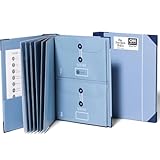
- Keep important documents safe: A document organizer designed to protect papers from getting lost. Store birth certificates, social security cards, wills, tax forms, insurance policies, titles & more in one secure place.
- Easy to organize and find: Folders with pockets and a table of contents help track where documents live, while 33 hand-illustrated labels show what to save. Acid-free materials protect your papers for years to come.
- Fits documents of various sizes: This document binder includes 3 vertical and 3 horizontal envelopes for 8.5 x 11 inch papers, plus 4 half-size envelopes for smaller keepsakes and important details.
- Practical and easy to use: An important document folder organizer with a front pouch that provides a quick landing space for papers before filing, making it easy to stay organized as documents come in.
- Premium quality, timeless style: Made with custom-dyed cloth, reinforced edges, and acid-free paper for long-term durability. An elegant file organizer designed to beautifully complement your office or living room décor.
CareClinic belongs in the medication and caregiving category, not beside MyChart as though both were complete clinical-record systems. Most of what it holds is entered by you, and a caregiver may still need formal proxy access through a hospital portal for test results, clinician messages, and appointments.
The Tool Desk
Outbyte PC Repair FREEClear out junk files and repair common Windows errorsFree Scan →Outbyte Driver Updater FREEFix the driver behind crashes, sound loss and screen glitchesFind Drivers →Verdict: CareClinic is a useful complement for medication-heavy caregiving and chronic-symptom tracking. It is not the right primary app for imaging, physician notes, or a complete longitudinal chart.
10. Medisafe — best medication reminder and adherence companion
Best for: people taking several scheduled medications who need dose reminders, adherence tracking, and medication organization.
Medisafe’s official site emphasizes medication and patient-engagement tools. The consumer app, available for iPhone and Android, centers on dose reminders, logging doses as taken or skipped, and refill reminders, and it can alert a family member or caregiver when a dose is missed.
Medisafe is medication-focused. Medisafe should not be chosen as the main repository for imaging reports, discharge papers, physician notes, or a complete provider record. Reminder software also does not replace advice from a clinician or pharmacist.
Verdict: Medisafe is a good medication-management companion when adherence is the central problem and a poor substitute for a patient portal or personal health-record system.
How should you choose a medical records app?
Choose by data source first, then compare portability, sharing, privacy, cost, and maintenance burden.
- Identify the source of the records. If the records belong to a hospital or doctor, find the provider’s official portal first. If the records are spread across providers, consider a PHR. If the information is mostly paper or PDF, consider a document vault.
- Check provider compatibility. Verify the exact hospital, clinic, laboratory, or EHR connection. “Available on Android and iOS” does not mean “works with every hospital.”
- Check what actually imports. Ask whether the app receives lab values, medications, immunizations, allergies, notes, encounter history, imaging reports, or only a summary.
- Check synchronization direction. A connection may be one-way. Imported information may not update the provider’s chart, send corrections, or transmit a new medication list.
- Check export and exit options. Prefer apps that can export or share records as PDF and, where supported, a machine-readable format such as FHIR or CCD.
- Check caregiver permissions. Look for separate profiles, formal proxy access, read-only permissions, editing permissions, revocation, and dependent-adult or child support.
- Check privacy and recovery. Review encryption statements, biometric or passcode protection, multifactor authentication, account deletion, cloud storage, advertising disclosures, and recovery after losing a phone.
- Check the real cost. Separate free patient access, a free app download, a free tier, subscriptions, provider-sponsored access, and optional premium features.
- Check the maintenance burden. Automatic provider synchronization requires less work than a document vault, but every imported record still needs occasional review for duplicates and stale information.
What should a medical records app store?
A useful personal record may include laboratory reports, imaging reports and images, discharge papers, specialist notes, prescriptions, medication history, vaccination records, allergies, conditions, insurance cards, advance directives, emergency contacts, blood-pressure readings, glucose readings, weight, symptoms, receipts, and medical bills.
Not every app supports every item. Patient portals are usually strongest for provider-generated clinical information. Document organizers are usually strongest for PDFs and scans. Medication apps are strongest for schedules and reminders. Health hubs are strongest for device and compatible-app data.
Can a medical records app connect to multiple hospitals?
Some apps can connect to multiple providers, but no app should be assumed to collect every record automatically. Network-based apps reach the most hospitals at once: Triangle Health requests records through Carequality and TEFCA, and The Well retrieves records through Fasten Health over TEFCA. Connection success depends on provider participation, EHR interoperability, identity matching, geography, age, device version, permissions, and whether the provider exposes the particular data type.
Medicare’s connected-app information provides a route for users to explore apps that support health-record management and related Blue Button capabilities. A directory listing is not a guarantee that a specific app will import every record from every provider.
How should families and caregivers share medical records?
Use formal proxy access or separate family profiles whenever possible instead of sharing one password. Formal access makes it possible to define what another person can see, whether the person can edit information, and how access can be revoked.
Check whether the app supports child and dependent-adult accounts, shared medication lists, caregiver alerts, read-only access, and separate profiles. Triangle Health, for example, holds up to 10 profiles in one membership, and each person whose records are requested completes their own identity check and consent. Google’s current instructions limit medical-record syncing to the user’s own records and state that parents may not sync their children’s records into Google Health on their behalf. Provider portals may offer different proxy workflows.
What should be on an emergency Medical ID?
An emergency Medical ID should contain a short, current summary: serious allergies, major conditions, current high-risk medications, emergency contacts, blood type if known, and organ-donor status where relevant.
Also popular on Amazon
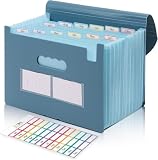
- Large Capacity with 13 Pockets:Designed with 13 expandable pockets, this accordion file folder can hold up to 2000 sheets of A4 or Letter size paper, making it ideal for organizing bills, receipts, invoices, tax documents, medical records, and important files.
- Monthly Tabs & Blank Labels for Easy Organization:Comes with month tabs and blank writable labels, allowing you to organize documents by month or create your own filing system. Easily locate and manage paperwork at a glance.
- Upright Storage Design for Desk, Shelf or Cabinet Use:The structured design allows the file folder to be stored upright on desks, bookshelves, or in filing cabinets, helping keep documents accessible and your workspace organized.
- Expandable Yet Portable:Expands up to 12 inches wide when fully loaded, providing generous storage capacity. When closed, it becomes compact enough to fit into backpacks or briefcases, making it convenient for meetings, school, or travel.
- Durable Waterproof PP Material with Secure Closure:Made from high-quality PP plastic, this file folder is lightweight, waterproof, and durable for long-term use. The adjustable closure design keeps documents secure, even when the folder is fully expanded.
On iPhone, Apple says Medical ID can be accessed from the Lock Screen without the passcode and can show selected emergency information such as allergies, conditions, and emergency contacts. Test the Lock Screen view after setup and update the information whenever medications or contacts change.
An emergency profile is not a full chart. Keep detailed reports, scans, and long medication histories in the protected record system, while maintaining a printable or offline emergency summary as a backup.
What are the main failure modes?
Provider incompatibility
Downloading MyChart or FollowMyHealth does not create records if the doctor or hospital uses another platform. Search the provider’s website for the official patient-portal app before selecting a third-party organizer.
Free tools Windows power users keep installed
One-click scans. No signup required.
Duplicate or stale medication data
Connected apps may contain old prescriptions, duplicate medicines, incomplete histories, conflicting dates, or different units. Compare imported data with the provider portal and ask a clinician or pharmacist to reconcile the medication list.
Overstated “all records” claims
No app should be described as automatically collecting every record unless a specific verified connection supports that exact claim. A new provider, a separate laboratory, an imaging center, and an unrelated hospital may each expose different data.
Cloud lockout or phone loss
Enable multifactor authentication, keep the recovery email and phone current, export important records periodically, and maintain an offline emergency summary. Do not store the only copy of a critical record in one app.
Confusing wellness data with clinical records
Apple Health, Health Connect, wearables, and fitness apps can contain useful activity or vital-sign data, but wellness information is not automatically the official clinical record maintained by a provider.
PC Slower Than It Used to Be?
A free scan shows the junk files, broken settings and background clutter dragging Windows down - then fixes them in one click.Free scan · Windows 10 & 11Crashes, No Sound, or Screen Glitches?
Random freezes, missing sound and display glitches usually trace back to one bad driver. Find and replace yours safely.Free scan · under a minuteHow should you set up your chosen app?
- Download the app from the official Apple App Store or Google Play listing and confirm the developer name.
- Create an account with a strong, unique password and enable multifactor authentication when available.
- Connect the official provider portal or health-record source before manually entering duplicate information.
- Review every permission, especially access to health data, contacts, documents, location, notifications, and other people’s profiles.
- Check imported medications, allergies, conditions, immunizations, dates, and units against the original provider record.
- Upload and label important PDFs or scans with the document type, provider, and date.
- Configure caregiver or proxy access through formal permissions rather than sharing a password.
- Set up and test Medical ID or an emergency summary separately from the full record.
- Export or print a backup and confirm that the export is readable before relying on the app.
- Review privacy, deletion, recovery, and sharing settings periodically, especially after changing providers or phones.
Why are Microsoft HealthVault and the old Google Health not on this list?
Microsoft HealthVault was discontinued in 2019 and should not be recommended as an active medical-record service. The current Google Health product should not be confused with the former Google Health service; Google’s current medical-record documentation describes a newer product with specific eligibility and rollout conditions.
CareZone, which earlier versions of this guide included, has also been removed: its app was no longer listed in the App Store or Google Play when we checked on November 6, 2026.
Frequently Asked Questions
Is there one app with all my medical records?
No single medical records app is guaranteed to contain every record from every provider. Network-based apps such as Triangle Health can request records from many participating providers at once, but keep the official patient portal for each health system and add uploads or a document vault for records that remain fragmented.
Is Health Connect a medical-record app?
Health Connect is primarily an Android health-data permissions and sharing layer, not a complete medical-record vault or hospital portal. Health Connect depends on compatible apps and does not automatically contain a user’s full clinical chart.
Can I connect Apple Health or Google Health Connect to a medical records app?
Yes. Triangle Health connects Apple Health in its iPhone app and Health Connect in its Android app, so readings from connected devices sit next to your lab results. Its hospital and clinic records come through MyChart and the national networks.
Can a caregiver manage someone else’s medical records?
Sometimes, but caregiver access depends on the app and provider. Use formal proxy access, separate profiles, read-only permissions, and revocation controls instead of sharing a password; Google’s documented medical-record workflow limits syncing to the user’s own records.
Are medical-record apps HIPAA-protected?
Do not assume that a consumer medical-record app is HIPAA-protected or that HIPAA status alone proves strong privacy. Check the vendor’s current privacy policy, security statements, authentication, sharing, export, deletion, and advertising practices.
What happened to Microsoft HealthVault?
Microsoft HealthVault was discontinued in 2019 and is not an active medical-record app recommendation. Current comparisons should not list HealthVault as available software.
Do these 3 things before closing this tab:
1Fix the driver behind crashes, sound loss and screen glitches2Repair Windows errors before they cause bigger problems3Scan for outdated or missing drivers - takes under a minuteThe Bottom Line
If your records are spread across several U.S. providers, start with Triangle Health to gather them into one history, and keep MyChart, FollowMyHealth, or the official portal your healthcare organization provides for the authoritative clinical record. Add Apple Health, Google Health, Guava, or The Well when you want a broader personal view, keep scans and PDFs in an app that accepts uploads, and choose Medisafe or CareClinic when medication management or caregiving is the main need. Before committing, verify compatibility, imported data, caregiver permissions, export, privacy, recovery, and the current cost.

