
What’s actually slowing this PC down?
Pick the symptom - the matching free tool is one click away.
For most homes, HomePod mini is the best compact Apple Home hub: it supports Thread, provides Siri voice control, and is less expensive than the full-size HomePod in Apple’s US store snapshot. Choose HomePod (2nd generation) if speaker quality matters more, or Apple TV 4K if you want to control Home from a television. Apple’s official materials identify these as hub options, but do not establish a dedicated Apple touchscreen Home hub.
Which Apple Home hub should you choose?
| Option | Best for | Hub and connectivity | Main trade-off |
|---|---|---|---|
| HomePod mini | A compact, lower-cost hub for Siri control in a room | Becomes a home hub when set up; Apple lists Thread networking. | It is a speaker, not a touchscreen control panel, and its speaker design is smaller. |
| HomePod (2nd generation) | A hub that also delivers fuller-room speaker audio | Supports home hub functions and Thread; includes temperature and humidity sensors. | Costs more than HomePod mini in the cited US store snapshot and has no touchscreen. |
| Apple TV 4K | Streaming and Home control on a connected television | Becomes a hub when assigned to a room in Home. Apple identifies Apple TV 4K (3rd generation) Wi-Fi + Ethernet as a Thread-capable example. | Requires a TV or other display; check the exact model and configuration for Thread support. |
| Supported third-party Thread border router | Homes using a separate Thread network path for Thread-based Matter accessories | Apple recognizes supported third-party Thread border routers for Thread Matter accessories. | It is not an Apple Home display and does not remove the need to check Home and Matter compatibility. |
Apple’s Home app and home hub setup guidance list HomePod, HomePod mini, and Apple TV as hub options. The right choice depends on whether you need Thread, prefer voice or television-based control, want stronger speaker audio, and have a particular accessory compatibility requirement.
| # | Preview | Product | Price | |
|---|---|---|---|---|
| 1 |

|
Apple - HomePod mini - Black | $129.00 | Buy on Amazon |
| 2 |

|
Apple HomePod – White (2nd Generation 2023) | $302.47 | Buy on Amazon |
| 3 |

|
Apple HomePod (2nd Generation) Smart Speaker with Siri - Midnight | $302.47 | Buy on Amazon |
| 4 |
|
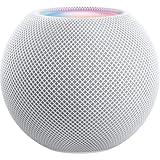
Apple - HomePod mini - White | Buy on Amazon | |
| 5 |

|
Apple - HomePod mini - Orange | $129.00 | Buy on Amazon |
Do you need a hub for Matter or Thread?
Yes, Apple says a home hub is required to add Matter accessories to the Home app: “You must set up a home hub to add Matter accessories to the Home app.” Matter and Thread are separate compatibility checks. Matter is the smart-home standard; Thread is a networking technology used by some Matter accessories. For a Thread-based Matter device, you need a Thread-capable hub or a supported third-party Thread border router.
Apple names HomePod mini and Apple TV 4K (3rd generation) Wi-Fi + Ethernet as examples of Thread-capable hubs. Do not assume every Apple TV 4K configuration supports Thread; confirm the exact model before buying for Thread accessories. Apple’s support page covers the hub requirement and setup.
#1 Best Overall
- Rich, 360-Degree Sound – Delivers deep bass and crisp high frequencies for immersive audio in any room.
- Siri Voice Assistant – Control music, smart home devices, and get information hands-free.
- Seamless Apple Integration – Works effortlessly with iPhone, iPad, Mac, and Apple TV for a connected experience.
- Compact & Stylish Design – Small but powerful, fits perfectly in any space.
- Privacy & Security – Designed to keep your personal information safe and secure.
How do you use each option to control Home?
HomePod mini and HomePod
HomePod speakers offer Siri voice control for HomeKit- or Matter-enabled accessories configured in the Home app. They can also support Home app access when you are away, provided the home hub and remote-access requirements are met. HomePod and HomePod mini become hubs automatically when set up.
Both HomePod models include temperature and humidity sensors, according to Apple. Apple describes these sensors as intended for domestic indoor conditions and notes that readings may take time to calibrate after startup. The HomePod (2nd generation) specifications list its audio hardware: a 4-inch high-excursion woofer, five horn-loaded tweeters, and Spatial Audio with Dolby Atmos. HomePod mini has a full-range driver and dual passive radiators, per Apple’s HomePod mini specifications.
Rank #2
- Features a 4" high-excursion woofer and five beamforming tweeters for deep bass, clear vocals, and detailed room-filling audio.
- Room Sensing technology automatically adjusts sound based on where the speaker is placed.
- Built-in Siri enables voice control for music, reminders, messages, smart home devices, and more.
- Supports AirPlay, Spatial Audio, Thread, Matter smart home control, Bluetooth 5.0, and Wi-Fi 4.
- Pair two HomePod speakers for stereo sound or use multiple units for whole-home audio playback.
Apple TV 4K
Apple TV is the choice when you want Home controls associated with a television-connected device rather than a speaker in a room. Assign it to a room in the Home app or configure it through its Home settings to make it a hub. It can be connected to a display, but it is not itself a dedicated touchscreen smart-home panel. For Thread use, check the model and configuration rather than relying on the Apple TV name alone.
What do Apple’s HomePod prices and audio specifications tell you?
When checked on October 4, 2026, Apple’s US Store listed HomePod mini at $129 and HomePod (2nd generation) at $349. These are US store prices from that date, not global or permanent prices; check Apple’s store for your region for current pricing.
Rank #3
- Premium, immersive, high-fidelity audio
The audio distinction is more substantial than the hub distinction: Apple specifies the full-size HomePod’s woofer, five tweeters, and Dolby Atmos Spatial Audio, while HomePod mini uses a full-range driver and dual passive radiators. Both also have temperature and humidity sensing. If the device will mainly provide smart-home control, the compact mini is the more economical fit in that US snapshot; if it will also serve as a primary room speaker, the full-size model has the stronger documented audio hardware.
How do you set up a hub and keep remote access working?
- Set up a HomePod or HomePod mini: follow Apple’s HomePod setup flow. Once set up, it becomes a home hub automatically.
- Set up Apple TV: configure it as a home hub and assign it to a room in the Home app or Home settings.
- For remote access: keep the hub powered on and connected to the home Wi-Fi network. Apple’s troubleshooting guidance also calls out current software, iCloud Keychain, and two-factor authentication.
- For Matter accessories: add the accessory through Home only after a home hub is set up. If the accessory uses Thread, confirm that the hub or supported border router is Thread-capable.
For setup and remote-access troubleshooting, consult Apple’s home hub support guide.
Rank #4
- Rich, 360-Degree Sound – Delivers deep bass and crisp high frequencies for immersive audio in any room.
- Siri Voice Assistant – Control music, smart home devices, and get information hands-free.
- Seamless Apple Integration – Works effortlessly with iPhone, iPad, Mac, and Apple TV for a connected experience.
- Compact & Stylish Design – Small but powerful, fits perfectly in any space.
- Privacy & Security – Designed to keep your personal information safe and secure.
Is there an Apple touchscreen Home hub?
Apple’s official materials cited here establish HomePod speakers and Apple TV as home hubs, not a dedicated Apple touchscreen Home hub. Apple TV is the Apple option for Home control on a connected television; HomePod speakers provide voice control. If you specifically want a touchscreen panel, these sources do not establish an Apple-branded dedicated device for that purpose.
Quick Recap
Best Value
- Rich, 360-Degree Sound – Delivers deep bass and crisp high frequencies for immersive audio in any room.
- Siri Voice Assistant – Control music, smart home devices, and get information hands-free.
- Seamless Apple Integration – Works effortlessly with iPhone, iPad, Mac, and Apple TV for a connected experience.
- Compact & Stylish Design – Small but powerful, fits perfectly in any space.
- Privacy & Security – Designed to keep your personal information safe and secure.
Product prices and availability are accurate as of the date/time indicated and are subject to change. Any price and availability information displayed on Amazon at the time of purchase will apply.

