
What’s actually slowing this PC down?
Pick the symptom - the matching free tool is one click away.
iTechGuides is reader-supported. When you buy through links on our site, we may earn an affiliate commission. As an Amazon Associate I earn from qualifying purchases. Learn more
For most gamers, the Govee AI Sync Box Kit 2 is the best Ambilight TV kit because it supports HDMI 2.1, 4K at 144Hz, VRR, and ALLM. For built-in TV apps, a camera-based Nanoleaf 4D kit or Philips Hue Sync TV on a compatible Samsung or LG television is usually the better choice.
“Ambilight kit” usually means a third-party system that imitates Philips Ambilight, rather than a television with Philips’ integrated rear lighting. The right choice depends less on the lightstrip itself than on where your video comes from: a TV’s internal Netflix app, an HDMI-connected PS5, an Xbox, a gaming PC, a streaming stick, or several of those sources.
This guide compares camera-based kits, HDMI sync boxes, and native TV synchronization, with particular attention to 4K/120Hz gaming, VRR, built-in streaming apps, TV size, smart-home ecosystems, installation, and the total cost of a working setup.
Key takeaways
- Govee AI Sync Box Kit 2 is the strongest HDMI 2.1 choice for external gaming and streaming sources, with claimed support for 8K/60Hz, 4K/144Hz, VRR, and ALLM; its U.S. listing showed $259.99 in August 2026.
- A conventional HDMI sync box generally cannot see Netflix, Disney+, or YouTube running directly on the TV, while a camera-based kit can observe the TV screen and a compatible Philips Hue Sync TV app can synchronize supported built-in TV content.
- Nanoleaf 4D is the most flexible camera-based option for TV apps and Nanoleaf households, with a privacy cover and Sync+ support for more than 50 Nanoleaf RGB devices according to Nanoleaf.
- Philips Hue Play HDMI Sync Box 8K is the premium ecosystem option, but the complete setup may require a Hue Bridge, lightstrip, and additional Hue hardware.
- Lytmi Fantasy 3 claims three HDMI 2.1 inputs, 8K/60Hz, 4K/120Hz, VRR, and ALLM, but its displayed sale price is temporary and should not be treated as its normal cost.
Best Ambilight TV kits: which one should you buy?
| Best for | Recommended option | Why it fits | Main drawback |
|---|---|---|---|
| PS5, Xbox Series X/S, gaming PC, and external streamers | Govee AI Sync Box Kit 2 | HDMI 2.1; claimed 8K/60Hz, 4K/144Hz, VRR, and ALLM | Does not normally see built-in TV apps |
| Built-in apps on a supported Samsung or LG TV | Philips Hue Sync TV app with Hue gradient lighting | Can synchronize compatible TV content without routing it through an external box | Exact TV model, operating system, and region must be supported |
| Camera-based synchronization and Nanoleaf households | Nanoleaf 4D | Works by watching the screen; includes a privacy cover and supports TV or monitor installations | Camera placement, reflections, and calibration affect results |
| Premium whole-home lighting ecosystem | Philips Hue Play HDMI Sync Box 8K | Hue integration, 8K/60Hz, 4K/120Hz, and up to 10 linked Hue lights | High total cost and possible Bridge requirement |
| Lower-cost HDMI 2.1 alternative | Lytmi Fantasy 3 | Claims three HDMI 2.1 inputs plus 8K/60Hz, 4K/120Hz, VRR, and ALLM | Sale pricing is time-sensitive; verify support and returns |
| Static wall glow or basic bias lighting | Non-syncing LED bias-light strip | Simple, inexpensive ambient illumination | Does not copy changing screen colors |
Quick verdict: choose the Govee AI Sync Box Kit 2 when most content enters through external HDMI devices and high-refresh-rate gaming matters. Choose Nanoleaf 4D when built-in TV apps are important and a visible camera is acceptable. Choose Philips Hue when ecosystem integration matters more than price, especially if the television supports the Hue Sync TV app.
Popular on Amazon
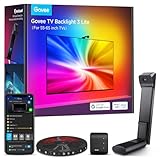
- Upgraded Govee Envisual Technology: The upgraded chip provides stronger performance with a fish-eye correction function, expanding the effective range to provide more accurate color-matching along the edges.
- 4-in-1 Lamp Bead: RGBICW TV lights add an extra warm white chip into the color mix, a purer white tone and the improved pixel density make the lighting effect more vivid and natural, which helps enhance immersive movie watching and gaming.
- Gravitational Hanging Design for Camera: Simplify installation and adapt for ultra-thin TVs. You can use the adhesive to stabilize it without wobble, when installing the camera.
- Govee DreamView Syncing: The function realized the linkage of Govee lights. Add up to 7 sub-devices to sync the lighting effects of the 3 Lite, create a 360° immersive view experience, and enrich the light mapping effects within the home environment.
- Full Compatibility for Any TV Content: The 3 Lite can instantly capture the color of any TV screen for color matching without compatibility issues. Use the TV lights while streaming content, watching online videos, gaming, etc.
How do Ambilight-style TV kits work?
Ambilight-style TV kits use one of three signal paths: a camera watches the screen, an HDMI sync box analyzes video travelling to the television, or a native TV app synchronizes compatible content from inside the television.
Camera-based systems
A camera mounted above or below the television watches the displayed image. The kit divides the screen into regions, estimates the colors at the edges, and applies corresponding colors to a rear LED strip.
Camera systems can see built-in streaming apps, broadcast television, game consoles, and any other image visible on the screen. That broad compatibility is their biggest practical advantage. Nanoleaf 4D, Govee Envisual systems, and some WiZ products use this general approach, although specific WiZ models may combine a backlight with HDMI synchronization instead.
The Tool Desk
Outbyte Driver Updater FREEScan for outdated or missing drivers - takes under a minuteDriver Scan →Outbyte PC Repair FREERepair Windows errors before they cause bigger problemsFix Now →Camera synchronization also has predictable compromises. Reflections, sunlight, glossy displays, subtitles, black letterbox bars, and on-screen menus can influence color detection. The camera must stay aligned, and calibration is not optional if the screen or camera moves. Nanoleaf advertises a physical privacy cover and a three-step calibration process for the 4D camera system.
HDMI sync-box systems
An HDMI sync box sits between external video sources and the TV. A typical path is:
Console or streamer → HDMI sync box → TV
The box analyzes the HDMI signal and tells the rear lights which colors to display. Because the box reads the digital video signal directly, HDMI systems avoid a camera in front of the screen and are theoretically better suited to fast gaming and consistent color detection.
The limitation is equally important: a conventional HDMI sync box cannot analyze an app rendered internally by the TV. Netflix running from the TV’s own software does not travel through the external box. An external streaming device connected through the box does, provided the box supports that device’s signal.
Native TV synchronization
A native synchronization app runs on a compatible television and communicates with the lighting ecosystem. Philips Hue’s Hue Sync TV app is the clearest example in this dossier. Philips lists Samsung QLED models from 2022 onward at Q60 or higher, and LG models from 2024 onward running webOS24 or higher, but compatibility remains model- and region-specific.
Do not assume that any Samsung or LG television works. Check the exact model number, operating system, country, and app availability before buying Hue hardware for this purpose.
What are the best Ambilight TV kits for gaming?
For current-console and PC gaming, the decisive specifications are not merely “4K” or “HDMI 2.1.” Check the complete signal chain for resolution, refresh rate, HDR, chroma, VRR, ALLM, HDCP, audio return, and the number of high-bandwidth inputs.
| Kit | Sync method | Published high-bandwidth claims | Input detail | Built-in TV apps | Camera |
|---|---|---|---|---|---|
| Govee AI Sync Box Kit 2 | HDMI sync box | HDMI 2.1; 8K/60Hz; 4K/144Hz; VRR; ALLM | Verify the exact input/output arrangement before purchase | Usually no | No |
| Philips Hue Play HDMI Sync Box 8K | HDMI sync box | 8K/60Hz; 4K/120Hz; HDMI 2.1 | Confirm the number and capabilities of HDMI 2.1 ports for your sources | Usually no; native Hue app is a separate supported-TV route | No |
| Lytmi Fantasy 3 | HDMI sync box | 8K/60Hz; 4K/120Hz; VRR; ALLM | Official page claims three HDMI 2.1 inputs | Usually no | No |
| Nanoleaf 4D | Camera | TV image is captured optically; HDMI passthrough specifications are not the relevant criterion | External sources do not need to pass through a sync box | Yes, because the camera sees the displayed image | Yes |
The Govee AI Sync Box Kit 2 specifications make it the most attractive option here for a gaming setup that targets 4K/120Hz or higher. Govee lists 4K/144Hz, while Philips Hue lists 4K/120Hz for its Hue Play HDMI Sync Box 8K. Lytmi’s official page claims 4K/120Hz and three HDMI 2.1 inputs.
Quick wins for a faster PC:
Repair Windows errors before they cause bigger problemsFix Now →Fix the driver behind crashes, sound loss and screen glitchesFind Drivers →Those claims do not prove that every combination of HDR format, VRR mode, audio format, and refresh rate will work in every setup. A PS5, Xbox Series X, gaming PC, AV receiver, soundbar, TV, and sync box can each impose different limits. Test the entire chain rather than relying on the words “HDMI 2.1” on a product headline.
What is the best kit for Netflix and other built-in TV apps?
For built-in Netflix, Disney+, YouTube, and broadcast apps, choose a camera-based kit or a compatible native TV synchronization app. A standard HDMI sync box cannot see video rendered inside the television.
Best flexible option: Nanoleaf 4D. The Nanoleaf camera watches whatever the TV displays, so the system can work with internal apps without adding an external streaming device. Nanoleaf lists support for televisions and monitors up to 85 inches on its larger 4D product page. The privacy cover is useful when screen monitoring is disabled, but buyers who object to having a camera near the TV may prefer Hue’s native-app route or an HDMI system.
Best no-camera option on supported TVs: Philips Hue Sync TV. Philips says the app can synchronize compatible built-in TV content on supported Samsung and LG models. The exact television must be checked before purchase, because brand-level compatibility is too broad to be reliable.
Crashes, No Sound, or Screen Glitches?
Random freezes, missing sound and display glitches usually trace back to one bad driver. Find and replace yours safely.Free scan · under a minuteWindows Errors? Fix Them Before They Spread
Repair common Windows errors and clear accumulated junk for a smoother, more stable PC - no reinstall needed.Free scan · no reinstallWorkaround for an HDMI box: use an external Apple TV, Google TV streamer, game console, or other streaming device and connect that device through the sync box. The workaround makes the video visible to the box but adds another device, remote, HDMI cable, and possible DRM or audio-routing consideration.
Which kit is best for each buyer?
Govee AI Sync Box Kit 2: best overall for external HDMI sources
Best for: gamers and mixed setups built around consoles, PCs, disc players, and external streamers.
The Govee kit is the most straightforward recommendation when high-refresh-rate HDMI sources are the priority. Govee lists HDMI 2.1, 8K/60Hz, 4K/144Hz, VRR, and ALLM, and its U.S. product listing showed $259.99 when checked in August 2026.
The complete kit is more useful than a lightstrip-only purchase because the sync box and lighting are designed to work together. Govee’s setup guidance directs users to connect the box to the TV with HDMI 2.1 and link the lights through the Govee Home app.
Choose it if: a PS5, Xbox Series X/S, gaming PC, or external streamer supplies most of your content and you want a high-refresh-rate path.
Also popular on Amazon

- Extend the colors of movies and games beyond your screen with sensor-driven RGB backlighting that responds to on-screen color changes and detects when the TV turns on or off.
- Fit the 14.7ft cuttable light strip behind a 55-65 inch TV or PC monitor, with a design especially suited to 16:9 widescreens.
- Use the uLamp app to adjust the brightness, color saturation and scene settings of full-color LEDs with a lifespan of up to 50,000 hours.
- Set the mood for films, gaming, parties or holidays by choosing from 24 dynamic lighting scenes and 6 effects that respond to music.
- After reading the manual, clip the sensor at the top center of your TV and attach the strip to the back, then enjoy the lighting in a dark room for better visibility.
Skip it if: most viewing comes from TV-native apps, or if you already own a mature Hue or Nanoleaf installation and do not want another lighting ecosystem.
See Govee’s official AI Sync Box 2 setup guidance before planning an AV receiver or soundbar connection.
Philips Hue Sync TV: best for compatible built-in apps
Best for: owners of supported Samsung or LG televisions who want internal TV apps to synchronize without using a camera.
Recommended Free Tools
Hue’s native TV app solves the central limitation of HDMI boxes, but the solution is narrower than a general “works with Samsung and LG” recommendation. Philips’ published compatibility information names Samsung QLED models from 2022 onward at Q60 or higher and LG models from 2024 onward with webOS24 or higher. Exact model and region verification is essential.
The lighting side is part of the Hue ecosystem, generally involving Hue gradient lighting and, depending on the configuration, a Hue Bridge or other required components. Philips’ bundle information describes the Hue Play HDMI Sync Box 8K ecosystem as supporting 8K/60Hz, 4K/120Hz, and up to 10 Hue lights, but the official pages supplied for this article did not expose one stable complete-bundle U.S. price.
Choose it if: you already own Hue lights, want polished multi-light synchronization, or have a supported television and prefer a no-camera native-app route.
Skip it if: you need the lowest total cost, your TV model is unsupported, or you want several high-bandwidth HDMI inputs without investing in Hue hardware.
Philips explains the supported entertainment paths on its Hue entertainment and TV synchronization page.
Nanoleaf 4D: best camera-based option
Best for: viewers who use built-in TV apps, want a broad screen-compatible system, or already own Nanoleaf RGB products.
Nanoleaf 4D avoids HDMI routing because its camera reads the display. Nanoleaf advertises Sync+ support that can extend effects to more than 50 Nanoleaf RGB devices, including existing panels and Lines, making the kit particularly appealing in a Nanoleaf household.
The product supports TV and monitor installations, and Nanoleaf lists a version for screens up to 85 inches. The camera includes a privacy cover, and the setup uses a three-step calibration process. Calibration should be repeated after moving the TV, camera, or lightstrip.
Free tools Windows power users keep installed
One-click scans. No signup required.
Choose it if: internal apps are important, you want one system to influence other Nanoleaf lights, and camera-based operation is acceptable.
Skip it if: the TV faces strong sunlight, the screen has severe reflections, you dislike a visible camera, or you specifically want direct HDMI signal analysis for competitive gaming.
Nanoleaf describes the camera, privacy cover, calibration, and Sync+ behavior on its 4D camera product page.
Lytmi Fantasy 3: lower-cost HDMI 2.1 alternative
Best for: buyers seeking multiple HDMI 2.1 inputs and a lower purchase price than premium ecosystem systems.
Do these 3 things before closing this tab:
1Repair Windows errors before they cause bigger problems2Scan for outdated or missing drivers - takes under a minute3Clear out junk files and repair common Windows errorsLytmi’s official Fantasy 3 page claims three HDMI 2.1 inputs, 8K/60Hz, 4K/120Hz, VRR, and ALLM. The page showed a promotional price as low as $79 alongside a higher comparison price when checked, so the promotion should be treated as temporary and dated rather than as the product’s normal everyday price.
Lytmi lists multiple TV-size selections, including 55–60, 65–70, 75–80, and 85–90-inch ranges, with larger options also shown on the product page. Match the selected range to the actual screen size and confirm what the complete bundle includes.
Choose it if: you need an HDMI route with several claimed HDMI 2.1 inputs and are comfortable verifying current pricing, support, signal compatibility, and returns.
Skip it if: built-in TV apps are central, you want a deep established smart-lighting ecosystem, or a temporary discount is the main reason the kit appears attractive.
How should you compare total cost?
Compare complete installed systems, not isolated lightstrips or temporary sale prices. The total may include the rear strip, camera or sync box, controller, power adapter, mounting hardware, HDMI cables, Bridge or hub, extra lamps, and any app-related charge.
Also popular on Amazon

- Zero Latency 8K HDMI 2.1 Passthrough Seamlessly syncs with 4K@120Hz TVs and PS5/Xbox/PC. Supports Dolby Vision, and ALLM for ultra-smooth gaming without screen tearing.
- 6 Dynamic Music Sync Modes Lights dance to beats via built-in mic or app control. Perfect for parties, workouts, or immersive movie nights with Dolby Atmos soundtracks.
- 42 Scene Modes & AI Auto-Detect "Game Mode" boosts red alerts during combat; "Cinema Mode" dims lights for movie credits. Customize via app or voice commands (Alexa).
- IP65 Waterproof & Flexible Design Bendable strip safely fits curved TVs (55"-85"). Peel-and-stick adhesive withstands heat and humidity for basement or outdoor setups.
- 3-Minute Setup, No Cutting Required Full kit includes light strips, HDMI 2.1 sync box, and clips. Pro Tip: Start installation from the back bottom-left corner of your TV.
| Cost question | Camera kit | HDMI sync box | Hue ecosystem or native app |
|---|---|---|---|
| Core hardware | Camera, rear strip, controller, and power components | Sync box, rear strip, controller, and power components | Hue lighting, sync box or compatible TV app, and possibly a Bridge |
| Extra HDMI cables | Usually less central to installation | May be needed for every external source and the TV | May be needed for the sync-box route |
| Hub or Bridge | Check the exact Nanoleaf or Govee package | Check the exact package and ecosystem | Often an important part of the Hue calculation |
| Known dossier price | Nanoleaf price was not reliably exposed in the supplied page extract | Govee: $259.99 U.S. listing checked August 2026; Lytmi sale price was temporary | No stable complete Hue bundle price was exposed in the supplied extract |
The Philips Hue bundle information is useful for identifying ecosystem components, but buyers should calculate the exact lightstrip, Bridge, sync box, and additional-light requirements for their own room.
What TV size and shape should you choose?
Buy the lightstrip version that matches the manufacturer’s recommended screen range, not merely the approximate diagonal of the television. A strip that is too short leaves dark sections; a strip that is too long can create awkward corners or require installation outside the intended pattern.
| Product | Published size information | What to verify |
|---|---|---|
| Govee AI Sync Box Kit 2 | 55–65-inch and 75–85-inch variants listed | Whether the selected strip covers the intended sides and whether the rear chassis accepts the adhesive |
| Nanoleaf 4D | Version listed for TVs and monitors up to 85 inches | Monitor or TV shape, camera view, screen bezels, and rear clearance |
| Lytmi Fantasy 3 | 55–60, 65–70, 75–80, 85–90, and larger ranges shown | The exact selected range, strip layout, and complete-kit contents |
| Philips Hue gradient strip | Match the specific Hue gradient product to the TV size | Whether the strip, sync box, Bridge, and app route are all compatible |
Also inspect the television before installing anything. Central stands, rear vents, protruding panels, cable ports, curved backs, and ultra-thin OLED enclosures can make adhesive mounting or cable routing difficult. A wall-mounted TV needs enough clearance to attach the strip and route its power cable without pressing against the panel.
The Tool Desk
Outbyte Driver Updater FREEScan for outdated or missing drivers - takes under a minuteDriver Scan →Outbyte PC Repair FREEClear out junk files and repair common Windows errorsFree Scan →How do you install a camera-based kit?
- Confirm the TV-size range and inspect the rear panel for vents, controls, and protrusions.
- Clean the mounting surface before attaching the LED strip.
- Route the strip around the top and sides, following the manufacturer’s corner guidance instead of sharply folding the LEDs.
- Keep adhesive and clips away from ventilation openings and cable ports.
- Mount the camera above or below the screen where it can see the entire display.
- Connect power, install the manufacturer’s mobile app, and pair the controller.
- Run the supplied calibration pattern. Nanoleaf describes its 4D process as three steps.
- Test bright scenes, dark scenes, fast motion, subtitles, and letterboxed films.
- Recalibrate if the camera moves, the TV is relocated, or colors are shifted toward one edge.
- Use the physical privacy cover whenever screen mirroring is disabled or the camera is unnecessary.
Camera systems can be the simplest way to synchronize TV-native apps, but the camera must have a clear, stable view. Strong sunlight and reflections can matter more than the nominal color features in the product listing.
Independent reader supportYour contribution helps us test, update, and keep practical guides available for everyone.How do you install an HDMI sync box?
- Connect each external source, such as a console, streamer, disc player, or PC, to an input on the sync box.
- Connect the sync-box output to a TV input that supports the desired bandwidth.
- Decide how the AV receiver or soundbar will handle video and audio before connecting everything.
- Use cables rated for the target resolution and refresh rate.
- Enable the TV’s enhanced, high-bandwidth, or equivalent HDMI mode if the TV requires it.
- Turn on 120Hz, VRR, ALLM, HDR, or other features only after confirming that the source, box, cable, and TV all support the combination.
- Pair the lighting in the vendor’s app and configure the screen layout.
- Test every source independently, including the highest-demand gaming device.
- If a source fails, bypass the sync box temporarily to determine whether the box, cable, TV input, receiver, or source is responsible.
Govee’s official setup guide recommends the HDMI 2.1 connection and Govee Home app pairing for its AI Sync Box 2.
How should you connect a sync box to an AV receiver or soundbar?
Audio equipment can turn a simple HDMI installation into a signal-routing problem. Two common arrangements are:
Video-first: Console or streamer → sync box → TV → eARC soundbar or receiver
Audio-first: Console or streamer → receiver or soundbar → TV
The audio-first arrangement may prevent the lighting box from seeing the video unless the receiver passes the complete signal through it. The video-first arrangement gives the sync box a direct view of the source, but eARC, Dolby Atmos, HDCP, and television audio settings must still work together.
When troubleshooting, bypass the sync box and test the source directly with the TV and sound system. Then add the sync box back into the chain. This isolates whether the failure comes from the sync box, an older receiver, an HDMI cable, an eARC setting, or an unsupported signal combination.
What are the most common problems?
No picture after adding the sync box
- Bypass the sync box and test the source directly.
- Try another HDMI cable and another TV input.
- Temporarily disable 4K/120Hz, VRR, or HDR.
- Power-cycle the source, TV, and sync box.
- Check HDCP and AV-receiver compatibility.
The picture works but the lights do not sync
- Confirm that the correct sync-box input is selected.
- Restart or re-pair the lighting controller.
- Check that the lightstrip is connected to the correct controller port.
- Re-run the screen or camera calibration.
- Confirm that the content is not coming from a TV-native app that the HDMI box cannot see.
4K/120Hz or VRR stops working
- Check the sync box’s actual input and output limits, not only its HDMI 2.1 label.
- Verify that the console or PC is connected to a genuine HDMI 2.1 input on the box.
- Test the cable and the TV’s enhanced HDMI setting.
- Test HDR and VRR separately to identify the failing combination.
- Remove an older AV receiver or soundbar from the video path temporarily.
Camera colors look wrong
- Reduce direct sunlight and screen reflections.
- Remove menus, overlays, and temporary calibration markers.
- Recalibrate after checking that the camera has not tilted or moved.
- Check how the app handles black bars and subtitles.
What does each system do poorly?
| Potential problem | Most affected system | Why it happens | Best response |
|---|---|---|---|
| TV-native Netflix does not synchronize | Conventional HDMI sync box | The app renders inside the TV and never passes through the box | Use a camera kit, native Hue app, or external streamer through the box |
| Subtitles create bright flashes | Camera-based kit | The camera sees bright text as part of the edge color | Recalibrate and test subtitle-heavy content before keeping the kit |
| HDMI handshake failures | HDMI sync box | Source, cable, TV, receiver, and box must agree on the signal | Bypass components and reintroduce them one at a time |
| Insufficient rear clearance | Very thin or wall-mounted TVs | Adhesive, clips, and cables may press against the panel or vents | Measure clearance and plan cable routing before purchase |
| Unsupported native TV app | Philips Hue Sync TV | Compatibility depends on exact model, operating system, and region | Verify the model against Philips’ current support information |
| Too few high-bandwidth inputs | Any HDMI sync box | “HDMI 2.1” does not automatically mean every port supports every feature | Count the PS5, Xbox, PC, and streamer inputs you actually need |
Should you buy a real Philips Ambilight TV instead?
A Philips Ambilight television integrates the rear lighting into the TV itself, while third-party kits add lighting to an existing display. Replacing the TV can produce a cleaner installation, but a kit is more appropriate when the current panel, size, gaming features, or purchase cost makes replacement undesirable.
A kit also allows a buyer to choose a camera route for TV-native apps, an HDMI 2.1 route for external gaming, or a Hue-native route for supported televisions. The trade-off is extra hardware, cables, calibration, and compatibility checks.
Is static bias lighting a better alternative?
A static warm-white bias-light strip is better when the goal is a soft wall glow or basic viewing comfort rather than changing colors that follow the picture. Static lighting is simpler and cheaper, but static lighting does not reproduce the Ambilight-style screen-following effect.
Do not pay for a camera or HDMI sync box if you only want gentle illumination behind the TV. Conversely, do not expect a static strip to create visual immersion during games or films.
How should you make the final decision?
- Identify the primary signal path. If most content comes from TV-native apps, start with Nanoleaf 4D or a supported Hue Sync TV setup. If most content comes from consoles, PCs, or external streamers, start with an HDMI 2.1 sync box.
- Count high-bandwidth HDMI devices. A PS5, Xbox Series X, gaming PC, and streamer may require more HDMI 2.1 inputs than a box provides.
- Confirm the desired gaming features. Match 4K/120Hz or 4K/144Hz, VRR, ALLM, HDR, HDCP, and audio requirements across the entire signal chain.
- Measure the television. Choose the correct size variant and inspect rear clearance, vents, stands, curvature, and wall-mount spacing.
- Choose your ecosystem. Nanoleaf makes the most sense for Nanoleaf owners, Hue is strongest for Hue households, and Govee or Lytmi may be simpler when the main requirement is a dedicated TV lighting system.
- Decide whether a camera is acceptable. A camera provides broad content compatibility but requires stable positioning, calibration, and a privacy decision.
- Calculate the complete cost. Include the strip, controller, sync box or camera, Bridge, extra lights, cables, and the correct TV-size variant.
- Check returns and support. HDMI compatibility and camera behavior depend on the particular TV, source devices, room, and installation.
For most external-source gaming rooms, the Govee AI Sync Box Kit 2 is the most balanced starting point. For built-in apps, Nanoleaf 4D is the safer general recommendation because the camera sees the screen, while Philips Hue Sync TV is the cleaner no-camera option when the exact Samsung or LG television is supported. Philips Hue Play HDMI Sync Box 8K is the premium ecosystem choice, and Lytmi Fantasy 3 is worth investigating when its current price and support terms justify the risk.
What’s actually slowing this PC down?
Pick the symptom - the matching free tool is one click away.
Frequently Asked Questions
Can an Ambilight TV kit sync Netflix running on the TV itself?
A conventional HDMI sync box generally cannot sync Netflix when Netflix runs directly on the television because the video does not pass through the external box. A camera-based kit such as Nanoleaf 4D can watch the displayed image, and Philips Hue Sync TV can handle compatible built-in TV content on supported Samsung and LG models.
Do Ambilight TV kits support PS5 and Xbox Series X/S at 4K/120Hz?
Some HDMI 2.1 kits are designed for high-refresh-rate gaming, but support depends on the complete signal chain. Govee AI Sync Box Kit 2 claims 4K/144Hz, VRR, and ALLM; Philips Hue Play HDMI Sync Box 8K claims 4K/120Hz; and Lytmi Fantasy 3 claims 4K/120Hz, VRR, and ALLM. Verify cables, HDMI inputs, HDR, HDCP, audio routing, and the exact TV.
Is a camera-based Ambilight kit better than an HDMI sync box?
Neither design is universally better. A camera-based kit is more compatible with built-in TV apps but depends on placement, calibration, and room conditions. An HDMI sync box avoids a visible camera and is generally better suited to external gaming, but it usually cannot see TV-native apps.
Does Philips Hue Sync TV work on every Samsung or LG television?
No. Philips lists specific supported models and platforms rather than all Samsung or LG televisions. The supplied compatibility information names Samsung QLED models from 2022 onward at Q60 or higher and LG models from 2024 onward running webOS24 or higher, but buyers should verify the exact model and region.
Is 8K support a reason to buy an Ambilight sync box?
Usually not. For most buyers, 4K/120Hz or 4K/144Hz gaming, VRR, ALLM, HDR, and reliable HDMI passthrough matter more than 8K/60Hz. An 8K claim describes signal passthrough capability; it does not improve an 8K picture or make a television display more detail.
The Bottom Line
Bottom line: buy according to your signal path. Choose Govee AI Sync Box Kit 2 for external HDMI gaming and high-refresh-rate sources, Nanoleaf 4D for broad compatibility with built-in TV apps, Philips Hue Sync TV for supported Samsung or LG models, Philips Hue Play HDMI Sync Box 8K for a premium Hue household, and Lytmi Fantasy 3 only after verifying its current price, compatibility, and return terms.

