
Recommended Free Tools
iTechGuides is reader-supported. When you buy through links on our site, we may earn an affiliate commission. As an Amazon Associate I earn from qualifying purchases. Learn more
The best AirPrint printers for iPhone and Mac in 2026 are the Canon Color imageCLASS MF665Cdw for fast documents, the Epson EcoTank ET-2980 for low long-term color-ink costs, and the Brother HL-L2460DW for inexpensive black-and-white printing. All require explicit AirPrint support and normally share the same Wi-Fi network as the Apple device.
AirPrint is Apple’s driverless printing technology, not a separate printer category. The right choice depends mainly on print volume, color and photo needs, scanning requirements, desk space, and whether you prefer toner, refillable ink, or portability.
Key takeaways
- The Canon Color imageCLASS MF665Cdw is the strongest overall choice for fast color documents, scanning, duplex workflows, and small-office use, but its large body and mediocre photo output limit its appeal for households focused on pictures.
- The Epson EcoTank ET-2980 uses refillable ink bottles and can deliver thousands of pages in suitable workloads, but it lacks an automatic document feeder.
- The Brother HL-L2460DW is a practical monochrome laser printer for black-and-white documents when scanning, copying, and color are unnecessary.
- The Epson EcoTank ET-4950 adds automatic duplex printing and scanning, faxing, and a 30-sheet automatic document feeder for more complete home-office work.
- The HP OfficeJet 250 is the portable option because it combines AirPrint, battery operation, and an integrated scanner, but its slow speed and high running costs make it unsuitable for regular high-volume printing.
Best AirPrint printers for iPhone and Mac: quick comparison
The models below cover the main buying decisions rather than treating every wireless printer as interchangeable. AirPrint compatibility should still be confirmed for the exact U.S. model suffix immediately before purchase using Apple’s AirPrint model database and the manufacturer’s specifications.
Free tools Windows power users keep installed
One-click scans. No signup required.
| Model | Type | Best for | AirPrint | Print / scan / copy | Automatic duplex | ADF | Color | Running-cost profile | Main drawback |
|---|---|---|---|---|---|---|---|---|---|
| Canon Color imageCLASS MF665Cdw | Color laser all-in-one | Documents and small offices | Yes | Yes / yes / yes | Printing and scanning | Yes | Color | Toner-based; compare replacement costs | Large and weak for photos |
| Epson EcoTank ET-2980 | Refillable ink-tank all-in-one | Regular low-cost color printing | Yes | Yes / yes / yes | Not the main advantage | No | Color | Low ongoing ink cost after the higher purchase price | No ADF; inkjet maintenance |
| Epson EcoTank ET-4950 | Refillable ink-tank all-in-one | Feature-rich home offices | Yes | Yes / yes / yes | Printing and scanning | 30 sheets | Color | Low ongoing ink cost | Bulkier and less attractive for rare printing |
| Brother HL-L2460DW | Monochrome laser | Black-and-white documents | Yes | Yes / no / no | Printing | No | Monochrome | Toner-based; compare high-yield toner | No color, scanner, or copier |
| HP OfficeJet 250 | Portable inkjet all-in-one | Travel and field work | Yes | Yes / yes / yes | Limited by portable design | Integrated sheet-fed scanner | Color | High per-page cost for frequent use | Slow and limited paper capacity |
Exact U.S. prices and stock were not dependable in the supplied research, so a current price should be checked on publication day. Do not compare a sale price, coupon price, subscription trial, and standard replacement-cost estimate as though they were the same figure.
Popular on Amazon

- Affordable Versatility - A budget-friendly all-in-one printer perfect for both home users and hybrid workers, offering exceptional value
- Crisp, Vibrant Prints - Experience impressive print quality for both documents and photos, thanks to its 2-cartridge hybrid ink system that delivers sharp text and vivid colors
- Effortless Setup & Use - Get started quickly with easy setup for your smartphone or computer, so you can print, scan, and copy without delay
- Reliable Wireless Connectivity - Enjoy stable and consistent connections with dual-band Wi-Fi (2.4GHz or 5GHz), ensuring smooth printing from anywhere in your home or office
- Scan & Copy Handling - Utilize the device’s integrated scanner for efficient scanning and copying operations
Which AirPrint printer is best overall?
The Canon Color imageCLASS MF665Cdw is the best overall AirPrint printer for users who primarily print documents and need a capable home-office or small-office all-in-one. The model supports AirPrint, Wi-Fi, USB, and Ethernet, includes an automatic document feeder, and supports duplex scanning.
According to RTINGS’ review of the Canon Color imageCLASS MF665Cdw, the printer is rated at up to 26 pages per minute. That speed, sharp text, color-document capability, and automatic document handling make the MF665Cdw better suited to forms, reports, schoolwork, shipping paperwork, and multipage scans than a small photo-oriented inkjet.
The compromise is size. The MF665Cdw is a substantial color-laser all-in-one designed with small-office use in mind, so measure the desk and leave clearance for paper access and ventilation. Color laser output is also generally a poor match for detailed photo printing. Choose an inkjet photo printer instead if high-quality photographs matter more than fast business documents.
Is the Epson EcoTank ET-2980 best for low ink costs?
The Epson EcoTank ET-2980 is the best shortlist choice for regular color printing when reducing long-term ink expense matters more than the lowest purchase price or fastest scanning. The refillable bottle system avoids the frequent cartridge replacements associated with basic cartridge inkjets, and RTINGS’ ET-2980 coverage discusses yields reaching thousands of pages in appropriate conditions.
The ET-2980 is a good fit for families, students, and home users who print color documents, graphics, and occasional photos often enough to justify an ink tank. The printer supports AirPrint, so ordinary iPhone, iPad, and Mac printing does not depend on Epson’s app.
The important limitation is the absence of an automatic document feeder. Scanning or copying a multipage packet requires placing pages on the flatbed one at a time. The ET-2980 is also still an inkjet: prolonged inactivity can increase the risk of printhead clogging, so the model makes more sense for regular users than for someone who prints only a few pages every several months.
What makes the Epson EcoTank ET-4950 better for a home office?
The Epson EcoTank ET-4950 is the better EcoTank choice when a home office needs automatic document handling rather than only low-cost color printing. The model combines printing, scanning, copying, and faxing with automatic duplex printing, automatic duplex scanning, and a 30-sheet ADF, according to TechRadar’s all-in-one printer coverage.
Quick wins for a faster PC:
Clear out junk files and repair common Windows errorsFree Scan →Scan for outdated or missing drivers - takes under a minuteDriver Scan →The ET-4950 is more appropriate than the ET-2980 for invoices, forms, contracts, tax documents, and other multipage work. Refillable ink keeps ongoing color costs comparatively low, but the higher initial purchase price needs to be justified by actual print volume. A person printing only a handful of pages each month may not recover that difference.
Also popular on Amazon

- Affordable Versatility - A budget-friendly all-in-one printer perfect for both home users and hybrid workers, offering exceptional value
- Crisp, Vibrant Prints - Experience impressive print quality for both documents and photos, thanks to its 2-cartridge hybrid ink system that delivers sharp text and vivid colors
- Effortless Setup & Use - Get started quickly with easy setup for your smartphone or computer, so you can print, scan, and copy without delay
- Reliable Wireless Connectivity - Enjoy stable and consistent connections with dual-band Wi-Fi (2.4GHz or 5GHz), ensuring smooth printing from anywhere in your home or office
- Scan & Copy Handling - Utilize the device’s integrated scanner for efficient scanning and copying operations
AirPrint handles ordinary Apple printing, while TechRadar identifies Epson Smart Panel as useful for initial ET-4950 Wi-Fi setup. An app being useful for setup does not mean the app is required for every subsequent AirPrint job. Scanning, maintenance, firmware updates, and advanced controls may still use Epson software or macOS tools.
Is the Brother HL-L2460DW the best budget AirPrint printer?
The Brother HL-L2460DW is the best budget-oriented AirPrint choice for users who print black-and-white documents and do not need color, scanning, or copying. The monochrome laser design suits forms, labels, receipts, shipping documents, and ordinary text while avoiding the printhead-clogging issue associated with neglected inkjets.
RTINGS’ Brother HL-L2460DW review coverage places the model in the straightforward monochrome-document category. The printer is a print-only device, so a buyer who expects to scan an iPhone-saved document, copy an identity form, or digitize paperwork should choose an all-in-one instead.
Do these 3 things before closing this tab:
1Scan for outdated or missing drivers - takes under a minute2Repair Windows errors before they cause bigger problems3Fix the driver behind crashes, sound loss and screen glitchesA monochrome laser is not automatically the cheapest option for every household. Compare the printer’s purchase price, included toner, high-yield toner price, estimated yield, and expected monthly pages. For predictable black-text workloads, toner economics and the ability to sit unused without inkjet-clogging concerns can outweigh the appeal of an inexpensive color cartridge printer.
When is the HP OfficeJet 250 worth buying?
The HP OfficeJet 250 is worth considering when printing must happen away from a normal desk. The portable all-in-one supports AirPrint, includes an integrated sheet-fed scanner, can run on battery power, and is designed for travel, field work, events, receipts, and temporary offices.
RTINGS’ OfficeJet 250 coverage identifies the central trade-off: portability comes with slow printing and expensive running costs. The HP OfficeJet 250 is sensible for occasional mobile documents, not for hundreds of pages of routine color work.
Portable document printers should not be confused with small Bluetooth photo printers. A compact photo printer may be convenient for snapshots but may not print standard U.S. letter-size documents or support AirPrint. Verify the exact AirPrint listing and paper format before buying a photo-focused model.
Which printer type should an iPhone or Mac user choose?
The best printer type depends on the work, not on whether the source device is an iPhone, iPad, or Mac. AirPrint can make each compatible category convenient, but AirPrint does not change the category’s ink, toner, speed, photo, or maintenance trade-offs.
Also popular on Amazon

- AFFORDABLE ALL-IN-ONE FOR HOME AND HOME OFFICE: Print, copy, and scan on one compact wireless printer designed for everyday home office printing, schoolwork, documents, and reports. Produce beautiful prints for results that stand out.
- EASY TO USE WITH CLOUD APP CONNECTIONS: Print from and scan to popular Cloud apps(2), including Google Drive, Dropbox, Box, OneDrive, and more from the simple-to-use 1.8” color display on your printer.
- FULL-SIZE FEATURES IN A COMPACT DESIGN: This printer includes automatic duplex (2-sided) printing, a 20-sheet single-sided Automatic Document Feeder (ADF)(3), and a 150-sheet paper tray(3). Engineered to print at fast speeds of up to 16 pages per minute (ppm) in black and up to 9 ppm in color(4).
- MULTIPLE CONNECTION OPTIONS: Connect your way. Interface with your printer on your wireless network or via USB.
- MOBILE PRINTING MADE EASY: Go mobile with the Brother Mobile Connect app(5) that delivers easy onscreen menu navigation for printing, copying, scanning, and device management from your mobile device. Monitor your ink usage with Page Gauge to help ensure you don’t run out(6).
| Printer type | Choose it when | Avoid it when | Relevant shortlist model |
|---|---|---|---|
| Cartridge inkjet all-in-one | You need low upfront cost, color, scanning, and occasional mixed documents. | You print heavily or leave the printer unused for long periods. | Consider current models only after comparing cartridge yields. |
| Refillable ink tank | You print color regularly and want lower ongoing ink costs. | You print very rarely, need the fastest text output, or require an ADF on a model that lacks one. | Epson EcoTank ET-2980 or ET-4950 |
| Monochrome laser | You mainly print sharp black text and want fewer inkjet-clogging concerns. | You need color, photos, scanning, or copying from the same machine. | Brother HL-L2460DW |
| Color laser | You need fast color documents and the printer may sit unused between jobs. | You prioritize detailed photos, a small footprint, or the lowest initial cost. | Canon Color imageCLASS MF665Cdw |
| Portable inkjet | You genuinely need battery-powered, full-size document printing away from home. | You print frequently or want low per-page costs. | HP OfficeJet 250 |
| Dedicated photo printer | You mainly want snapshots or photo output. | You need ordinary letter-size documents, forms, or multipage scanning. | Epson Expression Photo XP-8800 or a Canon photo model |
How should print volume affect the decision?
Print volume changes the economics more than the presence of an iPhone or Mac. Use the following bands as practical starting points, then compare the exact consumables and yields for the model under consideration.
- Under 50 pages per month: A basic laser or inexpensive cartridge printer may be adequate. An ink tank is not automatically economical if the higher upfront cost is never recovered.
- 50–300 pages per month: A compact laser or refillable ink tank commonly makes more sense, depending on whether the pages are mostly black text or color.
- More than 300 pages per month: Prioritize high-yield toner or ink tanks, automatic duplexing, input capacity, an ADF, and readily available replacement supplies.
- Frequent photos: Favor a photo-capable inkjet rather than a color laser.
- Long periods without printing: Favor a laser printer, or understand that an inkjet should be used regularly to reduce clogging risk.
Tom’s Guide says its printer comparisons consider street price, estimated yields, and cost per page rather than judging printers only by their purchase prices. Cost per page remains an estimate because coverage, print mode, paper, replacement parts, and regional supply prices affect the result.
What features matter beyond AirPrint?
Automatic document feeder
An automatic document feeder matters when you scan or copy multipage documents. The ET-2980’s lack of an ADF is a meaningful limitation, while the ET-4950 and MF665Cdw are better choices for recurring multipage workflows.
PC Slower Than It Used to Be?
A free scan shows the junk files, broken settings and background clutter dragging Windows down - then fixes them in one click.Free scan · Windows 10 & 11Outdated Drivers Are Slowing You Down
One free scan finds every outdated or missing driver and matches the right update for your exact hardware.Free scan · exact hardware matchAutomatic duplex printing and scanning
Automatic duplex printing means the printer prints both sides without manual page-turning. Duplex scanning means the scanner captures both sides through an ADF. Single-pass duplex scanning is preferable for frequent two-sided documents because both sides can be captured in one pass. A retailer’s single “duplex” label does not prove that both printing and scanning are automatic.
Connectivity
Prefer dual-band Wi-Fi where available, Ethernet for a stable office connection, and USB as a fallback for Mac users. AirPrint is normally network-based. A USB-only printer connected to a Mac is not automatically available to an iPhone as an AirPrint printer, and Apple excludes printers connected to a computer by Bluetooth from AirPrint use.
Accounts and subscriptions
AirPrint does not require an Apple, Canon, Epson, Brother, or HP account for ordinary local printing. Manufacturer accounts and subscriptions may still be involved in setup, cloud features, maintenance, ink monitoring, or optional services. HP+ and Instant Ink terms vary by exact model, so verify account, internet, cartridge, trial, renewal, and cancellation requirements before enrolling. HP describes HP Smart and Instant Ink as additional printer features, not as the definition of AirPrint.
Size and noise
Color-laser all-in-ones can be substantially larger and heavier than home inkjets. The MF665Cdw’s office-oriented design is useful for document throughput but may be excessive for a small desk or occasional household printing.
Does AirPrint support printing without a manufacturer app?
Yes. Ordinary AirPrint jobs generally print from Apple’s native print interface without a manufacturer app or printer-specific driver. AirPrint provides driverless printing, local-network printer discovery, and print controls exposed by the app and printer.
Also popular on Amazon
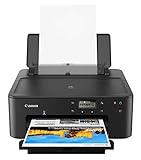
- Efficient Everyday Printing: It can print great looking borderless photos and even supports various paper types & sizes, from 3.5” x 3.5” Square up to legal size paper.
- Print Connectivity: Whether that is a smartphone, tablet or computer. Have peace of mind and connect with AirPrintFootnote4, Mopria Print ServiceFootnote5, Wi-FiFootnote7, or Ethernet.
- Big Performance with Compact Design: With a 350 SHEET plain paper capacity the PIXMA TS702 is ready to take on large print jobs.
- Wireless Single-Function: Print only featuring Auto 2-Sided (Duplex) Printing.
- Sharp Text: The hybrid ink system combines dye ink for rich colors and black pigment ink.
AirPrint does not guarantee that every printer function appears in Apple’s standard print dialog. Scanning, faxing, optical character recognition, firmware updates, maintenance, ink monitoring, and advanced controls may require the manufacturer’s app, macOS scanning tools, or a separate workflow. Apple explains the AirPrint requirements and limitations in its AirPrint support documentation.
Wi-Fi support alone is not enough. Wi-Fi, Bluetooth, Wi-Fi Direct, and proprietary mobile printing are different from explicit AirPrint support. Confirm the exact model and regional suffix in Apple’s AirPrint database and the manufacturer’s U.S. specifications.
How do you set up AirPrint on an iPhone?
- Turn on the printer and connect the printer to Wi-Fi.
- Connect the iPhone to the same Wi-Fi network as the printer.
- Open an app that supports printing, such as Photos, Mail, Safari, or Files.
- Tap the Share button, More button, Reply button, or Actions menu, depending on the app.
- Choose Print.
- Tap No Printer Selected or the printer selector.
- Choose the AirPrint printer.
- Select available options such as copies, pages, paper, color, or duplex.
- Tap Print.
Apple’s iPhone printing instructions note that the location of the Print command varies by app. If Print is missing, test from Photos, Safari, Mail, or Files before assuming that the printer is incompatible.
How do you add an AirPrint printer to a Mac?
- Connect the printer to the same network as the Mac, or connect the printer by USB when appropriate.
- Open Apple menu → System Settings → Printers & Scanners.
- Select Add Printer, Scanner, or Fax.
- Choose the printer from the list.
- When available, select AirPrint in the Use field.
- Select Add.
- Open the document or image to print.
- Choose File → Print.
- Select the printer and options, then click Print.
Apple’s Mac printer setup documentation says compatible printers can be added through Printers & Scanners, with macOS often selecting AirPrint automatically. USB support can be useful for a Mac, but a USB connection does not make the printer wirelessly available to an iPhone.
Independent reader supportYour contribution helps us test, update, and keep practical guides available for everyone.Why is the AirPrint printer not showing up?
1. Check the network first
- Confirm that the iPhone or Mac and printer are on the same Wi-Fi network.
- Avoid guest Wi-Fi that isolates devices from one another.
- Temporarily disable a VPN on the Apple device.
- Check the router for client isolation or access-point isolation.
- Do not assume two similar network names represent the same network.
- Restart the printer, router, and Apple device.
Apple’s standard requirement is that the Apple device and printer share the same Wi-Fi network. A mesh system, VLAN, guest network, or isolation setting can prevent discovery even when both devices appear to be online.
2. Check the printer state
Confirm that the printer is awake, online, and free of paper, toner, ink, door, or jam errors. Cancel stuck print jobs and install current manufacturer firmware where applicable. Apple recommends checking manufacturer updates when Mac printing problems continue, including when AirPrint is being used.
3. Test another app
Not every iPhone app exposes a Print command. Try Photos, Safari, Mail, or Files. If printing works from one of those apps, the original problem is probably app-specific. Use the manufacturer’s app when scanning or maintenance controls are unavailable through AirPrint.
The Tool Desk
Outbyte Driver Updater FREEFix the driver behind crashes, sound loss and screen glitchesFind Drivers →Outbyte PC Repair FREERepair Windows errors before they cause bigger problemsFix Now →4. Verify the exact model
Check the complete model number and suffix. Regional variants can differ, and a product family may include Wi-Fi models that do not support AirPrint. A discontinued printer can also remain visible in search results after support or availability has changed. Use Apple’s searchable AirPrint database and the manufacturer’s current U.S. specifications.
Also popular on Amazon

- FROM AMERICA'S MOST TRUSTED PRINTER BRAND – The Envy 6155 is perfect for homes printing everyday high-quality color documents like homework and borderless photos. Print speeds up to 10 ppm black, 7 ppm color.
- 3 MONTH TRIAL OF INSTANT INK – Subscribe to the Instant Ink delivery service to get ink delivered directly to your door before you run out, and you save up to 50% on ink. After 3 months, a monthly fee applies unless cancelled.
- KEY FEATURES – Color print, copy and scan, plus auto 2-sided printing and a 100-sheet input tray
- HP'S MOST INTUITIVE COLOR TOUCHSCREEN – Smoothly navigate your printer with the easy-to-use 2.4" touchscreen
- WIRELESS PRINTING – Stay connected with our most reliable dual-band Wi-Fi, which automatically detects and resolves connection issues
5. Recover a stuck Mac printer
Remove and re-add the printer in Printers & Scanners, then check whether macOS selected the AirPrint driver. As a last resort, reset the Mac printing system, remembering that resetting removes installed printers and print presets. Apple documents this recovery process in its Mac printing troubleshooting guide.
What are the best alternatives for specific needs?
- Best for photos: Consider the Epson Expression Photo XP-8800 or a Canon photo model, but confirm AirPrint and letter-size support. The Epson XP-8800 was listed at $329 by Tom’s Guide in the supplied research; that retailer price requires a current check and is not an official Epson price.
- Best color-laser alternative: Consider the Brother MFC-L3780CDW or MFC-L3720CDW if current U.S. pricing, toner availability, and size suit the workspace.
- Best faster color inkjet alternative: The HP OfficeJet Pro 9125e or 9135e adds office-oriented speed and an ADF, but compare cartridge yields and review HP account, HP+, and Instant Ink considerations for the exact model.
- Best budget refillable-color alternative: Canon MegaTank models such as the Pixma G3290 can be attractive when current U.S. availability and features match the workload.
- Best without subscription concerns: Start with the Canon, Epson, or Brother models above and confirm that ordinary cartridges or bottles are supported without enrollment. Do not assume every HP model has identical subscription terms.
How should you verify an AirPrint printer before buying?
- Check Apple’s database: Search the exact model in Apple’s AirPrint search tool.
- Check the U.S. manufacturer specification: Confirm AirPrint rather than relying on a retailer’s “works with iPhone” label.
- Check the suffix: Regional and near-identical models can have different wireless, fax, paper-size, or firmware capabilities.
- Check the workflow: Confirm whether the printer includes an ADF, automatic duplex printing, duplex scanning, Ethernet, USB, or battery operation as required.
- Check ownership cost: Compare purchase price, included supplies, standard and high-yield ink or toner, estimated yields, replacement drums or maintenance boxes, subscription requirements, and specialty paper.
- Check availability: Prices and stock can change. The supplied research was checked August 16–18, 2026, and current U.S. pricing should be verified immediately before publication.
Apple says printer information is supplied by manufacturers and updated regularly. A model absent from Apple’s list should be verified with the manufacturer rather than assumed compatible.
Which AirPrint printer should you buy?
Buy the Canon Color imageCLASS MF665Cdw for fast, sharp documents and frequent scanning; choose the Epson EcoTank ET-2980 for regular color printing with low ongoing ink costs; choose the Brother HL-L2460DW for simple black-and-white documents; choose the Epson EcoTank ET-4950 when a home office needs an ADF and duplex scanning; and choose the HP OfficeJet 250 only when battery-powered portability is the deciding requirement.
Before paying, verify AirPrint for the exact U.S. model, check the printer’s connection requirements, and calculate supply costs for the pages you actually print. AirPrint makes printing from an iPhone or Mac simple, but print volume and document type determine whether the printer remains a good value.
Frequently Asked Questions
Does AirPrint work without a manufacturer app?
Yes. Ordinary AirPrint printing from a compatible iPhone, iPad, or Mac generally works without a manufacturer app or printer-specific driver. Manufacturer apps may still be useful for Wi-Fi setup, scanning, firmware updates, maintenance, ink monitoring, and advanced controls.
Can I print from an iPhone without Wi-Fi?
Ordinary network AirPrint generally requires the iPhone and printer to be connected to the same Wi-Fi network. A printer being Bluetooth-capable or Wi-Fi Direct-capable does not by itself prove AirPrint compatibility, so check the exact model’s AirPrint support.
Can I print from a Mac by USB?
Yes, a compatible printer can be added to a Mac through USB, and macOS may support driverless printing or scanning through that connection. A USB printer connected to a Mac is not automatically available to an iPhone as an AirPrint printer.
What’s actually slowing this PC down?
Pick the symptom - the matching free tool is one click away.
Does AirPrint work on a guest network?
AirPrint may fail on a guest network when the router isolates connected devices. The Apple device and printer normally need to share a network that permits device-to-device discovery; client isolation, access-point isolation, VLANs, and VPNs can interfere.
Can AirPrint scan documents?
AirPrint primarily provides printing, not universal scanning. Scanning commonly uses the printer manufacturer’s app, Image Capture, macOS scanning tools, or a printer-specific workflow.
The Bottom Line
Bottom line: AirPrint compatibility is the starting point, not the buying decision. Match the printer to the workload: Canon’s MF665Cdw for document-heavy offices, Epson’s ET-2980 for regular low-cost color printing, Epson’s ET-4950 for multipage home-office work, Brother’s HL-L2460DW for black text, and HP’s OfficeJet 250 for genuinely mobile printing.

