
iTechGuides is reader-supported. When you buy through links on our site, we may earn an affiliate commission. As an Amazon Associate I earn from qualifying purchases. Learn more
The best 6 messenger apps for your kids depend on age, device, phone-number access, and the amount of contact control you need. For most U.S. families with children under 13, Messenger Kids is the strongest default; Kinzoo and JusTalk Kids are better alternatives when you want to avoid Facebook or prioritize video calls.
A child-specific messenger is not automatically safe, and a mainstream app is not automatically unsuitable. The important differences are whether parents approve contacts, whether strangers can discover the child, whether parents can see message content or only manage settings, and whether the child uses a Wi-Fi tablet or a phone with a number.
Key takeaways
- Messenger Kids is the best overall choice for many U.S. families because parents manage contacts and the child does not need a phone number, although a parent Facebook account and regional availability are required.
- Kinzoo is the strongest Facebook-free, phone-number-free alternative, while Kinzoo’s standard parent activity view does not display complete private chats.
- JusTalk Kids is best for video calls and playful communication, but some monitoring, location, and content-control features are tied to paid plans and should be checked before subscribing.
- Apple Messages with Family Sharing and Google Messages with Family Link are supervised mainstream setups, not equivalent replacements for child-specific messengers.
- WhatsApp is a practical option for an eligible teen whose family already uses WhatsApp, but it is not an under-13 kids messenger or a parent-approved-contact system.
What are the best 6 messenger apps for your kids?
The six strongest choices divide into three child-oriented apps and three supervised mainstream or device-based options. The first group is designed to reduce unsolicited contact and simplify parent-managed communication. The second group relies more heavily on the parent configuring the child’s device, account, contacts, privacy settings, and family rules.
Free tools Windows power users keep installed
One-click scans. No signup required.
| App or option | Best for | Editorial age fit | Phone number | Parent contact approval | Parent message visibility | Basic cost model | Main drawback |
|---|---|---|---|---|---|---|---|
| Messenger Kids | Families already using Facebook Messenger | About 8–12; limited family use can suit younger children | No required according to the current Google Play listing | Yes; parent-managed contacts | Meta says parents can monitor messages through the Parent Dashboard | Free; current listing says no ads or in-app purchases | Requires a parent Facebook account and is region-limited |
| Kinzoo Messenger | Privacy-conscious families avoiding Facebook | About 8–12 | No; child can use Wi-Fi and a PIN | Parent-controlled connections | High-level activity is available; full private chats are not shown in the standard parent view | Free basic use with optional paid extras | Smaller network and extra onboarding for relatives |
| JusTalk Kids | Video calls with relatives | About 5–12, depending on supervision | Designed for Wi-Fi use | Friend requests and parent-managed friends | Message-content access is not promised; verify the current plan and interface | Free and paid tiers; premium features vary | Strongest parent and device features may require payment |
| Apple Messages + FaceTime | Families already using iPhone, iPad, or Apple Watch | Older children and teens, depending on maturity | Depends on Apple Account, device, and configuration | Communication limits can control who the child contacts | Apple’s standard parental controls do not let parents read Messages or listen to calls | Included with Apple devices; hardware is extra | Not a standalone child messenger and works best inside Apple’s ecosystem |
| Google Messages + Family Link | Older children with Android phones | Older children and teens, depending on maturity | Usually yes for conventional SMS/RCS use | Family Link is not a full approved-contact system | Family Link does not routinely read private messages | Family Link is presented as free; compatible hardware and service cost extra | Weak fit for a young child with only a Wi-Fi tablet |
| Eligible teens with family or international WhatsApp contacts | 13+ only when permitted by the current local rule | Generally yes | Not equivalent to a child-specific whitelist | Use mainstream-app privacy and safety controls; do not assume parent message access | Free messaging service; verify current terms | Group chats, links, forwarded media, and unknown contacts require active supervision |
Age bands in the table are parenting recommendations, not app-store ratings or legal permission. Children ages 5–7 usually need a very small family contact list and short usage windows. Children ages 8–12 are generally better served by a child-specific app. For children 13 and older, the platform’s current minimum-age rule, local law, maturity, and family expectations matter more than school grade alone.
Popular on Amazon

- Multifunctional Kids Smart Phone - 2.8" Touchscreen kids phone rich features, easy to use. Wide range of entertainment and learning options, such as 13 puzzle games, music, ABC learning themes, etc, and equipped with useful gadgets that children need, such as recorder, calculator, calendar, alarm clock, torch, countdown timer, stopwatch, etc. Kids toy cell phones, all in entertainment and learning, are designed for kids aged 3-12 years old
- New Upgrade Kids Phone Learning Toys - Luoba toddler phone newly added learning A-Z letter, ABC learning is easy and fun by combining letter pronunciation and associated animal sounds. 24 iconic buildings from different countries to enrich children's knowledge and inspire automatic exploration of learning. 5 daily learning and 12 habit tracker time alarm management helper, can maintain your child's good daily habits and develop a sense of time
- Joy and Relaxation Time - Kids toys phone has 13 fun puzzle games, it can help children relax and release stress, exercising their logical thinking, reaction skills, and hand-eye coordination. Graffiti painting function can let children give full play to their imagination and creativity. Kids smartphone built-in 10 fun stories, high-quality MP3 music player, support 3.5mm headphone jack, Make child enjoy music on the go. The included 8GB card can store more music
- Dual Camera Recording Good Times- kids smartphones support dual cameras to take pictures and video recording, just like a real smartphone, and quickly switch between front and rear, easy selfies. With 23 cute stickers. Kids choose their favorite stickers to take photos and record the beautiful moments and interesting experiences in their lives with family or friends. To prevent the loss, kids phone for girls boys comes with a durable lanyard for easy carrying
- Great Gifts for Girls Boys - Kids play phones, the touch screen is sensitive, and han 31 styles of wallpaper and 10 desktop background wallpapers to choose from. Comes with a cute pattern design silicone phone case, it can be drop-proof and more durable. Small and exquisite phone, easy to carry, with a 600mAh battery, it offers more usage time. This fake phone is a popular kids toy for girls boys age 3-12, the great surprise Christmas birthday travel gift for kids
Which messenger app is best for a child with a Wi-Fi-only tablet?
Messenger Kids, Kinzoo, and JusTalk Kids are the best starting points for a Wi-Fi-only tablet. These services are designed to support communication without making the child maintain a conventional cellular phone number. Google Messages is a poor fit for a tablet-only child because normal SMS and RCS messaging generally depend on a phone-number-based Android setup. WhatsApp also generally requires a phone number.
Messenger Kids does not require a phone number according to its current Google Play listing. Parents use a Facebook account to create and manage the child’s account.
Kinzoo says the parent creates an account with an email address, while the child uses a device and Wi-Fi and signs in with a PIN. Kinzoo’s product information describes the service as a family messenger with optional creative extras rather than a public social network.
JusTalk Kids is also designed for Wi-Fi communication and connects children with approved adults or friends through the associated JusTalk app. JusTalk’s product page lists text, voice notes, photos, videos, video calls, games, stickers, and other interactive features.
Is Messenger Kids the best overall choice?
Messenger Kids is the best overall choice when a parent already uses Facebook Messenger, wants to approve contacts, and accepts Meta account dependency. Meta describes Messenger Kids as a service for children to communicate with family and close friends, with parents using their own Facebook account to create and manage the child’s account. Meta’s help information also warns that availability is limited to select regions and app stores.
What Messenger Kids does well
- Parents manage the child’s contact list rather than handing the child an unrestricted adult account.
- The current Google Play listing says parents can monitor messages through the Parent Dashboard.
- The listing describes kid-friendly video-call filters and effects, stickers, GIFs, emojis, and drawing tools.
- Bedtime or usage limits are available.
- The current listing says the app has no ads or in-app purchases.
- A phone number is not required.
Messenger Kids is especially convenient when grandparents and relatives already use Messenger. Relatives can communicate through their existing Messenger accounts instead of learning a new family-only service.
What should parents consider before choosing Messenger Kids?
Messenger Kids requires a parent’s Facebook account, which may be a deal-breaker for families that do not want a Meta account or do not trust the Meta ecosystem. Messenger Kids is also not available in every country or app store. Check the child’s app-store country, supported operating system, parent-app availability, and language support before promising that setup will work.
Crashes, No Sound, or Screen Glitches?
Random freezes, missing sound and display glitches usually trace back to one bad driver. Find and replace yours safely.Free scan · under a minutePC Slower Than It Used to Be?
A free scan shows the junk files, broken settings and background clutter dragging Windows down - then fixes them in one click.Free scan · Windows 10 & 11Parent monitoring is a useful control, not a guarantee that every interaction is safe. A trusted contact’s account can be compromised, an approved friend can send inappropriate material, and group-chat behavior can change. Parents should still review the approved list and teach the child how to block, report, and ask for help.
Verdict: Choose Messenger Kids first for a U.S. child roughly ages 8–12 using a tablet when relatives already use Messenger. Choose Kinzoo instead if avoiding Facebook is more important than network convenience.
Is Kinzoo the best Facebook alternative for kids?
Kinzoo is the best Facebook-free alternative for families that want a child-focused messenger without a child phone number. Kinzoo describes Messenger as a private, parent-controlled way to connect children with selected family and friends. The service supports messaging, video calls, voice messages, stickers, games, face filters, and other creative tools according to Kinzoo’s product page.
Also popular on Amazon

- 【Kid-Safe toy phone】Gocina smart phone comes with preloaded essential apps,a camera, a music player, games, etc.No SIM card, social media, or internet—parents can trust it’s a safe digital space for kids to explore.
- 【Explore Creativity】The toy phone is equipped with front and rear cameras and 23 cute cartoon frames. Kids can personalize photos/videos, sparking imagination and self-expression during every adventure.
- 【On-the-Go Fun】4.2 inches tall with a chunky, kid-friendly design—easy for little hands to hold. Perfect for preschoolers to carry anywhere, letting them learn colors, numbers, and basic operations on the move.
- 【Drop Protection】Wrapped in a durable silicone shell that shields against drops. Soft, grippy texture ensures a comfortable hold for tiny hands.
- 【Perfect Gift for Kids】Ideal for boys and girls aged 3-8! Great for birthdays, holidays like Easter and Christmas—gives kids their own “phone” to mimic adults safely, no real smartphone needed.
How does Kinzoo handle accounts and privacy?
A parent creates the account with an email address. The child can use Wi-Fi and sign in with a PIN, so the child does not need a personal phone number. Kinzoo says the free version supports basic communication while optional stickers, games, and other creative extras may cost extra.
What’s actually slowing this PC down?
Pick the symptom - the matching free tool is one click away.
Kinzoo’s parent visibility model needs careful wording. According to the Kinzoo Help Center, parents can see high-level connection activity, while the standard activity view does not show complete private chats. Kinzoo also states that the service is COPPA-compliant and kidSAFE+ certified; those statements should be understood as company or certification claims, not as proof that every conversation is risk-free.
What is Kinzoo’s main limitation?
Kinzoo’s smaller network creates onboarding work. Intended grandparents, friends, and other relatives may need to install Kinzoo and join the child’s approved network. A family that needs maximum compatibility with people already using mainstream messaging may find Messenger Kids easier.
Verdict: Choose Kinzoo when the child has Wi-Fi but no phone number and the parent wants a standalone child service without Facebook. Do not choose Kinzoo solely because it is described as private; still configure contacts and establish rules for images, links, and personal information.
Is JusTalk Kids best for video calls?
JusTalk Kids is the best choice of the six when video calling relatives is the child’s main activity. JusTalk Kids supports text messages, voice notes, stickers, photos, short videos, video calls, in-call games, doodles, and reactions. Children connect through friend requests rather than public profiles or random messages, according to JusTalk’s product information.
Do these 3 things before closing this tab:
1Clear out junk files and repair common Windows errors2Fix the driver behind crashes, sound loss and screen glitches3Repair Windows errors before they cause bigger problemsWhat parent controls does JusTalk Kids offer?
Parents and approved adults use the associated JusTalk Family or JusTalk app. JusTalk says parents can manage children and friends, and its paid plans may include sensitive-content controls, live location, usage reports, daily usage management, volume limits, and device-related support. The available JusTalk plan information should be checked at publication time because the free-versus-paid boundary and plan names can change.
JusTalk’s privacy policy updated March 24, 2026 says the company does not sell personal information, collects the minimum information needed to provide the service, and gives parents control over the child’s account. These are first-party policy claims. JusTalk also presents end-to-end encryption as a product feature, but encryption does not prevent a recipient from taking a screenshot, forwarding content, or sharing information voluntarily.
Can parents read every JusTalk Kids message?
Do not assume that JusTalk parents can read every message. The public product materials emphasize parent account linking, friend management, content controls, and optional reports, but the exact message-content visibility should be checked in the current app and plan before setup. A parent should not purchase a premium tier expecting full message inspection unless the current interface explicitly provides it.
Verdict: Choose JusTalk Kids for a video-first family, especially when a child mainly calls grandparents from a Wi-Fi tablet. Choose a simpler option if the family only needs basic text and voice communication or does not want location and monitoring features.
Recommended Free Tools
What is the best messenger for families using Apple devices?
Apple Messages and FaceTime are the best practical choice for an Apple household that already owns compatible devices, but they are not a dedicated child messenger. Family Sharing, Screen Time, Communication Limits, Ask to Buy, and content and privacy restrictions can create a supervised communication setup.
Also popular on Amazon

- Multifunctional Kids Smart Phone:The upgraded touchscreen kids' cell phone comes with various features, including a selfie camera, MP3 player, games, paint, voice recorder, country and daily guide, alarm, flashlight, stopwatch, calculator, theme and screensaver selection, time format, volume control, and more. It offers convenience, fun, and a new experience for kids ages 4-12.
- Educational Kids Toy:The upgraded kids' toy phone features 26 alphabet lessons, 10 storybook fables, 24 country landmarks, 5 daily activities, and 13 puzzle games to enhance logic, thinking, and reaction skills. With the drawing feature, kids can express themselves artistically anytime, without needing paper or a dedicated drawing area.
- Habit Tracking: The toddler toy phone includes a built-in flashlight for exploring and a timer for managing time. The habit recorder helps remind children to engage in activities like studying, eating, and exercising, promoting the development of good habits and improving self-discipline and focus.
- MP3 Music Player and Funny Photo Frames: The kids pretend phones features high-quality speakers for enjoying music without headphones. It includes an SD memory card for downloading MP3 songs, pictures, and videos. Children can take photos with 23 funny frames, capturing happy moments with family and friends.
- Great Gift for Girls and Boys Ages 3-8:The kids smartphones is small, lightweight, and made from safe materials. It's an ideal gift for birthdays and Christmas for boys and girls aged 3 - 10.
Apple says parents can manage who a child can call or message, approve app downloads, review app and website use, set screen-time limits, use Communication Limits, and turn on content and privacy restrictions. The relevant controls are described in Apple’s Family Sharing guidance and its iPhone parental-controls guide.
The critical limitation is visibility: Apple’s standard parental controls do not let parents routinely read the child’s Messages or listen to calls. Contact restrictions are not content monitoring. Parents need to supervise through agreed rules, conversations, device settings, and the child’s willingness to report problems.
Apple announced additional child-safety features on June 8, 2026. Some announced features were described as coming with iOS 27, iPadOS 27, and macOS 27 in the fall, so those features should be treated as previewed or pending rather than generally available on August 18, 2026. See the Apple Newsroom announcement for the release context.
Quick wins for a faster PC:
Clear out junk files and repair common Windows errorsFree Scan →Scan for outdated or missing drivers - takes under a minuteDriver Scan →Repair Windows errors before they cause bigger problemsFix Now →Verdict: Use Messages and FaceTime when the family is already committed to Apple hardware and can accept that parents manage communication settings without reading private conversations. Use a child-specific app when approved contacts and a simpler child account are the priority.
Is Google Messages with Family Link safe enough for an older child?
Google Messages with a supervised Android account can be a reasonable option for an older child or teen with a phone number, but Family Link does not turn Google Messages into a parent-approved-contact messenger. Google Family Link supervises the child account and Android device; Google lists controls for apps, screen time, permissions, account settings, bedtime, content filters, and device location on its Family Link page.
Family Link is a supervision layer, not a messaging service. Google’s Family Link documentation does not describe routine reading of private message content. Parents should not promise that Family Link will show every Google Messages conversation, approve every SMS recipient, or detect every harmful image.
A conventional Android SMS or RCS setup normally needs an Android phone, cellular service, and a phone number. The arrangement is therefore much less useful for a young child with only a Wi-Fi tablet. Google also documents compatibility limits for some supervised features on iPhone and the web in its Family Link FAQ.
Verdict: Choose Google Messages plus Family Link for an increasingly independent teen who needs normal Android messaging and whose parent will configure device, account, app, and privacy settings. Choose Messenger Kids, Kinzoo, or JusTalk Kids for an elementary-age child.
Is WhatsApp appropriate for kids?
WhatsApp can be appropriate for an eligible teen when family or international contacts already use WhatsApp, but WhatsApp is not an under-13 kids messenger. Verify the current minimum-age rule for the child’s country immediately before setup. The OECD’s 2025 age-assurance research explains that major online services define minimum ages and that age rules and implementation can vary.
WhatsApp generally requires a phone number and does not provide the same child-specific contact-approval model as Messenger Kids, Kinzoo, or JusTalk Kids. Parents should discuss unknown contacts, group invitations, forwarded media, links, disappearing messages, screenshots, and moving conversations to another service.
Also popular on Amazon
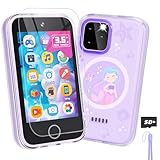
- Upgraded Kids Smartphone Toy:This upgraded kids’ phone features a larger 3.5-inch screen, making it easy and comfortable for children ages 3-10 to use. Loaded with dual cameras, music and video players, fun games, educational apps, calculator, recorder, flashlight, and more, it offers a realistic smartphone experience designed to both entertain and educate.
- Fun & Educational Playtime:Packed with 34 puzzle games, this kids' toy phone helps develop logical thinking, reaction time, and hand-eye coordination. Parents can set “Study Mode” to limit playtime, ensuring kids balance learning and fun while building healthy screen habits.
- Learning Made Engaging:Pre-installed with ABC learning, animal sounds, fables, and world landmarks, this toddler phone makes learning exciting. Kids can listen to 10 classic fables, explore 23 famous buildings from around the globe, and track daily habits with built-in habit and time management tools—encouraging curiosity and self-discipline from an early age.
- Capture Memories with Dual Cameras:Just like a real phone, the front and rear dual cameras allow kids to take selfies, record videos, and add fun stickers to their photos. With a 3.5mm headphone jack and built-in MP3/MP4 player, children can enjoy music, stories, and videos anywhere—keeping them entertained at home or on the go.
- Ideal Gift for Boys & Girls:This toy phone comes with a protective case and tempered screen film to prevent accidental drops. Powered by a rechargeable 1000mAh battery, it offers longer playtime. A perfect birthday, holiday, or travel gift for kids ages 3-12, bringing endless fun and learning in one smart package.
WhatsApp may be the least disruptive option for a mature teen whose grandparents live overseas or whose family already communicates in WhatsApp groups. The same convenience can expose the teen to more group-chat and media risks than a carefully configured child messenger.
The Tool Desk
Outbyte Driver Updater FREEFix the driver behind crashes, sound loss and screen glitchesFind Drivers →Outbyte PC Repair FREEClear out junk files and repair common Windows errorsFree Scan →Verdict: Recommend WhatsApp only for a teen who meets the current local minimum-age rule and is ready for mainstream-app privacy and group-chat responsibilities.
How should parents choose among the six apps?
Use contact control and the child’s actual device as the first decision points, then consider ecosystem convenience and privacy expectations. Feature count alone is a poor scoring method: live location may help one family and feel intrusive or unnecessary to another.
| Family situation | Primary recommendation | Alternative | Why not choose the obvious mainstream option? |
|---|---|---|---|
| 8-year-old with an iPad and no phone | Messenger Kids | Kinzoo | Google Messages and WhatsApp are poor fits for a phone-number-free child |
| Family does not want Facebook | Kinzoo | JusTalk Kids | Messenger Kids depends on a parent’s Facebook account |
| Child mainly calls grandparents | JusTalk Kids | FaceTime in an Apple household | A full mainstream social or messaging network adds unnecessary exposure |
| All close relatives use Apple devices | Messages + FaceTime with Family Sharing | Messenger Kids | Apple controls communication settings but does not provide routine message reading |
| Older child has an Android phone | Google Messages + Family Link | Messenger Kids during the transition | Family Link supervises the device and account, not all private message content |
| Teen has family contacts overseas using WhatsApp | WhatsApp if locally age-eligible | Apple Messages or Google Messages | WhatsApp is not a child-specific whitelist system |
| Two households share parenting | Test Messenger Kids, Kinzoo, and JusTalk account roles before committing | Use an ecosystem service if both households already share it | Do not assume every service handles co-parenting, recovery, or contact changes identically |
What does “safe messenger for kids” actually mean?
A safer kids’ messenger minimizes unsolicited contact, gives parents meaningful control over who can connect, avoids public discovery, and provides age-appropriate privacy and reporting tools. A safer messenger still cannot stop a trusted contact from sending inappropriate material or prevent a child from voluntarily sharing personal information.
Before choosing an app, answer these questions:
- Contact control: Can a parent approve, reject, remove, and block contacts?
- Discoverability: Can strangers search for or message the child?
- Group chats: Can an approved contact add the child to a group containing unknown people?
- Parent visibility: Does the parent see message content, high-level activity, reports, or only account settings?
- Media: Can the child receive photos, videos, GIFs, links, stickers, and disappearing messages?
- Calls: Can unknown users call the child, or are calls limited to approved contacts?
- Identity: Does setup require a phone number, email address, parent account, PIN, or a specific device?
- Monetization: Are there ads, in-app purchases, subscriptions, branded content, or optional monitoring features?
- Device controls: Can parents set bedtime, screen time, permissions, school-mode restrictions, volume limits, location, or usage reports?
- Privacy trade-off: Does more parental monitoring reduce the child’s developing expectation of privacy?
“Ad-free,” “COPPA compliant,” “kidSAFE certified,” “parent controlled,” and “end-to-end encrypted” describe different things. Ad-free does not mean that no information is collected. COPPA compliance does not mean zero risk. Encryption does not stop recipients from taking screenshots. Parent control does not necessarily provide access to message content.
Can a parent see a child’s actual messages?
Parent message visibility varies substantially: Messenger Kids advertises message monitoring, Kinzoo describes a more limited parent activity view, Apple and Google provide supervision without routine private-message access, and JusTalk Kids requires verification of the current plan and interface.
| Service | What parents can reasonably expect from the dossier | What parents should not assume |
|---|---|---|
| Messenger Kids | Contact management and message monitoring through the Parent Dashboard, according to Meta’s listing and help materials | That monitoring prevents every unsafe interaction |
| Kinzoo | High-level activity and safety/reporting access; standard parent view does not show complete private chats | That parents can inspect every private conversation |
| JusTalk Kids | Parent account linking, friend management, content controls, and optional reports are emphasized | That every plan permits reading every message |
| Apple Messages + FaceTime | Contact, communication, app, content, and screen-time controls | That Apple parental controls let parents read Messages or listen to calls |
| Google Messages + Family Link | Device, app, account, permission, screen-time, and location supervision | That Family Link reads private messages or acts as a contact whitelist |
| Mainstream account and privacy settings, with family supervision and rules | That WhatsApp provides child-specific parent message access or contact approval |
What should parents do if a child receives an inappropriate image?
If a child receives an inappropriate image, the parent should secure the account, preserve relevant evidence safely, report and block the sender, and involve a trusted adult or appropriate authorities when exploitation or abuse is suspected.
- Disable or restrict unknown contacts and review the child’s approved-contact list.
- Tell the child not to reply, forward the image, bargain with the sender, or immediately delete evidence if an adult needs to review or report the incident.
- Use the platform’s block and report tools.
- Tell a trusted adult. The child should know that reporting a problem will not automatically mean losing all communication access.
- Escalate suspected exploitation, grooming, or abuse through appropriate law-enforcement or child-protection channels.
- Check whether a trusted contact’s account was compromised or whether a group chat included people the parent did not recognize.
Apple’s Communication Safety features can warn or intervene around sensitive images, but feature availability depends on software, account, and region. Apple announced additional child-safety features on June 8, 2026, with some additions described as arriving with iOS 27, iPadOS 27, and macOS 27 in the fall. Treat those additions as announced or pending on August 18, 2026, rather than as universally available.
How should parents set up a kids’ messenger?
Set up the account and test the complete communication path before handing over the device. A safe configuration is more important than choosing the app with the longest feature list.
- Create the child account using the correct birth date and the parent’s own recovery information where the service requires it.
- Add only known contacts, and verify each contact’s identity rather than approving a name alone.
- Review privacy, search, invitation, discoverability, and group-chat settings.
- Set bedtime, downtime, screen-time, or usage limits appropriate to the child’s age.
- Disable unnecessary notifications and location sharing.
- Decide whether screenshots, disappearing messages, external links, group chats, and media sharing are allowed.
- Show the child how to block and report a contact.
- Teach a clear “tell an adult immediately” rule for threats, secrets, requests for private images, or attempts to move a conversation to another app.
- Test calls and messages from the child’s actual device and from a relative’s actual device, including a Wi-Fi-only connection if relevant.
- Confirm account recovery, PIN resets, parent roles, and what happens when the child changes devices.
Families sharing custody or living across multiple households should test whether every parent or guardian can manage the same child profile, whether one parent can add contacts without the other knowing, and which household receives recovery emails or PIN-reset instructions. Do not assume that a child messenger handles co-parenting cleanly.
Also popular on Amazon

- Bright and Sensitive Touchscreen: Equipped with a larger 3.5-inch screen makes it cosy for kids age 3-10 to read and experience a realistic smartphone. As an upgrade learning phone, our kid phone toys features more functions, such as puzzle games under parental control, habit tracker, MP3, MP4 player, ABC learning, themes, etc, and other commons, such as recorder, calculator, calendar, alarm clock, torch, countdown timer, stopwatch, etc. Called All-in-One electronics for kids aged 3-10 years old
- Upgrade Learning Phone for 3+ Years Olds Kids: Lizzbey toddler phone installed learning A-Z letter, ABC learning is easy and fun by combining letter pronunciation and associated animal sounds. 10 fables stories, 23 iconic buildings from different countries to enrich children's knowledge and inspire automatic exploration of learning. 12 habit tracker, time alarm management, can help maintain child's good daily habits more easily and develop a awareness of time in their early age
- Dual Camera Recording: Except for rechargeable 1000mAh longer lifespan, Lizzbey kids' phone have front and rear camera, so kids can effortlessly take a snap or selfies with 20 funny stickers. The 3.5-inch screen makes it easy to touch. Which is ideal choice to start photography and explore taking pictures videos
- Joy and Fun: Kids novelty phone have pre-loaded extrem 26 fun puzzle games, exercising their logical thinking, reaction skills, and hand-eye coordination. PS. Game playing time can be set for parental control, which works better than verbal reminders. Support 3.5mm headphone jack, music and MP4 player can help children relax and enjoy entertainment on the go. 14 themes and 30 wallpapers meets their personalized demand and expression. Included memory card can store more music
- Perfect Toys for Boys and Girls: Covered with a cute protective case and lanyard to prevent accidental falling, kids mini phone can make children busy at home or on the go. Which is cool style as a birthday, back-to-school, and Christmas gift for little ones aged 3 4 5 6 7 8 9. Lizzbey kid's phones keep them away from potential cyber dangers
What safety rules should kids learn before messaging?
Technology settings reduce exposure, but children still need simple rules they can remember under pressure.
- Never accept a new contact without asking a parent or trusted adult.
- Do not share an address, school, passwords, daily routines, or live location casually.
- Do not move a conversation to another app without telling a parent.
- Never send or request private images.
- Block and report instead of arguing with a threatening or manipulative person.
- Tell an adult even when someone says the child will get in trouble or must keep a secret.
- Assume that disappearing or deleted messages can still be saved in screenshots, backups, or another person’s device.
For older children, a written family agreement is usually more sustainable than secret, continuous surveillance. The agreement should state what parents will check, when parents may intervene, which behaviors require an immediate report, and how the child can ask for help without automatically losing all messaging access.
When is a dedicated kids’ phone or watch better than a messenger app?
A dedicated child-focused phone or smartwatch may be better when the real need is “my child must call me, but should not have open internet access.” A messenger app is more practical when the family already owns a suitable tablet and relatives are willing to install or use the same service.
Outdated Drivers Are Slowing You Down
One free scan finds every outdated or missing driver and matches the right update for your exact hardware.Free scan · exact hardware matchPC Slower Than It Used to Be?
A free scan shows the junk files, broken settings and background clutter dragging Windows down - then fixes them in one click.Free scan · Windows 10 & 11Products from vendors such as Pinwheel and TickTalk are possible hardware alternatives, but device price, cellular service, subscription, battery, location, and feature claims require separate verification. Hardware also adds costs that a free or freemium messenger does not.
| Choose a messenger app when… | Consider dedicated hardware when… |
|---|---|
| The child uses a Wi-Fi tablet already in the home | The child needs reliable communication away from Wi-Fi |
| Approved family members can install the same app | The parent wants a controlled phone or watch rather than an open tablet |
| Video calling or family media sharing is the main goal | The parent needs communication tied to cellular service and a dedicated device |
| The family wants to avoid another hardware and service bill | The family accepts hardware, cellular, subscription, and possible location-tracking costs |
How often should parents recheck the choice?
Recheck the app whenever the child changes devices, reaches a new age band, starts communicating with peers, adds a second household, or begins using group chats. Also recheck regional availability, operating-system support, privacy settings, paid-feature boundaries, and the platform’s current minimum-age policy before major changes.
A child who was well served by Messenger Kids at age 9 may need a different conversation about privacy and scams at age 13. Moving to a mainstream app should be treated as a gradual responsibility change, not simply as installing a new icon.
Frequently Asked Questions
What is the safest messenger app for a child under 13?
For many U.S. children under 13, Messenger Kids, Kinzoo, or JusTalk Kids is safer than a mainstream messenger because each is designed around family communication and parent-managed connections. The best choice still depends on whether the family accepts Facebook, needs video calls, and uses a Wi-Fi-only device.
Which kids’ messenger does not require a phone number?
Messenger Kids, Kinzoo, and JusTalk Kids can support child communication without requiring the child to have a conventional phone number. Messenger Kids uses a parent’s Facebook account, Kinzoo uses a parent email account and a child PIN, and JusTalk Kids is designed for Wi-Fi use.
Can parents read messages in Messenger Kids?
Meta says Messenger Kids parents can monitor messages through the Parent Dashboard. That monitoring should not be treated as a complete safety guarantee because an approved contact can still send inappropriate content or an account can be compromised.
Is WhatsApp suitable for a 12-year-old?
Do not recommend WhatsApp for a 12-year-old by default. WhatsApp is a mainstream service with a current local minimum-age rule that must be checked before use, and WhatsApp does not provide the same child-specific contact-approval model as Messenger Kids, Kinzoo, or JusTalk Kids.
Does Google Family Link let parents read a child’s texts?
Google Family Link does not function as routine private-message monitoring. Family Link manages supported device and account settings such as apps, permissions, screen time, content controls, bedtime, and location, while Google Messages remains a conventional messaging service.
Do these 3 things before closing this tab:
1Scan for outdated or missing drivers - takes under a minute2Repair Windows errors before they cause bigger problems3Fix the driver behind crashes, sound loss and screen glitchesThe Bottom Line
For a younger child or Wi-Fi-only tablet, start with Messenger Kids, Kinzoo, or JusTalk Kids. Choose Messenger Kids for the easiest connection to relatives already using Messenger, Kinzoo to avoid Facebook and a child phone number, and JusTalk Kids when video calls are the priority. For an older child, Apple Messages with Family Sharing or Google Messages with Family Link can work within the family’s device ecosystem, but neither gives parents routine access to private messages. Choose WhatsApp only for a teen who meets the current local age rule and is ready for mainstream group-chat and privacy responsibilities.

