
What’s actually slowing this PC down?
Pick the symptom - the matching free tool is one click away.
Expense tracking means recording where money goes: the date, payee, amount, payment method, and purpose of each transaction. It is not the same as budgeting. Tracking describes what already happened; budgeting uses that history to decide what you plan to spend next.
A useful tracker does not need to be an expensive app. A spreadsheet, paper log, banking export, or accounting system can work if it captures complete information consistently and is reviewed often. The right setup depends on whether you are tracking household spending, preparing a business record, or collecting information for tax purposes.

What expense tracking actually does
Expense tracking answers practical questions such as:
- How much did you spend on groceries, transport, subscriptions, or eating out?
- Which bills are due before your next paycheck?
- Are small daily purchases accumulating into a significant monthly amount?
- Which expenses are business-related, reimbursable, or potentially deductible?
- Is a recurring service still being used?
Budgeting comes after this information is available. The Consumer Financial Protection Bureau treats tracking spending and creating a budget as separate steps: first identify income, spending, and bill timing; then use that information to create a workable plan.
#1 Best Overall

- Neatly Track & Organize Your Finances: The accounting ledger book is here for you to stay on top of your spendings & income! Clearly & neatly structured, it offers ample space for all crucial information about checks, savings, bills & other expenses or income
- Perfect For Small Business Owners: Keep it simple, yet super effective - the undated income and expense log book is an absolute must-have among small business supplies! Register your financial data and use your debit & credit records to compile a trial balance
- Premium Style With A Sturdy Cover: With the 120-page finance tracker, you can manage your finances conveniently in one place. A solid cover, thick paper and a reliable ring binding ensure maximum durability
- Beautiful Modern Minimalistic Design: A visual highlight just like you can expect from ZICOTO! The sage green cover of the ledger book, look stunning with a modern golden floral on the front - makes bookkeeping simply beautiful!
- Super Handy - Always At Hand: Thanks to its practical size, the 8.6x6.1” ledger book fits into any bag easily and is therefore always by your side. Whether used as a checkbook register or to track other financial flow, with the log book you’ve got it all sorted!
What to record
Each transaction should contain enough information to identify what happened later. For a basic personal tracker, use these fields:
| Field | What to enter | Example |
|---|---|---|
| Date | When the purchase or income occurred | 2025-03-14 |
| Category | A consistent spending group | Groceries |
| Description or payee | Who received or paid the money | Northside Market |
| Amount | The transaction value | 64.28 |
| Notes or document reference | Extra context or a receipt location | Receipt photo: Drive/2025/03 |
Also record the payment source, especially if you use more than one checking account, credit card, cash wallet, or payment service. A fuller table can therefore include Account, Type, and Reimbursable?.
Choose categories before entering a lot of data
Categories make totals useful, but too many categories make a tracker difficult to maintain. Start with groups that match the decisions you need to make. A household list might include:
- Housing
- Utilities
- Groceries
- Transportation
- Insurance
- Debt payments
- Eating out
- Entertainment
- Personal care
- Education
- Subscriptions
- Holiday and gifts
- Savings
Use one primary category for an ordinary transaction. If one receipt contains different purposes, split it into separate rows or use a deliberately designed split-transaction method. For example, a $100 store receipt containing $70 of groceries and $30 of cleaning supplies should not be left as an unexplained $100 entry if those categories matter to your decisions.
PC Slower Than It Used to Be?
A free scan shows the junk files, broken settings and background clutter dragging Windows down - then fixes them in one click.Free scan · Windows 10 & 11Outdated Drivers Are Slowing You Down
One free scan finds every outdated or missing driver and matches the right update for your exact hardware.Free scan · exact hardware matchSet up a simple expense tracker in Google Sheets
Google Sheets does not have one universal, current “expense tracker” feature with a fixed menu path. The dependable approach is to create a transaction table yourself or use a specifically identified template. Do not assume that a button or template called “Expense Tracker” will appear in every Sheets account.
Recommended sheet structure
- Create a spreadsheet named something recognizable, such as 2025 Household Spending.
- Rename the first sheet Transactions.
- In row 1, add these headings: Date, Account, Category, Description, Amount, and Notes.
- Enter one transaction per row, beginning in row 2.
- Format the Date column as a date and the Amount column as currency.
- Freeze the heading row so it remains visible while scrolling.
- Use a consistent spelling for categories. “Eating out,” “Dining,” and “Restaurants” should not all represent the same group unless you intend to report them separately.
For a basic personal tracker, record expenses as positive numbers and calculate totals by category. This avoids confusion when filtering and makes the table easy to read. If you later add income and refunds, label their transaction type clearly rather than relying only on positive and negative signs.
Rank #2

- Effective Budget Planning - Take control of your finances with the budget account book. This comprehensive planner allows you to plan and track your income, expenses, savings, and financial goals in one convenient place. With its intuitive layout and easy-to-use sections, you can stay organized and make informed decisions to achieve financial success.
- User-Friendly Layout - The budget planner features a user-friendly layout designed for easy navigation and organization. Each month, you'll find dedicated budget pages where you can set financial goals, track your income, and plan your expenses. Additional sections include debt trackers, savings goals, bill payment trackers, and more, making it simple to stay on top of your finances.
- Undated Monthly Calendar & Bonus Stickers - Featuring undated calendar each month, you'll have ample space to mark paydays, bills due, appointments, and important dates. Say goodbye to difficult writing spaces. Plus, we've included 3 cute sticker sheets that allow you to personalize your financial organizer and make budgeting more fun. Dates are not pre-printed and are completed by the user.
- Reliable and Convenient Design - Our monthly budget planner is designed for your convenience and built to last. The elastic band keeps everything securely in place, and the dual-sided pocket provides extra storage. Experience a budget planner that combines practicality and durability.
- Master Budgeting with Ease - Our financial planner includes a complete guidebook that provides valuable insights and instructions for optimal usage. From setting financial goals to tracking expenses, this guidebook offers step-by-step guidance and practical tips. Whether you're new to budgeting or an experienced user, this resource will help you make the most of your budget planner, empowering you to achieve financial success.
Useful formulas
If the category is in column C and the amount is in column E, this formula totals groceries:
=SUMIF(C:C,"Groceries",E:E)If you add a month column, or use a date range, you can total a category for a particular period with:
Quick wins for a faster PC:
Clear out junk files and repair common Windows errorsFree Scan →Scan for outdated or missing drivers - takes under a minuteDriver Scan →=SUMIFS(E:E,C:C,"Groceries",A:A,">="&DATE(2025,3,1),A:A,"<"&DATE(2025,4,1))A pivot table can summarize spending by category and month without requiring a separate row of formulas for every category. The exact menu wording can vary by Google Sheets version, so use the spreadsheet’s current Insert menu and select its pivot-table option after selecting the transaction range.
Use an imported template carefully
Some services connect accounts and place downloaded transactions into a spreadsheet. Tiller’s Foundation Template, for example, uses the exact tabs Spending Trends, Transactions, Categories, AutoCat, and Monthly Budget. In that design:
- Transactions contains the imported transaction list.
- Categories manages categories and budget information.
- AutoCat contains automatic categorization rules.
- Spending Trends reports patterns over time.
- Monthly Budget compares planned amounts with results.
Importing is not the same as reviewing. Imported transactions still need categorization and checking. Merchant names may be abbreviated, duplicated charges may appear, and a transfer between your own accounts can be mistaken for income or spending.
A reliable setup process
- List every money source and account. Include checking and savings accounts, credit cards, cash, digital payment services, employment income, self-employment income, child support, benefits, reimbursements, and other relevant sources.
- Separate income from expenses. A transfer from checking to savings is not new income. A payment from checking to a credit card is normally a debt payment or account transfer, not a second expense.
- Enter transactions when they happen. Daily entry is more reliable than trying to reconstruct a month from memory. The IRS says recording transactions daily generally makes a recordkeeping system more effective.
- Attach context. Keep a receipt link, invoice number, business purpose, or note when the entry may need explanation later.
- Review the record weekly. Compare the tracker with account statements and receipts. Correct wrong categories, missing cash purchases, duplicate imports, and transactions that have cleared differently from the original entry.
- Total the categories at the end of the period. Start with a month, then compare months to identify recurring charges and changes.
- Create a budget from the history. After at least two weeks of tracking, and preferably a full month, use the results to set realistic planned amounts.
Do not miss cash and small purchases
Bank downloads cannot capture cash purchases made from a wallet. Keep a quick phone note, paper log, or same-day spreadsheet entry for cash. Retain receipts where the expense needs proof.
Small purchases are another common blind spot. Breakfast, lunch, convenience-store purchases, delivery fees, and app purchases may look insignificant individually but become visible when added together. Compare the tracker with receipts, account activity, and your daily notes rather than relying on memory.
Track due dates separately from spending totals
A monthly total does not show whether money will be available on the day a bill is due. Add a bill calendar with:
- Bill name
- Amount or expected range
- Due date
- Payment account
- Automatic-payment status
This exposes timing problems, such as a large insurance payment due immediately before a paycheck. A budget should therefore consider both the amount of a bill and the date it leaves the account.
Handle refunds, reimbursements, and credit cards correctly
Credit-card payments
Record the purchase as the expense when it occurs. When you later pay the credit-card balance from checking, record that movement as a transfer or debt payment so it does not count as a second purchase.
Refunds
Link a refund to the original transaction and reduce the net cost. For example, a $60 purchase followed by a $15 refund has a net cost of $45. Keeping the original and refund visible preserves an audit trail.
Reimbursements
Keep the original expense and identify the expected reimbursement. When the money arrives, link it to that expense instead of treating it as unrelated ordinary income. A business or employer may require additional documentation.
Rank #4

- PERFECT FOR RECORD KEEPING: The 2 Pack account ledger books are versatile and can be used to track finances, budgets, expenses, and other business or personal records. They are perfect for individuals, entrepreneurs, or small business owners who need a reliable and efficient way to keep track of their finances. With 100 pages, customers can record transactions over an extended period, making it a handy tool for financial planning and organization.
- COMPACT AND LIGHTWEIGHT: The account ledger books are compact and lightweight with each book weighing 7 ounces and measuring 8.5 x 6.25 inch, making them easy to carry around. You can take them with them in a bag or briefcase, making them ideal for on-the-go use. This feature ensures that you can access your records at any time, whether you are at work or on the move.
- DURABLE KRAFT COVER: The kraft cover is a distinguishing feature of these account ledger books. It provides a durable layer of protection that can withstand daily wear and tear, making it suitable for long-term use. Additionally, the classic, rustic appearance of the cover gives it a timeless and professional look that can fit in any setting.
- PREMIUM QUALITY: Elegant style with the words ''Account Tracker'' embossed in fancy Gold Foils. The gold coil ring binding is a practical design feature that enhances the functionality of the account ledger books. It allows pages to turn smoothly and easily, making it effortless to flip through the book while keeping pages in place. The ring binding also ensures that pages won't fall out, preventing the loss of vital information.
Using a tracker for business and tax records
For federal tax recordkeeping, the IRS generally does not require a particular spreadsheet, app, or accounting product. You may use any system suited to the business if it clearly shows income and expenses and produces a complete, accurate record accessible to the IRS.
A spreadsheet entry by itself is not necessarily proof of a deduction. Supporting documents can include:
Free tools Windows power users keep installed
One-click scans. No signup required.
- Invoices and receipts
- Bank statements
- Credit-card receipts and statements
- Canceled checks
- Electronic-transfer evidence
- Cash-register receipts
A combination of documents may be needed to establish the amount, date, business purpose, and other elements of an expense. An expense also needs to qualify under the applicable tax rules; tracking it does not automatically make it deductible. The IRS describes an ordinary expense as one that is common and accepted in the taxpayer’s trade or business.
Keep business and personal finances separate. The IRS recommends opening a business checking account and maintaining separation from the personal account. If a purchase mixes personal and business items, split the record and retain evidence supporting the business portion.
Asset records need more than the purchase amount. Keep the acquisition date, purchase price, improvements, depreciation or Section 179 information where applicable, business-use details, disposal date, selling price, and selling expenses. Retain records for as long as needed to prove income or deductions on the relevant return. There is no single retention period for every record; employment-tax records have a separate minimum of four years.
Common mistakes and their fixes
| Mistake | Why it causes trouble | Fix |
|---|---|---|
| Counting a card payment as a new expense | The purchase and repayment are counted twice | Classify the repayment as a transfer or debt payment |
| Leaving all purchases uncategorized | Totals cannot guide a budget | Use a short, consistent category list |
| Relying only on bank statements | Statements may not show the business purpose or item details | Keep receipts, invoices, and explanatory notes |
| Assuming imports are correct | Transfers, duplicates, and merchant errors remain in reports | Review every imported batch |
| Ignoring subscriptions | Unused recurring charges continue unnoticed | Filter recurring payments and cancel services you do not use |
| Reconstructing months from memory | Cash and small purchases disappear | Enter transactions daily or at least several times per week |
| Using a budget before knowing actual spending | Planned amounts may be unrealistic | Track for at least two weeks, preferably one month, first |
Privacy and backup basics
Restrict spreadsheet sharing to people who need access. Avoid placing full card numbers, passwords, or security answers in the notes column. Keep receipt images in an organized folder and link to them rather than storing sensitive information in multiple places.
Best Value
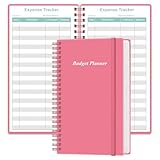
- MANAGE YOUR MONEY & ACHIEVE YOUR FINANCIAL GOALS - This budget tracker will help you keep your money organized, spend well, start saving, set and achieve financial goals. It can help you to manage all your personal finance, savings, debts, daily expense etc.
- UNIQUE DESIGN - This budget sheets expense tracker total 80 sheets/160 pages contains an annual overview (calendar from 2025-2026), yearly goals page, contact pages, important pages, and 10 pages (lined) for notes, lists, goals, etc, that help you manage your money efficiently and reach your finance goals perfectly.
- POCKET SIZE - This budget planner size of 3.75 x 6.75 inch, perfect size to fit in your bag, A6 envelopes pockets & wallet.
- SUPERIOR QUALITY - This expense budget sheets planner with 100gsm thick paper to reduce ink leakage, erase fraying and shade issues. Sturdy and flexible PP cover to protect the inner pages well. Strong metal and lay-flat twin-wire binding, Planner with inner pocket to store loose items, like tickets, cards etc and elastic closure to protect your finance planner.
- EASY TO USE - You can use this card to record your daily expenses. They can help you know where your every cent is going; Our expense tracker sheets can really help you keep track and stay on budget.
Make periodic copies or exports of important records. If the tracker is used for a business, ensure the saved files remain readable and that the supporting documents can be retrieved together with the transaction list.
FAQ
What is the difference between expense tracking and budgeting?
Expense tracking records actual income, purchases, bills, and payments. Budgeting uses that history to assign planned amounts to future spending, savings, and bills. A tracker describes the past; a budget guides the future.
How long should I track expenses before making a budget?
Track for at least two weeks and preferably a complete month. A longer initial period captures recurring bills, occasional purchases, cash spending, and timing differences between income and due dates.
Can I use Google Sheets instead of accounting software?
Yes. The IRS generally does not mandate a particular software product for federal tax records. A spreadsheet is acceptable when it clearly shows income and expenses and retains sufficient supporting evidence. Businesses may need more structured controls as transaction volume grows.
The Tool Desk
Outbyte Driver Updater FREEFix the driver behind crashes, sound loss and screen glitchesFind Drivers →Outbyte PC Repair FREERepair Windows errors before they cause bigger problemsFix Now →Should a credit-card payment be recorded as an expense?
Record the original card purchase as the expense. Record the later payment from checking to the card as a transfer or debt payment, not as another purchase expense.
Are bank statements enough to prove a business expense?
Not always. Bank and card statements are useful evidence, but additional receipts, invoices, and notes may be needed to show the date, amount, business purpose, and other elements of the expense.
What is the easiest expense-tracking format for a beginner?
Use one spreadsheet table with Date, Account, Category, Description, Amount, and Notes. Add one transaction per row, review it weekly, and total categories at month-end.
The Bottom Line
Start with a complete transaction list rather than a complicated budget. Record every account, income source, purchase, bill date, cash payment, refund, and transfer; categorize entries consistently; and review the result against statements and receipts. After two weeks or a month of reliable history, the totals can support a budget that reflects real spending instead of guesses.
Recommended Free Tools
For business use, preserve the supporting documents and separate business activity from personal spending. A tracker is a useful recordkeeping tool, but the spreadsheet alone does not establish that an expense is deductible.
Quick Recap
Product prices and availability are accurate as of the date/time indicated and are subject to change. Any price and availability information displayed on Amazon at the time of purchase will apply.

