
AWS Snowmobile was a real service for moving exceptionally large datasets to Amazon’s cloud without sending all the data over the internet. AWS brought a truck-mounted container to a customer site, where the customer copied data to it over a local network; AWS then transported the container and imported the data into Amazon storage. It was not a FedEx-operated service, and AWS lists Snowmobile as fully shut down, with support ending March 14, 2024.
What “FedEx instead of the Internet” meant
The headline is a shorthand for physical data transfer, not a literal description of the carrier. AWS introduced Snowmobile in 2016 as a service it arranged and managed. AWS personnel brought the equipment to the customer, helped connect it to the local network, and handled its return and transport to AWS. The launch materials do not show FedEx operating the service. AWS’s 2016 launch announcement described the goal as moving exabytes of data to the cloud.
The customer did not send data to the truck over the public internet. Instead, the truck’s storage was connected to the customer’s network so the data could be copied locally. Once the container returned to AWS, the data was imported into Amazon S3; the launch announcement also referred to Amazon Glacier.
How Snowmobile worked
- AWS delivered the equipment. The launch design was a ruggedized, 45-foot container hauled by a trailer truck.
- The customer connected it to the local network. AWS described the container as a local NFS-mounted volume, allowing data to be copied from the customer’s systems without transferring it across the internet.
- AWS transported it to its facility. After the copy, the truck returned to AWS, where the data was brought into AWS storage.
At launch, AWS said one Snowmobile could hold up to 100 petabytes (PB). It described a switch capable of 1 terabit per second across multiple 40-gigabit-per-second connections. AWS estimated that filling one unit could take about 10 days if the customer’s network could sustain the stated transfer rate. Those figures are AWS’s 2016 specifications and estimate—not independent measurements or a guarantee of how long a customer’s transfer would take. AWS News Blog, November 30, 2016
#1 Best Overall

- High-capacity add-on storage.Compatibility : Windows 10 plus, Reformatting required for use with MacOS.
- Fast data transfers
- Plug-and-play ready for Windows PCs
- WD quality inside and out
Why move data physically?
For petabyte- or exabyte-scale collections, transferring everything over a network can take a long time and consume substantial bandwidth. A physical transfer can make sense when the available connection is too slow or unreliable for the required schedule, provided the organization can accommodate the equipment, on-site work, and the time during which data is in transit.
AWS’s general migration guidance—not a current Snowmobile offer—suggests considering offline transfer when moving data over the network would take a week or more. It also cautions that offline transfer may not work for applications that cannot tolerate the transfer interval. AWS, “An Overview of AWS Cloud Data Migration Services”
Rank #2

- No wall warts: Work freely with its bus-powered USB-C. No wall outlet required.
- Big on space: High-capacity storage to store all your files in one place.
- Reliable backup: Safeguard assignments, projects, or sensitive files with trusted performance.
- Fuss-free, clutter-free: One port, one cord, quick connect.
- Peace-of-mind: Comes with two-year limited warranty and Rescue Data Recovery Services.
What AWS said about security
AWS described Snowmobile as using layered physical and data protections. Its launch materials cited chain-of-custody tracking, video surveillance, GPS tracking, encryption with the customer’s AWS KMS keys before data was written, and security personnel or an escort during transit. AWS also said access was restricted to AWS personnel. These are AWS’s descriptions of its design and operations; they are not independent audit findings about how effectively each measure worked. AWS’s launch announcement
Snowmobile is no longer available
AWS lists Snowmobile among services in full shutdown and gives March 14, 2024, as its end-of-support date. AWS defines full shutdown as removal from its service portfolio, meaning the service is no longer available or supported. Snowmobile is therefore a historical example, not something customers can order now. AWS General Reference, “Services in Full Shutdown”
Crashes, No Sound, or Screen Glitches?
Random freezes, missing sound and display glitches usually trace back to one bad driver. Find and replace yours safely.Free scan · under a minutePC Slower Than It Used to Be?
A free scan shows the junk files, broken settings and background clutter dragging Windows down - then fixes them in one click.Free scan · Windows 10 & 11Rank #3
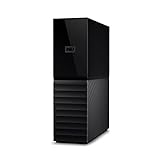
- The My Book is a proven USB 3.0 memory to back up your creations. Reliable desktop storage in an attractive design and proven WD quality secures your data easily and securely
- The external storage includes backup software to back up your important data. Simply set up automatic data backup by determining the time and frequency
- My Book's built-in 256-bit AES hardware encryption with password protection ensures that your content remains confidential and protected at all times
- The My Book external hard drive 22 TB offers you a large amount of storage. Whether to expand your current PC memory or to back up your data, the My Book Destop storage is ideally suited
- Box contents: WD My Book desktop storage 22 TB, USB 3.0 cable, power supply, software for management, backup and password protection of devices, quick installation guide
What AWS points new customers toward
In its Snowball Edge availability guidance, AWS tells new customers to explore AWS DataSync for online transfers, AWS Data Transfer Terminal for secure physical transfers, or AWS Partner solutions. AWS says the availability change does not affect customers already using Snowball Edge. Eligibility and regional availability can vary, so check AWS’s current guidance before planning a migration. AWS Snowball Edge Developer Guide, “AWS Snowball Edge availability change”
To assess whether an online or physical transfer is appropriate, compare the dataset size with reliable available bandwidth and estimate the transfer time. Also account for whether applications can tolerate the transfer interval and whether the source site can support the equipment and operational work. Snowmobile’s truck-scale design illustrates the unusual scale it targeted; it does not establish that a physical transfer is the right choice for a particular migration.
Quick Recap
Best Value

- Easy-to-use desktop hard drive—simply plug in the power adapter and USB cable
- Fast file transfers with USB 3.0
- Drag-and-drop file saving right out of the box
- Automatic recognition of Windows and Mac computers for simple setup (Reformatting required for use with Time Machine)
- Enjoy peace of mind with the included limited warranty and Rescue Data Recovery Services
Rank #4
- High-capacity add-on storage.Specific uses: Personal
- Fast data transfers
- Plug-and-play ready for Windows PCs
- WD quality inside and out
Product prices and availability are accurate as of the date/time indicated and are subject to change. Any price and availability information displayed on Amazon at the time of purchase will apply.

