
The Tool Desk
Outbyte Driver Updater FREEFix the driver behind crashes, sound loss and screen glitchesFind Drivers →Outbyte PC Repair FREERepair Windows errors before they cause bigger problemsFix Now →The 2017 Alienware 17 R4 was a configurable 17.3-inch gaming desktop replacement, not a laptop designed for easy travel. In its high-end GTX 1080 configuration it delivered strong sustained performance, but graphics, screen, battery life, and even the experience varied by configuration. Its 4.42 kg weight, heat, and fan noise were significant trade-offs.
What the Alienware 17 R4 review covers
This is a look back at the 2017 generation and the specific systems reviewers tested. The name “Alienware 17 R4” does not identify one fixed specification: Dell documented different graphics, screens, and batteries, while period reviews covered systems ranging from GTX 1050 Ti to GTX 1080. Results below are tied to the configuration and test that produced them; they should not be read as promises about every R4.
For present-day buyers, the distinction matters especially because this is now a used machine. Its condition, installed components, and battery health are as important as its original specifications. The cited reviews establish launch-era characteristics, not current prices, repair-part availability, modern-game performance, or current Windows support.
Which Alienware 17 R4 configuration has the GTX 1070?
Several configurations were sold, and a GTX 1070 was an upper-middle graphics option between the GTX 1060 and GTX 1080 systems described in period reviews. Here are the configurations specifically reported by Laptop Mag; its listed prices are historical U.S. review-era prices, not current valuations.
Recommended Free Tools
#1 Best Overall

- Color: Black, with Backlit, with Frame, Layout: US
- Replace Part Numbers: 00WN4Y 0WN4Y PK131QB1A00 NSK-EE0BC 01 0CF2YW CF2YW NSK-EE0BC 1D PK131QB1A01
- Compatible Models: Compatible with Dell Alienware 17 R4
- Every Key is tested before shipping
- Real Picture
| Configuration | Reported components | Historical price |
|---|---|---|
| Base | Core i7-7700HQ, 8GB RAM, GTX 1050 Ti, 1TB hard drive | $1,299.99 (Laptop Mag) |
| GTX 1070 review system | Core i7-7700HQ, 16GB RAM, GTX 1070 8GB, 1080p screen, 128GB SSD, 1TB 7,200-rpm hard drive, Tobii eye tracking | $1,949.99 (Laptop Mag) |
| GTX 1080 review system | Core i7-7820HK, GTX 1080, QHD G-Sync screen, 256GB PCIe SSD, 1TB hard drive | $2,599.99 (Laptop Mag) |
Tech Advisor’s 2017 UK review listed range pricing from £1,549 for a base model to £2,449 for a top listed GTX 1080 configuration. Its listed GTX 1070 model cost £2,099 and paired the GPU with 8GB RAM and a 2560×1440 screen; its particular review unit was reported at £2,697. These UK figures reflect that publication’s launch-era context and should not be compared directly with present-day used listings.
Check the actual CPU, GPU, screen, RAM, and storage before comparing machines or applying a review benchmark to a listing. Dell’s setup and specifications documentation is the reference for the model’s documented options.
How fast was the Alienware 17 R4?
High-end GTX 1080 performance
PCWorld tested a system with a Core i7-7820HK, GeForce GTX 1080, 16GB DDR4, SSD storage, and a hard drive. In its 2017 benchmarks, this unit scored 6,538 in 3DMark Time Spy and 4,960 in Fire Strike Ultra. PCWorld’s Max-Q comparison system scored 5,489 and 4,091, respectively. The R4’s advantage was clearer in these longer benchmark tests than in the publications’ short gaming benchmarks, where results were much closer. Those figures compare PCWorld’s particular test systems and methods, not every Alienware 17 R4.
Rank #2

- 🔋Output:19.5V 12.3A 240W (Compatible with 19.5V 9.23A 180W) Input:100-240V 50-60Hz
- ✅【Compatible with Dell Alienware Laptop charger】 Dell Alienware 17 R1 R2 R3 R5, 15 R1 R2 R3 R4 R5, 13 R1 R2 R3 R4 ; Alienware M11 M11X, M13 M13X, M14 M14X, M15 M15X, M17 M17X, M18X X51
- ✅【Compatible with Dell Precision Laptop charger】Dell Precision 7510 7520 7530 7710 7720 7730 M4300 M4600 M4700 M4800 M6400 M6500 M6600 M6700 M6800
- ✅【Compatible with Dell G3 G5 G7 Laptop charger】Dell G3 Series 15 17 3579 3779 3500 G5 15 5587 5590 5500 G7 15 17 7588 7500 7590 power supply
- ✅【Compatible with Part Number】 FWCRC, C3MFM, U896K, 6RTJT, Y044M, Y047M, J211H, J938H, GA240PE1-00, PA-9E, 330-3514, 330-4342, 330-4128, 450-18931, LA240PM180, 7XCR6, 07XCR6, DA240PM180, 0RYJJ9, RYJJ9, 8N2T2, 450-AGCX
Performance depends on the GPU and test
Tech Advisor found its top-end Core i7-7820HK/GTX 1080 review sample strong in CPU and GPU benchmarks and generally smooth in gameplay, while cautioning that lower-tier models could perform differently. A GTX 1050 Ti or GTX 1070 R4 is not represented by the GTX 1080 results above. The most useful performance question for a used unit is therefore its exact GPU, followed by the CPU and the workload you intend to run.
The 17 R4 also offered configurable lighting. Some configurations included Tobii eye tracking; Tech Advisor described possible uses in supported games and Windows behaviors, but game support was not universal. Its presence should be confirmed on the particular machine rather than assumed from the model name.
How good was the 17.3-inch display?
Display options included FHD, QHD, and UHD resolutions, with some configurations offering high refresh rates or G-Sync. Screen quality varied, so a review of one panel cannot stand in for all R4 displays.
Rank #3
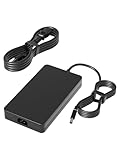
- HSXIRQA Charger Compatible with Alienware M15 R1 R2 R3 R4 R5 R6 R7, Alienware M17 R1 R2 R3 R4 R5, Alienware X51 R3 R2 R1 Alienware x16 R2 R1 Alienware x15 R2 R1 Alienware x17 R2 R1 Alienware M18x R3 R2 R1 Alienware M17x R4 R3 R2 R1 Alienware M15x M14X R2 R1 Alienware M11x R3 R2 R1 Alienware 17 R5 R4 R3 R2 R1 Alienware 15 R4 R3 R2 R1 Alienware 14 R1 Alienware 13 R1 R2 R3 R4 Alienware Area-51m R1 R2 Alienware Alpha R1 R2 Model: P56G P39G P42F P87F P69F P43F P31E P06T P18G P01E P11E P12E P111F P120F P48E D05S P109F P41E P45E P38E D07U Gaming Laptop
- Specification: Input Voltage: 100-240V, 50-60Hz (Worldwide use), Output Voltage: 240W 19.5V/12.3A, (also Works for 180W 150W 130W Wattage Devices).Power Jack Connector Type:Round Tip 7.4mm*5.0mm. (It is not fit for laptops devices requiring more than 240W)
- Stable Compatibility; Experience faster, more reliable charging with this Portable charger. Lightweight and compact size makes it easy to pack for business trips, vacations, or outdoor or home or daily use at the office.Durable Construction and Made with heat-resistant materials for extended durability.The built-in chip automatically adjusts power based on your devices temperature and battery status. Less heat, safer charging, and a battery that lasts longer
- Safe & Efficient Charging: Built-in safeguards protect against overcurrent, short-circuit, and overheating, ensuring reliable power delivery every time. Designed with high temperature resistant, flame retardant and fire-resistant materials, all our products provide ultimate protection for your devices. Choosing this charger is a smart choice for the safety of yourself and your family
- What's in the Box: 1 X Power Adapter, 1 X Power cord
Tech Advisor’s reviewed unit had a 120Hz, 2560×1440 TN panel. In its measurements, that panel covered 93% of sRGB and 72% of Adobe RGB, with average Delta E 1.29, maximum brightness of 372.4 cd/m², and 460:1 contrast. The reviewer praised its sharpness and color while identifying contrast as a weakness. These measurements describe that tested panel only; Laptop Mag also noted differences in screen quality between configurations.
If the screen matters to you, verify the resolution and panel in the actual listing and inspect it in person where possible. A stated resolution or refresh rate alone does not establish the image quality of an individual used system.
Windows Errors? Fix Them Before They Spread
Repair common Windows errors and clear accumulated junk for a smoother, more stable PC - no reinstall needed.Free scan · no reinstallCrashes, No Sound, or Screen Glitches?
Random freezes, missing sound and display glitches usually trace back to one bad driver. Find and replace yours safely.Free scan · under a minuteHow much does the Alienware 17 R4 weigh?
Tech Advisor measured its reviewed configuration at 4.42 kg (about 9.7 lb) and found it awkward to carry. PCWorld likewise noted the system’s size and large power adapter. A 17.3-inch screen makes for a substantial gaming workspace, but this is a machine better suited to a desk than a daily commute.
Rank #4
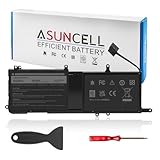
- 【9NJM1 Battery for Dell】 - Asuncell laptop computer battery is made of Li-ion, 3-cells, 11.4V, 99Wh capacity. 100% Brand new. Up to 500 recharge cycles over the life of the battery.
- 【Compatible Models】 - This 9NJM1 laptop battery fits for Dell Alienware 15 R3 R4 Series, 17 R4 R5 Series Notebook, Dell P31E P69F Series(P31E001, P31E002, P69F, P69F001, P69F002 Series), Dell ALW17C Series. (Dell ALW17C-D1738 ALW17C-D1748 ALW17C-D1758 ALW17C-D1848 ALW17C-D2738 ALW17C-D2748 ALW17C-D2758 ALW17C-R1748 Series)
- 【Repalce part number】9NJM1/MG2YH/0MG2YH/01D82/HF250
- 【Easy to Install】 - Enclosed a free screwdriver and crowbar with the Asuncell 9NJM1 battery hepls you to replace the battery conveniently and easily. Any problem, pls feel free to contact us, we will serve you whole-heartedly.
- 【Durable, Safe and Reliable】 - Premium Grade A cells makes it safe through overcharge and over-discharge, over-current and short circuit protection. Strict guidelines for compatibility, and standards compliance for environment safety. And all ASUNCELL products are certified by UL, CE, RoHS, FCC.
Heat and noise are part of that desktop-replacement experience. Tech Advisor reported hot operation and loud fans; PCWorld also found the laptop noisy under moderate and full loads and said the rear exhaust area became uncomfortably warm. These are observations from the cited review units, not a guarantee about every surviving system. In practice, plan to game on a hard surface with room around the rear exhaust, and expect a headset to be useful when fan noise is distracting.
Independent reader supportYour contribution helps us test, update, and keep practical guides available for everyone.How long does the battery last?
There is no single runtime figure for the line. Laptop Mag recorded 8 hours 32 minutes in its continuous Wi-Fi web-surfing test on a lower-level configuration. PCWorld recorded 3 hours 8 minutes in a 4K video rundown test on its higher-performance configuration. These were different workloads and configurations, so they are not a direct comparison—and neither predicts gaming time on battery or the runtime of an aged used battery.
Dell documented removable 68 Wh and 99 Wh battery options. On a used machine, ask which battery is installed and request its current health or runtime information. The watt-hour rating identifies capacity, not the condition of an old battery; confirm any replacement part against the system’s service tag and Dell’s model-specific service manual.
Best Value
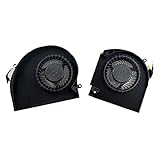
- Original Quality for Alienware 17 R4 R5 P31E Series Laptop
- ALW17C 0K2PKV 04RFW1 MG75090V1-C060-S9A MG75090V1-C070-S9A(Maybe the part numer is different!!!)
- 1 Pair CPU +GPU Cooling Fan in Package
Ports, expansion, and setup trade-offs
Dell’s documentation lists Ethernet, Mini DisplayPort, HDMI, Thunderbolt 3, a dedicated Graphics Amplifier port, USB ports, and audio connections. The Graphics Amplifier offered an option to connect a desktop GPU, as Laptop Mag noted. That expansion capability adds flexibility, but it does not change the weight or size of the laptop itself.
Tech Advisor found the USB count and port placement awkward for some VR setups, with ports concentrated toward the rear. If you plan to connect a headset and peripherals at once, check the actual port layout against your setup before buying.
What should you check before buying one used?
A used R4 can only be judged as the particular machine offered, not as a generic model. Before paying, check:
- Exact configuration: Record the CPU, GPU, screen resolution and refresh rate, RAM, and storage. Do not infer GTX 1070 or GTX 1080 performance from the model name.
- Battery and charger: Ask about battery health and confirm that a working, suitable charger is included. Dell documented removable 68 Wh and 99 Wh battery choices, but compatibility of a replacement must be checked for the individual system.
- Screen and operation: If possible, inspect the display for faults and test the keyboard, ports, and system under load. Listen for fan behavior and check that the rear exhaust is not obstructed.
- Replacement-part fit: Use the service tag and service manual to verify a battery or other part rather than assuming one part fits every configuration.
No current used-market price or listing availability is established here, so compare live offers for the exact configuration and condition rather than treating launch prices as a value guide.
Quick Recap
Product prices and availability are accurate as of the date/time indicated and are subject to change. Any price and availability information displayed on Amazon at the time of purchase will apply.

