
Do these 3 things before closing this tab:
1Scan for outdated or missing drivers - takes under a minute2Repair Windows errors before they cause bigger problems3Fix the driver behind crashes, sound loss and screen glitchesiTechGuides is reader-supported. When you buy through links on our site, we may earn an affiliate commission. As an Amazon Associate I earn from qualifying purchases. Learn more
Adobe Sign vs DocuSign depends on the workflow: choose Adobe Acrobat Pro when PDF editing, conversion, OCR, redaction, and occasional signing matter most; choose DocuSign when dedicated e-signature routing, templates, team controls, forms, payments, or envelope budgeting matter most. Enterprise buyers should compare Acrobat Sign Solutions with DocuSign Enhanced or IAM quotes.
Adobe and DocuSign are often presented as direct substitutes, but the comparison is more nuanced. Acrobat Pro combines PDF productivity with signature collection, while DocuSign eSignature is primarily a signature and agreement-workflow service. Adobe Acrobat Sign Solutions is the closer enterprise-level comparison to DocuSign.
The prices below are US public list prices observed on August 16, 2026. Prices can vary by country, account type, promotion, billing frequency, taxes, negotiated discounts, and contract terms.
The Tool Desk
Outbyte PC Repair FREERepair Windows errors before they cause bigger problemsFix Now →Outbyte Driver Updater FREEScan for outdated or missing drivers - takes under a minuteDriver Scan →Key takeaways
- Adobe Acrobat Pro costs $19.99 per month for an individual on an annual-billed-monthly plan and combines PDF editing with e-signature collection.
- DocuSign Personal costs $11 per month on the listed US annual-billed-monthly plan and includes five envelopes per month.
- DocuSign Standard costs $30 per user per month and includes 100 envelopes per user per year, while Business Pro costs $45 per user per month with web forms, payments, bulk sending, and data verification.
- Acrobat Pro for teams costs $23.99 per user per month on the listed annual-billed-monthly plan, making a five-user list-price total $119.95 per month.
- Acrobat Sign Solutions and DocuSign Enhanced or broader IAM deployments are sales-quoted products; entry-level prices cannot determine enterprise total cost.
Adobe Sign vs DocuSign at a glance
Adobe Sign vs DocuSign is primarily a comparison between a PDF ecosystem and a dedicated agreement-workflow platform. Adobe is usually the stronger fit when people create, edit, convert, redact, compare, OCR, and sign PDFs. DocuSign is usually the stronger fit when sending, routing, tracking, administering, and integrating signature workflows is the central requirement.
Popular on Amazon

- OUR MOST ADVANCED SCANSNAP. Large touchscreen, fast 45ppm double-sided scanning, 100-sheet document feeder, Wi-Fi and USB connectivity, automatic optimizations, and support for cloud services. Upgraded replacement for the discontinued iX1600
- CUSTOMIZABLE. SHARABLE. Select personalized profiles from the touchscreen. Send to PC, Mac, mobile devices, and clouds. QUICK MENU lets you quickly scan-drag-drop to your favorite computer apps
- STABLE WIRELESS OR USB CONNECTION. Built-in Wi-Fi 6 for the fastest and most secure scanning. Connect to smart devices or cloud services without a computer. USB-C connection also available
- PHOTO AND DOCUMENT ORGANIZATION MADE EFFORTLESS. Easily manage, edit, and use scanned data from documents, receipts, photos, and business cards. Automatically optimize, name, and sort files
- AVOIDS PAPER JAMS AND DAMAGE. Features a brake roller system to feed paper smoothly, a multi-feed sensor that detects pages stuck together, and skew detection to prevent paper damage and data loss
| Decision area | Adobe Acrobat Pro or Sign Solutions | DocuSign eSignature |
|---|---|---|
| Primary focus | PDF productivity plus e-signatures; Sign Solutions adds a dedicated business e-signature platform | Dedicated e-signature and agreement workflows within DocuSign’s broader Intelligent Agreement Management platform |
| Lowest listed individual price | Acrobat Standard: $14.99/month; Acrobat Pro: $19.99/month | Personal: $11/month |
| Team entry point compared here | Acrobat Pro for teams: $23.99/user/month | Standard: $30/user/month |
| Usage model | Acrobat Pro and Sign Solutions have different product and transaction boundaries; verify the selected plan | Public plans use envelopes; Standard and Business Pro list 100 envelopes per user per year |
| PDF editing | Strong: editing, conversion, organization, redaction, comparison, OCR, and form creation in Acrobat Pro | Not a replacement for Acrobat’s full PDF-editing environment |
| Team workflow | Shared templates, administration, integrations, and advanced workflows depend on the product and tier | Shared templates, branding, delegated signing, commenting, and higher-tier workflow features |
| Forms and payments | Acrobat Pro creates PDF forms; enterprise Sign capabilities must be checked separately | Business Pro lists web forms, payment collection during signing, bulk sending, and data verification |
| Enterprise pricing | Acrobat Sign Solutions is contact-sales | Enhanced and broader IAM deployments are contact-sales |
What exactly are Adobe Sign and DocuSign?
Adobe Acrobat Sign is available within Adobe’s Acrobat products and as Acrobat Sign Solutions, a standalone business e-signature offering. Adobe’s natural advantage is the ability to prepare and manipulate PDF documents in the same ecosystem used to collect signatures. Adobe describes Sign Solutions as a business e-signature product with integrations, compliance capabilities, and advanced functionality in its Acrobat Sign Solutions overview.
DocuSign eSignature is a dedicated electronic-signature service that DocuSign positions within a broader Intelligent Agreement Management platform. DocuSign’s product comparison emphasizes sending, routing, tracking, integrations, APIs, and agreement workflows rather than full PDF-authoring capabilities. See DocuSign’s Adobe Sign comparison for the vendor’s stated positioning.
The first decision is therefore not “Which brand has more features?” The first decision is whether the buyer needs a PDF suite with signing, a dedicated signing service, or an enterprise agreement-management deployment.
What’s actually slowing this PC down?
Pick the symptom - the matching free tool is one click away.
How much do Adobe Acrobat and DocuSign cost?
Adobe Acrobat Pro is the lower listed team price in the comparison below, while DocuSign separates its plans by envelope allowances and dedicated signing features. The following prices are US list prices observed on August 16, 2026, not guaranteed permanent prices.
| Product | Listed US price | Allowance or limit | Best interpretation |
|---|---|---|---|
| Adobe Acrobat Standard | $14.99/month, annual billed monthly | PDF tools and e-signature collection | Basic PDF and signing needs; not the closest enterprise Sign comparison |
| Adobe Acrobat Pro | $19.99/month, annual billed monthly | PDF editing plus e-signatures | Individuals needing substantial PDF work and occasional signing |
| Adobe Acrobat Pro for teams | $23.99/user/month, annual billed monthly | PDF and e-signature tools plus administration | Small teams; Adobe lists a free trial for up to 10 licenses |
| Adobe Acrobat Sign Solutions | Contact sales | Adobe describes unlimited transactions | Business and enterprise e-signature workflows |
| DocuSign Personal | $11/month, annual billed monthly | Five envelopes per month | Light individual use |
| DocuSign Standard | $30/user/month, annual billed monthly | 100 envelopes per user per year | Team signing, shared templates, branding, and delegated signing |
| DocuSign Business Pro | $45/user/month, annual billed monthly | 100 envelopes per user per year | Web forms, payments, bulk sending, and data verification |
| DocuSign Enhanced | Contact sales | Customized limits and enterprise controls | SSO, centralized administration, advanced compliance, and customized enterprise needs |
Adobe’s individual and business prices are listed on its Acrobat pricing page and Acrobat business pricing page. DocuSign’s Personal, Standard, Business Pro, and Enhanced details appear on its US eSignature plans and pricing page.
Monthly displays can conceal an annual commitment. DocuSign’s listed Personal, Standard, and Business Pro prices are annual commitments billed monthly. Adobe displays different options for annual-billed-monthly, annual-prepaid, and month-to-month subscriptions, so compare the billing term rather than only the monthly number.
Which Adobe product should you compare with DocuSign?
Acrobat Pro is the practical comparison for an individual or small team that needs PDF tools plus occasional signing; Acrobat Sign Solutions is the closer comparison for a dedicated enterprise e-signature deployment. “Adobe Sign” is not one single consumer plan equivalent to every DocuSign tier.
| Adobe product | What it primarily provides | Closest DocuSign comparison | Important boundary |
|---|---|---|---|
| Acrobat Standard | Basic PDF tools and signing | Light individual signing plans | Not a full enterprise e-signature equivalent |
| Acrobat Pro | Advanced PDF editing, conversion, forms, and e-signature collection | DocuSign Personal or a light Standard comparison | Do not treat Acrobat Pro as the price of Sign Solutions |
| Acrobat Pro for teams | PDF and e-signature tools with business administration | DocuSign Standard for a small-team evaluation | Dedicated DocuSign workflow features may not map one-for-one |
| Acrobat Sign Solutions | Standalone business e-signature, compliance, integrations, and enterprise functionality | DocuSign Business Pro, Enhanced, or IAM depending on requirements | Sales quote required; confirm volume and feature scope |
Adobe explicitly distinguishes Acrobat Standard and Acrobat Pro from Sign Solutions, including their compliance levels. The Adobe business pricing comparison should be checked against the specific deployment before procurement.
How do DocuSign envelopes compare with Adobe transactions?
A DocuSign envelope is the transaction container sent for signature, so buyers should estimate annual envelopes rather than simply counting signatures. Multiple documents, fields, and signers can be placed in one DocuSign envelope, and the envelope counts once toward the plan allowance. A workflow containing several separate sends can consume several envelopes even when the same people eventually sign.
For example, one employee agreement containing several pages and two signers can be one envelope. A later correction that requires a separate send, a different customer transaction, or a separate approval route may use another envelope. Re-sending and workflow design therefore matter when estimating usage. DocuSign explains the envelope unit and its public allowances on its eSignature pricing page.
Adobe’s transaction language must also be qualified. Adobe describes unlimited transactions for Sign Solutions, but that statement should not be expanded into “unlimited everything” across Acrobat products. API calls, advanced authentication, bulk sends, recipients, forms, storage, support, and compliance controls can have separate boundaries. Adobe’s Sign Solutions product page and Acrobat Sign comparison document should be checked for the selected plan.
Crashes, No Sound, or Screen Glitches?
Random freezes, missing sound and display glitches usually trace back to one bad driver. Find and replace yours safely.Free scan · under a minutePC Slower Than It Used to Be?
A free scan shows the junk files, broken settings and background clutter dragging Windows down - then fixes them in one click.Free scan · Windows 10 & 11What is the five-person price difference?
At the listed prices, five Acrobat Pro for teams licenses cost $119.95 per month, compared with $150 for DocuSign Standard or $225 for DocuSign Business Pro. These are illustrations using simple list-price multiplication, before tax, promotions, negotiated discounts, add-ons, implementation, or other contract costs.
| Five-person option | Calculation | Illustrative monthly total | What the total does not include |
|---|---|---|---|
| Acrobat Pro for teams | 5 × $23.99 | $119.95 | Taxes, promotions, implementation, and any separate enterprise Sign requirements |
| DocuSign Standard | 5 × $30 | $150 | Taxes, promotions, add-ons, and usage beyond listed allowances |
| DocuSign Business Pro | 5 × $45 | $225 | Taxes, promotions, add-ons, and enterprise customization |
The lower Acrobat total does not make Acrobat Pro universally cheaper. Acrobat Pro includes extensive PDF capabilities that DocuSign does not attempt to replace, while DocuSign Standard and Business Pro package dedicated team-signature features. A fair comparison should assign value to PDF editing, envelope volume, templates, forms, payments, integrations, and administration.
Which plan is cheaper for occasional signing?
DocuSign Personal is cheaper on the listed monthly price when an individual needs no more than five envelopes per month, while Acrobat Pro may offer greater overall value when PDF editing is also required. DocuSign Personal is listed at $11 per month and includes five envelopes monthly. Acrobat Pro is listed at $19.99 per month and adds a broad PDF workspace as well as e-signature collection.
An occasional signer who already edits, converts, redacts, OCRs, or organizes PDFs may avoid paying for a separate PDF tool by choosing Acrobat Pro. An individual who only sends up to five signature transactions monthly may prefer DocuSign Personal’s lower entry price. The decision changes if five envelopes are not enough or if the buyer needs reusable team templates, branding, delegated signing, or more advanced workflow features.
Also popular on Amazon
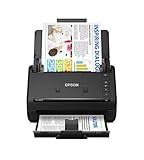
- FAST DOCUMENT SCANNING — Document scanner with feeder allows you to speed through stacks with a 50-sheet Auto Document Feeder (ADF); Efficient office scanner to help you scan more productively
- INTUITIVE, HIGH-SPEED SOFTWARE — Quickly scan with this desktop document scanner; Epson ScanSmart Software lets you easily preview scans, email files, upload to the cloud, and more; Plus, automatic file naming saves even more time
- SEAMLESS INTEGRATION — Easily incorporate your data into most document management software with the included TWAIN driver; Office document scanner integrates seamlessly with business workflows
- EASY SHARING — Duplex scanner allows you to scan straight to email or popular cloud storage2 services like Dropbox, Evernote, Google Drive, and OneDrive for simple storage and sharing
- SIMPLE FILE MANAGEMENT — Scanner allows the creation of searchable PDFs with Optical Character Recognition (OCR) and convert scans to editable Word or Excel files effortlessly; Designed for home and office document scanning
Which plan fits a heavy sender?
A heavy sender should model actual DocuSign envelopes and compare that model with the exact Adobe product rather than assume that either brand is unlimited. DocuSign Standard and Business Pro list 100 envelopes per user per year, while Adobe describes unlimited transactions for Sign Solutions. Acrobat Pro is not automatically equivalent to Sign Solutions, so the buyer should verify the transaction model and feature limits in the proposed Adobe plan.
Before requesting quotes, record the number of separate sends, documents per send, signers, revisions, reminders, bulk campaigns, API-generated requests, and embedded signing sessions. A business that sends many signatures inside relatively few envelopes may fit DocuSign’s allowance. A business with numerous independent workflows may exceed the allowance sooner than its signature count suggests.
How do the core signing features compare?
Both services support the normal send-and-sign sequence, but DocuSign generally centers the workflow while Adobe adds that workflow to a stronger PDF-authoring environment. Both products cover the basic pattern of preparing a document, adding signature and other fields, assigning fields to recipients, sending invitations, tracking status, and downloading completed documents and audit records.
| Capability | Adobe | DocuSign | Procurement question |
|---|---|---|---|
| Signature fields | Available in Acrobat and Sign workflows, with exact capabilities depending on plan | Available in eSignature workflows | Are the required field types and recipient roles included? |
| Templates | Shared templates and organizational administration are advertised for business offerings | Standard includes shared templates and branding | Can templates be shared, permissioned, versioned, and governed? |
| Sequential and parallel routing | Advanced workflows are associated with Sign Solutions and must be checked by tier | Routing features vary by plan | Does the workflow require sequential, parallel, conditional, or approval routing? |
| Delegated signing | Verify in the selected Adobe plan | DocuSign Standard lists delegated signing | Can an authorized person delegate without rebuilding the transaction? |
| Bulk sending | Verify product and plan | Business Pro lists bulk sending | Is bulk sending included or an add-on, and how is it counted? |
| Reminders and expiration | Verify the selected workflow tier | Available workflow controls vary by plan | Can administrators set organization-wide defaults? |
| Audit records | Advertised in Adobe signing workflows; retention and compliance scope require verification | Public plans list audit trails | What evidence must be retained, for how long, and where? |
Which product handles PDF editing better?
Adobe Acrobat Pro is the clear choice when PDF editing is as important as signature collection. Adobe lists editing text and images, converting PDFs, organizing pages, exporting to Word, Excel, or PowerPoint, redacting information, comparing PDF versions, OCR for scanned documents, and creating forms among Acrobat Pro capabilities. See the Acrobat Pro feature list.
DocuSign should not be selected as a replacement for Acrobat’s full PDF-editing environment. DocuSign can support documents in a signing workflow, but a team that regularly cleans up scanned files, removes sensitive data, compares revisions, or converts files may need Acrobat even if DocuSign remains the signature service.
Adobe Acrobat’s ability to create PDF forms also needs a careful distinction. A fillable PDF form is not automatically the same product as a mobile-friendly web form, interactive data-collection workflow, or payment-enabled signing form.
Which service is better for templates, routing, and team workflows?
DocuSign is often the more natural fit for a dedicated team-signature operation, especially when shared templates, branding, delegated signing, or bulk sending are central; Adobe can fit well when those workflows begin with PDF preparation. DocuSign Standard lists shared templates, branding, delegated signing, and collaboration features, while Business Pro adds bulk sending. Adobe advertises shared templates, advanced workflows, integrations, and organizational administration for business offerings, but Acrobat Pro should not be assumed to include every Sign Solutions workflow feature.
Test the complete route rather than checking a feature name. A procurement, HR, or sales workflow may require sequential signing, parallel approvals, conditional branches, signing groups, reminders, expiration, role-based permissions, or a manager’s delegated authority. A feature may be limited to a higher tier, enterprise agreement, add-on, or integration.
Recommended Free Tools
Does DocuSign offer better forms and payment workflows?
DocuSign Business Pro is the stronger documented fit for web forms, payment collection during signing, bulk sending, and real-time data verification. DocuSign lists mobile-friendly web forms, interactive fields, payment collection during signing, bulk sending, and data verification on its public Business Pro plan page.
Payment availability can depend on supported gateways, currencies, countries, and the exact contract. Do not assume that Adobe and DocuSign provide identical payment workflows. Adobe Acrobat Pro’s PDF form creation addresses a different use case from a hosted web form that collects structured data and payment during signing.
How do Adobe and DocuSign compare for mobile and browser signing?
Both vendors promote browser and mobile workflows, but specific mobile feature parity should be verified for the target operating system and plan. Adobe’s business materials describe browser and mobile access for Acrobat Sign, and DocuSign lists mobile capabilities in its eSignature plans. Confirm support for the exact field types, offline behavior, authentication method, administrative controls, and mobile approval steps required by the organization.
Which integrations and APIs should you compare?
Adobe is a strong candidate for Microsoft-centered and PDF-centered environments, while DocuSign is a strong candidate for organizations that depend on a particular DocuSign connector, API workflow, or agreement platform. Adobe describes integrations with Microsoft 365, SharePoint, Teams, Power Automate, Power Apps, Dynamics, Salesforce, Workday, ServiceNow, Box, and Google-related applications. Adobe comparison material states more than 70 prebuilt integrations, a vendor-stated figure that may use a different counting method from DocuSign.
Free tools Windows power users keep installed
One-click scans. No signup required.
DocuSign’s public pricing page advertises 1,000+ integrations, and DocuSign’s comparison page highlights more than 400 API endpoints, multiple SDKs, and an Apex Toolkit for Salesforce. These are vendor-stated counts, not independently normalized rankings. The relevant question is whether the required application, connector, authentication flow, data mapping, and plan are supported. Compare Adobe’s published Acrobat Sign comparison material with DocuSign’s integration and product comparison.
| Integration question | Why it matters |
|---|---|
| Is API sending included? | Web-app access does not automatically provide every API capability. |
| Is there a separate API or developer agreement? | Contract and licensing boundaries can differ from user subscriptions. |
| What are the API envelope or transaction quotas? | High-volume automation can exceed ordinary web-plan allowances. |
| Is embedded signing supported? | Embedded signing often has different technical and commercial requirements. |
| Are webhooks, SDKs, and sandbox access included? | Development, testing, and event-driven integrations need more than a send endpoint. |
| What are the rate limits and authentication requirements? | Limits affect reliability and architecture. |
| Does the CRM connector require separate licensing? | Salesforce, HRIS, ERP, or procurement connectors may not be included in the base plan. |
| Where is data stored and how long is it retained? | Residency and retention can be compliance requirements, not optional preferences. |
Adobe’s developer documentation states that Acrobat Sign API licensing is separate from PDF Services API licensing. Buying Acrobat Pro therefore does not automatically unlock every Adobe document or signing API capability; verify the exact contract on the Adobe Acrobat Sign API page.
Are Adobe Sign and DocuSign equally secure and legally valid?
Neither product should be declared universally “more secure” or legally superior; the correct choice depends on jurisdiction, signature type, identity controls, audit evidence, retention, and the plan configuration. Ordinary electronic signatures and certificate-based digital signatures are related but different.
Also popular on Amazon

- FAST SPEEDS - Scans color and black and white documents a blazing speed up to 16ppm (1). Color scanning won’t slow you down as the color scan speed is the same as the black and white scan speed.
- ULTRA COMPACT – At less than 1 foot in length and only about 1. 5lbs in weight you can fit this device virtually anywhere (a bag, a purse, even a pocket).
- READY WHENEVER YOU ARE – The DS-640 mobile scanner is powered via an included micro USB 3. 0 cable allowing you to use it even where there is no outlet available. Plug it into you PC or laptop and you are ready to scan.
- WORKS YOUR WAY – Use the Brother free iPrint&Scan desktop app for scanning to multiple “Scan-to” destinations like PC, Network, cloud services, Email and OCR. (2) Supports Windows, Mac and Linux and TWAIN/WIA for PC/ICA for Mac/SANE drivers. (3)
- OPTIMIZE IMAGES AND TEXT – Automatic color detection/adjustment, image rotation (PC only), bleed through prevention/background removal, text enhancement, color drop to enhance scans. Software suite includes document management and OCR software. (4)
An electronic signature is the broad category covering electronic intent or approval. A digital signature uses certificate-based cryptography and a digital identity. Digital signatures can help demonstrate that a document was not altered after signing and can authenticate a signer through a trust service or local digital ID. Adobe documents certificate-based digital signatures separately from ordinary signing in its digital-signature overview.
Quick wins for a faster PC:
Clear out junk files and repair common Windows errorsFree Scan →Fix the driver behind crashes, sound loss and screen glitchesFind Drivers →Before purchase, identify the applicable jurisdictions and regulatory obligations. Ask whether the workflow requires an ordinary electronic signature, a certificate-based digital signature, or a qualified electronic signature. Also check requirements involving HIPAA, FDA/GxP, FINRA, SOC, industry-specific controls, identity verification, signer authentication, audit trails, SSO, retention, access controls, and data residency.
Adobe states that Acrobat Standard and Acrobat Pro do not provide the same level of compliance as Acrobat Sign Solutions. DocuSign advertises audit trails, SSO, identity verification, security configurations, and enterprise controls, but availability varies by plan and add-on. A legally binding result also depends on applicable law, consent, authentication, records, and the signing process—not only the vendor name.
Independent reader supportYour contribution helps us test, update, and keep practical guides available for everyone.What do identity verification and other add-ons cost?
DocuSign lists SMS delivery and identity verification as paid add-ons rather than assuming that every authentication feature is included in the base subscription. On the cited public US pricing page, SMS delivery starts at $0.36 per delivery and identity verification starts at $2.40 per attempt.
| Potential extra cost | What to verify |
|---|---|
| SMS delivery | Per-delivery price, supported countries, and whether the feature is available on the chosen plan |
| Identity verification | Per-attempt price, identity method, geography, and whether failed attempts are billable |
| API access | Separate API licensing, quotas, rate limits, sandbox, and embedded-signing terms |
| Salesforce or other connectors | Connector licensing, CRM edition, data-generation features, and implementation requirements |
| Premium support | Response times, 24/7 coverage, named support, and enterprise plan eligibility |
| Advanced compliance | Required configuration, identity controls, certificates, retention, residency, and audit requirements |
Adobe’s exact identity-verification and advanced-compliance options should be evaluated against the relevant Sign Solutions proposal and geography rather than inferred from Acrobat Pro’s individual price.
Which product fits common use cases?
| Use case | Likely starting point | Reason | What to validate |
|---|---|---|---|
| Freelancer editing PDFs and signing occasionally | Acrobat Pro | Combines PDF editing, conversion, forms, and signature collection | Whether the annual commitment and monthly volume justify the price |
| Individual sending no more than five envelopes monthly | DocuSign Personal | Listed at $11/month with five envelopes per month | Whether templates, branding, or higher volume will soon be needed |
| Small PDF-heavy business | Acrobat Pro for teams | Provides PDF tools, signing, and team administration | Whether dedicated routing, bulk sending, or enterprise compliance is required |
| Dedicated sales or HR signing team | DocuSign Standard or Business Pro | Provides team signing features; Business Pro adds forms, payments, bulk sending, and data verification | Envelope volume, integrations, and higher-tier routing |
| Microsoft 365, SharePoint, Teams, or Power Platform organization | Adobe evaluation first | Adobe describes integrations across Microsoft and related business applications | Exact connector licensing, workflow design, and plan availability |
| Salesforce-centered operation | Compare both against the actual Salesforce workflow | Both vendors describe Salesforce-related integration capabilities | Connector edition, API limits, document generation, and implementation |
| High-volume operations team | Acrobat Sign Solutions and DocuSign Enhanced quote comparison | Public starter plans may not represent high-volume economics | Transactions, envelopes, API traffic, support, storage, and compliance |
| Regulated enterprise | Formal Adobe and DocuSign proposals | Compliance and identity controls depend on product and plan | Jurisdiction, qualified signatures, residency, retention, and audit evidence |
| Developer embedding signatures in an application | API-specific evaluation | Embedded signing, webhooks, SDKs, quotas, and contracts matter | Separate API licensing, sandbox, rate limits, authentication, and pricing |
What hidden limits and switching costs should you plan for?
The most common surprise costs come from envelope consumption, annual commitments, add-ons, API licensing, premium integrations, enterprise implementation, and migration—not from the advertised monthly seat price alone.
- Envelope usage: Count separate DocuSign sends, revisions, approval routes, and customer transactions, not only the number of signatures.
- Annual commitments: A monthly payment schedule may still be an annual contract.
- “Unlimited” boundaries: Unlimited e-signature transactions do not necessarily mean unlimited API calls, recipients, bulk sends, forms, storage, authentication, support, or compliance configuration.
- Add-ons: SMS and identity verification may be billed separately, and premium integrations or support may require another tier.
- Signer access: Ordinary recipients commonly sign from an invitation without buying the sender’s subscription, but embedded, authenticated, or regulated workflows should be verified specifically.
- Forms: A PDF form created in Acrobat is not automatically equivalent to a hosted web form or payment-enabled data-collection workflow.
- Migration: Switching vendors can require rebuilding templates and routing rules, recreating integrations, exporting completed agreements, retraining users, changing branding and email templates, revising retention policies, and revalidating regulated workflows.
How should you evaluate Adobe Sign versus DocuSign before buying?
Evaluate both products with the same documents, recipients, routes, integrations, compliance requirements, and volume assumptions. A practical proof-of-concept should include the following steps:
- Define the comparison level: Acrobat Pro versus DocuSign Personal or Standard, Acrobat Pro for teams versus DocuSign Standard, or Acrobat Sign Solutions versus DocuSign Business Pro, Enhanced, or IAM.
- Measure the workflow: Record separate sends, documents per send, signers, approvals, revisions, reminders, bulk campaigns, and API-generated transactions.
- Rebuild a real template: Test reusable fields, permissions, branding, signing order, parallel recipients, delegated signing, reminders, expiration, and conditional routing.
- Test the required integration: Use the real Microsoft, Salesforce, HRIS, ERP, procurement, storage, or API workflow rather than relying on a vendor integration-count headline.
- Test the record: Confirm the audit trail, completed-document export, retention, access controls, identity evidence, and administrator reporting.
- Price the complete deployment: Include seats, envelopes or transactions, SMS, identity verification, API access, connectors, support, implementation, taxes, and contract terms.
- Request enterprise quotes when appropriate: High volume, regulated signing, SSO, data residency, embedded signing, or customized API traffic should be specified in writing to both vendors.
Adobe Sign vs DocuSign: final recommendation
Choose Adobe Acrobat when PDF work is central, especially when users already edit, convert, redact, OCR, compare, organize, or create PDF forms before collecting signatures. Acrobat Pro is the practical individual option, and Acrobat Pro for teams is the small-team option. Microsoft 365 and related Adobe integrations can strengthen the fit.
Choose DocuSign when e-signature is the core application and the organization needs a dedicated sending, routing, tracking, template, branding, form, payment, or agreement workflow. DocuSign Personal suits light individual use, Standard suits many team workflows, and Business Pro suits teams needing listed web forms, payments, bulk sending, or data verification.
For high-volume or regulated enterprise work, compare Acrobat Sign Solutions with DocuSign Enhanced or broader IAM proposals rather than comparing public starter prices. Ask both vendors to document transaction or envelope capacity, API and embedded-signing terms, identity verification, integrations, SSO, support, retention, data residency, compliance controls, and implementation costs. There is no universal winner; the correct choice follows from document work, workflow complexity, volume, integrations, and legal requirements.
Frequently Asked Questions
Is Adobe Sign cheaper than DocuSign?
Adobe Sign is not universally cheaper because the answer depends on the Adobe product, DocuSign tier, user count, billing commitment, envelope volume, add-ons, and PDF requirements. Acrobat Pro is listed at $19.99 per month for an individual, while DocuSign Personal is listed at $11 per month and DocuSign Standard at $30 per user per month on the cited US annual-billed-monthly plans.
What is the difference between an Adobe Sign transaction and a DocuSign envelope?
A DocuSign envelope is the transaction container sent for signature, and multiple documents, fields, and signers inside one envelope count as one envelope toward the plan allowance. Adobe’s transaction limits depend on the selected Acrobat or Acrobat Sign Solutions product, so Adobe’s “unlimited” positioning must be checked against the exact plan and feature.
Can Acrobat Pro replace DocuSign?
Acrobat Pro can replace a light DocuSign workflow when the buyer mainly needs PDF editing plus occasional signature collection. Acrobat Pro should not automatically be treated as a replacement for dedicated DocuSign team workflows, high-volume API sending, advanced agreement management, or Acrobat Sign Solutions.
Free tools Windows power users keep installed
One-click scans. No signup required.
Does DocuSign require signers to buy an account?
Ordinary recipients commonly sign through an invitation without purchasing the sender’s subscription. Embedded, authenticated, regulated, or otherwise specialized workflows can have different requirements and should be verified for the exact implementation.
Which is better for enterprise compliance, Adobe Sign or DocuSign?
Neither product is universally better for enterprise compliance; plan configuration, jurisdiction, signature type, identity verification, audit evidence, SSO, retention, and data residency determine suitability. Adobe states that Acrobat Standard and Acrobat Pro do not offer the same compliance level as Acrobat Sign Solutions, while DocuSign’s enterprise controls vary by plan and add-on.
The Bottom Line
Bottom line: Adobe Acrobat is the better fit for PDF-heavy work and occasional or integrated signing; DocuSign is the better fit for dedicated signature operations with team workflow features. For enterprise volume, API, or compliance requirements, compare written Acrobat Sign Solutions and DocuSign Enhanced/IAM proposals using the same usage model.

