
Google Street View is a Google Maps feature that lets you explore a location through geolocated, panoramic imagery captured at street level. Images come from Google and its contributors, and they are not live video: a view may show a scene months or years after it was photographed.
What Google Street View shows
Street View places panoramic photographs at locations on the map so you can look around and move between nearby views. Google-owned images are credited “Street View” or “Google Maps.” Contributor images display the contributor’s account name and sometimes a profile photo. Google’s Street View overview explains the imagery sources and how to find available coverage.
Coverage depends on the area. Google’s coverage map marks available regions in blue, but a shaded region does not guarantee imagery for every road or address. Search for the specific place in Google Maps and check whether a Street View panorama is available.
How Google creates and connects panoramas
Google collects imagery with a fleet of equipment. Its Street View car is the most commonly used system; the portable Trekker can be carried as a backpack or mounted on a vehicle to reach narrow streets and places accessible on foot. Google says the cars have captured “more than 10 million miles around the world”; the company’s page does not give that figure a publication year, so it should be read as a Google-published total without a stated date, not as an independently audited current measurement. Google’s explanation of how Street View works describes the capture process.
Quick wins for a faster PC:
Repair Windows errors before they cause bigger problemsFix Now →Fix the driver behind crashes, sound loss and screen glitchesFind Drivers →Clear out junk files and repair common Windows errorsFree Scan →#1 Best Overall

- Meet the smarter, sharper wired Google Nest Cam Outdoor; with 2K HDR video and Gemini, it knows what to look out for and what to do next[1,2,3](Gemini features require a Google Home premium subscription; try it for 1 month at no cost to you)[4]
- Stay in the know with always-on power: Nest Cam Outdoor keeps you plugged into home, day and night, with no need to recharge or replace batteries
- Google Nest Cam Outdoor keeps your data safe with encrypted video, two-step verification, and enhanced security through your Google Account; and a green LED light lets you know when it’s processing or streaming video
- With an Advanced subscription to Google Home Premium, know more about what’s happening with notifications like “Rabbits eating garden plants”[3]; get even more detailed descriptions and tap to see a summary of what happened[3]
- Video is crisp and clear in 2K HDR, Nest Cam’s highest resolution yet[1,2]; see rich color and details, and see in the dark with night vision; a wider, taller field of view means almost nothing’s out of frame[1] – even in a long driveway or big yard
To place and assemble the views, Google uses GPS, speed, and direction signals to align images with the map. It stitches overlapping camera views into a 360-degree panorama, then uses a 3D model to choose an appropriate panorama as you move through a scene. This is why navigating Street View feels like moving between connected viewpoints rather than watching a continuous camera feed.
How old are Google Street View images?
Street View is not real time. A panorama records what the camera saw when it passed the location, and Google says processing can take months. The image shown may therefore be months or years old. The displayed scene is not necessarily a reliable picture of current construction, traffic, businesses, or property conditions. Google’s imagery policy describes capture timing and processing.
Rank #2

- Nest Cam has built-in intelligence and can tell the difference between a person, animal, and vehicle and send alerts directly through the Google Home app[1], no subscription required.Controller Type:Google Assistant.Connectivity protocol:Bluetooth;Wi-Fi.Power source type:Battery Powered.Operating Temperature : –4°F to 104°F (–20°C to 40°C).
- Easily check in from anywhere 24/7 with 1080p HDR video[1] with night vision, and see what you missed with 3 hours of free event video history[2]; add a Nest Aware subscription (sold separately) for up to 60 days of video history[3]
- If your Wi-Fi goes down or there’s a power outage, Nest Cam will store up to an hour of recorded events so you can see what you missed[4]. Nest Cam Outdoor comes with a wall plate that can be mounted on your brick wall.
- Put Nest Cam anywhere, outside or in; it’s battery powered, so you don’t need to set it up near an outlet, and the magnetic mount makes installation effortless
- For continuous power and 24/7 video recording with Nest Aware Plus, add a weatherproof power cable or indoor stand with power cable (both sold separately)
Where Google has imagery from multiple capture periods, you may be able to view older versions using the historical imagery or “Time Machine” controls in Street View. The option depends on the location and the available image history; it is not offered everywhere.
How to check image availability and date
For a general lookup, open the location in Google Maps and enter Street View if an image is available. The date information shown in the viewer, when present, helps indicate when the imagery was captured; it does not mean the image is current.
Free tools Windows power users keep installed
One-click scans. No signup required.
Rank #3
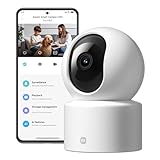
- Physical Privacy Shield & Finance-Grade Data Security: For ultimate peace of mind, the lens physically retracts into the body to block the view when not in use. Your data is protected by an MJA1 security chip with unique keys and AES-128 encryption, ensuring finance-grade security for all communication and storage.
- Crystal-Clear 1080p HD with 360° Coverage & AI Tracking: Enjoy a comprehensive view with smooth dual-axis pan and tilt for full 360° monitoring. The 1080p Full HD lens, combined with local AI algorithms, accurately detects, locks onto, and automatically follows human movement or your pets (cats/dogs), sending instant alerts to your phone.
- Full-Color & Enhanced Night Vision for 24/7 Clarity: See clear details day and night. The high-sensitivity sensor enables extended full-color imaging in low light. With 6 built-in infrared illuminators, it also provides clear black-and-white footage in complete darkness without disturbing red glow.
- Stable Wi-Fi 6 Connectivity & Two-Way Audio: Equipped with Wi-Fi 6 for a stronger, more stable connection, ensuring smooth video streaming even on busy networks. Communicate instantly using the high-quality, noise-cancelling two-way audio, featuring a large-diameter speaker for clear, natural sound.
- Easy Setup & Flexible Storage with Voice Control: Get started in three simple steps via the Xiaomi Home app. Choose flexible storage with a microSD card or cloud subscription. Conveniently view your camera feed using voice commands through compatible Amazon Alexa or Google Assistant devices.
Developers can use the Street View Static API metadata endpoint to check whether imagery exists and retrieve details such as coordinates, panorama ID, copyright, and photo date. The date may be provided as a year and month, a year only, or omitted if unavailable. Google says metadata requests are free and do not use quota, while loading a Static API image does consume quota. Panorama IDs can change when imagery is refreshed, so Google advises retaining the address or coordinates and refreshing the ID when needed. See the Street View Static API metadata documentation and API overview.
Independent reader supportYour contribution helps us test, update, and keep practical guides available for everyone.Privacy: face, plate, and home blurring
Google says it automatically blurs identifiable faces and license plates in imagery it contributes. If you want a house blurred, a homeowner or tenant can request it using the “Report a problem” flow on the relevant Street View image; Google requires proof of address. Google says an applied blur is permanent. Google’s instructions for reporting Street View issues describe the request process, and its Street View privacy information explains its privacy approach.
Rank #4

- Nest Cam has built-in intelligence and can tell the difference between a person, animal, and vehicle and send alerts directly through the Google Home app[1], no subscription required.Operating Temperature : –4°F to 104°F (–20°C to 40°C)
- Easily check in from anywhere 24/7 with 1080p HDR video[1] with night vision, and see what you missed with 3 hours of free event video history[2]; add a Nest Aware subscription (sold separately) for up to 60 days of video history[3]
- If your Wi-Fi goes down or there’s a power outage, Nest Cam will store up to an hour of recorded events so you can see what you missed[4]
- Put Nest Cam anywhere, outside or in; it’s battery powered, so you don’t need to set it up near an outlet, and the magnetic mount makes installation effortless
- For continuous power and 24/7 video recording with Nest Aware Plus, add a weatherproof power cable or indoor stand with power cable (both sold separately)
A house-blur request has limits. Google says the newly blurred Street View image is excluded from generative AI prompting from the point the blur is applied onward. It does not retroactively remove AI-generated imagery already made or published by third parties, and a Google blur should not be understood as erasing every copy or derivative outside Google’s systems. Google’s information about Street View and generative AI explains this distinction.
Quick Recap
Best Value

- Nest Cam has built-in intelligence and can tell the difference between a person, animal, and vehicle and send alerts directly through the Google Home app[1], no subscription required.Controller Type:Google Assistant.Connectivity protocol:Bluetooth;Wi-Fi.Power source type:Corded Electric
- Easily check in from anywhere 24/7 with 1080p HDR video[1] with night vision, and see what you missed with 3 hours of free event video history[2]; add a Nest Aware subscription (sold separately) for up to 60 days of video history[3]
- If your Wi-Fi goes down, Nest Cam will store up to 1 hour of recorded events so you can see what you missed [4]
- Take action in an instant if something happens; talk and listen with the built in speaker and mic on your security camera or call your local emergency service directly from the Google Home app (Nest Aware subscription required)[5]
- Set up Activity Zones to receive phone notifications about specific areas of your home and know when familiar faces arrive (Nest Aware subscription required for familiar face alerts)[1,6]
Product prices and availability are accurate as of the date/time indicated and are subject to change. Any price and availability information displayed on Amazon at the time of purchase will apply.

