
What’s actually slowing this PC down?
Pick the symptom - the matching free tool is one click away.
Predictive search—usually called autocomplete or autosuggest—offers possible ways to finish a query while you type. It is a query-completion aid, not a search result or a factual endorsement: a suggestion shows what an interface predicts may complete your input, not whether that query is true, useful, or widely popular.
What is predictive search?
Predictive search is the part of a search interface that displays suggested query completions before you submit a search. For example, after you type “best noise-cancelling,” a search box might offer “headphones for travel.” Selecting a suggestion typically submits that completed query.


That makes autocomplete different from a search result, which appears after a query is submitted, and from a recommendation system, which proposes a topic or item whether or not it completes the words already entered. Google describes its autocomplete as helping people finish a search they are already beginning to type. Danny Sullivan, Google’s Public Liaison for Search, wrote in 2018: “Autocomplete is designed to help people complete a search they were intending to do, not to suggest new types of searches to be performed.” Google’s explanation of autocomplete
How does Google autocomplete work?
Google says predictions reflect searches people have already performed. As you enter characters, it looks for matching common and trending queries, then takes context such as language and location into account. If you are signed in, past searches and personalization settings or activity may also affect what appears. More typed characters can clarify your intent and change the list.
#1 Best Overall
This explains why “Why does Google predict what I’m searching for?” has no single answer for every suggestion. A completion can reflect matching query patterns and context rather than a deliberate conclusion about you. Google also says autocomplete is complex and differs from Google Trends, so its suggestions and their order should not be treated as a simple popularity ranking. Google Search Help on autocomplete
Why do autocomplete suggestions vary?
- The prefix changes: Adding or changing a character can surface different matching completions.
- Language and location differ: People entering the same words in different contexts may see different predictions.
- History may matter: For Google users, past searches and personalization settings or activity can influence predictions.
- Interest and freshness change: Trending queries can affect what appears.
- Policy filters intervene: Google says it suppresses some dangerous, hateful, sexually explicit, harassing, violent, or otherwise sensitive predictions. Its help page notes that enforcement can remove a prediction and closely related variations; the rules are policy-dependent and are not a guarantee that every harmful suggestion will be caught.
A missing suggestion does not prevent you from typing and submitting the full query. Conversely, seeing a completion does not establish that its wording is accurate, that its implied claim is true, or that people everywhere commonly search for it.
Can autocomplete suggestions be personalized?
They can be influenced by context, but the details depend on the product. Google says signed-in users may see past-search or personalized predictions depending on settings and activity. Other systems may rely on indexed content, search history, user events, or imported suggestions instead. A suggestion can therefore reflect the system’s data and configuration as much as the words on the screen; it is not proof that the system knows a user’s intent with certainty.
What are the benefits and limits for search users?
Autocomplete can save typing and help users express a query more quickly. In a 2018 Google post, Sullivan estimated that autocomplete reduced typing by about 25 percent on average and saved more than 200 years of typing time per day cumulatively. Those are Google’s estimates from that post, not current independent measurements. Google’s 2018 estimates and explanation
The Tool Desk
Outbyte PC Repair FREERepair Windows errors before they cause bigger problemsFix Now →Outbyte Driver Updater FREEFix the driver behind crashes, sound loss and screen glitchesFind Drivers →The convenience has a trade-off: the list makes only some possible completions visible. What appears may be shaped by popularity signals, freshness, location, language, personal history, and safety rules. An academic audit queried Google and Bing using 38 U.S. governors as seed names twice daily for about ten weeks in 2018. The authors described autocomplete data and decisions as largely opaque and examined how suggestion networks differed across engines. That is a bounded historical audit, not a measurement of current platform-wide behavior. Auditing Autocomplete: Suggestion Networks and Recursive Algorithm Interrogation
How do enterprise and commerce autocomplete systems work?
For a site or workplace search box, suggestions need not come from the same signals as consumer web search. Product documentation shows that implementers can select data sources and controls to suit their content, users, and risk tolerance. These Google offerings illustrate documented approaches; they are not an exhaustive list of search products.
Google Cloud Search: suggest from permissioned documents
Cloud Search’s documented default extracts phrases from indexed document titles and uses an n-gram model. Developers can also mark text and enum fields as suggestable. The service restricts suggestions to documents the person has permission to access, an important distinction for internal search where content visibility differs by employee.
The guide documents a maximum of five content suggestions and two people suggestions, up to 20 suggestable fields, and a delay of at least 48 hours after indexing before autocomplete results appear. These are product-specific documented limits and timing, so check the current guide before implementation. Google Cloud Search autocomplete guide
Google Agent Search: choose a suggestion model
Agent Search supports models based on documents, completable structured fields, search history, user events, imported lists, or web-crawled content; availability depends on data type and configuration. Its documented controls include typo correction, removal of unsafe terms for listed languages, deduplication, denylisting, and optional tail matching. Tail matching can make suggestions less coherent and is unavailable in some regions and in healthcare search.
History-based suggestions create a privacy consideration: Google says its PII detectors make a reasonable effort to block common personally identifiable information, but cannot guarantee that such information will never appear. Its guidance recommends testing and, where appropriate, filtering imported data, inspecting suggestions at serving time, adjusting thresholds, and using additional data-loss prevention (DLP) controls. A detector alone is not a guarantee. Google Agent Search autocomplete configuration
AI Commerce Search: tune matching and presentation
AI Commerce Search documents controls for prefix matching or matching terms regardless of word order, maximum suggestion count, device type, minimum input length, and denylisting. These controls let a retailer shape how suggestions match and display. The documentation describes autocomplete as a way to speed shopping queries; it does not establish a measured conversion increase for any particular retailer. AI Commerce Search autocomplete documentation
Independent reader supportYour contribution helps us test, update, and keep practical guides available for everyone.How do you add autocomplete to a site search?
Choose the suggestion source and safeguards before designing how the list looks. A useful starting point is to decide whether suggestions should come from what people search for, from searchable content, or from a curated list, then verify that the results are appropriate for each user.
Crashes, No Sound, or Screen Glitches?
Random freezes, missing sound and display glitches usually trace back to one bad driver. Find and replace yours safely.Free scan · under a minutePC Slower Than It Used to Be?
A free scan shows the junk files, broken settings and background clutter dragging Windows down - then fixes them in one click.Free scan · Windows 10 & 11Best Value
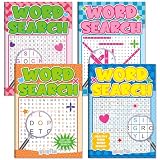
- 4 Books Puzzle Variety Pack: the sets includes 4 word search books with a variety of themes to choose from. Ideal for anyone looking for word search books bulk and mixed word games for adults and seniors
- Premium Material: these large print puzzles for seniors are made of premium paper with double side printed and crystal clear text, letting you enjoy puzzle-solving with ease.Sturdy and durable, they can be reused and easy tearing out
- Brain-Boosting & Mental Stimulation: this word search books helps improve memory, focus, logic, and problem-solving skills. A great choice for daily brain puzzles for adults and meaningful mental stimulation
- User-Friendly Design: measuring 6.5x9in/16.5x23cm, this puzzle book features large-size fonts for easy reading and eye-friendly viewing. Great for senior, it delivers a comfortable reading experience, making it an ideal choice for daily brain training
- Ideal Gift & Group Activity Choice: each word puzzle book includes answer pages, allowing independent use. Good for gifts for puzzle lovers, senior gift ideas, travel, bedside activities, or group puzzle sessions in nursing homes and community centers
- Choose the data source. Decide whether to use query history or user events, indexed titles and fields, structured product data, imported suggestions, or a combination. The choice determines what the feature can suggest and what private or stale material could surface.
- Set permissions and privacy controls. Ensure document-based suggestions respect access rules. For history or event data, decide what to exclude, test for personal information, and add filtering or DLP where needed; do not rely on an automated detector as the sole safeguard.
- Define matching behavior. Specify whether completions must match the prefix, whether word order can vary, how typos are handled, and the minimum input length. Choose a suggestion count that fits the interface.
- Apply moderation and editorial controls. Use denylisting or unsafe-term controls where available, and review the languages and regions those controls actually cover. Test likely edge cases rather than assuming filters behave identically across providers.
- Validate readiness and behavior. Check product-specific indexing delays and regional or data-type restrictions. Test what different users see, how suggestions change as input grows, and whether a full query can still be entered when no completion appears.
Google’s documentation provides concrete examples of these choices in Cloud Search, Agent Search, and AI Commerce Search. Product limits, supported languages, availability, and regional restrictions can change; consult the current documentation for the specific product you plan to use.
What does an autocomplete comparison prove?
Ofcom reported that Bing produced 26 percent more autocomplete suggestions than Google across the same assessed queries. The report’s summary for an additional 192 queries records whether suggestions appeared, not what those suggestions contained. The figure describes that assessment’s query set; it does not establish that Bing is better, safer, or more useful overall, and the report’s date and full methodology should be checked before drawing broader conclusions. Ofcom report on search services
Quick Recap
Product prices and availability are accurate as of the date/time indicated and are subject to change. Any price and availability information displayed on Amazon at the time of purchase will apply.

