
Quick wins for a faster PC:
Repair Windows errors before they cause bigger problemsFix Now →Scan for outdated or missing drivers - takes under a minuteDriver Scan →To pair Nothing Headphone (1), turn it on, hold its Bluetooth pairing button for two seconds until the white LED flashes, then select Nothing Headphone (1) in the Bluetooth settings on your Android phone, iPhone, or laptop. The headphone-side steps are the same for all three; the exact menu labels on your device can vary by operating-system version.
Put Nothing Headphone (1) into pairing mode
- Turn on the headphones. Nothing’s control guide says to switch the power control down to turn them on; switching it up turns them off.
- Start pairing mode. Hold the Bluetooth pairing button for two seconds, until the white LED starts flashing. This is the pairing control, not the Roller or another earcup control.
Pair with an Android phone, iPhone, or laptop
Once the white LED flashes, open Bluetooth settings on the device you want to connect and choose Nothing Headphone (1) from the available-device list. Follow any prompt shown on screen.
| Device | What to do | Menu-path detail |
|---|---|---|
| Android phone | Open Bluetooth settings and select Nothing Headphone (1). | Nothing’s support instructions do not give a current Android-version-specific menu path. |
| iPhone | Open Bluetooth settings and select Nothing Headphone (1). | Nothing’s support instructions do not specify an iOS-version-specific screen sequence. |
| Laptop | Open the laptop’s Bluetooth device list and select Nothing Headphone (1). | The reviewed Nothing instructions do not provide separate Windows or macOS steps. |
Nothing X is not identified as a requirement for ordinary Bluetooth pairing. The app is needed for the separate dual-connection feature described below.
If the headphones do not appear or connect
- Check that the headphones are on and that you held the Bluetooth pairing button for two seconds until the white LED flashes. Being connected to one device does not automatically put the headphones into pairing mode; manually hold the button to pair a new device.
- Check the Bluetooth device list on the phone or laptop you are trying to connect. The reviewed Nothing support instructions do not provide a complete troubleshooting sequence for a previously paired device, so they do not establish additional steps such as removing an old pairing or clearing a cache.
- Use a reset only as a last resort. Nothing’s reset instruction is to hold the pairing button for ten seconds. A successful reset is indicated by three red flashes followed by a flashing white light. This is different from the two-second hold used to enter pairing mode.
Connect a phone and laptop with dual connection
Nothing Headphone (1) supports dual connection, but it is off by default and must be enabled in the Nothing X app. When enabled, the headphones try to reconnect at power-on to the last two devices if fewer than two are connected. If there are no saved reconnection records when dual connection is first enabled, the headphones remain connected to one device; that single-connection state does not put them into pairing mode automatically.
#1 Best Overall

- Intelligent Noise Cancellation Adapts with You: Our Nothing headphone 1 feature advanced Hybrid Active Noise Cancellation, powered by next-gen processors and adaptive mics, to block out distractions. Smart Adaptive Mode automatically adjusts to your environment, while Transparency Mode lets in ambient sound when you need awareness. Personalize your experience with four ANC settings (High/Mid/Low/Adaptive) for truly focused, crystal-clear listening
- Nothing x KEF Headphone (1) : Nothing Headphone (1) experience audio perfected through a unique partnership with British audio legend KEF. Leveraging over 60 years of acoustic expertise, Nothing Noise Cancelling Headphone delivers a naturally balanced sound stage where every note shines as artists intended. Enjoy unparalleled flexibility with Hi-Res Audio support including LDAC technology, USB-C audio, and a 3.5mm jack. Dual Connection capability lets you seamlessly switch between two devices
- Uninterrupted Audio with Immersive Sound: Engineered for all-day use, Nothing Headphones 1 deliver up to 80 hours of playtime (35 hours with ANC on). A quick 5-minute charge provides 5 hours of power. Coupled with this endurance is a lossless audio experience, Nothing Wireless Headphones offer Spatial Audio with head tracking and Hi-Res Wireless certification for exceptional clarity and a deeply immersive sound stage
- Sink In, Take Control: Designed for all-day wear, Nothing Bluetooth Wireless Headphone ergonomic frame and memory foam cushions provide a comfortable, secure fit. The Over-Ear Noise Cancelling Headphone features intuitive roller and paddle interface puts volume adjustment, playback, and noise mode switching at your fingertips, with full customization available in the Nothing X app. This thoughtful integration of form and function ensures a continuously surround sound Journey
- Explore the Nothing X app: Craft your unique audio profile with the Nothing X app's advanced 8-band equalizer.Tailor your Nothing Headphone 1 with Adaptive ANC settings and enhance depth with the Ultra Bass mode. Customize your Bluetooth active noise canceling headphones' touch buttons to execute your most-used commands instantly
Nothing’s published explanation of audio behavior describes two-phone use, so it does not guarantee identical switching behavior for every phone-and-laptop combination, app, or operating-system version. In the described two-device cases:
- If both devices are idle, the device that starts playing first supplies the audible playback.
- A call on the other device can take over audio; playback returns after the call ends.
- If the second device starts music while the first is already playing, the later stream may stay muted rather than take over automatically.
- During a call, a third device cannot take over the connection.
If automatic reconnection or switching does not match what you expect, enable dual connection in Nothing X and check that the intended source is connected in its Bluetooth settings.
Rank #2

- Intelligent Noise Cancellation Adapts with You: Our Nothing headphone 1 feature advanced Hybrid Active Noise Cancellation, powered by next-gen processors and adaptive mics, to block out distractions. Smart Adaptive Mode automatically adjusts to your environment, while Transparency Mode lets in ambient sound when you need awareness. Personalize your experience with four ANC settings (High/Mid/Low/Adaptive) for truly focused, crystal-clear listening
- Nothing x KEF Headphone (1) : Nothing Headphone (1) experience audio perfected through a unique partnership with British audio legend KEF. Leveraging over 60 years of acoustic expertise, Nothing Noise Cancelling Headphone delivers a naturally balanced sound stage where every note shines as artists intended. Enjoy unparalleled flexibility with Hi-Res Audio support including LDAC technology, USB-C audio, and a 3.5mm jack. Dual Connection capability lets you seamlessly switch between two devices
- Uninterrupted Audio with Immersive Sound: Engineered for all-day use, Nothing Headphones 1 deliver up to 80 hours of playtime (35 hours with ANC on). A quick 5-minute charge provides 5 hours of power. Coupled with this endurance is a lossless audio experience, Nothing Wireless Headphones offer Spatial Audio with head tracking and Hi-Res Wireless certification for exceptional clarity and a deeply immersive sound stage
- Sink In, Take Control: Designed for all-day wear, Nothing Bluetooth Wireless Headphone ergonomic frame and memory foam cushions provide a comfortable, secure fit. The Over-Ear Noise Cancelling Headphone features intuitive roller and paddle interface puts volume adjustment, playback, and noise mode switching at your fingertips, with full customization available in the Nothing X app. This thoughtful integration of form and function ensures a continuously surround sound Journey
- Explore the Nothing X app: Craft your unique audio profile with the Nothing X app's advanced 8-band equalizer.Tailor your Nothing Headphone 1 with Adaptive ANC settings and enhance depth with the Ultra Bass mode. Customize your Bluetooth active noise canceling headphones' touch buttons to execute your most-used commands instantly
Distinguish pairing from other headphone controls
The Bluetooth pairing button is the control to hold for pairing. The Roller handles volume when turned left or right; pressing it toggles play and pause, while pressing and holding it toggles ANC and Transparency. The button’s behavior can vary between Nothing OS and other Android or iOS devices, according to Nothing’s control guide.
Quick Recap
Best Value

- Transparent Design: Ear (3a) features Nothing's signature technological codes in vibrant new colours. A wider range of ear tips means the buds sit comfortably in everyone's ears, and a new status bar lets you see everything on the case.
- Hi-Res Audio: Ear (3a) delivers stronger sound with a bigger 12 mm driver. Improved wideband Active Noise Cancellation at up to 45 dB lets you ignore the boring things, and Clear Voice Technology means you sound good on calls. On the Nothing app X, you can boost bass, treble and vocals, or use the advanced 8-band EQ.
- Wideband Active Noise Cancellation: Nothing Ear (3a) delivers up to 45dB of Active Noise Cancellation. These Bluetooth wireless earbuds recalibrate every millisecond to block a wide range of noise (up to 5000Hz) for clear audio. Switch to Transparency Mode to stay aware of your surroundings without removing the earbuds. Low Latency mode ensures lag-free gaming.
- Bluetooth 6.0 & Smart AI Features: With Bluetooth 6.0, Ear (3a) stays connected in more places than before. Easy swapping with dual-device connnections compatible with both iOS and Andoid. And with one-touch AI features like ChatGPT and Essential News, you're always ready to go without touching your phone.
- Audio Snapshot and Call Recording: Audio Snapshot and call recording let you save what you hear directly onto Ear (3a). You can record up to a minute of media or up to two hours of calls and meetings. With the Nothing X app, you can sort and transcribe using AI. With Pro Transcription, you can also identify speakers, get reminders and send quotes to your friends. Note: Call recording is available only in supported countries/regions due to local regulations. For the current list of supported countries/regions, please refer to the Product Description.
Rank #4
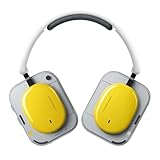
- Dynamic Noise Cancellation Tailored for You: Experience the Nothing Headphone (a) with cutting-edge Hybrid Active Noise Cancellation, utilizing state-of-the-art processors and adaptive microphones to eliminate distractions. The innovative Smart Adaptive Mode adjusts seamlessly to your surroundings, while the Transparency Mode allows ambient sounds for situational awareness. Select from four customizable ANC levels (High/Mid/Low/Adaptive) for a personalized listening journey
- Endless Listening with Rich Sound Quality: Crafted for 5 HD Mics, our Nothing Headphone (a) Bluetooth Headphones Over the Ear boasts a Spatial Audio with Hi-Res Wireless certification for remarkable clarity and an immersive auditory experience, Noise Cancelling Headphone with impressive battery life of up to 135 hours (75 hours with ANC on). A rapid 5-minute charge delivers 8 hours of playback time (ANC off)
- Remote Camera Shutter: Control your camera with a simple press of your Wireless Over-Ear headphones. No more running back and forth—just smooth, uninterrupted content creation. Perfect for vlogs, outfit checks, selfies, or group shots. Frame, get into position, and capture instantly.(On Nothing OS: Directly activates the camera; one press to record. On iOS & Android: Quickly capture or control recording if the camera function is already open)
- Comfort Meets Control: Designed for all-day comfort, the Nothing Headphones Wireless Over Ear features an ergonomic design with memory foam cushions for a secure fit. The Over Ear Bluetooth Headphones design includes an intuitive roller and paddle interface, providing easy access to volume controls, playback, and noise mode switching. The Nothing X app allows for extensive customization, ensuring a continuous, immersive sound experience
- Built For Your Unique Style: Start with your Personal Sound Profile and immerse yourself in Nothing X APP (with Ultra Bass included). Nothing Active Noise Canceling Headphones with Spatial Audio for concert or cinema-level listening for quick access to your most-used commands
Rank #3

- Dynamic Noise Cancellation Tailored for You: Experience the Nothing Headphone (a) with cutting-edge Hybrid Active Noise Cancellation, utilizing state-of-the-art processors and adaptive microphones to eliminate distractions. The innovative Smart Adaptive Mode adjusts seamlessly to your surroundings, while the Transparency Mode allows ambient sounds for situational awareness. Select from four customizable ANC levels (High/Mid/Low/Adaptive) for a personalized listening journey
- Endless Listening with Rich Sound Quality: Crafted for 5 HD Mics, our Nothing Headphone (a) Bluetooth Headphones Over the Ear boasts a Spatial Audio with Hi-Res Wireless certification for remarkable clarity and an immersive auditory experience, Noise Cancelling Headphone with impressive battery life of up to 135 hours (75 hours with ANC on). A rapid 5-minute charge delivers 8 hours of playback time (ANC off)
- Remote Camera Shutter: Control your camera with a simple press of your Wireless Over-Ear headphones. No more running back and forth—just smooth, uninterrupted content creation. Perfect for vlogs, outfit checks, selfies, or group shots. Frame, get into position, and capture instantly.(On Nothing OS: Directly activates the camera; one press to record. On iOS & Android: Quickly capture or control recording if the camera function is already open)
- Comfort Meets Control: Designed for all-day comfort, the Nothing Headphones Wireless Over Ear features an ergonomic design with memory foam cushions for a secure fit. The Over Ear Bluetooth Headphones design includes an intuitive roller and paddle interface, providing easy access to volume controls, playback, and noise mode switching. The Nothing X app allows for extensive customization, ensuring a continuous, immersive sound experience
- Built For Your Unique Style: Start with your Personal Sound Profile and immerse yourself in Nothing X APP (with Ultra Bass included). Nothing Active Noise Canceling Headphones with Spatial Audio for concert or cinema-level listening for quick access to your most-used commands
Official Nothing instructions
- What do the buttons and controls on the headphones do?
- Does Nothing Headphone (1) support dual connection?
Product prices and availability are accurate as of the date/time indicated and are subject to change. Any price and availability information displayed on Amazon at the time of purchase will apply.
Do these 3 things before closing this tab:
1Scan for outdated or missing drivers - takes under a minute2Repair Windows errors before they cause bigger problems3Fix the driver behind crashes, sound loss and screen glitches
