
Start by measuring your camera’s capture time and AI processing time separately, then reduce image dimensions if processing is the bottleneck. The right fix depends on the exact board, sensor, firmware, camera library, image format and model; Nicla Vision and Portenta Vision Shield settings and frame-rate figures are not interchangeable.
Identify what is slow before changing settings
Record the board and sensor, firmware and camera library, capture dimensions, pixel format, model input size, inference runtime, and whether the camera is connected to an IDE. Use a fixed scene and count completed results over a measured interval. Measure end-to-end results—not just snapshots—so the figure includes capture, preprocessing, inference, post-processing and output.
Time capture and AI work separately
Time the snapshot or capture call, then time inference and other processing independently. If capture dominates, investigate sensor modes, frame-rate support and buffering. If inference or preprocessing dominates, try smaller input dimensions or a lighter image format where the task and model support it. Include output and preprocessing in the final end-to-end measurement.
Compare connected and standalone operation
Retest after disconnecting the IDE and under the conditions in which the camera will actually run. A June 2022 OpenMV forum user reported about 46 ms to capture QVGA—roughly 21 FPS—on a Nicla Vision connected to OpenMV IDE with default sensor settings. That is one user’s observation, not a representative benchmark or a correction factor for IDE overhead. OpenMV Forums
Do these 3 things before closing this tab:
1Clear out junk files and repair common Windows errors2Fix the driver behind crashes, sound loss and screen glitches3Repair Windows errors before they cause bigger problems#1 Best Overall

- HuskyLens is an easy-to-use AI machine vision sensor. It can learn to detect objects, faces, lines, colors and tags just by clicking.
- One-Click-Learn: HuskyLens is designed to be smart. Built-in algorithms allow HuskyLens to learn new things just by a single click.
- Machine-Learning-Enabled: Equipped with advanced machine learning technology, HuskyLens is capable of recognizing faces and objects, which is far more beyond ordinary sensors.
- Onboard Screen: HuskyLens carries a 2.0 inch IPS screen, therefore you don't need to use a PC in parameters tuning. Enjoy the convenience it brings, what you see is what you get!
- Extreme Performance: HuskyLens adopts a new generation AI specialized chip Kendryte K210, contributing to 1,000 times faster performance compared to STM32H743 when running neural network algorithm.
Reduce image size without losing needed detail
Try lowering the sensor frame size or cropping and resizing to the model’s required input dimensions. Smaller images reduce the amount of pixel data the pipeline must handle, but can also erase details needed for detection or classification. Compare task quality as well as FPS for each setting.
OpenMV’s FAQ says a 1280×960 image takes four times more processing power to work on at the same frame rate than a 640×480 image, and notes that many AI models use inputs of 512×512 or less. This is a general scaling example, not a promised speed increase on a particular board or model. OpenMV FAQ
Rank #2

- Powerful MCU Board: Incorporate the ESP32 S3 32-bit, dual-core, Xtensa processor chip operating up to 240 MHz, mounted multiple development ports, Arduino / MicroPython supported
- Advanced Functionality: Detachable OV2640 camera sensor for 1600*1200 resolution, compatible with OV3660 camera sensor, integrating additional digital microphone
- Great Memory for more Possibilities: Offer 8MB PSRAM and 8MB FLASH, supporting SD card slot for external 32GB FAT memory
- Outstanding RF performance: Support 2.4GHz Wi-Fi and BLE dual wireless communication, support 100m+ remote communication when connected with U.FL antenna
- Thumb-sized Compact Design: 21 x 17.5mm, adopting the classic form factor of XIAO, suitable for space-limited projects like wearable devices
Check pixel format and camera-setting support
Use only the image data your task needs
If your application and model do not require color, test grayscale where the sensor, library and model support it. Arduino’s camera API exposes pixel-format configuration, but available formats depend on the sensor. Do not assume grayscale will improve speed on your setup; measure the same workload in each supported format. ArduinoCore-mbed camera API
Confirm that resolution and frame-rate controls take effect
Arduino’s camera API warns that frame-rate configuration has no effect on cameras without variable-frame-rate support; resolution and pixel-format options also depend on sensor capability. Check the relevant camera and library documentation, and inspect configuration return values when available rather than assuming a requested setting was applied. The ArduinoCore-mbed API is distinct from OpenMV’s MicroPython API, so its controls should not be assumed to apply to OpenMV firmware. ArduinoCore-mbed camera API
Recommended Free Tools
Rank #3
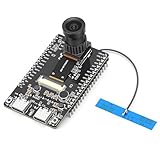
- 【Main Functions】BW21-CBV-Kit is a local AI vision recognition development board capable of independently running object recognition models
- 【Camera Specifications】Equipped with a 1920 x 1080 resolution, 2MP, 30fps wide-angle camera, a condenser microphone, and support for 2TB memory card storage
- 【Strong Communication Capabilities】Based on the RTL8735B chip, it supports dual-band 2.4GHz/5GHz WiFi and Bluetooth 5.1, providing high-performance wireless transmission capabilities for smoother image transmission
- 【Development Method】Utilizes the Arduino development approach, allowing you to easily implement your ideas, such as face recognition, gesture recognition, object recognition, component defect detection, people counting, pet recognition, etc
- 【Rich Interfaces】Two sets of 18-pin headers provide 30 programmable I/Os, facilitating project expansion. Combined with AI recognition, it unlocks limitless possibilities
Account for board-specific limits
Nicla Vision with OpenMV
Arduino documents Nicla Vision with a GC2145 2 MP color sensor and an STM32H747AII6 dual-core processor (M7 up to 480 MHz and M4 up to 240 MHz). Those specifications do not guarantee a particular capture or AI frame rate. OpenMV maintainer guidance attributes maximum-resolution capture constraints in its Nicla Vision stack to RAM and camera output limits, so the sensor’s megapixel rating should not be treated as the resolution the program can capture and process per frame. Arduino Nicla Vision documentation OpenMV Forums
OpenMV maintainer guidance also says Nicla Vision’s wide-FOV mode lowers frame rate. If wider scene coverage is not essential, compare normal and wide-FOV modes using the same scene and workload. This trade-off is specific to that board and OpenMV guidance, not a universal camera setting. OpenMV Forums
Rank #4
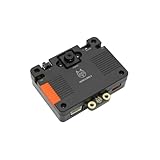
- [Touch-to-Train - No Code Required] Featuring a built-in 2.4-inch interactive screen, HUSKYLENS 2 allows users to train faces, objects, and colors directly on the device. Simply point and tap to learn. This intuitive design makes it the perfect vision sensor for STEM classrooms and beginners who want to see immediate results without complex debugging.
- [6 TOPS Efficient AI - Fast & Cool] Powered by the K230 chip, this module delivers 6 TOPS to run custom YOLO models at high frame rates. Unlike power-hungry boards that overheat or laggy sensors, HUSKYLENS 2 is optimized for edge efficiency. It ensures millisecond response times with instant start-up and low power consumption—perfect for high-performance, battery-powered robots.
- [20+ Built-in Algorithms & Custom Expansion] Ready to use out of the box with over 20 essential functions including Face Recognition, Line Tracking, and Tag Detection. For advanced users, it supports custom model uploading, allowing the device to grow with your skills—from simple line-following cars to complex sorting machines.
- [Visual Link for ChatGPT & LLMs] Transform your robot into an intelligent agent. HUSKYLENS 2 supports the Model Context Protocol (MCP), allowing it to serve as the "eye" for ChatGPT and other Large Language Models. Instead of just tracking objects, your hardware can now "discuss" what it sees with the AI, unlocking advanced interactions impossible with traditional sensors.
- [Compatible with Arduino, Raspberry Pi, ESP32 & micro:bit] Solves integration headaches with standard UART and I2C protocols. Whether you are building a line-following car or a smart pet feeder, the plug-and-play Gravity interface simplifies wiring, allowing hobbyists to upgrade existing projects with AI vision in minutes.
Portenta Vision Shield
Arduino describes the Vision Shield camera as capturing 324×324 pixels and cropping to standard OpenMV sizes. Its support article lists these supported combinations; they are Shield-specific modes, not Nicla Vision specifications or measured AI pipeline results. Arduino Portenta Vision Shield camera specifications
| Shield image size | Supported frame-rate settings |
|---|---|
| QQVGA, 160×120 | 15, 30, 60 or 120 FPS |
| QVGA, 320×240 | 15, 30 or 60 FPS |
Check frame buffers and memory use
With OpenMV, check whether the selected resolution permits multiple frame buffers and whether they are actually enabled on the installed firmware. An OpenMV maintainer described three buffers as an example that may be enabled by default when resolution is low enough; in that case, later snapshot() calls can return the latest image without blocking. Do not assume the buffers are active at every frame size: larger frames and additional buffers compete for RAM. OpenMV Forums
Best Value

- 6 TOPS Edge AI & Deploying Custom Models Trained with YOLO: Powered by a 1.6GHz dual-core processor and a 6 TOPS AI accelerator, it handles complex neural networks locally. Built-in with 20+ algorithms (face, gesture, posture tracking), it also supports a complete toolchain for training and deploying custom YOLO models without relying on cloud computing.
- 116.6° WIDE-ANGLE VISION TO MINIMIZE BLIND SPOTS: The Plus Kit includes a specialized Wide-Angle Camera Module featuring an expansive FOV (D: 116.6°, H: 107.6°, V: 72.6°). Optimized for a near-field effective capture distance of 0.1~1.5m, it is perfectly designed for dynamic mobile robots, desktop robotic arms, and STEM competitions. It captures massive environmental data in a single frame, ensuring targets are detected earlier and is not lost during fast close-range movements.
- DUAL-MODE REAL-TIME VIDEO TRANSMISSION: Break traditional connection limits! Equipped with the WiFi module, it supports both USB wired and WiFi wireless real-time video transmission. Utilizing highly efficient image compression technology, it achieves millisecond-level latency, seamlessly syncing recognition results and live visuals to your remote terminals. It provides extremely reliable remote visual perception and data collection for enclosed robotic chassis.
- LLM INTEGRATION VIA MCP: HUSKYLENS 2 is the first AI vision sensor to support the Model Context Protocol (MCP). It acts as the "intelligent eyes" for Large Language Models (LLMs), sending structured contextual summaries (e.g., "A person is doing a specific gesture") directly to your AI Agents for smarter decision-making.
- PLUG-AND-PLAY: Featuring standard UART and I2C (Gravity) interfaces, it's fully compatible with Arduino, ESP32, Raspberry Pi, micro:bit, and UNIHIKER. Its intuitive "learn-and-use" touchscreen interface allows beginners and pros alike to build AI projects in minutes.
ArduinoCore-mbed has separate camera and memory behavior. Its API documentation notes that supported zoom windows vary by resolution and that larger windows may require an external-RAM framebuffer if they do not fit in built-in memory. Apply that guidance only when using the documented ArduinoCore-mbed API, not as an OpenMV setting. ArduinoCore-mbed camera API
Retest systematically and avoid unsupported register changes
- Choose a repeatable scene and record the exact board, sensor, firmware, library, model, pixel format and capture dimensions.
- Measure capture, preprocessing, inference, post-processing and output separately, then measure complete end-to-end results over a fixed interval.
- Change one factor at a time: first input dimensions, then supported pixel format, frame-rate setting, buffering or field of view as relevant.
- For each change, record end-to-end FPS and task quality, such as whether the same objects are still detected reliably.
- Repeat with the IDE disconnected and in deployment conditions; compare results instead of applying a presumed IDE adjustment.
If capture remains the bottleneck, verify the sensor and firmware-supported settings before attempting low-level register changes. A 2022 OpenMV discussion raised manual sensor-register access as a possible avenue, but does not establish a supported recipe or safe current configuration. OpenMV Forums
Choose settings by the real trade-offs
Compare configurations using end-to-end FPS, task accuracy and image detail, model compatibility with color or grayscale, RAM and framebuffer needs, and field of view. Compare different boards only with the same workload, firmware, measurement method and conditions; the documented modes and specifications above do not establish a speed ranking between Nicla Vision and Portenta Vision Shield.
Quick Recap
Product prices and availability are accurate as of the date/time indicated and are subject to change. Any price and availability information displayed on Amazon at the time of purchase will apply.
Quick wins for a faster PC:
Clear out junk files and repair common Windows errorsFree Scan →Fix the driver behind crashes, sound loss and screen glitchesFind Drivers →
