
Quick wins for a faster PC:
Repair Windows errors before they cause bigger problemsFix Now →Scan for outdated or missing drivers - takes under a minuteDriver Scan →A rear touchscreen can help you frame a selfie with a phone’s main cameras and check selected information, but the available controls depend on the exact phone and software. First confirm your model has a rear display, then use its built-in Camera and display settings; Android notification settings alone do not guarantee what that screen will show.
Check that your phone supports a rear touchscreen
Rear touchscreens are a device-specific feature, not a standard Android control. On your phone, open Settings > About phone and note the model and software version. Then consult the manufacturer’s guide for that exact model and region. Xiaomi’s UK support catalog, for example, lists a guide for the Mi 11 Ultra, but that does not establish that other Xiaomi phones have the same feature or controls: Xiaomi UK user-guide catalog and Mi 11 Ultra guide page.
Google also cautions that Android notification settings vary by phone: Control notifications on Android. Look for the rear-screen instructions in your model’s guide before relying on a particular menu name or gesture.
Use the rear screen to frame a selfie
If your model supports camera preview on the rear display, the general workflow is to open the built-in Camera app, select its rear-display or preview option if available, point the rear cameras toward your subject, and compose the shot on the smaller screen. Capture the photo using the shutter control the phone provides.
The Tool Desk
Outbyte Driver Updater FREEFix the driver behind crashes, sound loss and screen glitchesFind Drivers →Outbyte PC Repair FREEClear out junk files and repair common Windows errorsFree Scan →#1 Best Overall

- Smart Rear Display — Designed specifically for iPhone 18 Pro, this smart phone case features an integrated circular screen on the back. Display personalized content while keeping the phone protected in a modern, functional case.
- Custom Photos and Dynamic Wallpapers — Personalize the rear screen with favorite photos, animated images and video wallpapers through the compatible mobile app. Change the display to match your outfit, mood or special occasion for a phone case that feels uniquely yours.
- Camera Preview and Smart Notifications — Use the rear display as a real-time preview when taking photos with the main camera, making group shots and selfies easier to frame. The screen can also display supported message alerts and interactive scrolling comments, subject to app permissions and notification settings.
- One-Tap Audio Recording — Start audio recording from the smart case for meetings, interviews, lectures and personal notes. Recordings can be played, managed or deleted through the supported app.
The option name, how you activate the preview, and how you trigger the shutter are model-dependent. Xiaomi’s official guide page identifies a Mi 11 Ultra manual, but its detailed instructions are not available on the landing page. A 2022 Xiaomiui article describes rear-screen selfie use on that model, but it is not official documentation and does not verify current firmware behavior: Xiaomiui’s Mi 11 Ultra rear-screen article. Follow your phone’s current manual if its Camera app does not match these general steps.
Set up notifications and choose what is visible
- Allow alerts from the app. In Android notification settings, check that notifications are enabled for the app you want to monitor. The app may also have its own notification controls.
- Review lock-screen privacy. Android offers lock-screen display choices, including controls for hiding sensitive notification content. Choose a setting that suits what you want to reveal.
- Check the phone’s rear-display controls. In Settings, look for rear-screen or secondary-display options and enable notifications there if the phone offers that control. The menu and supported notification details vary by model.
- Test with a non-sensitive alert. Send a test notification, then check what appears on the rear display while the phone is set down and while someone else could see it.
A rear screen faces outward, so a notification visible there may be easier for nearby people to see. Android’s lock-screen privacy options can restrict sensitive content, but a phone’s own rear-display implementation determines exactly what appears. Do not assume every app will show a full message preview. Google’s notification guidance explains the Android controls: Android notification and lock-screen settings.
Rank #2
- Smart Rear Display — Designed specifically for iPhone 18 Pro Max, this smart phone case features an integrated circular screen on the back. Display personalized content while keeping the phone protected in a modern, functional case.
- Custom Photos and Dynamic Wallpapers — Personalize the rear screen with favorite photos, animated images and video wallpapers through the compatible mobile app. Change the display to match your outfit, mood or special occasion for a phone case that feels uniquely yours.
- Camera Preview and Smart Notifications — Use the rear display as a real-time preview when taking photos with the main camera, making group shots and selfies easier to frame. The screen can also display supported message alerts and interactive scrolling comments, subject to app permissions and notification settings.
- One-Tap Audio Recording — Start audio recording from the smart case for meetings, interviews, lectures and personal notes. Recordings can be played, managed or deleted through the supported app.
Troubleshoot a missing preview or notification
- No rear-screen option appears: Confirm the exact model has a rear touchscreen and check its current manual and software version.
- An app’s alerts do not appear: Check both Android’s notification permission for that app and any notification controls inside the app, then inspect the phone’s rear-display settings.
- An icon appears but message text does not: The privacy setting may hide sensitive content, or the phone may be designed to show only limited information. Check the model guide rather than assuming either explanation.
- A third-party utility is suggested: Prefer built-in settings first. Xiaomiui’s 2022 article described a Mi 11 Ultra screen-mirroring utility as unfinished and potentially problematic; that does not establish its present status or make it a general fix.
A hands-free stand is optional if you need to position the phone for a selfie; it is not required to operate a rear touchscreen. Xiaomi’s UK catalog lists a Mi Selfie Stick Tripod, but its listing does not establish compatibility with every phone or current availability: Xiaomi UK support catalog.
Quick Recap
Best Value

- SMART REAR DISPLAY WINDOW – Smart display window designed exclusively for iPhone 15 Pro Max, showing customizable wallpapers, clock styles and useful information.
- REAR CAMERA PREVIEW – Preview your rear camera view through the smart window while taking photos, making selfies and group photos more convenient.
- CUSTOMIZABLE DYNAMIC DISPLAY – Personalize the smart window with different wallpapers, clock designs and visual styles to match your mood and personality.
- MESSAGE & MUSIC CONTROL – View supported message notifications and conveniently control music playback through the smart window on the back of the case.
- RECHARGEABLE SMART CASE – Integrated rechargeable smart display module designed specifically for iPhone 15 Pro Max. A unique combination of technology, convenience and style.
Rank #4
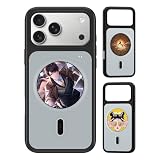
- INNOVATIVE REAR SMART SCREEN: Elevate your smartphone experience with the integrated 1.85-inch HD rear display (360x360 resolution). Seamlessly view time, custom dynamic dials, and vibrant carousel animations right on the back of your phone case, making your device uniquely yours
- REAL-TIME NOTIFICATION HUB: Stay connected without constantly flipping your phone. Sync your text messages, app alerts, and incoming calls directly to the case's back screen. Perfect for meetings or deep-work sessions when you want to minimize distractions while staying up to date
- VERSATILE MULTI-FUNCTION CONTROL: Packed with powerful interactive tools, this smart case features a built-in voice recorder for quick memos, a live picture preview for taking selfies with the powerful rear camera, and quick-access utility widgets that change the way you use your case
- STRONG MAGNETIC & TACTILE ACCURACY: Specifically designed for iPhone 17 Pro Max. Features a built-in strong magnetic ring perfectly aligned for stable, high-speed wireless charging and compatibility with all magnetic accessories. Precise cutouts ensure effortless access to all ports and buttons
- PREMIUM PROTECTION & SLEEK DESIGN: Built with a durable hybrid frame and a sleek dual-tone finish that resists fingerprints and scratches. Raised bezels protect the main screen, camera lenses, and the integrated rear display from accidental drops and impacts without adding extra bulk
Rank #3

- 【Unique Case With Back Camera Monitor】 Are you a video creator? Do you love taking selfies? Do you like live streaming? Have you ever thought about how to see yourself when taking photos by back camera? If so, just chose us!
- 【Original Design by Yuanjing】 Just like unique video creators, we also develop original products This case comes with a LCD screen,when you live stream or take photos with the rear camera, you can see yourself In addition, it can also customize high-definition wallpapers
- 【Smart Phone Case Instructions】 Install the phone case and insert the Type-C plug,then press the button for 3s to turn on the case,after power up, it will display the preset wallpaper,press the button to enter the screen mirroring mode, and the image on the phone will be displayed on the screen of the case,then you can take photos by back camera and you can see yourself. Besides,you can set any wallpaper,Press the button to enter the screen mirroring mode, open the album, select your favorite photos, double-click the button to lock the pictures, press the button again to exit the screen mirroring mode, and the settings will be successful.
- 【Note】 1,When taking landscape shots, the screen mirroring may be reversed. Unlock the iPhone screen lock and re-enter the camera, and the screen will automatically follow 2,This case does not require any APP, so you don't need to worry about any tedious issues or privacy information leakage. It is not an NFC case, it is connected through Type-C, so it needs to use the phone's battery. but its power consumption is very low, only 0.9W.so you can chose to shut it down or unplug it when you don't need to use it.
- 【Contact us】 First of all, thank you very much for your support of our brand. If you have any questions or encounter any problems while using the product, please feel free to contact us at any time. We will solve the problem and provide after-sales for you!
Product prices and availability are accurate as of the date/time indicated and are subject to change. Any price and availability information displayed on Amazon at the time of purchase will apply.

