
Do these 3 things before closing this tab:
1Scan for outdated or missing drivers - takes under a minute2Clear out junk files and repair common Windows errors3Fix the driver behind crashes, sound loss and screen glitchesTo connect an old Kindle, open Settings or All Settings, choose Wi-Fi & Bluetooth or Wireless, then Wi-Fi Networks. Select your network, enter its current password, and tap Connect. If it is hidden, choose Other and enter the network name and password manually.
If the network is missing or the password is rejected, check Airplane mode and saved details first. A key compatibility point: Amazon says Kindle devices released before 2021 do not support 5 GHz Wi-Fi or WPA3, although wireless capabilities vary by model. Check your model and router settings before treating the Kindle as faulty.
Connect your Kindle to a Wi-Fi network
- Open Settings or All Settings on the Kindle.
- Choose Wi-Fi & Bluetooth or Wireless, then open Wi-Fi Networks. The wording can vary by model and software version.
- Wait for nearby networks to appear, then select your network name.
- Enter the current Wi-Fi password and choose Connect.
For a network that does not broadcast its name, select Other from the network list and enter the network name (SSID) and password. Amazon’s connection instructions are at Connect Your Kindle E-Reader to Internet.
Try these checks when the connection fails
- Turn off Airplane mode and make sure Wi-Fi is enabled.
- Re-enter the network name and password. Confirm the same credentials work on another device; watch for capitalization and characters that look alike.
- If the network is not listed, move closer to the router. For a hidden network, use Other to enter its name manually.
- Restart the Kindle, then restart the modem and router. Wait two minutes before trying again.
- Move the Kindle away from possible sources of wireless interference, such as a microwave or baby monitor, and retry.
Amazon’s step-by-step troubleshooting guidance is on its Resolve Wi-Fi Connection Issues on Your Kindle E-Reader page.
Recommended Free Tools
#1 Best Overall
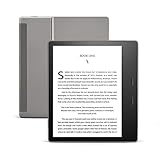
- Our best 7", 300 ppi flush-front Paperwhite display.
- Adjustable warm light to shift screen shade from white to amber.
- Waterproof (IPX8) so you can read in the bath or by the pool. Your Kindle has been tested to withstand accidental immersion in water.
- Thin and light ergonomic design with page turn buttons.
- Reads like real paper with the latest e-ink technology for fast page turns.
Check whether the router uses a compatible network
Amazon states that Kindle devices released before 2021 do not support 5 GHz Wi-Fi or WPA3. If your router broadcasts only a 5 GHz network, or requires WPA3, an older Kindle may not connect. Where your router offers it, try a 2.4 GHz network using a security mode supported by your specific Kindle. Do not assume every older model has identical wireless capabilities: check the exact model and the router’s settings before changing the network configuration.
You can test the Kindle against a smartphone’s personal hotspot. If it connects to the hotspot but not your home Wi-Fi, the home network is the likelier source of the problem. That test does not identify the exact router setting at fault, but it can help narrow down where to troubleshoot.
Rank #2

- All-new Kindle Scribe – Features an 11” glare-free display with front light, built-in notebook, AI tools, and support for popular cloud services.
- Get a pen-on-paper feel – The textured surface and responsive display create a smooth, paper-like writing experience. Plus, the included pen never needs charging and has a built-in eraser and shortcut button for tools like the highlighter.
- More room to read, write, and think – At just 5.4mm thin and 400g light, it’s redesigned for comfort, with a larger 11" display and 40% faster writing and page turns.
- Work comfortably in any light – The display automatically adapts brightness to your lighting conditions. Adjust the warmth for greater comfort at night.
- Get more out of your notes – Take notes in the built-in notebook, then use AI to find information, ask questions about what you’ve written, and generate summaries. You can also clean up handwriting or convert it to text.
Account for public Wi-Fi sign-in pages
Some public networks require an extra step after connection, such as accepting a captive-portal page, entering a voucher or PIN, or using a one-time password. If the Kindle appears connected but cannot access the internet, try opening a simple webpage to prompt the network’s welcome page. If the page does not appear or the network requires a sign-in flow the Kindle cannot complete, ask the hotspot provider about access for e-readers.
Update the Kindle or troubleshoot registration
Install the update for your Kindle model
Check Amazon’s Kindle E-Reader Software Updates page and locate the instructions for your exact generation. The page includes legacy devices such as Kindle Keyboard (3rd Generation) and Kindle (2nd Generation). Follow the update steps for that model rather than applying instructions for a different Kindle.
Crashes, No Sound, or Screen Glitches?
Random freezes, missing sound and display glitches usually trace back to one bad driver. Find and replace yours safely.Free scan · under a minutePC Slower Than It Used to Be?
A free scan shows the junk files, broken settings and background clutter dragging Windows down - then fixes them in one click.Free scan · Windows 10 & 11Rank #3

- Great value – Includes Kindle (2024 release), Kindle Fabric Cover, and 9W Power Adapter-up to a $162 value.
- Effortless reading in any light - Read comfortably with a 6“ glare-free display, adjustable front light-now, 25% brighter at max setting-and dark mode.
- Escape into your books - Tune out messages, emails, and social media with a distraction-free reading experience.
- Read for a while - Get up to 6 weeks of battery life on a single charge.
- Take your library with you – 16 GB storage holds thousands of books.
If Wi-Fi connects but Amazon registration does not
A working Wi-Fi connection does not guarantee successful account registration. Confirm that the Kindle’s date and time are correct, check the Amazon account credentials, install any available model-specific software update, and restart the device. For further steps, see Amazon’s Get Help to Register Your Kindle E-Reader.
Independent reader supportYour contribution helps us test, update, and keep practical guides available for everyone.Reset only after less destructive steps fail
A factory reset is a last resort, not a routine Wi-Fi fix. Amazon warns that resetting removes personal data, downloaded content, and content that has not synced, and deregisters the Kindle from your Amazon account. Before proceeding, make sure anything you want to keep has synced. Follow the model-specific options in Amazon’s Factory Reset Your Kindle E-Reader instructions.
Rank #4

- Pages that pop - Now with enhanced display features and faster page turns. Includes a cover, a 6-month Amazon Kids+ subscription, and a 2-year warranty—up to a $187 value.
- Amazon Kids+ is a subscription designed for kids aged 3-12, providing unlimited access to thousands of age-appropriate books, including classic chapter books and graphic novel favorites. Included content is curated by age range, so it safely evolves with a child's interests and maturity. After 6 months, your subscription will automatically renew every month starting at just $7.99/month plus applicable tax. You may cancel at any time by visiting the Amazon Parent Dashboard or contacting Customer Service.
- Build healthy reading habits - Kids read, on average, more than an hour a day when they sit down with their Kindle. Kindle Kids is purpose-built for reading (not a toy)—no apps, videos, or games.
- Effortless reading in any light - With a 25% brighter front light at max setting—as bright as Kindle Paperwhite—light and dark mode, and 6″ glare-free display.
- Easy to use - The compact, lightweight design allows for one-handed reading. With 16 GB of storage, holds thousands of books. A single charge via USB-C lasts up to 6 weeks.
If the Kindle still cannot connect after these checks, contact Amazon support with the exact Kindle model, software version, and whether it connected to a phone hotspot. Those details help distinguish a device-specific issue from a home-router configuration problem.
Quick Recap
Best Value

- [Comfortable Reading Experience]: Remote page turner ring uses radio frequency (RF) technology, eliminating the need for Wi-Fi or Bluetooth. Simply tap the remote control button to turn pages remotely, hands-free. It's also perfect for reading in bed or on the sofa. Even in winter, simply tuck the remote under your covers for warmth and enjoy remote page-turning.
- [Case-Friendly and Screen-Friendly]: Remote control page turner innovative screen sensor clip design allows the front end of the clip to precisely fit your screen without scratching it. The clip can hold thicknesses up to 18.5mm (0.73 inche), making it compatible with various thickened and drop-resistant cases.
- [Lightweight Ring Design]: Clicker page turner adopts a lightweight ergonomic design. The ring remote is lightweight and comfortable to wear, resists slipping and breaking, and is durable and drop-resistant. It comes with a storage pouch for easy portability, making it the perfect companion for your reading time. Packaging Details: Screen sensor clip, ring remote, USB-C cable, and storage pouch for easy access.
- [Wide Compatibility]:Page turner for Kindle compatible with various e-book readers with capacitive screens, such as: Kindle Paperwhite, Oasis, Scribe, Voyage, Kids Edition, Surface, iPad, iPhone, Android Tablets, and Kobo, easily adapting to various reading scenarios. (Note: Not compatible with Kindle 7th/8th Generation, Amazon Fire HD 10 10th 11th 13th Generation)
- [Quiet Buttons and Long Battery Life]:Ring page turner equipped with silicone buttons, the page turner turns softly and silently, ensuring you do not disturb others when reading Kindle ebooks at night or in quiet environments, allowing you to immerse yourself in the joy of reading. It supports Type-C fast charging, fully charging in just 1.5 hours, enough for weeks of daily reading. wireless page turner is equipped with an intelligent sleep mode to effectively save power, making it ready for travel, work, or leisure.
Product prices and availability are accurate as of the date/time indicated and are subject to change. Any price and availability information displayed on Amazon at the time of purchase will apply.

