
Recommended Free Tools
The Happy Hacking Keyboard (HHKB) is a 60-key compact keyboard built around Topre electrostatic capacitive switches. It can be a satisfying choice if you want a small desk footprint and are willing to adapt to its unusual layout; it is a poor fit if you rely on dedicated arrow and function keys or want to keep familiar keyboard habits. “Comfort” is personal: PFU promotes the layout as reducing wrist and finger fatigue, but that is a manufacturer claim, not a health guarantee.
What makes the HHKB different?
The HHKB Professional range condenses a keyboard into 60 keys. Instead of providing a conventional function row and cursor-key cluster, it uses Fn-based layers to access additional functions and navigation. PFU Ricoh’s product listing identifies the Hybrid as a 60-key keyboard.
The layout, more than the switch, is the main decision. Control’s position differs from what many typists expect, and accessing arrows and other functions through layers takes practice. TechRadar’s Classic Type-S review also notes the adjustment involved. If you prefer dedicated cursor keys and a familiar arrangement, a conventional keyboard is likely the easier choice.
Comfort depends on your hands and habits
PFU presents the compact layout as a way to reduce wrist and finger fatigue, but that is a vendor claim rather than clinical evidence. A smaller footprint may suit your desk and typing style, yet it does not establish that the keyboard will be more comfortable for you. Treat the layout as something to try, not an ergonomic outcome to count on.
#1 Best Overall

- Four touch-operated, customizable Gesture Pads unlock a wide variety of functions from switching windows and adjusting analog inputs to complex user-defined commands
- Integrated mouse functionality with a pointing stick in the center of the keyboard and three mouse buttons below the space key eliminates the need for a touchpad or mouse and promotes a fully immersive, comfortable typing experience from anywhere
- Create Keymap settings for both key layout and Gesture Pads which are saved in the HHKB so you can use it with different devices. Up to four different keymap profiles can be created. DIP switches enable custom key and OS settings
- Connect to your PC via USB (Type-C), or connect to your PC, Tablet, Smartphone (iPad, iPhone, Android) via Bluetooth multi-pairing, instantly switching between up to 4 devices
- Compact 60 key layout minimizes finger movement and maximizes efficiency. Silent linear mechanical switches reduce key noise and allows for complete concentration. Keyboard is hot-swappable to fit user’s switch preference
Which HHKB model should you choose?
Choose by connection type and switch noise first, then check the exact model’s keymap support and regional listing. The names can be confusing: Classic is wired, while Hybrid models add Bluetooth; Type-S identifies the quieter switch structure.
| Model | Switch | Connection | Keymap support and other distinctions |
|---|---|---|---|
| Professional Classic Type-S | Type-S Topre, designed to reduce keystroke noise | USB Type-C; wired | The UK product page lists Keymap Tool support, PBT keycaps and spacebar. See PFU’s UK product page. |
| Professional HYBRID Type-S | Type-S Topre | USB-C and Bluetooth | PFU’s 2020 announcement says Hybrid models can pair with up to four devices. See the launch announcement. |
| Professional HYBRID | Standard Topre, not Type-S | USB-C and Bluetooth | PFU’s announcement distinguishes standard and Type-S switches; check the current listing for keymap support and other SKU-specific details. |
| Professional Classic | Standard Topre | Wired; verify the current regional listing | The US FAQ says Classic does not support Keymap Tool, unlike Classic Type-S. Legend placement and color options also differ; check the Professional FAQ. |
Model availability and details can vary by region and change over time. Use the official downloads page for manuals and software, and confirm the precise product name before buying rather than assuming every Professional model has the same connectivity or remapping options.
Rank #2

- Silent Topre Elecrostatic Capacitive Switches eliminate key chatter, while providing supreme tactility, extra comfort, keystroke precision
- Compact 60 key layout that minimizes finger movement and maximizes efficiency; Ergonomic design suitable for programming and long text writing
- Create Keymap settings which are saved in the HHKB so you can use it with different devices and Customizable DIP Switches enable you to change mode for different OS (Microsoft Windows, Apple mac, etc)
- Connect to your PC via USB (Type-C), or connect to your PC, Tablet, Smartphone (iPad, iPhone, Android) via Bluetooth multi-pairing, instantly switching between up to 4 devices with keyboard shortcuts
- High-Quality frame and keys - Sculpted keycaps and spacebar made from durable, shine-resistant PBT with dye-sublimation printed legends
Is the HHKB Type-S silent?
No keyboard should be assumed silent just because its switches are labeled Type-S. PFU’s FAQ claims a 30% noise reduction compared with regular or previous Topre switches, depending on the FAQ section. That percentage is the manufacturer’s comparison, not an independent measurement. TechRadar describes the Hybrid Type-S as quiet rather than silent in its review.
If minimizing noise matters, Type-S is the version to consider within this range, but do not interpret “silent” as an absolute guarantee. The standard Hybrid uses standard Topre switches instead.
PC Slower Than It Used to Be?
A free scan shows the junk files, broken settings and background clutter dragging Windows down - then fixes them in one click.Free scan · Windows 10 & 11Crashes, No Sound, or Screen Glitches?
Random freezes, missing sound and display glitches usually trace back to one bad driver. Find and replace yours safely.Free scan · under a minuteRank #3
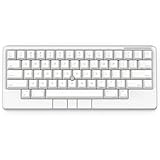
- Four touch-operated, customizable Gesture Pads unlock a wide variety of functions from switching windows and adjusting analog inputs to complex user-defined commands
- Integrated mouse functionality with a pointing stick in the center of the keyboard and three mouse buttons below the space key eliminates the need for a touchpad or mouse and promotes a fully immersive, comfortable typing experience from anywhere
- Create Keymap settings for both key layout and Gesture Pads which are saved in the HHKB so you can use it with different devices. Up to four different keymap profiles can be created. DIP switches enable custom key and OS settings
- Connect to your PC via USB (Type-C), or connect to your PC, Tablet, Smartphone (iPad, iPhone, Android) via Bluetooth multi-pairing, instantly switching between up to 4 devices
- Compact 60 key layout minimizes finger movement and maximizes efficiency. Silent linear mechanical switches reduce key noise and allows for complete concentration. Keyboard is hot-swappable to fit user’s switch preference
Is the HHKB worth the price?
It is most plausibly worth considering if the compact layout, Topre feel and—in Hybrid models—Bluetooth match how you work. The cost is not only the purchase price: it also includes time spent adapting to layers and a less familiar key arrangement. If you do not want that adjustment, the keyboard’s distinctive feel may not compensate for the layout trade-off.
Prices cited by reviews are historical snapshots, not current quotes. TechRadar listed the Classic Type-S at $269 when its review was published in December 2025. Its April 2025 Hybrid Type-S article gives both a $385 list price and a $299 discounted price, and its summary says “From £299 / $299.” Check your local live listing, stock, seller and warranty before purchase rather than treating any of those figures as today’s price.
Quick Recap
Best Value
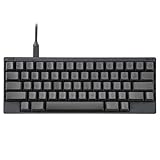
- SILENT TYPE-S TOPRE SWITCHES FOR WHISPER-QUIET PERFORMANCE. Engineered to eliminate key chatter, these electrostatic capacitive switches deliver supreme tactility, enhanced comfort, and precise keystrokes—ideal for deep focus in noise-sensitive environments.
- COMPACT 60-KEY LAYOUT FOR EFFICIENT, MINIMAL MOVEMENT TYPING. Designed to reduce finger travel and boost productivity, the Classic Type-S is perfect for programming sessions and long-form writing.
- CUSTOMIZABLE KEYMAP SETTINGS FOR FLEXIBILITY. Save your personalized layout directly to the keyboard, making it seamless to use across multiple devices. Easily switch keyboard modes to support Windows, macOS, and more with onboard DIP switches.
- SEAMLESS USB-C CONNECTIVITY FOR MODERN DEVICES. Easily connect to your PC or hybrid device with a reliable USB-C interface for fast setup and stable performance.
- PREMIUM MATERIALS MEET ERGONOMIC DESIGN. Meticulously crafted with shine-resistant PBT and dye-sublimated legends, the sculpted keycaps and spacebar deliver both durability and typing comfort.
Rank #4

- SILENT TYPE-S TOPRE SWITCHES FOR WHISPER-QUIET PERFORMANCE. Engineered to eliminate key chatter, these electrostatic capacitive switches deliver supreme tactility, enhanced comfort, and precise keystrokes—ideal for deep focus in noise-sensitive environments.
- COMPACT 60-KEY LAYOUT FOR EFFICIENT, MINIMAL MOVEMENT TYPING. Designed to reduce finger travel and boost productivity, the Classic Type-S is perfect for programming sessions and long-form writing.
- CUSTOMIZABLE KEYMAP SETTINGS FOR FLEXIBILITY. Save your personalized layout directly to the keyboard, making it seamless to use across multiple devices. Easily switch keyboard modes to support Windows, macOS, and more with onboard DIP switches.
- SEAMLESS USB-C CONNECTIVITY FOR MODERN DEVICES. Easily connect to your PC or hybrid device with a reliable USB-C interface for fast setup and stable performance.
- PREMIUM MATERIALS MEET ERGONOMIC DESIGN. Meticulously crafted with shine-resistant PBT and dye-sublimated legends, the sculpted keycaps and spacebar deliver both durability and typing comfort.
What to check before ordering
- Confirm the layout and model name. Make sure you are comfortable with a 60-key layout and Fn layers, and verify whether the SKU is Classic, Hybrid, Type-S or Hybrid Type-S.
- Match connectivity to your setup. Classic Type-S is wired USB-C; Hybrid models add Bluetooth. PFU’s 2020 launch announcement specifies Bluetooth 4.2 and pairing with up to four devices for the new Hybrid models.
- Check remapping support for that SKU. The official US FAQ says Classic Type-S supports Keymap Tool while Classic does not. Do not infer that support carries across every model.
- Verify the seller and warranty in your region. PFU EMEA’s UK FAQ says its two-year warranty applies to qualifying purchases from specified PFU EMEA Amazon storefront sellers or PFU Direct; for purchases from other sellers, contact that seller. The US store advertises a separate two-year advanced exchange warranty. Neither policy should be assumed to apply in another region.
- Check replacement-keycap fit before buying accessories. Compatibility varies by model and generation; do not assume a generic Topre keycap set will fit. PFU lists a wood wrist rest as a related accessory, but it is optional, not a demonstrated requirement for comfort.
Product prices and availability are accurate as of the date/time indicated and are subject to change. Any price and availability information displayed on Amazon at the time of purchase will apply.

