
You can use RTAB-Map on a myAGV Jetson Nano only after matching its software to the robot’s actual image, ROS distribution, and sensor topics. The available documentation does not establish a tested, one-command RTAB-Map setup for the myAGV Jetson Nano 2023. First identify the installed software and confirm that the robot publishes usable sensor data and transforms; then choose a compatible RTAB-Map package or build path.
What RTAB-Map can do on this robot
RTAB-Map’s ROS wrapper connects ROS sensor and odometry data to a graph-based SLAM library with appearance-based loop closure. It supports RGB-D, stereo, and LiDAR inputs and can produce outputs including occupancy grids, point clouds, and OctoMaps. The ROS package separates SLAM, odometry, synchronization, and utility nodes, and it can use external odometry.
Elephant Robotics identifies the myAGV Jetson Nano 2023 as using an NVIDIA Jetson Nano B01 and customized Ubuntu Mate 20.04. Its specification lists a 360-degree laser radar with a stated scanning range of 0.12–8 m, an 8-megapixel camera with a 77-degree field of view and 2.96 mm focal length, and a maximum movement speed of 0.9 m/s. These are manufacturer specifications, not measurements of RTAB-Map accuracy, mapping speed, or usable range in a particular environment.
The camera specification alone does not establish that the camera provides depth. Before selecting an RGB-D or stereo setup, inspect the messages and calibration actually published by the installed camera driver.
Recommended Free Tools
#1 Best Overall
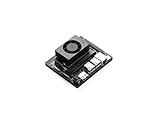
- The NVIDIA Jetson Orin Nano Developer Kit sets a new standard for creating entry-level AI-powered robots, smart drones, and intelligent cameras,and simplifies getting started with the Jetson Orin Nano series. Compact design, lots of connectors and up to 40 TOPS of AI performance make this developer kit perfect for transforming your visionary concepts into reality. With up to 80X the performance of Jetson Nano, it can run all modern AI models, including transformer and advanced robotics models.
- The developer kit comprises a Jetson Orin Nano 8GB module and a reference carrier board that can accommodate all Orin Nano and Orin NX modules, providing an ideal platform for prototyping your next-gen edge AI product. The Jetson Orin Nano 8GB module features an Ampere GPU and a 6-core ARM CPU, enabling multiple concurrent AI application pipelines and high-performance inference. The carrier board boasts a wide array of connectors, including two MIPI CSI connectors supporting camera modules with up to 4-lanes, allowing higher resolution and frame rate than before.
- Jetson runs the NVIDIA AI software stack, with available use-case-specific application frameworks, including NVIDIA Isaac for robotics, DeepStream for vision AI, and Riva for conversational AI. You can save significant time with NVIDIA Omniverse Replicator for synthetic data generation (SDG), and with NVIDIA TAO Toolkit for fine-tuning pretrained AI models from the NGC catalog.
- Ecosystem partners offer additional AI and system software, developer tools, and custom software development. They can also help with cameras and other sensors, as well as carrier boards and design services for your product.
- Jetson Orin modules are unmatched in performance and efficiency for robots and other autonomous machines, and give you the flexibility to create the next generation of AI solutions with the latest NVIDIA technology. Together with the world-standard NVIDIA AI software stack and an ecosystem of services and products, your road to market has never been faster.
Identify the software installed on your Nano
Do not choose installation instructions based solely on the product page’s Ubuntu description. It does not name the ROS distribution installed on every unit, and an individual robot may have a different or updated image. Record the software versions and architecture while logged into the robot:
cat /etc/os-releaseshows the installed operating-system release.printenv ROS_DISTROreports the active ROS distribution when the ROS environment is sourced. If it prints nothing, that does not by itself prove ROS is absent; check the robot’s documented environment and installed packages.uname -mreports the processor architecture.- Record the JetPack, OpenCV, and RTAB-Map versions using the tools or package manager available on that image. Do not assume a version from another myAGV model applies.
Keep these results together. They determine which ROS branch and dependencies can be used and help distinguish a package problem from an image or driver mismatch.
Rank #2

- JETSON ORIN NANO AI STARTER KIT: Build hands‑on Edge AI projects with Python programming, integrated sensors and hardware control within an all‑in‑one development platform. Jetson Orin Nano board not included.
- 30‑IN‑1 COMMON BOARD, NO SOLDERING: Explore temperature, humidity, motion, light, sound, NFC, ultrasonic sensing, gas detection & motor control with 30 integrated modules. No soldering or complex wiring; comes with 128G SD card and acrylic mounting plates for zero‑threshold experiments.
- 8MP GIMBAL CAMERA FOR AI VISION: IMX219 8MP camera with dual‑servo gimbal supports face & target tracking for computer vision, intelligent monitoring, robot navigation and AI recognition applications.
- 38 STEP‑BY‑STEP PYTHON TUTORIALS: Start with Python basics and sensor control, then progress to computer vision and practical AI projects for hands‑on programming and embedded development, suitable for beginners and advanced learners.
- ALL‑IN‑ONE AI LEARNING PLATFORM: Built‑in 11.6‑inch 1366*768 IPS display, AI voice interaction, rich expansion interfaces(I2C, UART, IO) and portable case deliver a complete setup for AI learning, classroom demos, prototyping and maker projects.
Choose a ROS-compatible RTAB-Map path
The current rtabmap_ros documentation says its ROS 2 wrapper requires ROS 2 Humble or newer and lists current ROS 2/Ubuntu pairings, including Humble with Ubuntu 22.04 and Jazzy or Kilted with Ubuntu 24.04. It also marks ROS 1 Noetic as end-of-life and pairs it with Ubuntu 20.04. That does not establish that a ROS 2 Humble binary package is appropriate for the Nano’s customized Ubuntu Mate 20.04 image, or that Noetic is installed on your robot.
| What you find on the robot | Next step |
|---|---|
| A ROS 1 distribution | Use RTAB-Map instructions and dependencies for that ROS 1 distribution and operating-system combination. Account for Noetic’s end-of-life status if that is the installed distribution. |
| ROS 2 Humble or newer | Check that the installed Ubuntu release, CPU architecture, sensor drivers, and available RTAB-Map packages match the documented ROS 2 combination before installing or building. |
| No active ROS environment, or an unclear/mixed installation | Resolve the robot image and ROS setup first. Installing a wrapper against an incompatible ROS environment is unlikely to fix the underlying mismatch. |
The ROS package index’s Jetson notes add an OpenCV caveat: if building to use OpenCV 4 Tegra, rebuild the vision_opencv stack to avoid conflicts with ROS binaries linked against a different, non-optimized OpenCV. The page’s detailed example is legacy Kinetic-era guidance, not a current Nano installation recipe. Check the supported versions for your actual image before applying any build steps, and avoid mixing binaries and locally built libraries that depend on conflicting OpenCV versions.
What’s actually slowing this PC down?
Pick the symptom - the matching free tool is one click away.
Rank #3

- 30-in-1 No-Solder Sensor Board, Plug and Play: Integrates 30 functional sensors including temperature & humidity, ultrasonic ranging, gas and motion sensors. Innovative common board design requires no soldering or complex wiring, and comes with a full set of accessories like 128G SD card, adapter board and acrylic mounting plates for zero-threshold experiments
- 8MP Gimbal Camera & Dual Servos for Professional Visual AI: The Starter Kit is equipped with an IMX219 8MP monocular camera and a dual-servo gimbal, supporting face and target tracking, and is ideal for AI edge computing scenarios such as intelligent monitoring, robot navigation, and automated recognition
- 38 Step-by-Step Python Tutorials, From Beginner to Practical Application: The Jetson Orin Nano Starter Kit comes with 38 well-designed Python tutorials progressing from basic programming to vision practice, covering all key knowledge of sensor control, embedded development and AI visual recognition for both beginners and advanced learners
- 11.6-inch IPS HD Screen & AI Voice Interaction System: Built-in 1366*768 resolution IPS screen eliminates the need for an external monitor, enabling one-device experimentation and visual feedback. The exclusive AI voice interaction system supports intelligent Q&A and voice command control for natural human-computer dialogue
- Rich Expansion Interfaces & Portable All-in-One Design: Features 2x I2C, 1x UART and 2 IO expansion interfaces to meet personalized experiment expansion needs; a custom carrying case integrates all components (11.81×7.87×3.94 inch), allowing AI experiments and demonstrations anytime and anywhere
Check sensor topics and transforms before starting SLAM
RTAB-Map cannot use a sensor merely because it is listed in the robot’s specifications. Confirm that the installed drivers publish messages consistently, that camera calibration is available when relevant, and that the transforms connect the sensor frames to the robot’s motion and base frames.
- Start the robot’s own supported sensor and base drivers using the instructions for the Nano image. Do not start an RTAB-Map launch file yet.
- List the active topics with
rostopic liston ROS 1 orros2 topic liston ROS 2. Identify the actual laser scan, camera, calibration, odometry, and transform topics rather than assuming names from another robot. - Inspect the message type and whether data is arriving. ROS 1 provides
rostopic typeandrostopic hz; ROS 2 providesros2 topic typeandros2 topic hz. Use them with the topic names reported by your system. - Check that camera calibration messages accompany image data when using camera-based input, and verify that timestamps are advancing and are usable together by the relevant nodes.
- Inspect the transform tree and confirm there is a connected path among the base, sensor, and odometry frames. Obtain the frame names from the running drivers and robot configuration; they are not specified for every Nano installation.
If a topic is missing, has the wrong message type, or is not connected by transforms, fix the driver or frame configuration before trying to tune SLAM. Starting RTAB-Map cannot compensate for absent or disconnected input data.
Rank #4

- Complete Jetson Orin Nano Starter Kit: This jetson orin nano starter kit includes a 30-in-1 sensor board, 8MP camera, dual-servo gimbal, 128GB SD card, and essential accessories. It supports Avisual recognition and voice interaction, providing a complete AI application development experience
- 8MP AI Vision Camera with Gimbal: Equipped with an IMX219 8MP camera and dual-servo gimbal, the jetson orin nano development kit supports face tracking, object recognition, target tracking, and computer vision projects. Ideal for learning AI vision, edge computing, robotics, and intelligent automation applications
- 11.6-Inch HD Display & AI Voice Assistant: Features an 11.6-inch 1366×768 IPS screen, allowing users to develop and test projects without an external monitor. The built-in AI voice interaction system supports voice commands and intelligent conversations, creating a more engaging and interactive learning experience
- 30 Sensors and 38 Guided Python Tutorials: Features a 30-in-1 sensor board with temperature & humidity, ultrasonic ranging, gas, motion, and other commonly used sensors. Includes 38 guided Python tutorials covering sensor applications, embedded development, and AI visual recognition from beginner to advanced
- Portable All-in-One Design with Rich Expansion Options: The Jetson Orin Nano Dev Kit provides multiple expansion interfaces including I2C/UART/IO interfaces. A custom carrying case integrates all components, making it convenient for classroom teaching, laboratory projects, demonstrations, and mobile AI development
Select the input mode from the data you actually have
- LiDAR: Use a LiDAR-oriented configuration only if the laser driver publishes usable scan data and the required motion/odometry and transforms are available.
- RGB-D: Choose this only when the camera system actually publishes synchronized color and depth data with calibration. The Nano product specification’s megapixel count does not prove that it does.
- Stereo: Use this only if the installed camera arrangement and driver provide calibrated stereo images and the synchronization expected by the chosen RTAB-Map configuration.
- Combined inputs: Combine modalities only after each stream works independently and the relevant timestamps, calibration, odometry, and transforms agree.
Decide which map representation the application needs—such as an occupancy grid for navigation or a point cloud for 3D inspection—rather than enabling every output by default. The available documentation does not establish a specific best configuration for this exact robot.
Independent reader supportYour contribution helps us test, update, and keep practical guides available for everyone.Bring RTAB-Map up cautiously
Once the ROS environment, drivers, topics, and transforms are verified, use instructions matching the installed ROS distribution and the RTAB-Map branch selected for it. The package has separate node roles for odometry, synchronization, and SLAM; follow that branch’s configuration rather than copying launch names or frame settings from a different robot.
Outdated Drivers Are Slowing You Down
One free scan finds every outdated or missing driver and matches the right update for your exact hardware.Free scan · exact hardware matchWindows Errors? Fix Them Before They Spread
Repair common Windows errors and clear accumulated junk for a smoother, more stable PC - no reinstall needed.Free scan · no reinstallBest Value

- 【Core Parameters】★AI Perf: 34/67 TOPS ★GPU:1024-core official Ampere architecture GPU with 32 Tensor Cores ★CPU:6-core Arm Corte-A78AE v8.2 64-bit CPU 1.5MB L2 + 4MB L3 ★Memory:8GB 128-bit LPDDR5 68 GB/s ★Storage: external NVMe via M.2 Key M
- 【Empowered by Large Al Model, Enhanced Human-Computer Interaction】Jetson Orin Super leverages three AI models and incorporates an AI voice interaction module. This multimodal visual system matches the scene being described, enabling environmental awareness and AI visual gameplay. Combined with a large-scale voice module and camera, it enables speech-to-text, semantic analysis, natural conversation, and real-time video analysis, enabling advanced embodied AI applications.
- 【AI Upgrade】Jetson Orin Nano series modules are compact in size but can deliver up to 34-67 TOPS of AI performance, with power consumption ranging from 7 watts to 25 watts. Compared to the Jetson Nano B01, it offers up to 80 times the performance and sets a new standard for entry-level edge AI.
- 【Highly compatible carrier board】Yahboom's carrier board is fully compatible with orin nano module. Compared to carrier boards that use Jetson Nano on the market, the newly upgraded circuit supports 25W power mode, which enables larger and more complex neural networks and fully leverages the performance of the core module. The resources, size, and interfaces of the Yahboom carrier board are consistent with the official board, with the only difference addition of power switch button.
- 【Tutorial materials provided】The JETSON system based on Ubuntu 22.04 provides a complete desktop Linux environment with accelerated graphics, supporting CUDA 12.6, TensorRT 10.7.0, cuDNN 9.6.0, OpenCV 4.10.0, etc. The performance on AI LLM, VLM and visual Transformer is significantly improved compared with the previous generation.
- Start the Nano’s supported base and sensor drivers and verify their data is still arriving.
- Choose either the compatible RTAB-Map odometry path or an already functioning external odometry source. Confirm which odometry topic and frames the configuration expects.
- Configure synchronization and sensor inputs using the real topic names, message types, frame IDs, and calibration published by the Nano.
- Launch the relevant RTAB-Map nodes with a modest sensor workload. Watch for warnings about missing transforms, synchronization, calibration, or input data, and resolve those before increasing the workload.
- Move the robot conservatively in a simple environment and inspect whether the map and pose estimate update coherently. Stop if the estimate drifts, jumps, or fails to follow the robot; check the input streams and transforms before changing multiple SLAM settings at once.
No independently published benchmark cited here establishes mapping speed, memory use, localization accuracy, or a real-time frame rate for RTAB-Map on this exact robot. Monitor CPU and memory use and sensor message rates on the unit rather than assuming performance from the Jetson name or the manufacturer’s maximum movement-speed specification.
Keep model-specific tutorials separate
Elephant Robotics’ RTAB-Map tutorials linked here cover the myAGV Pro and myAGV Plus, not the myAGV Jetson Nano. Their workflows start model-specific bringup and camera drivers before SLAM; their launch packages, sensors, and ROS assumptions are not Nano instructions. For example, the Pro and Plus tutorials use different camera drivers. Treat the general sequence as a workflow illustration only, and use the Nano’s installed driver and package names.
Save mapping data deliberately
Decide how to preserve the mapping database before relying on a run. The cited database-save instructions belong to the Pro tutorial and do not establish the Nano launch behavior, save location, or whether saving occurs automatically. Check the documentation and configuration for the RTAB-Map version and launch setup installed on your Nano, then verify that a saved database can be found and reopened before treating a mapping session as backed up.
Quick Recap
Product prices and availability are accurate as of the date/time indicated and are subject to change. Any price and availability information displayed on Amazon at the time of purchase will apply.

