
The LilyGO TTGO T-Lite W5500 is a very small ESP32 development board with a 0.96-inch OLED, Wi-Fi and Bluetooth. Its wired Ethernet capability depends on the package: the W5500 Ethernet module is an option, not something to assume is included. Check the exact seller configuration and package contents before buying.
What the TTGO T-Lite W5500 includes
LILYGO lists the T-Lite W5500 as an ESP32 board with an SSD1306 OLED and USB-C. The figures below are manufacturer-published specifications on LILYGO’s product page, accessed October 4, 2026; they are not independent measurements.
| Specification | LILYGO listing |
|---|---|
| Processor | ESP32 |
| Flash and SRAM | 4 MB flash; 520 kB SRAM |
| Display | SSD1306, 0.96-inch OLED |
| Wireless | Wi-Fi 802.11 b/g/n on 2.4 GHz; Bluetooth 4.2 BR/EDR and BLE |
| Dimensions and weight | 29.5 × 23 × 8 mm; 4.5 g |
| Power and connection | 2.7–3.6 V working voltage; Type-C USB |
| Other listed hardware | Boot and Reset buttons, 40 MHz crystal, onboard ceramic antenna and an expandable antenna interface |
LILYGO also lists IPv4/IPv6, SSL, TCP/UDP, HTTP, FTP and MQTT support, along with FreeRTOS. Those are listed platform capabilities, not a guarantee of a particular application’s performance. See the LILYGO T-Lite W5500 product page for the manufacturer’s specifications.
Does the board include the W5500 Ethernet module?
Not necessarily. LILYGO’s product page shows a “1 X W5500 Gateway Module (Default solder header)” option. TinyTronics, by contrast, explicitly says the W5500 Ethernet module is not included with its board listing; it describes the module as an addition that provides Ethernet alongside Wi-Fi. These are seller-specific configurations, so confirm the selected SKU and package contents rather than relying on the product name alone.
#1 Best Overall
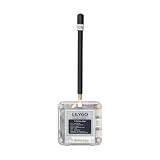
- Antenna Options: Available in versions with built-in antenna and external antenna for flexible connectivity solutions
- Wireless Connectivity:Bluetooth 5,Thread,ANT, Bluetooth Mesh,802.15.4,Zigbee,2.4 GHz proprietary
- Github : github.com/Xinyuan-LilyGO/T-Echo-Lite
- Wiki:wiki.lilygo.cc/products/t-echo-series/t-echo-lite/
- If you have any questions or suggestions about the product, please feel free to contact us. We will answer your question as soon as possible.
- Check whether the listing includes the W5500 module itself.
- Verify which headers or soldered connections are included and whether they match the board configuration.
- Confirm the package contents on the exact seller page. TinyTronics says its package includes the board and a female header set, but not a USB-C cable.
See the TinyTronics listing for its stated configuration. Do not assume a generic W5500 module will fit or connect correctly without checking compatibility with the precise board and headers.
Arduino IDE setup and pin assignments
The manufacturer-linked LilyGo-W5500-Lite repository says to select “ESP32 Dev Module” in Arduino IDE. It also lists these board-specific connections:
Rank #2

- FLASH: 16MB
- Github: github.com/Xinyuan-LilyGO/TTGO-T-Display
- Display: IPS ST7789V 1.14 Inch , USB: Type-C
- Working current : About 67MA , Sleep current: About 350uA
- Product service: If you have any questions or suggestions about the product, please feel free to contact us. We will answer your question as soon as possible
| Signal | GPIO |
|---|---|
| ETH_RST | 4 |
| ETH_CS | 5 |
| ETH_SCLK | 18 |
| ETH_MISO | 23 |
| ETH_MOSI | 19 |
| OLED_SCL | 22 |
| OLED_SDA | 21 |
Verify pin assignments against your board revision before wiring or adapting a project. TinyTronics warns that the board’s pins connect directly to the ESP32 and are suitable only for 3.3 V signals. Do not apply 5 V logic to GPIO pins. The retailer lists a CP2104 or CH9102F USB-to-serial converter, so the interface may vary by listing or revision. It says USB-C can be used for programming and/or power.
The repository notes that its WebServer example requires modified library files in the repository’s libdeps folder. Follow the example’s own setup notes rather than assuming it will compile with an unmodified library installation.
The Tool Desk
Outbyte Driver Updater FREEFix the driver behind crashes, sound loss and screen glitchesFind Drivers →Outbyte PC Repair FREEClear out junk files and repair common Windows errorsFree Scan →Rank #3

- 【Memory】 Flash : 16MB, PSRAM : 8MB
- 【Shield】POE-Shield
- 【Note】Use with T-ETH-LITE-ESP32 and T-ETH-LITE-ESP32-S3
- 【Github】github.com/Xinyuan-LilyGO/LilyGO-T-ETH-Series
What it is suited to
The combination of a compact ESP32, small display and wireless connectivity can suit space-constrained embedded prototypes where local status or control is useful. LILYGO describes the board in connection with IoT gateway products. With the appropriate W5500 module and configuration, wired Ethernet can be part of that project; it is not a built-in feature of every package.
A community repository documents a Wake-on-LAN project, a web configurator for static-IP or DHCP Ethernet setup, an option to disable Wi-Fi, and client/server examples. These are examples of possible project patterns, not evidence of out-of-box performance or current official support. The repository identifies itself as archived on July 9, 2026. No hands-on testing is represented here.
Rank #4

- 【Function】Onboard ESP32 MCU with WiFi Ble v4.2 transmission function, 4MB Flash and 8MB PSRAM, supporting daily entry-level programming
- 【Lora Chip】The built-in SX1276(915MHz)Lora chip facilitates the project to send and receive data over a long distance with low power consumption
- 【GPS】GPS NEO-6M module, with RCT clock battery, and equipped with mini ceramic antenna for daily positioning
- 【Antenna】Use 3D wifi antenna to save space,we also reserved IPEX antenna base for use.(Note that the onboard antenna and external antenna can't be used together)
- 【Github】github.com/Xinyuan-LilyGO/LilyGO-T-Beam
What to compare before choosing a compact ESP32 board
When comparing the T-Lite W5500 with another small ESP32 board, focus on the practical differences that affect your build:
- Ethernet hardware: Is it integrated, or does it require a separate W5500 module and compatible headers?
- Display and pins: Check the display type and size, then confirm which GPIOs remain available for your sensors and peripherals.
- Package: Verify headers, module and cable contents for the exact listing.
- Programming connection: Check the USB connector and USB-to-serial converter on the specific revision or listing.
- Size: Compare manufacturer dimensions with the space available in your enclosure.
- Software examples: Make sure the available code targets your framework and note any library changes or setup requirements.
The available specifications do not establish comparative network throughput, power draw under load, reliability or value against other boards; those require evidence beyond feature lists and example projects.
Quick Recap
Best Value

- 【Flash】 16MB PSRAM :8MB
- 【MCU】ESP32-S3R8 Dual-core LX7 microprocessor
- 【Github】github.com/Xinyuan-LilyGO/T-Display-S3
- 【Programming Platform】Arduino-ide.Micropython
- 【Product service】If you have any questions or suggestions about the product, please feel free to contact us. We will answer your question as soon as possible
Product prices and availability are accurate as of the date/time indicated and are subject to change. Any price and availability information displayed on Amazon at the time of purchase will apply.

