
Evan Nishi built a small, low-resolution sign that shows what’s playing on Spotify: album artwork, artist and track title, plus a playback progress bar. A Raspberry Pi Zero W runs custom Python software and drives a 64×32 RGB LED matrix through an Adafruit RGB Matrix Bonnet. It is an ambient display for glancing at the current song, not a music player.
What Evan Nishi’s Spotify display shows
The display updates its artwork and track information when the current song changes, with a progress bar offering a quick sense of how far along playback is. At 64×32 pixels, the matrix is deliberately low resolution: it can make album art recognizable as a small image, but the point is glanceable music information rather than detailed artwork.
Hackster featured the project on March 24, 2022, and reproduced Nishi’s description of it as “quite sloppy coding and hardware wise” while saying he was happy with the result. The article presents a maker project, not a tested, step-by-step build guide.
What hardware the project uses
The reported core is a Raspberry Pi Zero W, a 64×32 HUB75 RGB LED matrix, and an Adafruit RGB Matrix Bonnet. Hackster also notes that the full-size HAT variant can work. The parts are distinct: the Pi runs the program, the bonnet connects and drives the matrix, and the matrix is the visible display.
Quick wins for a faster PC:
Clear out junk files and repair common Windows errorsFree Scan →Fix the driver behind crashes, sound loss and screen glitchesFind Drivers →Repair Windows errors before they cause bigger problemsFix Now →#1 Best Overall

- DISPLAY SIZE: Features a 7-inch LCD touchscreen display with sleek black bezel design for optimal viewing and interaction
- HIGH RESOLUTION: Crisp 720 x 1280 pixel resolution delivers clear, detailed visuals for enhanced user experience
- COLOR DEPTH: Premium 24-bit RGB color support ensures vibrant and accurate color reproduction
- COMPATIBILITY: Specifically designed to work seamlessly with Raspberry Pi boards for easy integration
- TOUCH INTERFACE: Responsive touchscreen functionality enables intuitive control and navigation
| Part | Role and compatibility to check |
|---|---|
| Raspberry Pi Zero W | Runs the software. Raspberry Pi lists wireless LAN, Bluetooth 4.1, a 1GHz single-core CPU, 512MB RAM, and a HAT-compatible 40-pin header on its Zero W product page. These are manufacturer specifications, not measurements of Nishi’s project. |
| 64×32 RGB LED matrix | Shows the artwork and text. The project feature uses both “64×32” and “32×64” to describe the panel; confirm the listing’s orientation, physical dimensions, scan type, and HUB75 connector before ordering. |
| Adafruit RGB Matrix Bonnet | Connects the matrix to a compatible 40-pin Raspberry Pi. Adafruit says it works with HUB75 matrices, including 32×64 panels, and fits the Zero W; the bonnet is not for NeoPixel or DotStar addressable LEDs. A Pi Zero may need a header soldered onto the board. See Adafruit’s RGB Matrix Bonnet product information. |
| Separate 5V power supply | Powers the matrix. Adafruit says the panel is not included with the bonnet and the Raspberry Pi cannot power the matrix. Choose a supply suitable for the specific panel; there is no universal wattage or amperage for every matrix. |
What to check before buying parts
- Panel interface: Verify that the matrix uses a HUB75 connector and is compatible with the bonnet. A visually similar addressable LED product is not interchangeable.
- Panel dimensions and scan type: Check the actual product listing rather than relying on “32×64” or “64×32” alone. Confirm the physical dimensions and scan configuration for the panel you intend to use.
- Pi header: Confirm the Zero W has the 40-pin header needed for the bonnet. A bare Pi Zero may require soldering one on.
- Power: Budget for a separate 5V supply sized for the chosen matrix. The bonnet package does not include the matrix, and the Pi does not supply its power.
In his project write-up, Nishi mentions a possible PWM modification to reduce flicker and replacing pre-fitted fork connectors with terminal blocks to help prevent shorts. These are reported build notes, not requirements established for every matrix or installation.
Software and Spotify access
The project uses custom Python software, and the Hackster feature says its setup includes a script for prerequisites. The report also says builders need to register a Spotify application and create credentials for API access. Spotify’s current Web API overview says a Premium account is required, an app must be created, and its credentials are used for authorization and API requests. That is a current Spotify documentation requirement; it should not be mistaken for a detail explicitly stated in the 2022 project feature.
Quick Recap
Best Value

- 5-inch 800*480 resolution capacitive touch screen, IPS type, good viewing angle.
- The MIPI DSI interface directly outputs, plug and play, no driver installation required.
- As a touchscreen monitor, compatible with Raspberry Pi 5 / 4B / 3B+ / 3B / 3A+ / 2B / 1B+ / 1A+. (No HDMI. Not compatible with any other devices.)
- Supports for Raspbian OS 2 points to zoom the page(old version), for Ubuntu/Kali/Win10 IoT (single-touch only). Support PWM backlight brightness adjustment.
- Easy to use -> No configuration required (for new and configuration unchanged systems). Provide detailed usage documentation.
Rank #4
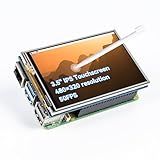
- Designed for Raspberry Pi – Compact, Clear, and Easy to Use. This 3.5-inch IPS full-view touch screen is tailor-made for Raspberry Pi, delivering 480×320 resolution, 65K vibrant colors, and up to 50FPS smooth performance. With its 40-pin GPIO direct connection, it plugs straight into your Raspberry Pi without extra cables, making installation effortless. Fully compatible with Raspberry Pi 5, 4B, it supports multiple systems including Raspberry Pi OS Trixie, Ubuntu, Kali Linux, and RetroPie. The display and touch orientation can be freely rotated at 0°, 90°, 180°, or 270° to fit your project needs
- High-Precision Resistive Touch Control with Included Stylus Pen. Equipped with a highly sensitive resistive touch screen and a matching stylus, this display ensures smooth and precise control. No additional external adapter needed, keeping your setup simple. Comes with a detailed manual, online tutorials, and software drivers, supporting the latest Raspberry Pi OS Trixie. Easy and quick to install, perfect for beginners and makers alike
- Wide OS Compatibility & Smooth Multimedia Experience. Supporting Raspberry Pi OS, Ubuntu, Kali Linux, and RetroPie, this IPS LCD delivers up to 50FPS performance, 65K vivid colors, and a wide 170° viewing angle for excellent video quality and fluid playback. The screen and touch orientation can be freely rotated at 0°, 90°, 180°, or 270°, making it adaptable to different setups. Ideal for gaming, multimedia, smart home dashboards, central control panels, and programming projects, it offers a versatile solution for beginners, engineers, and hobbyists alike
- Safer & More Reliable 40-Pin Connection. Unlike many 3.5-inch touch screens that use a 26-pin header, this display adopts a full 40-pin GPIO interface, making installation more secure and preventing misalignment that could damage the screen. The connection is easy, stable, and reliable, ensuring a worry-free setup experience
- Comprehensive Technical Support & Resources. Comes with a detailed user manual, online documentation, troubleshooting guides, and community forums, ensuring you have the help you need at every step. Whether you are a beginner or an experienced maker, reliable technical support makes your Raspberry Pi projects easier and more enjoyable
Rank #3

- 72%NTSC Touchscreen Monitor: This touch screen monitor is a IPS LCD display with an aspect ratio of 16:10,1280x800 resolution HD screen and a refresh rate of 60 Hz for clear and detailed images and a smooth and lag-free viewing experience, ensure the touch monitor more precise color restoration exquisite picture quality and more rich color. This Rpi display can effectively reduce blue light radiation damage,no flickering,eye-care,and make it easier to watch for a long time.
- 10-Point Touch & Responsive : Just plug and play. Responds quickly in two seconds without the need for additional keyboard and mouse controls,and there's no lag whether you're swiping,scrolling, selecting, zooming in,zooming out,or moving the cursor(Note: you need to connect to the USB port to use the touch screen function. Touch input is not enabled on devices with strict security protocols, such as Switch/macbook.)
- Plug and Play, HDMI Monitor: This driver-free HDMI monitor uses HDMI for signal and data transmission, no additional software or support is required. Compatible with Raspberry Pi(PI5/PI4/PI3B+/PI3/PI2/ZERO) Octo Pi,BB Black,Banana Pi,Retro Pi,game consoles (XBOX/PS4/PS5),computers,TV boxes,and more. Note:The attached HDMI cable is only applicable to devices with standard HDMI interface. Touch functionality is disabled on IOS systems
- Multil-function Display Mode: It supports expansion mode, mirror mode, second-screen-only display mode, horizontal screen mode and vertical mode to meet your needs in various scenarios and better provide office work efficiency. The monitor features dual stereo speakers for an immersive audio experience, perfect for music, movies, and gaming.
- Support VESA mountable: With the integrated RaPi adapter plate, you can easily mount the RaPi in the monitor. The enclosure features 75mm VESA mounting points on the back so you can easily integrate it into your DIY projects. VESA compatible (75mm x 75mm) for monitor arm/stand mounting, making the desktop space saving. ( VESA Stand need buy separate)
Rank #2

- GREAT PICTURE QUALITY:This 8” touchscreen monitor has a beautiful HD screen of 1280X800 resolution,the picture quality is clear and crisp,advanced IPS glossy screen support 178° full viewing angle,brings a impressive visual experience
- FIVE-POINT TOUCH:Responds quickly in two seconds without the need for additional keyboard and mouse controls,and there's no lag whether you're swiping/scrolling/selecting/zooming in/zooming out or moving the cursor(Note: you need to connect to the USB port to use the touch screen function)
- DETACHABLE BACKBOARD&HOLES FOR WALL MOUNTS:The portable touchscreen monitor backboard is designed with a detachable stand and offers multi-angle support in both horizontal and vertical orientations.The detachable back cover provides sufficient protection for the touch screen display,and the back cover can be flexibly removed which compatible with standard 100/75/50 wall mounts.This ensures maximum versatility and compatibility with various mounting options available in the market
- PLUG-N-PLAY&FAST INSTALLATION:Simply connect the screen to device via HDMI interface and power the USB port to achieve function and no need to install any driver. The Switch button can turn on/off the monitor at any time, making it convenient for you to save power and reduce losses. It is a very energy-saving portable HDMI monitor
- WIDELY COMPATIBLE WITH VARIOUS DEVICE AND IOS:Designed for Raspberry Pi enthusiasts,our 8 inch monitor suits all Raspberry Pi versions,including Raspberry Pi(PI5/PI4/PI3B+/PI3/PI2/ZERO).Compatible with Octo Pi,BB Black,Banana Pi,Retro Pi,game consoles (XBOX/PS4/PS5),computers,TV boxes,and more.While this small monitor works seamlessly with Windows,Raspbian,Noobs,Kali-linux,Debian,Ubuntu,and Kodi,please note that touch functionality is disabled on IOS systems

