
Yes—if the specific Mac is in good condition, a 2018 MacBook Air can still handle everyday tasks such as browsing, email, documents, video calls, and streaming. Its main drawback is software support: Apple’s current macOS 26 and macOS 27 compatibility lists do not include this Intel model. Before relying on one, check its model, battery, memory, storage, and whether the macOS and apps you need still support it.
Which MacBook Air is the 2018 model?
The 2018 model is the Retina 13-inch MacBook Air with an Intel processor—not the later MacBook Air with Apple silicon. Check Apple menu > About This Mac to confirm the model before applying advice or comparing listings. Apple’s technical specifications identify it as MacBook Air (Retina, 13-inch, 2018).
Apple’s launch-era test configuration had a 1.6GHz dual-core Intel Core i5, 8GB of memory, and a 256GB SSD. Those figures describe the tested configuration, not every unit sold. Check the actual memory and storage in About This Mac or System Information.
What can it handle for everyday use?
For ordinary tasks—web browsing, email, documents, presentations, video calls, and streaming—a working 2018 Air may still be adequate. Apple positioned it at launch for everyday activities including browsing, organizing photos, creating presentations, and viewing or editing video. That was Apple’s 2018 description, not a current independent performance test; the experience today depends on the machine’s condition, configuration, software, and workload.
#1 Best Overall

- 1.6 GHz Intel Core i5 Dual-Core
- 8GB of Onboard RAM | 256GB SSD
- 13.3" 2560 x 1600 Retina IPS Display
- Integrated Intel UHD Graphics 617
- MAC OS
It is a less suitable choice if your main work involves demanding sustained editing, gaming, or newer specialized apps. The available evidence does not establish a numerical performance comparison with newer Apple-silicon MacBook Airs.
What does its macOS support mean now?
Apple’s compatibility lists for macOS Tahoe 26 and macOS 27 Golden Gate omit the 2018 Intel MacBook Air. It cannot install those major releases through Apple’s supported upgrade path. Do not buy one expecting access to the newest macOS features or future major-version support.
Rank #2

- Stunning 13.3-inch Retina display
This does not, by itself, establish that the Mac receives no security updates. Apple lists releases for multiple macOS generations, and the remaining update availability depends on the version installed. Check Apple menu > System Settings > General > Software Update for updates offered to that Mac, and consult Apple’s security releases page. Apple’s macOS update guidance recommends installing the latest version compatible with your Mac. Unofficial patching is not Apple-supported compatibility.
How to check a used 2018 MacBook Air
- Confirm the model and configuration. Open Apple menu > About This Mac and verify it is the Retina 13-inch 2018 Intel model. Check memory and SSD capacity rather than assuming the seller’s configuration matches Apple’s launch test configuration.
- Inspect battery information. Ask to see Battery Health and cycle count. Apple explains how to determine a Mac laptop’s battery cycle count. Cycle count is only one clue: also consider battery warnings, reported condition, and actual runtime under a representative workload.
- Test the parts you will use. Inspect the case and screen, then test the keyboard, trackpad, ports, webcam, speakers, Wi-Fi, and Touch ID. Verify that the charger is included and works.
- Price in the likely cost of ownership. Compare the asking price plus any likely repair estimate with a newer used Apple-silicon Mac. Check the seller’s return terms. Battery condition that is unknown can make an apparently cheap laptop a poor value.
Apple’s October 2018 environmental report says the battery was designed for up to 1,000 full charge and discharge cycles before reaching 80 percent of its original capacity. That is a design rating, not a guarantee of the capacity or runtime of an individual eight-year-old Mac. For a model- and region-specific service estimate, consult Apple or an authorized provider.
The Tool Desk
Outbyte Driver Updater FREEScan for outdated or missing drivers - takes under a minuteDriver Scan →Outbyte PC Repair FREERepair Windows errors before they cause bigger problemsFix Now →Rank #3
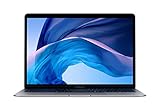
- 1.6 GHz Intel Core i5 Dual-Core (8th Gen)
- 13.3" 2560 x 1600 Retina IPS Display
- 8GB of Onboard RAM | 128GB SSD
- Integrated Intel UHD Graphics 617
- LED-Backlit Keyboard
Should you keep one or buy one?
| Situation | How it fits |
|---|---|
| You already own it, mostly do basic productivity, and the battery works well—or you use it mainly at a desk. | Reasonable to keep using if its compatible macOS and apps meet your needs. |
| You need the newest macOS features or dependable long unplugged sessions. | Poor fit unless you accept the software limitation and have verified battery condition and runtime. |
| You are buying one at a premium or need demanding sustained creative work, gaming, or newer specialized apps. | Usually a poor candidate; compare with a newer model and weigh condition, repair costs, and return terms. |
The 2018 Air has a Retina display and two Thunderbolt 3 ports using USB-C, according to Apple’s specifications. Those ports support USB-C charging and peripherals, but older USB-A accessories may require an adapter; confirm compatibility for the charger or hub you plan to use.
Quick Recap
Rank #4
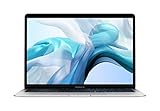
- Stunning 13.3-inch Retina display
- Touch ID and the latest Apple-designed keyboard
- Dual-core 8th-generation Intel Core i5 processor with Intel UHD Graphics 617
- Fast SSD storage and 8GB memory
- Stereo speakers with wider stereo sound
Product prices and availability are accurate as of the date/time indicated and are subject to change. Any price and availability information displayed on Amazon at the time of purchase will apply.

