
Recommended Free Tools
Start by identifying which link is failing: the SmartHub’s Ethernet connection to your router, the Ultra camera’s wireless connection to the SmartHub, or the video stream after the camera is online. Check the hub and camera status in the Arlo app before changing settings or resetting anything. An online SmartHub does not mean every camera is connected, and a camera that appears online can still have poor video because of limited upload bandwidth or interference.
First, identify what is offline or failing
In the Arlo app, check whether the SmartHub/base station is offline, only one Ultra camera is offline, or the camera is online but its live stream is slow or corrupted. Also check the SmartHub’s internet LED. For the Ultra manual’s SmartHub, solid blue indicates an internet connection; amber means further troubleshooting is needed. LED colors and layouts vary by hub generation, so use the LED guide for your exact model rather than applying the Ultra manual’s indicators to every Arlo hub.
- SmartHub offline or amber: Start with hub power, Ethernet, router, and internet access.
- Hub online, one camera offline: Check that camera’s charge, wireless range, and connection settings.
- Camera online, stream poor or unavailable: Check upload bandwidth, interference, video settings, and whether an update is in progress.
Arlo’s Ultra user manual and current SmartHub offline troubleshooting guidance cover hub connectivity and reset procedures; Arlo’s camera offline guidance covers camera connection checks.
If the SmartHub is offline
Check the cables and power
- Make sure the SmartHub’s Ethernet cable is connected at both ends. Inspect the cable along its length, reseat it, and try a known-good Ethernet cable if available.
- Check that the power adapter is firmly connected and the outlet works. For diagnosis, bypass a switched outlet or power strip and plug the adapter into a working wall outlet.
- Leave Ethernet connected, unplug SmartHub power for 30 seconds, then reconnect it. Allow about two minutes for startup and check the LED again.
Arlo recommends trying another Ethernet cable as part of diagnosing an offline hub. A cable test cannot resolve an ISP outage, a camera’s wireless range problem, or insufficient upload bandwidth.
#1 Best Overall

- 4K Protection for Total Coverage: Safeguard your home or business with an outdoor camera featuring 4K HDR video, an expanded 180° field of view, emergency response, and reliable wireless performance for complete control and peace of mind.
- Arlo Secure Early Warning System Unlocks Advanced Features: Get 60-day video history, AI detection, and emergency response. A paid plan is required after trial. Live streaming and basic alerts work without a subscription.
- Built for Real Emergencies for Fast Response When It Matters: Trigger emergency response directly from the app to contact police, fire, or medical services tied to your camera’s location with pre-filled details for faster access.
- Smart Automation for Your Routine: Customize modes, routines, and geofencing to automatically turn on or turn off your cameras based on your daily activity to give you privacy and command of your home security camera system.
- 4K Clarity with Ultra-Wide Coverage: Capture detailed video with 4K High Dynamic Range and an expansive 180° field of view, making it easy to identify faces, vehicles, and activity in bright and low-light conditions.
Check the router and internet path
- Test internet access on another device connected to the same router. If that device also cannot get online, restore router or ISP service before troubleshooting Arlo.
- Connect the SmartHub directly to the main router, not to a Wi-Fi extender or mesh node. Arlo says a direct router connection is more stable and does not recommend connecting the hub to an extender or mesh node for this setup.
- Check whether a VPN is running on the router. If basic connections are sound but the hub remains offline, consider whether router security or firmware changed recently.
Ask for network help if needed
If the SmartHub is connected to the router but still cannot get online, check that DHCP is enabled and that the router assigned the SmartHub an IP address. The Ultra manual also identifies ports 443 and 80 for network troubleshooting. If you do not manage the router or firewall, ask your IT administrator, router provider, or ISP for help. Do not broadly disable firewall protections or place the SmartHub in a DMZ as a routine fix.
If the SmartHub is online but an Ultra camera is offline
- Check that the camera is powered on and has charge. Recharge it if needed.
- Move the camera closer to the SmartHub temporarily. Arlo recommends placing an Ultra within 300 feet (90 meters) of the SmartHub/base station, but walls and wireless interference can reduce the usable distance.
- Consider recent changes: a new router or password, a moved camera, or changes to the home network can affect its connection. Confirm the correct network information and use the reconnection steps supported in the Arlo app.
If only one camera is offline while the SmartHub remains online, focus on that camera’s charge and wireless link rather than resetting the entire hub.
Rank #2

- 4K Protection for Total Coverage: Safeguard your home or business with an outdoor camera featuring 4K HDR video, an expanded 180° field of view, emergency response, and reliable wireless performance for complete control and peace of mind.
- Arlo Secure Early Warning System Unlocks Advanced Features: Get 60-day video history, AI detection, and emergency response. A paid plan is required after trial. Live streaming and basic alerts work without a subscription.
- Built for Real Emergencies for Fast Response When It Matters: Trigger emergency response directly from the app to contact police, fire, or medical services tied to your camera’s location with pre-filled details for faster access.
- Smart Automation for Your Routine: Customize modes, routines, and geofencing to automatically turn on or turn off your cameras based on your daily activity to give you privacy and command of your home security camera system.
- 4K Clarity with Ultra-Wide Coverage: Capture detailed video with 4K High Dynamic Range and an expansive 180° field of view, making it easy to identify faces, vehicles, and activity in bright and low-light conditions.
If the camera is online but video is slow, pixelated, green, purple, or gray
Check upload bandwidth and competing streams
Arlo specifies an average upload requirement of 3 Mbps per Ultra camera. This is product guidance, not a guarantee for every network: other uploads and multiple simultaneous 4K streams can affect performance. Pause or reduce other uploads and try fewer concurrent streams to see whether live video improves.
Adjust video quality and reduce interference
Arlo says Best Video uses more Wi-Fi bandwidth, Best Battery Life uses less, and Optimized balances the two. If a connection is stable but video quality suffers, try Optimized or Best Battery Life and reduce nearby wireless congestion or interference. The Arlo Ultra live-stream guidance addresses green, purple, or gray video and lists the average upload and placement recommendations.
Rank #3
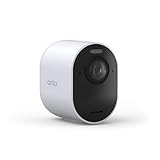
- An Elite Security Camera for Home or Business: Safeguard the people & property that matter most with superior Dual-Band wireless protection including 4K HDR clarity, 180° Field of View, Smart Detection & 24/7 Emergency Response.
- Tailored Top-Level Protection: Set your cameras to match your lifestyle with Custom Modes, Routines & Rules like auto-arming when you leave a geofence or disarming when you have guests join you for lunch on the deck.
- Quick Emergency Response Even When Away: Connect directly to your camera’s local emergency team, not your current location. One tap contacts police, fire or medical help, sending prefilled info like gate codes for faster access when every second counts.
- Enhanced Protection with 1-Month Secure Plan Included: Access 60-Day Video History, Custom Detection, Event Captions, 24/7 Emergency Response, Activity Zones & more. After trial, subscription plans start at $17.99/month (billed annually).
- Unrivaled Precision, Premium Clarity: See it all with a 180º Field of View & 4K HDR, capturing facial features to ID intruders, car imperfections, & low-light scenes. Bright whites & deep blacks reveal sharp detail for clarity you can trust.
If the problem started during a firmware update
Arlo says updates happen automatically while a device is connected, and the device must have at least 15% battery before updating. Live viewing may be interrupted during an update. Do not remove the camera battery or interrupt power while installation is underway.
If an update reports an error, check connectivity and network speed, move the device closer to the SmartHub or router, and check Arlo service status. Reinstalling should be considered only after those checks fail. See Arlo’s firmware update error guidance.
Rank #4

- 4K Protection for Total Coverage: Safeguard your home or business with an outdoor camera featuring 4K HDR video, an expanded 180° field of view, emergency response, and reliable wireless performance for complete control and peace of mind.
- Tailored Top-Level Protection: Set your cameras to match your lifestyle with Custom Modes, Routines & Rules like auto-arming when you leave a geofence or disarming when you have guests join you for lunch on the deck.
- Quick Emergency Response Even When Away: Connect directly to your camera’s local emergency team, not your current location. One tap contacts police, fire or medical help, sending prefilled info like gate codes for faster access when every second counts.
- Enhanced Protection with 6 Months of Secure Plus Plan Included: Access 60-Day Video History, Person & Vehicle Recognition, Package Detection, Audio Detection, Activity Zones & more. A paid plan is required after 6 months.
- Unrivaled Precision & Clarity: See it all with a 180º Field of View & 4K HDR, capturing facial features to ID intruders, car imperfections, & low-light scenes. Bright whites & deep blacks reveal sharp detail for clarity you can trust.
Reset the SmartHub only as a last resort
A factory reset removes the SmartHub from your Arlo account and removes connected cameras; you will need to set the hub up again and re-add or re-pair the cameras. Record the device identity and make sure you can complete setup before proceeding.
- On the back of the SmartHub, press and hold the reset button with a straightened paper clip for about 10 seconds, until the LEDs blink amber.
- Wait for the hub to reboot and indicate readiness.
- Use the Arlo app to set up the SmartHub again, then add the cameras.
Arlo’s offline troubleshooting page warns that connected cameras are removed during a hub reset and must be added again.
The Tool Desk
Outbyte PC Repair FREERepair Windows errors before they cause bigger problemsFix Now →Outbyte Driver Updater FREEScan for outdated or missing drivers - takes under a minuteDriver Scan →Quick Recap
Best Value
- 4K Protection for Total Coverage: Safeguard your home or business with an outdoor camera featuring 4K HDR video, an expanded 180° field of view, emergency response, and reliable wireless performance for complete control and peace of mind.
- Arlo Secure Early Warning System Unlocks Advanced Features: Get 60-day video history, AI detection, and emergency response. A paid plan is required after trial. Live streaming and basic alerts work without a subscription.
- Built for Real Emergencies for Fast Response When It Matters: Trigger emergency response directly from the app to contact police, fire, or medical services tied to your camera’s location with pre-filled details for faster access.
- Smart Automation for Your Routine: Customize modes, routines, and geofencing to automatically turn on or turn off your cameras based on your daily activity to give you privacy and command of your home security camera system.
- 4K Clarity with Ultra-Wide Coverage: Capture detailed video with 4K High Dynamic Range and an expansive 180° field of view, making it easy to identify faces, vehicles, and activity in bright and low-light conditions.
Use the symptom pattern to narrow the cause
| What you see | First area to check |
|---|---|
| SmartHub and cameras appear offline | SmartHub power and Ethernet, router connection, and home internet access |
| SmartHub online, one camera offline | That camera’s charge, distance from the hub, interference, and recent network changes |
| Camera online, stream starts slowly or pixelates | Upload bandwidth, competing uploads or 4K streams, video quality setting, and wireless congestion |
| Green, purple, or gray live video | Follow Arlo’s Ultra live-stream troubleshooting guidance after checking the network and stream conditions |
| Problem began during a firmware update | Keep power connected; check connection, speed, device proximity, and Arlo service status |
Product prices and availability are accurate as of the date/time indicated and are subject to change. Any price and availability information displayed on Amazon at the time of purchase will apply.

