
If Windows XP does not detect a TITAN Xp, first determine whether the computer sees the card at all or whether Windows sees it but cannot load a driver. The key compatibility fact is that NVIDIA’s TITAN Xp User Guide does not list Windows XP as a supported operating system. Its listed systems are Windows 10, Windows 8.1, Windows 7, Linux, and FreeBSD x86. That means there is no documented basis to promise that an XP driver, an INF-file edit, or general PCIe compatibility will make this card work on XP. NVIDIA TITAN Xp User Guide.
First, find out where detection fails
“Not detected” can mean either that the motherboard firmware does not enumerate the card, or that firmware sees it but Windows XP cannot identify it or load a driver. These are different problems: driver installation cannot fix a card that is not appearing on the PCIe bus.

- Check firmware before Windows. If the motherboard firmware provides a PCIe device list, check whether the TITAN Xp appears. Use the motherboard manual to find its PCIe settings and confirm the intended primary display adapter or slot configuration; menu names and options vary by system.
- Check XP Device Manager. Look under Display adapters and Other devices for the TITAN Xp, an unknown PCI device, or an entry marked with an error. Open the entry’s Properties and record the Device status and error code before changing drivers. Microsoft recommends using that status and code to guide troubleshooting. Microsoft: Error codes in Device Manager in Windows.
If the card appears in firmware but not in XP, investigate Windows identification and driver compatibility. If it appears in neither place, focus first on the slot, seating, power, firmware configuration, or hardware. Those checks are diagnostic possibilities, not a determination of what has failed in a particular computer.
If the TITAN Xp is absent from firmware and Device Manager
Power the computer down before inspecting or reseating the card. Check that the card is firmly installed in a suitable slot and that both required auxiliary power connectors are attached. NVIDIA specifies a PCI Express or PCI Express 3.0-compliant motherboard with a dual-width x16 graphics slot, plus a 600 W or greater power supply with one 6-pin and one 8-pin PCIe supplementary power connector. These are the TITAN Xp’s documented requirements, not a guarantee that every system meeting them will enumerate the card. NVIDIA TITAN Xp User Guide.
Free tools Windows power users keep installed
One-click scans. No signup required.
- Consult the motherboard manual for the correct slot and any relevant firmware configuration.
- With power disconnected, check the card’s seating and inspect the slot and connectors for visible damage or obstruction.
- Confirm that the power supply has the specified capacity and the correct 6-pin and 8-pin PCIe connectors.
- If the card remains absent from firmware after these checks, further hardware diagnosis is more useful than repeatedly running an NVIDIA installer.
If the TITAN Xp appears in Device Manager
Record the exact Device status and error code from Properties before uninstalling anything. If a driver reinstall is appropriate, make sure you have a valid driver for the installed Windows version and hardware before removing the existing device entry. Microsoft’s reinstall guidance says to use Action > Scan for hardware changes to reinstall a driver in applicable cases; wording can vary between Windows releases. This scan can prompt Windows to rediscover a device, but it does not create XP support for an unsupported graphics card. Microsoft: Error codes in Device Manager in Windows.
Why an XP driver for another NVIDIA card is not proof of TITAN Xp support
NVIDIA did publish Windows XP drivers for older products. Its 2016 XP driver page lists products including GeForce GTX TITAN and TITAN Black; a 2014 XP package covers older GeForce generations through the 700 series and GeForce GTX TITAN. Neither list establishes support for the later TITAN Xp. NVIDIA GeForce Game Ready Driver 368.81 for Windows XP (2016) and NVIDIA GeForce 332.21 driver for Windows XP (2014).
Rank #2

- OS Certification-Windows 7 64-bit, Windows 10 64-bit (April 2018 Update or later),Linux 64-bit
- 4608 NVIDIA CUDA cores running at 1770 MHz boost clock. NVIDIA Turing architecture
- New 72 RT cores for acceleration of ray-tracing
- 576 Tensor Cores for AI acceleration
Likewise, Microsoft’s statement that PCI Express graphics hardware has software compatibility with Windows 2000 and XP is a general bus-level point, not a TITAN Xp driver-support statement. A card can fit a compatible PCIe slot without having a supported driver for the operating system. Microsoft Learn: PCI Express FAQ for Graphics.
NVIDIA’s documentation identifying TITAN Xp (PCI ID 1B02) appears in a Linux legacy-driver context. It does not establish Windows XP compatibility. NVIDIA: What’s a legacy driver?.
The Tool Desk
Outbyte PC Repair FREERepair Windows errors before they cause bigger problemsFix Now →Outbyte Driver Updater FREEScan for outdated or missing drivers - takes under a minuteDriver Scan →Rank #3

- [Engine Specs] CUDA Cores: 3072 | Base Clock (MHz): 1000 | Boost Clock (MHz): 1075 | Texture Fill Rate (GigaTexels/sec): 192
- [Memory Specs] Memory Clock: 7.0 Gbps | Standard Memory Config: 12 GB | Interface: GDDR5 | Interface Width: 384-bit | Bandwidth (GB/Sec): 336.5
- [Display Support] Max Digital Resolution: 5120x3200 | Max VGA Resolution: 2048x1536 | Standard Display Connectors: Dual Link DVI-I, HDMI 2.0, 3x DisplayPort 1.2 | Multi Monitors: 4 Displays | HDCP: Yes | Audio Input for HDMI: Internal
- [Graphic Card Dimensions] Height: 4.376 Inches | Length: 10.5 inches | Width: Dual-Width
- [Thermal & Power Specs] Max GPU Temperature (in C): 91 C | Graphics Card Power (W): 250 W | Recommended System Power (W)**: 600 W | Supplementary Power Connectors: 6-pin + 8-pin
Choose which requirement matters more
Keep the TITAN Xp
Use an operating system listed in NVIDIA’s TITAN Xp User Guide: Windows 10, Windows 8.1, Windows 7 (each 32-bit or 64-bit), Linux (32-bit or 64-bit), or FreeBSD x86. Check the exact operating system and driver needs of the applications you plan to run before changing systems.
Keep Windows XP
Choose a graphics card whose exact model and driver package explicitly support your installed XP edition. Verify whether the driver supports 32-bit or 64-bit XP, and check the card’s hardware, slot, and power requirements against the computer. Older NVIDIA XP packages demonstrate support for specific older products only; they do not identify a recommended TITAN Xp substitute.
Quick Recap
Best Value
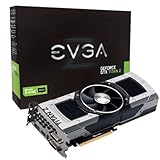
- Base Clock: 705 MHZBoost Clock: 876 MHzMemory Clock: 7000 MHz EffectiveCUDA Cores: 5760Bus Type: PCI-E 3.0Memory Detail: 12288MB GDDR5Memory Bit Width: 768 BitMemory Speed: 0.28nsMemory Bandwidth: 672 GB/s
- NVIDIA SLI ReadyNVIDIA SMX EngineNVIDIA GPU BoostNVIDIA Adaptive Vertical SyncNVIDIA SurroundSupports four concurrent displaysMicrosoft DirectX 12 API (feature level 11_0)Support
- NVIDIA 3D Vision ReadyNVIDIA CUDA TechnologyPCI Express 3.0 SupportOpenGL 4.4 SupportOpenCL SupportNVIDIA FXAA TechnologyNVIDIA TXAA Technology
- Recommended PSU: 700W or greater power supply with a minimum of 42 Amp on the +12 volt rail
Rank #4

- OS Certification : Windows 7 (64 bit), Windows 10 (64 bit) (April 2018 Update or later), Linux 64 bit
- 4609 NVIDIA CUDA cores running at 1770 MegaHertZ boost clock; NVIDIA Turing architecture
- New 72 RT cores for acceleration of ray tracing
- 577 Tensor Cores for AI acceleration; Recommended power supply 650 watts
Product prices and availability are accurate as of the date/time indicated and are subject to change. Any price and availability information displayed on Amazon at the time of purchase will apply.

