
Choose storage for the workloads your AI factory will actually run—not for a single headline capacity or bandwidth figure. Evaluate sustained and burst read/write throughput per compute node and across the system, metadata operations, latency under concurrency, cache behavior, checkpoint time, interface compatibility, and how performance and capacity grow. Then compare shortlisted systems with a proof of concept using representative data and production-like clients.
Start with the workload and the shape of its data
Storage demand varies with the model, data format, access pattern, and job mix. NVIDIA’s H200 guidance distinguishes workloads whose datasets generally fit local cache from jobs such as large video or image training, offline inference, ETL, generative image workloads, medical imaging, and genomics, where datasets can exceed cache and first-epoch reads can be substantial. Its B200 guidance likewise distinguishes compute-dominated work from larger-scale or multimodal training where data I/O matters more. These are examples for specific reference architectures, not universal purchasing tiers. See NVIDIA’s H200 storage guidance and B200 storage guidance.
Before comparing systems, document the workload mix and how data is accessed. A useful inventory includes:
- Training, inference, preprocessing, ETL, and other jobs, including how many run concurrently.
- Dataset size, file-size distribution, number of files, directory shape, and whether access is sequential, random, or mixed.
- Client count, expected job concurrency, and whether the same data is reread.
- Checkpoint size and interval, plus any other significant write traffic.
- Cache capacity, expected reuse, and which reads are likely to be served from cache.
- Required protocol and software behavior, such as POSIX file access or object APIs, and expected data growth.
Data format can affect access rate independently of total volume. NVIDIA makes this point in its B200 architecture guidance; include the production format and data-loading software in performance tests rather than benchmarking only a convenient synthetic dataset.
#1 Best Overall

- Compatibility: 2.5-Inch form factor size for capacity-dense storage, SATA III 6G interface
- Performance: storage space of 7680GB, qlc NAND flash Type for endurance & Performance
- Applications: real-time analytics, big data, AI data lakes, machine and deep learning
- Features: AES 256-bit encryption, power Loss protection, end-to-end data path protection
- Reliability: 24x7 availability, long-term lifespan, full Micron Warranty can be claimed through point of purchase
How much throughput do AI workloads need?
Ask vendors for both read and write performance at the compute-node level and in aggregate across the system. High aggregate bandwidth may not give each node enough, while a strong single-node result may not hold as client count rises. Require the vendor to state the number of clients, network topology, cache state, storage capacity, and test method alongside each result. Treat headline numbers as claims to validate, not as directly comparable results unless their test conditions match.
H200 reference-architecture targets
NVIDIA’s H200 DGX SuperPOD reference architecture gives the following guidance. These figures are targets for that architecture and its Good, Better, and Best workload categories—not general minimums or guarantees for other systems. The documentation is undated and was accessed October 4, 2026.
| H200 reference configuration | Category | Read target | Write target |
|---|---|---|---|
| Per node | Good | 4 GB/s | 2 GB/s |
| Per node | Better | 8 GB/s | 4 GB/s |
| Per node | Best | 40 GB/s | 20 GB/s |
| Single SuperPOD SU, aggregate | Good | 15 GB/s | 7 GB/s |
| Single SuperPOD SU, aggregate | Better | 40 GB/s | 20 GB/s |
| Single SuperPOD SU, aggregate | Best | 125 GB/s | 62 GB/s |
| Four SuperPOD SUs, aggregate | Good | 60 GB/s | 30 GB/s |
| Four SuperPOD SUs, aggregate | Better | 160 GB/s | 80 GB/s |
| Four SuperPOD SUs, aggregate | Best | 500 GB/s | 250 GB/s |
NVIDIA says the H200 Best per-node read target should ideally approach the system’s 80 GB/s maximum network performance. These architecture-specific values and the network comparison are documented in the H200 storage architecture.
Rank #2

- Beginner-Friendly Home NAS and Private Cloud: Install compatible drives, connect the Zero1 Pro, and follow the mobile app's guided steps to register, sign in, and get started. First-time users and families can store phone photos, videos, and household files in one shared home NAS, then use remote access while away from home. Included Yxk storage, remote access, and supported transfer speeds require no monthly subscription, with no subscription-based storage or speed tiers.
- Intel N100 Performance for Home and Office: Powered by an Intel N100 x86 processor and 8GB DDR4 RAM, the Zero1 Pro handles everyday network attached storage for family backups, home-office file sharing, and personal NAS server projects. The Intel N100 has a rated processor base power of 6 W, making it well suited for an always-on home NAS.
- Up to 144TB 4-Bay NAS Storage with RAID: Four SATA 3.0 bays support up to 4 x 32TB HDDs and RAID 0, 1, or 5. Choose RAID 0 for maximum media-library capacity, RAID 1 for mirrored family files, or RAID 5 to balance usable capacity and single-drive fault tolerance for small-office storage. Two M.2 NVMe slots support up to 2 x 8TB SSDs; 144TB is combined raw capacity before formatting and RAID; drives sold separately.
- Dual 2.5GbE Home Media Server with 4K HDMI: Two 2.5GbE ports support link aggregation with compatible network equipment, helping multiple household members access shared files, videos, and a home media library. Connect the 4K HDMI output to a compatible TV or monitor for a home theater setup; playback quality depends on the media format, software, and network.
- AI Photo Album for Family Memories: The photo tools recognize faces, scenes, and objects to organize vacation photos, children's milestones, and everyday snapshots into smart albums. Search by keyword to locate an image, then review duplicate or similar photos and remove them with one click to reclaim space in your NAS photo library.
B200 reference-architecture targets
The B200 guide uses Standard and Enhanced system-level targets. It ties the higher level to cases where data I/O materially affects performance, datasets exceed local cache, or larger and multimodal models are used. The documentation is undated and was accessed October 4, 2026.
| B200 reference configuration | Category | Aggregate read | Aggregate write |
|---|---|---|---|
| Single SuperPOD SU | Standard | 40 GB/s | 20 GB/s |
| Single SuperPOD SU | Enhanced | 125 GB/s | 62 GB/s |
| Four SuperPOD SUs | Standard | 160 GB/s | 80 GB/s |
| Four SuperPOD SUs | Enhanced | 500 GB/s | 250 GB/s |
These B200 system-level figures are not interchangeable with the H200 per-node and aggregate targets. Keep each architecture’s figures and workload definitions separate when using them as reference points. Source: NVIDIA B200 storage architecture.
Measure metadata performance separately from bandwidth
Throughput measures how many bytes move; metadata performance measures how quickly the system can create, open, close, list, rename, and delete files and directories. A workload with many small files, large namespace scans, data-loader startup, or parallel job launches may stall on metadata even if sequential reads look fast. Ask for results that reflect the production file and directory counts, file sizes, operation mix, client concurrency, and warm or cold metadata-cache state. Include namespace scans and job startup in the test.
Rank #3

- Powerful AI Processor: MINISFORUM N5 Pro NAS has next-generation AI technology, AMD Ryzen AI 9 HX PRO 370 processor, Zen 5+Zen 5C architecture, up to 5.1GHz, 12 cores, 24 threads, up to 80 TOPS, bringing unprecedented high performance. Supports multi-user access and concurrent file retrieval, and delivers ultra-fast media decoding. With the support of AMD Radeon 890M, you can play your favorite AAA games with smooth, stunning graphics and zero latency.
- 5-Bay, 188TB Massive Data Storage: N5 Pro desktop AI NAS equipped with five SATA HDD slots: supports 30TB x 5, and 3x M.2 NVMe SSD slots or 1x M.2 NVMe SSD slot + 2x U.2 NVMe SSD slots: supports 8TB + 15TB + 15TB. Network Attached Storage for Video & Content Creators, maximum storage capacity of up to 188 TB. Multiple Raid modes for data security, supports Raid0, Raid1, Raid5/RaidZ1, Raid6/RaidZ2, and mixed drive strategies for hot data and cold backup, speeding reads and cutting storage costs.
- 10GbE+5GbE Network Ports: This AI NAS is equipped with 1x 10GbE high-speed network port and 1x 5GbE network port. 10G + 5G dual ports support link aggregation, delivering 15 Gbps speeds. 10GbE networking powers high-speed transfers for cross-team collaboration, large file handling, and parallel multitasking.
- Expandable DDR5 ECC Memory: MINISFORUM N5 Pro AI NAS has a 2x DDR5 SO-DIMM slot (5600 MT/s), expandable up to 96GB ECC memory. Tailored for NAS applications to ensure maximum data reliability and system stability. ECC Error-Correcting memory technology automatically detects and corrects bit errors in memory, preventing system failures and data corruption, thus protecting vital business files. DDR5 5600 offers 75% more bandwidth than DDR4, ideal for high-concurrency and large file handling, supports more VMs, and provides smoother data. Combining reliability and performance, it's ideal for both business and home use.
- MinisCloud OS, All-in-One APP: MinisCloud OS seamlessly supports Windows, macOS, iOS, and Android with zero learning curve. Built-in features include ZFS snapshots, LZ4 compression, multi-user isolation, Docker apps, AI photo albums, and one-click remote access—fully managed, ready to use.
AWS defines filesystem metadata IOPS as a measure of how many files and directories can be created, listed, read, and deleted per second. For FSx for Lustre Persistent 2, AWS documents metadata IOPS as independently provisionable from storage capacity and gives these operation rates per provisioned metadata IOPS:
| FSx for Lustre Persistent 2 operation | Documented rate per provisioned metadata IOPS |
|---|---|
| File create, open, or close | 2 operations per second |
| File delete | 1 operation per second |
| Directory create or rename | 0.1 operation per second |
| Directory delete | 0.2 operation per second |
AWS notes that supported rates depend on operation type. These figures describe that service and configuration; they are not a conversion formula for other filesystems. Source: AWS FSx for Lustre performance documentation, accessed October 4, 2026.
Outdated Drivers Are Slowing You Down
One free scan finds every outdated or missing driver and matches the right update for your exact hardware.Free scan · exact hardware matchPC Slower Than It Used to Be?
A free scan shows the junk files, broken settings and background clutter dragging Windows down - then fixes them in one click.Free scan · Windows 10 & 11Test latency, concurrency, caching, and checkpoints
Average throughput alone can hide stalls that affect job progress. Ask for median and tail latency with the intended number of clients running, not just idle-system or single-client latency. Meta Engineering describes its modern AI storage workloads as having bursty and sustained high-throughput demands, a need for predictable bounded pMax latency, and variable I/O patterns. That operator account is a useful set of dimensions to test, not a universal numeric specification; it was published July 1, 2026, at Meta Engineering.
Rank #4

- Built for Local AI and Advanced Workflows – The BOSGAME M5 AI Mini PC is powered by AMD Ryzen AI Max+ 395 with 16 cores, 32 threads, up to 5.1GHz, 50 TOPS NPU performance and up to 126 TOPS total AI performance. It is designed for local AI inference, private AI assistants, coding, data analysis, virtualization, content creation and demanding multitasking while keeping sensitive data on the device.
- 128GB Unified Memory for Large Models and Creative Projects – M5 includes 128GB LPDDR5X-8000 unified memory, giving the CPU and Radeon 8060S graphics access to a large shared memory pool. This helps support memory-intensive AI workloads, large project files, multiple virtual machines, 3D work, video editing and complex professional applications without the capacity limits of typical 32GB or 64GB mini computers.
- Radeon 8060S Graphics for Creation, Rendering and Gaming – Integrated Radeon 8060S graphics with 40 RDNA 3.5 compute units delivers high-end visual performance without a separate graphics card. Use the M5 creator workstation for 4K video editing, 3D rendering, CAD, AI image workflows, high-resolution media and modern gaming, while maintaining a compact desktop footprint.
- 2TB PCIe 4.0 SSD and Flexible Expansion – A pre-installed 2TB NVMe PCIe 4.0 SSD provides fast access to models, datasets, media libraries and project files. A second M.2 2280 PCIe 4.0 slot allows additional storage expansion, while the SD 4.0 card reader supports efficient photo and video workflows for creators and production teams.
- Professional Connectivity and Four-Display Support – Dual USB4 ports, HDMI 2.1 and DisplayPort 1.4 support up to four displays and resolutions up to 8K@60Hz. WiFi 7, Bluetooth 5.4 and 2.5GbE deliver fast networking for cloud collaboration, NAS access and business deployment. Windows 11 Pro, performance-mode switching, Wake-on-LAN and auto power-on support flexible workstation use.
Training can reread data, so the first pass and later passes may behave differently. NVIDIA’s B200 architecture says cached reads can be an order of magnitude faster than remote-storage reads; treat that as a design illustration, since actual performance depends on locality, cache size, hit rate, and implementation. Measure cold first-pass and warm repeated-pass behavior, and determine whether the expected reuse actually produces cache hits. DGX local NVMe can serve as cache or staging, but NVIDIA’s H200 and B200 guidance does not present it as a replacement for shared storage. Sources: B200 storage architecture and H200 storage architecture.
Checkpoint writes matter because a large synchronous write can interrupt forward progress. Measure checkpoint completion time and observe whether checkpoint traffic reduces training-read performance at the same time. A system that meets a read target while idle may behave differently during mixed read/write traffic.
Independent reader supportYour contribution helps us test, update, and keep practical guides available for everyone.Choose interfaces and tiers that fit the application
The right storage interface depends on what the application expects and how data moves through the pipeline. Google Cloud’s AI/ML storage guidance describes object storage as suited to massive datasets and capacity, throughput, and durability needs, while Managed Lustre is a POSIX parallel filesystem for specialized low-latency and high-concurrency metadata performance in training and inference. Verify the requirements of the actual framework and workflow: object APIs and shared POSIX file access are not interchangeable. Also account for data movement costs and day-to-day operating steps in the target cloud or on-premises environment. Source: Google Cloud AI/ML storage guidance.
Best Value
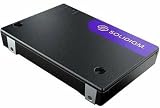
- Next-Gen Performance and Efficiency
- PCIe 5.0 Performance Done Right
- Storage Optimized for the AI Era
- Unmatched Performance Efficiency
- Fast and FlexibleSpecifications
| Storage approach | Fit to evaluate | Questions to resolve |
|---|---|---|
| Object storage | Large datasets where capacity, throughput, and durability are important | Does the application support the object API? How will data be staged or moved, and what does that workflow cost? |
| Parallel file system | Applications requiring POSIX access, shared files, or high-concurrency metadata behavior | Does the system meet the required file semantics and metadata performance at the intended client count? |
| Tiered combination | Workflows with distinct capacity, throughput, IOPS, or metadata needs across stages | Which data belongs on each tier, and how will it be moved, cached, protected, and managed? |
NVIDIA’s older DGX SuperPOD architecture describes a two-system pattern: high-performance storage for throughput and parallel I/O, alongside user storage optimized for higher IOPS and metadata workloads. This supports considering separate tiers when jobs have materially different needs; verify that the design and certifications fit the deployment being purchased. Source: NVIDIA DGX SuperPOD components.
Check scaling, compatibility, and operating cost
Capacity growth does not automatically mean performance grows at the same rate. Establish whether usable capacity, bandwidth, metadata capability, and supported client count scale together or independently, and what expansion requires. Include failure and recovery behavior, data protection, recovery objectives, software compatibility, administration, and support in the evaluation.
Compare cost at the usable capacity and performance level the workload requires. Include networking, licenses or cloud charges, replication, snapshots, and staffing rather than comparing raw capacity prices alone. In a managed cloud service, include data movement costs and operating workflow in the same assessment.
For NVIDIA DGX SuperPOD, the current FAQ lists DDN AI400X, Dell PowerScale, IBM Storage Scale, NetApp E-Series (BeeGFS), NetApp A90 (ONTAP), Pure Storage FlashBlade, WEKA, and VAST as certified storage. NVIDIA also warns that changes such as using non-certified storage or changing fabric topology can affect SuperPOD qualification. Certification is program- and design-specific; it does not establish that one system is best for every workload. Recheck the current configuration during procurement. Source: NVIDIA DGX SuperPOD FAQ.
Recommended Free Tools
Run a proof of concept before choosing
Test shortlisted systems with representative data, real client software, and the expected network and cache setup. A useful proof of concept should include:
- The production file-size distribution, directory structure, and data format.
- Expected client and job concurrency, with both per-node and aggregate results captured.
- Mixed read/write traffic, cold first pass, and warm rereads.
- Metadata-heavy startup and namespace scans, not only large sequential transfers.
- Checkpoint writes, including their completion time and effect on concurrent reads.
- A sustained run long enough to reveal burst limits, followed by a scale-out test if growth is expected.
- Failure recovery and the operational effort required to monitor and administer the system.
For each run, record read and write throughput, metadata operations per second, median and tail latency, cache state, and GPU idle or data-wait indicators. Keep the test conditions with every result so that apparent differences are not simply differences in cache warmth, client count, or workload mix.
Quick Recap
Product prices and availability are accurate as of the date/time indicated and are subject to change. Any price and availability information displayed on Amazon at the time of purchase will apply.

