
Protecting 1 PB means designing for a verified recovery, not simply copying a large volume of data. First set workload-specific recovery point and recovery time objectives (RPO and RTO); then keep independent, isolated copies, establish how to identify trustworthy restore points, and test the full recovery path under realistic conditions. NIST guidance supports these control principles, but does not prescribe one architecture or guarantee a restore time for every 1 PB system.
Start with business impact, not the petabyte count
Capacity tells you how much data is involved; it does not tell you which data must return first, how much loss is acceptable, or how quickly operations must resume. Those decisions depend on workloads, dependencies, legal and operational obligations, and the harm caused by interruption or loss.
Inventory the data and dependencies
For each data set or service, record its owner, location, data type, change rate, retention requirements, dependencies, and business impact if it is unavailable or missing. Include the systems needed to make a restore usable: identity and access services, applications, databases, network paths, backup catalogs, encryption keys, and the people authorized to operate them. Assign recovery priorities with the service owners rather than treating every byte as equally urgent.
Set an RPO and RTO for each workload
- Recovery point objective (RPO): the maximum acceptable age of recoverable data—in practical terms, how much recent change the organization can afford to lose. NIST’s extended guide asks organizations to determine the maximum age of backup files that will let them re-establish operations with the minimum acceptable interruption, identifying that planning target as RPO. Read the NIST extended guide.
- Recovery time objective (RTO): the maximum acceptable interruption before a workload or service must be restored. Set it with the business owner and define what counts as restored: data available, application operating, and required integrity checks complete.
Turn these targets into workload-specific backup schedules, retention periods, and recovery priorities. A 1 PB label alone cannot determine any of them. NIST’s backup planning guide discusses planning, maintaining, and testing backup files and considering disaster recovery; it is guidance to adapt to the organization, not a requirement that every recommendation applies identically to every environment. See NIST’s guide for managed service providers.
Quick wins for a faster PC:
Clear out junk files and repair common Windows errorsFree Scan →Fix the driver behind crashes, sound loss and screen glitchesFind Drivers →#1 Best Overall

- Available in capacities ranging from 2 to 24TB(1) | (1) 1GB = 1 billion bytes and 1TB = 1 trillion bytes. Actual user capacity may be less depending on operating environment.
- For RAID-optimized NAS systems with unlimited number of bays
- Rated for 550TB/yr workload rate(2) | (2) Annualized Workload Rate = TB transferred x (8760 / recorded power-on hours). The maximum rated workload is specified for operating at typical temperature of 40C. Workload Rate will vary depending on your hardware and software components and configurations.
- Designed to handle the demands of high-intensity 24x7 multi-user NAS environments
- Western Digital partners with a wide range of NAS system vendors for extensive testing to ensure compatibility with most NAS enclosures
Design copies around the failures you need to survive
Map the copies to realistic failure domains: an administrator account compromised in production, ransomware, accidental deletion, a failed storage system, loss of a site, or a destructive event affecting more than one location. A backup is only protective if it remains reachable and usable after the event that damaged production.
Separate copies from production control paths
Keep backup copies distinct from production data and assess how they are administered, accessed, and deleted. Use separate administrative identities and restrict who can change backup policy or remove recovery points. Where the selected system supports it, include immutable or offline copies; verify the actual retention and deletion controls rather than assuming that a product label or configuration makes a copy invulnerable.
NIST’s ransomware advice specifically recommends isolating backups so ransomware cannot readily spread to them. NIST’s 2021 ransomware guidance is a useful baseline for evaluating isolation, but the organization still needs to test how its own identities, networks, and administration paths behave during an incident.
Rank #2

- USB-C (10Gbps) drive for fast backup with up to 260MB/s read and 260MB/s write (1 MB/s = 1 million bytes per second. Based on internal testing; performance may vary depending upon host device, usage conditions, drive capacity, and other factors.)
- High-capacity, enterprise-class Ultrastar 7200RPM drive inside
- Mac Ready, Apple Time Machine compatible; easily reformatted for Windows
- Stackable, anodized aluminum enclosure offers premium durability
- Three modes of brightness to adjust the LED lights
Use geographic separation and media options deliberately
Geographic separation can reduce exposure to a site-level event, but a second site is not independent if it shares vulnerable credentials, network controls, power, or administrative paths. Model those common dependencies before deciding where copies live and how they are reached.
Crashes, No Sound, or Screen Glitches?
Random freezes, missing sound and display glitches usually trace back to one bad driver. Find and replace yours safely.Free scan · under a minuteWindows Errors? Fix Them Before They Spread
Repair common Windows errors and clear accumulated junk for a smoother, more stable PC - no reinstall needed.Free scan · no reinstallOffline removable media, including tape, may suit a design that needs an off-site or disconnected copy, but it adds logistics: rotation, transport, storage location, compatible readers, and recovery procedures. NIST contingency-planning guidance discusses off-site media movement and the need to account for readers such as tape drives at an alternate site. Its 2010 publication is established planning guidance, not a current media specification. Consult NIST SP 800-34 Rev. 1.
Treat 3-2-1 as a prompt, not a guarantee
NIST’s extended guide mentions saving more than one backup and the 3-2-1 rule. Use that heuristic to start a copy-design discussion, not to certify resilience: it does not by itself establish that copies are isolated, retained long enough, geographically independent, intact, or restorable within the required RTO. NIST’s extended guide should be read alongside the organization’s threat and failure-domain analysis.
Rank #3
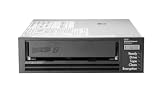
- Recording technology: lto-8 Ultrium 30750
- Capacity: 30 TB
- Host interface 6 GB/s SAS
Protect integrity as well as availability
A copy that can be restored is not necessarily a trustworthy copy. Ransomware, corruption, faulty processes, and human error can leave data accessible but inaccurate, or can make a recent restore point unsuitable. A recovery plan therefore needs a way to find a known-good point and validate restored data before relying on it.
Control access and preserve evidence
- Limit backup administration and deletion privileges to the roles that need them; keep those privileges separate from routine production access where feasible.
- Record and monitor changes to backup policy, access, retention, and recovery-point deletion so responders can understand what happened.
- Document how operators obtain the credentials, catalogs, keys, and procedures needed to restore without depending on a compromised production control path.
- Define how recovery points are screened and how owners validate restored data and applications before declaring them usable.
These controls are design considerations, not a claim that a specific mechanism is supported by every platform. NIST SP 800-209 addresses security practices for storage infrastructure, including backup, recovery, and archiving lifecycle concerns. Read NIST SP 800-209.
Recommended Free Tools
Choose the recovery point with evidence
For a destructive event, do not assume the newest copy is clean. Establish who can select a recovery point, what evidence they use, and which integrity checks must pass. NIST’s data-integrity publication focuses on recovery from ransomware and other destructive events with attention to restoring trustworthy, accurate data. See NIST’s data-integrity guidance. The organization’s workload owners and incident responders must still define validation appropriate to their own systems and data.
Rank #4

- USB-C (10Gbps) drive for fast backup with up to 250MB/s read and 250MB/s write (1 MB/s = 1 million bytes per second. Based on internal testing; performance may vary depending upon host device, usage conditions, drive capacity, and other factors.)
- High-capacity, enterprise-class Ultrastar 7200RPM drive inside
- Mac Ready, Apple Time Machine compatible; easily reformatted for Windows
- Stackable, anodized aluminum enclosure offers premium durability
- Three modes of brightness to adjust the LED lights
Plan a tiered restore and measure the whole path
Restoring a petabyte may not mean restoring every dataset at once. Define recovery tiers so critical services and their dependencies can return first, followed by less time-sensitive data. Set the order with business owners, and document what each tier needs to function.
Do not estimate an end-to-end restore time from raw storage capacity or a nominal device speed. The elapsed time depends on measured throughput and parallelism as well as network capacity, compute, media access and mounting, catalog availability, encryption-key access, operator steps, and data validation. A simple planning ratio—data volume divided by sustained measured restore throughput—can help frame a benchmark, but it excludes setup, contention, failures, and validation unless those are included in the measurement.
Make the recovery sequence executable
- Contain and assess: follow the incident process to limit further damage and identify affected systems, copies, and administrative paths.
- Establish a clean recovery environment: document the infrastructure, accounts, network access, tools, and staff needed to work without relying on systems that may be compromised.
- Select a recovery point: use the documented criteria and available evidence to choose a point that meets the workload’s RPO and is suitable for validation.
- Restore in dependency order: bring back foundational services and critical workloads before dependent applications and lower-priority data, according to the approved tiers.
- Validate and release: have the relevant owners complete defined integrity and functional checks before restored services are treated as operational.
For an off-site media path, add the steps to request and transport media, obtain the compatible reader at the alternate location, retrieve keys and catalogs, and account for handling and setup. These are part of recovery time, not administrative details outside it. NIST SP 800-34 Rev. 1 describes the planning need to consider media location, rotation, off-site transport, and reader availability. NIST contingency-planning guidance.
The Tool Desk
Outbyte PC Repair FREERepair Windows errors before they cause bigger problemsFix Now →Outbyte Driver Updater FREEFix the driver behind crashes, sound loss and screen glitchesFind Drivers →Best Value

- [ Enterprise-Class Reliability ] Designed for 24/7 operation with enterprise-grade components, making it ideal for servers, NAS systems, RAID arrays, and data-intensive environments.
- [ High-Capacity 6TB Storage ] Store large amounts of business data, backups, media libraries, surveillance footage, and critical files on a single drive.
- [ 7200 RPM Performance ] Fast spindle speed combined with a large 256MB cache delivers responsive performance and efficient data transfers for demanding workloads.
- [ SATA 6Gb/s Interface ] Provides broad compatibility with desktops, workstations, NAS devices, servers, and storage arrays while delivering reliable high-speed connectivity.
- [ Optimized for Multi-Drive Systems ] Built for enterprise and RAID environments with enhanced vibration tolerance and workload capabilities for dependable long-term operation.
Compare designs by the properties that determine recovery
There is no universal copy layout for 1 PB. Compare candidate designs against workload requirements and demonstrated recovery behavior rather than choosing by copy count alone.
| Evaluation area | Questions to answer | What to verify |
|---|---|---|
| Isolation | Is the copy offline, immutable, logically separate, or otherwise resistant to compromise from production? | Can a production administrator or attacker alter retention, delete copies, or disable recovery? |
| RPO and retention | How old can the recoverable data be, and how long are useful restore points kept? | Do backup frequency and retention match each workload’s acceptable loss and recovery needs? |
| RTO and throughput | How quickly can a complete, validated restore occur? | Measure end-to-end performance, including catalogs, access, network, decryption, operator work, and validation. |
| Scale and operations | Which data types and workloads are supported, and how does the process scale as capacity and change rates grow? | Test parallelism, capacity growth, staffing, operational complexity, and dependencies in the intended environment. |
| Geography and failure domains | Can the copies survive the site, power, network, credential, or regional events in scope? | Identify shared dependencies that would expose production and recovery copies to the same failure. |
| Integrity and auditability | Can operators identify a clean point, validate restored data, and reconstruct actions taken? | Exercise integrity checks, recovery-point selection, and audit-record access. |
| Cost and logistics | What does the operating model require beyond storage capacity? | Include media handling, network and data-transfer needs, facilities, recovery-site readiness, and staff time. |
Exercise restores and revise the design
A backup job completing successfully is not proof that a service can be recovered. Test representative file, object, database, application, and full-system restores, selecting cases that reflect the actual workload mix. Include isolated-copy recovery and off-site media retrieval if those are part of the design.
Record outcomes that expose bottlenecks
- Whether the restore succeeded and whether the selected point met the integrity criteria.
- Elapsed time for each stage, including access, catalog lookup, media handling, transfer, decryption, and validation.
- Actual throughput and parallelism under the tested conditions, not just a theoretical peak.
- Operator actions, approvals, missing instructions, and dependencies that delayed recovery.
- Whether the restored service met its agreed RPO and RTO, and what corrective work is needed.
Re-test after material changes to storage, networking, security controls, applications, retention, or staffing. NIST recommends planning, implementing, and testing backup and restoration and maintaining an incident recovery plan. NIST’s ransomware advice supports that lifecycle. NIST’s June 17, 2026 OT Backup Quick Start Guide also links backup creation and testing to change management and exercise review; that guide is scoped to operational technology (OT), so apply it as OT-specific guidance rather than a universal rule for all storage environments. Read the NIST OT guide.
Quick Recap
Product prices and availability are accurate as of the date/time indicated and are subject to change. Any price and availability information displayed on Amazon at the time of purchase will apply.

