
You can run an Assamese lofi music livestream from a cloud VPS by sending an encoder’s output to YouTube Live over RTMPS. Before starting, confirm that you have rights to every recording for live streaming and any replay, and ask the rights holder whether your channel needs a Content ID allowlist entry. A VPS does not provide music rights or guarantee uninterrupted uptime.
What you need before you start
- A YouTube channel that can create and manage a live broadcast.
- A cloud VPS that can remain available while your encoder runs, plus a network connection capable of sustaining the stream.
- An encoder configured to send the audio and any accompanying video to YouTube Live.
- Track-by-track permission for the music, covering the intended live broadcast and any archive or replay.
The setup is: music and visuals go into an encoder running on the VPS; the encoder sends the resulting feed to YouTube’s ingest service using the channel’s stream URL and stream key. YouTube represents an incoming feed as a liveStream resource, which includes ingest details and health information.

Clear rights for every track first
Check the composition and the recording
“Assamese lofi” describes a style, not a rights status. Music found online, a track labelled “lofi,” or a recording that is easy to download is not automatically cleared for a public livestream. YouTube’s livestream terms require creators to have the necessary rights for their live content, including music licensing rights.
For each recording, identify the composition and the particular sound recording, then confirm permission with the relevant rights holders or administrators. Keep written records of the tracks, writers, performers, sound-recording owners, territories, license term, and allowed uses. Check that the permission covers both the live broadcast and any replay or archive you intend to keep.
#1 Best Overall

- Raspberry Pi 5 with 8GB RAM: Model SC1112 featuring a quad-core ARM Cortex-A76 processor running at 2.4GHz. Enhanced Connectivity: Includes dual 4K micro HDMI ports, USB-C power input, and high-speed USB 3.0 ports. PCIe Expansion Support: FPC connector enables M.2 NVMe SSDs when using compatible adapters. Fast Storage Options: Works with microSD cards for booting, or optional NVMe storage for advanced projects. Built for Projects & Learning: Ideal for programming, home labs, DIY electronics, automation, and Linux-based development.
Ask about Content ID allowlisting
Licensing alone may not prevent an interruption. YouTube scans livestreams for third-party content matches, and a live feed can be interrupted or terminated when a match is not resolved. YouTube also says a channel may need to be added to a rights holder’s Content ID allowlist even when the creator has licensed the music. Ask the licensor or administrator to confirm the allowlist process before going live; see YouTube’s guidance on copyright issues with live streams.
Create the YouTube Live stream and protect its key
- Open YouTube Live Control Room for the channel, create or schedule a live stream, and select the encoder workflow. YouTube provides an ingest server URL and stream key for the encoder. The precise labels can change, so use the values shown for your stream.
- Copy the server URL and stream key into the encoder’s streaming settings. Choose RTMPS when the encoder and workflow support it; do not substitute a URL or stream path from another stream.
- Keep the stream key private. Anyone who obtains it may be able to send a feed to the channel. Store it securely on the VPS, limit access to the account and configuration, and reset the key in YouTube if it is exposed.
- Before making the broadcast public, start a test feed and check the YouTube preview, audio, video, and stream health. Confirm that the feed reaches the intended broadcast and that the correct stream key is in use.
For automation through YouTube’s API, the corresponding stream resource exposes ingest details and health information; consult the LiveStreams reference. The Live Control Room is the more direct route if you do not already operate an API-based workflow.
Connect the VPS encoder over RTMPS
RTMPS is RTMP ingest protected by TLS. YouTube documents its requirements in Delivering Live YouTube Content via RTMPS. In API clients, the documented connection uses TLS on port 443 and requires appropriate SNI hostname handling. Use the endpoint and stream path YouTube supplies, and verify that the VPS network permits the connection.
YouTube’s ingestion protocol comparison describes RTMPS as suitable for normal, low, and ultra-low latency. HLS and DASH address different codec and resolution needs and have higher latency, so they are not interchangeable drop-in choices for every encoder configuration.
Rank #3
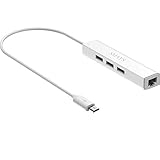
- Micro usb to usb hub rj45 adaptor -- Adds 3-Port OTG USB extension; Adds 10/100 Mbps wired internet connectivity
- Driver-less design for Windows 8.1 / 10 (32/64 bit) or up, Mac OS 10.9 or up, and Android 6.0 or up operating systems, Chrome OS
- Compatible with Raspberry Pi Zero, Raspberry Pi Zero W, Raspberry Pi Zero WH, Raspberry Pi Zero 2 W, Raspberry Pi Zero 2 WH, Raspberry Pi Zero 2 WHC
- Built-in DC power port, supports 5V power adapter, a power cable included; It only powers HUB and NOT the host; It charges the added USB device such as keyboard & mouse
- It has limited Android compatibility. Android users, before you buy, be sure to look if the device has a (grayed out) "Ethernet" menu in Settings under WIRELESS & NETWORKS. Most probably it will just work then
Encoder settings depend on the feed you are building
The right resolution, video and audio bitrates, keyframe interval, codec, and VPS size depend on the encoder, source files, output format, and YouTube’s current requirements. The YouTube guidance linked above does not establish one tested FFmpeg command, OBS profile, Linux distribution, or VPS specification for this Assamese lofi setup. Do not treat a made-up command or generic bitrate as a verified configuration. Set the encoder according to its own current documentation and YouTube’s current requirements, then validate the actual feed in Live Control Room before going public.
If your stream is audio-led, decide deliberately whether to send audio with a static visual, an animated visual, or other video. Ensure you have rights to any accompanying artwork or footage too. Test playback on the YouTube preview and a viewer device, listening for gaps, clipping, or unexpected silence.
Rank #4

- Broadcom BCM2711, quad-core Cortex-A72 (ARM v8) 64-bit SoC @ 1. 5GHz
- 2. 4 GHz and 5. 0 GHz IEEE 802. 11b/g/n/ac wireless LAN, Bluetooth 5. 0, BLE
- 2 × USB 3. 0 ports, 2 x USB 2. 0 Ports
- 2 × micro HDMI ports supproting up to 4Kp60 video resolution
- Micro SD card slot for loading operating system and data storage
Run and monitor the stream
- Start the encoder on the VPS and confirm that it has connected to the correct YouTube ingest endpoint.
- Check the Live Control Room preview and health indicators before public launch; make sure the expected audio and visuals appear.
- Leave upload-bandwidth headroom rather than running the VPS connection at its limit. YouTube recommends testing and monitoring stream quality; see Streaming tips.
- Monitor both the VPS process and YouTube’s stream health. A cloud location avoids dependence on your home computer’s power and connection, but the VPS provider, region, and network path can still fail.
- Decide in advance how you will respond to an encoder crash, network interruption, or YouTube disconnect. Arrange an operator or a tested restart procedure, and verify after recovery that the feed is live again.
Choose between one long broadcast and shorter sessions
A single continuous broadcast is operationally simple, but it is not a reliable way to guarantee a complete YouTube archive. YouTube says streams under 12 hours can be automatically archived, while streams longer than 12 hours may not be captured at all. “Can be” is not a guarantee, including for shorter sessions. If preserving replays matters, consider ending and starting sessions before they reach 12 hours, and keep a separate local archive as backup. See YouTube’s archive guidance.
Splitting sessions means managing planned transitions and checking that the next broadcast starts correctly. If uninterrupted listening is more important than a YouTube archive, a longer session may suit the operating plan, but it still does not ensure YouTube will retain the full stream.
Quick wins for a faster PC:
Repair Windows errors before they cause bigger problemsFix Now →Fix the driver behind crashes, sound loss and screen glitchesFind Drivers →Clear out junk files and repair common Windows errorsFree Scan →Best Value

- 3-in-1 Functional Design - Combines 1 Ethernet port and 2 USB ports in a lightweight, compact adapter. Enjoy stable wired network connectivity while connecting USB devices like flash drives, keyboards, or mice.
- Stable and Fast Connectivity - Built-in high-performance Realtek chipset delivers reliable Ethernet speeds up to 100Mbps and USB 2.0 data transfer rates of up to 480Mbps, ensuring lag-free streaming and smooth device connections.
- Compact and Portable - Ultra-compact design fits anywhere without clutter, making it ideal for travel or small spaces. Perfect for users who need convenient and efficient network solutions on the go.
- Wide Device Compatibility - Compatible with Fire TV Stick, Raspberry Pi Zero, Chromecast (1/2/3/Ultra/Audio), Google Home Mini and TiVo Stream 4K. Easily connects to devices for areas with poor Wi-Fi.
- Easy Plug-and-Play Setup - No drivers or software required. Simply plug it into your device to enjoy a stable wired network and expand your connectivity options instantly.
Do not assume the stream will be monetized
Music rights and YouTube Partner Program eligibility are separate questions. Having permission to use tracks does not guarantee monetization. YouTube’s channel monetization policies apply to livestreams and say repetitive or mass-produced content may be considered inauthentic and ineligible. A minimally changed loop can therefore raise a monetization concern even if the music is cleared. No VPS, encoder, or livestream format can guarantee acceptance.
Troubleshoot common problems
| Symptom | Likely cause | What to check |
|---|---|---|
| YouTube does not receive a feed | Wrong stream URL or key, an incorrect protocol or stream path, a blocked connection, or an encoder that has not started. | Compare the encoder destination with the current values in Live Control Room; verify RTMPS support, port 443 connectivity where applicable, and the VPS encoder process. |
| The preview is silent or has the wrong audio | The encoder input or audio routing is incorrect, or the source itself is silent. | Listen to the source on the VPS, inspect the encoder’s selected audio input and output meters, and confirm audio in the YouTube preview before going public. |
| The stream stops after a music match | A third-party match may have triggered YouTube’s live copyright process. | Review YouTube’s notice, resolve the claim with the rights holder, and confirm whether a Content ID allowlist entry is required before restarting. |
| The feed drops or becomes unstable | The encoder, VPS, or network path may have failed, or the connection may lack upload headroom. | Check encoder and VPS logs, connection stability, bandwidth headroom, and YouTube stream health; test recovery rather than assuming the process restarted successfully. |
| The YouTube replay is missing or incomplete | The stream may have exceeded 12 hours, or automatic archive capture may not have completed. | Use shorter sessions if YouTube archives are important and maintain a separate recording backup. |
Cost and provider choice
A VPS requires a continuing provider subscription, but cost, suitable region, CPU and memory needs, and service-level guarantees vary by provider and workload. No provider or VPS size is established here as a tested choice for this stream. Compare current provider plans against the encoder and output you actually use, and test the network route and stability before relying on it.
Or let it run in the cloud
StreamNeo is a cloud service for keeping a YouTube channel live from uploaded videos: upload a recording or build a playlist, add your YouTube stream key once, and go live. Nothing has to stay on at home; StreamNeo loops the uploaded material from the cloud and can automatically recover if YouTube drops the stream. Any quality up to 4K 60fps streams as uploaded at one flat price per slot, with no re-encode or quality tiers. The first day is free with no card, one free day per account. Monthly pricing is $9.99 per month. The service plays uploaded videos rather than broadcasting from a camera. Rights and YouTube monetization rules still apply.
Quick Recap
- Upload the cleared recording or create a playlist.
- Add your YouTube stream key.
- Go live.
Start the free day at StreamNeo registration.
Product prices and availability are accurate as of the date/time indicated and are subject to change. Any price and availability information displayed on Amazon at the time of purchase will apply.

