
Measure each prerecorded video’s integrated loudness in LUFS, apply a consistent static gain adjustment toward a target you choose for your platform and listening context, then check true peaks and audition transitions. Do not treat peak normalization as loudness matching, and do not compress every clip simply to make its waveform look similar: quiet ambience often depends on its dynamics.
What normalization can—and cannot—make consistent
Integrated loudness is a useful way to compare the overall perceived level of complete audio programs. Peak level is a separate measure: it helps identify whether a signal may overload after gain is raised. EBU guidance describes the shift from peak normalization to loudness normalization, while AES guidance distinguishes integrated loudness from peak safety.
Loudness matching applies uniform gain or attenuation to move a measured asset toward a chosen target. It does not require reshaping every clip’s dynamics. Raising a quiet file can bring its peaks too high; limiting may control those peaks, but can alter transients and the character of the soundscape.
Choose a target for your stream’s context
There is no one LUFS target established here for every relaxation livestream. The destination platform, ingest requirements, encoding chain, and intended listening context matter. Decide whether the priority is a steady stream-wide level or preserving planned contrasts—for example, between very quiet sleep ambience and brighter nature recordings—and record that decision before processing.
#1 Best Overall
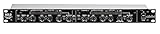
- Dual Channel or Linked Stereo Operation
- 1/4-Inch TRS And XLR Balanced Inputs
- Stereo Mode Balance Control
- Selectable Auto/ Manual Attack/Release
- Precise Led Level Meters
| Reference | Figure and context | How to use it |
|---|---|---|
| EBU R 128 v5.0 | -23 LUFS average programme loudness, recommended by the European Broadcasting Union in 2023. EBU R 128 | A broadcast reference, not a blanket instruction for internet livestreams. |
| AES TD1008 v3.13 | -16 LUFS for track normalization in the specified music-streaming context, including automatically assembled streams. The reviewed PDF excerpt does not establish a publication date. AES TD1008 | A context-specific online music reference, not a universal target for ambience or every platform. |
| Audacity manual | -23 LUFS is the software’s perceived-loudness default; its manual says streaming targets are usually a few LU higher than broadcast. Audacity Loudness Normalization | A software default and general note, not a stream-specific recommendation. |
Before settling on a number, check the destination platform’s current live-stream specifications. Also consider whether you are normalizing each asset separately or measuring a continuous program as a whole: the measurements answer different questions. Do not assume one of the reference figures above is the correct delivery target for your stream.
Normalize the prerecorded library before it goes live
- Group material by role. Decide whether all videos should feel consistent in level or whether some segments intentionally need to remain quieter. Split distinct listening roles into groups if one shared target would erase that contrast.
- Measure each complete file. Use an integrated-loudness meter with the same measurement method for every asset. Record each file’s integrated LUFS and true-peak reading. AES describes measuring the full length of the audio for integrated loudness and correcting its amplitude to the selected target.
- Calculate a starting gain adjustment. Subtract the measured integrated loudness from the chosen target. For example, if a file measures -27 LUFS and your chosen target is -23 LUFS, the initial gain offset is +4 dB. This is arithmetic, not a recommended target for relaxation streams. Re-measure after processing.
- Check true peaks before accepting the gain. If raising a file makes its peaks unsafe, do not force the whole clip to target automatically. Consider lowering the shared target or using gentle peak control, then listen for changes to transients and quiet passages. AES notes that upward normalization may require limiting and that limiting can change the sound.
- Audition transitions in sequence. Listen to each clip’s opening and ending alongside its neighbors. Whole-file integrated loudness can hide a jump at a transition or a long quiet opening. A short-term meter can help locate a problem, but no reviewed source establishes a short-term target for relaxation streams; make the final decision by listening in context.
- Set a restrained output safety stage. Monitor the stream bus for overload. If you use a real-time limiter, use it to catch unexpected peaks rather than continually reshaping the mix. Listen for pumping, level movement, noise becoming prominent, or ambience swelling during quiet passages.
- Check the encoded output. Review representative playback after encoding, since the encoding chain, platform behavior, viewer controls, and playback device can affect what listeners hear. Do not use a viewer-side volume feature as evidence that the outgoing livestream is normalized.
Use Audacity as one measurement option
Audacity’s Loudness Normalization effect measures perceived loudness in LUFS and defaults to -23 LUFS. Treat that default as a software setting, not as a mandated target for your stream. For ordinary stereo files, the manual advises against normalizing left and right channels independently because that can change stereo balance. See Audacity’s effect documentation for its controls and behavior.
Rank #2

- Dual-Channel Dynamics Control: Designed for versatile audio applications, this dual-channel compressor delivers smooth and consistent level management for vocals, guitars, drums, and other sound sources. The built-in Overeasy compression ensures a more natural transition into gain reduction, while adjustable attack and release settings allow precise shaping of dynamic behavior. Ideal for studio recording, live sound, streaming, and stage performance environments.
- Professional XLR/TRS Connectivity: Equipped with high-quality XLR and 1/4" TRS inputs and outputs, this rackmount compressor integrates easily with mixers, audio interfaces, PA systems, and studio gear. Provides clean signal routing and reliable performance for professional audio environments.
- Classic VCA Circuit for Enhanced Vocals: The VCA-based design improves vocal clarity, warmth, and presence—ideal for studio vocals, voiceovers, live singing, podcasting, and broadcast applications. Helps vocals sit smoothly and confidently at the front of the mix.
- LED Metering with Noise Gate Function: Features precise LED indicators for gain reduction, compression levels, and gate thresholds, giving clear visual feedback during setup. The built-in noise gate helps reduce ambient or background noise, ensuring cleaner audio in studio and live situations.
- Sidechain Insert for Frequency Control: The dedicated sidechain input supports frequency-based ducking, perfect for tightening bass, kick drums, and other low-end instruments. Adjustable attack and release controls allow detailed dynamic shaping for modern studio production and live performance.
Why YouTube’s volume controls are not a mastering target
YouTube Help describes Stable volume as a viewer control that “balances the range between quiet and loud, continuously adjusting volume levels to reduce variations in sound.” It is enabled by default for eligible playback, is not available for all videos, and is off for YouTube Music and official music videos. This is playback behavior—not a published creator-side target for an outgoing livestream. YouTube Help: Control video volume on your device
Independent reader supportYour contribution helps us test, update, and keep practical guides available for everyone.Or let it run in the cloud
If the 24/7 stream itself is the part you want to keep running, StreamNeo lets you upload recordings or build a playlist, add your YouTube stream key once, and go live. It loops uploaded videos from the cloud, so your computer and home connection do not have to stay on. It does not normalize your audio library for you: measure and prepare the files using the workflow above.
The Tool Desk
Outbyte Driver Updater FREEScan for outdated or missing drivers - takes under a minuteDriver Scan →Outbyte PC Repair FREEClear out junk files and repair common Windows errorsFree Scan →Rank #3

- Dual-Channel Precision – Full Control Over Every Sound Source: Equipped with advanced Overeasy compression and Auto attack/release settings, this dual-channel compressor offers smooth, natural dynamics control for vocals, guitars, drums, and more. Ideal for recording, live streaming, or on-stage use.
- Studio-Grade Connectivity – Seamless Integration: Designed with premium XLR and 1/4" TRS inputs and outputs, the unit effortlessly fits into any professional or live sound setup, ensuring clean signal paths and flexible routing options.
- Enhanced Vocal Presence – Classic VCA Circuitry: Engineered for clarity, the classic VCA circuit enhances vocal warmth and detail. Bring vocals to the front of the mix with a rich, natural tone that stands out in any performance environment.
- Visual Monitoring – Precision LED Display & Noise Gate: Features independent LED indicators for gain reduction, compression, and gate thresholds. Fine-tune settings with confidence while reducing unwanted background noise using the built-in noise gate function.
- Side Chain Capability – Targeted Frequency Control: Includes a side chain insert for effective frequency ducking—ideal for tightening low-end instruments like bass or kick drums. Offers adjustable attack and release for responsive, natural-sounding compression across dynamic sources.
- Nothing has to stay on at home.
- Any uploaded quality up to 4K 60fps streams as made at one flat price per slot.
- Automatic recovery if YouTube drops the stream.
- The first day is free with no card required; one free day per account.
The Monthly price is $9.99 per month. Learn about StreamNeo, or start your free day.
Quick Recap
Rank #4
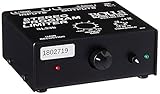
- Package Dimensions: 6 L x 5 H x 6 W (inches)
- Package Weight: 5 Pounds
- Country Of Origin : China
- Rolls Stereo Program Limiter (Sl33B)
Product prices and availability are accurate as of the date/time indicated and are subject to change. Any price and availability information displayed on Amazon at the time of purchase will apply.

