
Outdated Drivers Are Slowing You Down
One free scan finds every outdated or missing driver and matches the right update for your exact hardware.Free scan · exact hardware matchPC Slower Than It Used to Be?
A free scan shows the junk files, broken settings and background clutter dragging Windows down - then fixes them in one click.Free scan · Windows 10 & 11Oracle Cloud par 24/7 YouTube news channel chalane ke liye ek practical starting setup hai: 720p, 30 fps, H.264 video, AAC stereo audio, constant bitrate (CBR), do-second keyframe interval aur YouTube ingest ke liye RTMPS. YouTube ke mutabik H.264 720p30 ke liye 3 Mbps minimum aur 8 Mbps recommended bitrate hai. Yeh starting configuration hai—apne actual news feed aur OCI instance par poora pipeline test karein; bandwidth figure akela continuous encoding ki guarantee nahi deta.
Recommended FFmpeg settings: pehle 720p30 se shuru karein
720p30 ek upyogi baseline hai jab source aur editorial need is resolution ko support karte hon. YouTube ka bitrate target resolution aur frame rate ke hisaab se badalta hai; higher resolution chunne se OCI instance par encoding ka kaam bhi badh sakta hai. YouTube H.264 ke liye CBR aur do-second keyframe interval ki sifarish karta hai, aur keyframe interval chaar seconds se zyada nahi hona chahiye.
| Setting | Starting choice | Why it matters |
|---|---|---|
| Transport | RTMPS | YouTube RTMPS recommend karta hai; yeh RTMP ka encrypted extension hai. |
| Video codec | H.264 | Supported, straightforward compatibility choice. YouTube H.265 aur AV1 ko bhi supported encoder codecs mein list karta hai. |
| Resolution / frame rate | 1280×720 at 30 fps | Source ke mutabik resolution chunein; target badalne par bitrate recommendation bhi badalti hai. |
| Video bitrate | 3 Mbps minimum; 8 Mbps recommended | YouTube ki H.264 720p30 guidance. Representative footage par test karke target tay karein. |
| Rate control | CBR | YouTube ki recommended rate-control approach. |
| Keyframe / GOP interval | 2 seconds; 30 fps par 60 frames | YouTube do seconds recommend karta hai aur chaar seconds se zyada nahi. |
| Audio | AAC stereo, 44.1 kHz, 128 kbps | YouTube advanced settings mein stereo ke liye 44.1 kHz aur 128 kbps recommend karta hai. RTMP/RTMPS par AAC ya MP3 accepted hain. |
| Picture format | Square pixels, progressive scan, SDR Rec. 709 | YouTube ki advanced encoder recommendations. |
| Additional H.264 guidance | 2 B-frames; 1 reference frame | YouTube ki advanced encoder recommendations. |
1080p30 par jana ho to bitrate ko 720p target par na chhodein: YouTube H.264 1080p30 ke liye 5 Mbps minimum aur 14 Mbps recommended batata hai. In published numbers ko ingest guidance samjhein, kisi Oracle VM ke encoding-performance test ka result nahi. Full resolution-aur-frame-rate table ke liye YouTube ki live encoder settings guidance dekhein.
OCI instance ko kaise size aur verify karein
Oracle ka Linux launch tutorial ek A1 example dikhata hai jisme 1 OCPU, 6 GB memory aur 1 Gbps network bandwidth hai. Oracle ki current Always Free resource documentation Always Free tenancy ke liye A1 entitlement ko 2 OCPU aur 12 GB memory ke equivalent batati hai; usi allowance ko 1,500 OCPU-hours aur 9,000 GB-hours per month ke roop mein bhi darshaya gaya hai. Provision karne se pehle apne tenancy ke Limits, Quotas and Usage page par availability check karein: region capacity aur account status affect kar sakte hain ki kya create ho sakta hai.
The Tool Desk
Outbyte PC Repair FREERepair Windows errors before they cause bigger problemsFix Now →Outbyte Driver Updater FREEScan for outdated or missing drivers - takes under a minuteDriver Scan →#1 Best Overall
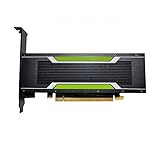
- P4 8G Professional Computing Video Codec Encoding Computing GPU Graphics Card
A1 par Oracle ke shape reference ke mutabik network bandwidth OCPU ke saath scale hoti hai, aur tutorial ka 1-OCPU example 1 Gbps dikhata hai. YouTube ka encoder bitrate nominal link rate se kaafi kam ho sakta hai, lekin iska matlab yeh nahi ki FFmpeg ka selected encoder aur input source us VM par 24/7 encode honge. Source resolution, codec build, filters, audio processing aur doosre system load par farq pad sakta hai. Oracle ke references: Linux instance tutorial, Always Free resources, aur compute shapes.
Always Free reclaim policy ka dhyan rakhein
Oracle ke mutabik Always Free compute ko idle hone par reclaim kiya ja sakta hai agar saat din ki avadhi mein CPU utilization ka 95th percentile, network utilization aur (A1 ke liye) memory utilization har ek 20% se neeche rahe. Isliye quiet ya broken stream ka matlab sirf YouTube par interruption nahi ho sakta; instance retention par bhi asar pad sakta hai. Current policy apne account ke liye verify karein aur instance ko monitor karein.
Rank #2

- Chipset: NVIDIA GeForce GT 1030
- Video Memory: 4GB DDR4
- Boost Clock: 1430 MHz
- Memory Interface: 64-bit
- Output: DisplayPort x 1 (v1.4a) / HDMI 2.0b x 1
Input type ke hisaab se FFmpeg command tay karein
Ek universal 24/7 FFmpeg command nahi hai jo har live URL, file playlist ya doosre news feed par sahi reconnect, looping aur timestamp handling kare. Pehle input source aur uski terms samjhein; phir selected OCI image par FFmpeg build aur encoder availability check karke asli input ke saath poora command test karein. YouTube stream key ko secret rakhein, command ya logs mein expose na karein, aur use sirf RTMPS destination mein inject karein.
Aapke final output options mein 30 fps ke liye 60-frame GOP, CBR video aur AAC stereo jaise settings shamil ho sakte hain. Input URL ya playlist, reconnect behavior, looping, timestamps, authentication aur error handling source-specific hain, isliye unhe bina source jaane copy-paste command mein assume karna unsafe hoga. Pehle representative footage ke saath YouTube par test karein, jisme intended stream jaisi movement aur audio ho; YouTube stream health ko test ke dauran aur live hone ke baad monitor karein.
Rank #3

- Robust 4GB Memory & Quad Display Ready: Equipped with 4GB of fast GDDR5 memory to smoothly handle daily graphics tasks. Features four built-in HDMI ports, enabling a seamless quad-monitor setup directly out of the box—perfect for multi-tasking offices, digital signage, or trading desks.
- Plug-and-Play Installation & Wide Compatibility: Utilizes a standard PCI Express interface for broad compatibility with most desktop PCs. Offers straightforward plug-and-play installation and stable driver support for modern Windows and Linux operating systems, ensuring a hassle-free setup.
- Quiet, Cool & Compact Design: Engineered with a silent fan and efficient cooling system for near-silent operation, making it ideal for noise-sensitive environments. Its low-profile design fits easily into small form factor cases, with both half-height and full-height brackets included for flexible installation.
- Enhanced Multimedia & Everyday Performance: Delivers smooth 1080P video playback and supports hardware-accelerated decoding, offering an excellent experience for home theater PCs (HTPC). Provides capable performance for everyday applications, multimedia tasks.
- Complete Package & Reliable Support: Includes the graphics card, both low-profile and standard brackets, a quick start guide, and screwdriver, which make it simple and quick setup process.
24/7 operation: restart, logs aur rights
- FFmpeg ko process supervisor ya service manager ke andar chalayein aur failure par restart behavior configure karein.
- Log rotation, disk aur memory monitoring rakhein; input loss ya ingest interruption ke liye alert set karein.
- Actual input aur filters ke saath sustained test karein; CPU, memory, network, audio aur YouTube stream health ko dekhein. Published network bandwidth encoding capacity ya uninterrupted service ka pramaan nahi.
- News footage ya feed ke rights, licensing, attribution requirements aur source terms ko encoder setup se alag verify karein. Kisi khaas feed ke istemal ka adhikar encoding settings se nahi milta.
Or let it run in the cloud
Agar aapko OCI par FFmpeg process aur VM monitor nahi karna, StreamNeo ek YouTube-only option hai: apni recording upload karein ya playlist banayein, YouTube stream key ek baar add karein, phir go live karein. StreamNeo cloud mein uploaded video ko loop karta hai, isliye ghar ka computer ya internet connection chalu rakhna zaroori nahi. Har slot mein uploaded quality ko waise hi stream kiya jata hai—4K 60fps tak—ek flat per-slot price par, bina re-encode ya quality tiers ke; YouTube stream drop ho to automatic recovery hoti hai. Pehla din card ke bina free hai. Monthly plan $9.99 per month hai. India mein UPI aur cards ka checkout available hai. StreamNeo ke baare mein jaaniye, ya free day shuru karein.
Quick Recap
Best Value

- The Geforce 210 is with a 589MHz core clock,up to 1066Mbps effective,perfect for working,video and photo editing,allows good fluency,which can effectively meet your needs.
- PCI Express 2.0 interface,offers compatibility with a range of systems. Also includes VGA and HDMI outputs for expanded connectivity,supports up to 2 monitors.Good for adding a simple low profile gpu to a small form factor pc.
- The computer graphics cards is small in size and saves more space,easy to install,plug and play,you can build a compact PC system easily for slim/ITX chassis.
- This low profile video card is good value option for entry level, if you just want basic upgrade graphics and daily simple work for your computer, or not be AAA gamer.(include low profile bracket)
- No external power supply and the all-solid-state capacitor keeps low power consumption and high performance,supports Windows 10/8/7/Vista/XP(not compatible with windows 11).
Rank #4

- Advanced Intel Arc Performance: Intel Arc B570 GPU with 10GB GDDR6 memory on 160-bit bus delivers excellent 1440p gaming and content creation performance
- Next-Gen Xe2-HPG Architecture: Features Intel Xe2-HPG architecture with Xe Matrix Extensions (XMX) for advanced AI acceleration and upscaling technology
- High Clock Speeds: GPU clock speed of 2600 MHz with 19 Gbps memory speed ensures smooth, responsive gaming experiences
- Intel XeSS 2 Technology: Supports Intel Xe Super Sampling 2 for enhanced performance and image quality through AI-powered upscaling
- Efficient Dual Fan Cooling: Dual striped axial fans with 0dB silent cooling technology provide optimal thermal performance during intense gaming sessions
Product prices and availability are accurate as of the date/time indicated and are subject to change. Any price and availability information displayed on Amazon at the time of purchase will apply.

