
Use FFmpeg’s scale video filter to create a 1920×1080 output, choose whether to preserve the whole image with bars or crop it to fill the frame, and loop the input file with -stream_loop -1. For a YouTube Live stream, send a real-time H.264 output over RTMPS with a two-second keyframe interval and a bitrate suited to the frame rate. A 1080p output does not make a lower-resolution source more detailed.
Choose how the source should fit a 1080p frame
A 1080p frame is 1920×1080 pixels, with a 16:9 aspect ratio. If your source is not 16:9, you must choose between showing the entire image with bars or cropping part of it. Stretching the image to fill the frame can distort people and objects.

| Approach | What it does | Trade-off |
|---|---|---|
| Fit with bars | Scales the whole image inside 1920×1080 and pads the unused space. | Preserves the source image, but adds bars on two sides when its aspect ratio differs from 16:9. |
| Fill by cropping | Scales the image until the frame is filled, then crops the excess. | Fills 16:9, but loses content at the edges. |
The commands below use the fit-with-bars option. To crop instead, replace the filter with scale=1920:1080:force_original_aspect_ratio=increase,crop=1920:1080. FFmpeg’s scale filter documents aspect-ratio handling and the force_original_aspect_ratio behavior in its filters documentation.
Prepare YouTube Live and your stream settings
- In YouTube Studio, open the live control room for your stream and obtain its server address and stream key. Use the RTMPS server address YouTube provides, and keep the key private: anyone with it may be able to broadcast to your stream.
- Choose the output frame rate based on the source. Use 30 fps for ordinary motion or when the source is 30 fps; use 60 fps only when the source and your encoding and upload capacity can sustain it.
- Set the video bitrate for the codec, resolution, and frame rate you actually send. YouTube Help’s current H.264 guidance, accessed 2026-10-03, lists 5 Mbps minimum and 14 Mbps recommended for 1080p30; for 1080p60 it lists 6 Mbps minimum and 17 Mbps recommended. Other codecs have different table rows, so do not apply these H.264 figures to H.265 or AV1.
- Use CBR and a two-second keyframe interval; YouTube says not to exceed four seconds. YouTube recommends RTMPS: “We recommend streaming to YouTube Live with RTMPS, a secure extension to the popular RTMP streaming video protocol.” See YouTube’s encoder settings, bitrates, and resolutions for its live guidance and codec-specific table.
Loop and scale the complete input file
For a complete-file loop, use FFmpeg’s input looping option rather than the video loop filter. The filter repeats buffered frames; for example, FFmpeg’s documented loop=loop=-1:size=1:start=0 repeats only one frame, not an entire video. The command below uses input looping and -re to read the file at its native rate for real-time streaming. FFmpeg documents -re for real-time output and -vf as the simple video-filter option in its command documentation.
Free tools Windows power users keep installed
One-click scans. No signup required.
#1 Best Overall
Set the three environment variables in your shell before running the command: INPUT to the video file path, YOUTUBE_RTMPS_URL to the server URL shown by YouTube, and YOUTUBE_STREAM_KEY to your private key. The stream destination format varies by YouTube’s server address; use the URL and key as YouTube presents them, with the key appended after a slash if the server address does not already include it.
1080p at 30 fps
ffmpeg -re -stream_loop -1 -i "$INPUT"
  -vf "scale=1920:1080:force_original_aspect_ratio=decrease,pad=1920:1080:(ow-iw)/2:(oh-ih)/2"
  -c:v libx264 -preset veryfast -r 30 -pix_fmt yuv420p
  -b:v 14M -minrate 14M -maxrate 14M -bufsize 28M
  -g 60 -keyint_min 60 -sc_threshold 0
  -c:a aac -b:a 128k -ar 44100
  -f flv "$YOUTUBE_RTMPS_URL/$YOUTUBE_STREAM_KEY"
1080p at 60 fps
ffmpeg -re -stream_loop -1 -i "$INPUT"
  -vf "scale=1920:1080:force_original_aspect_ratio=decrease,pad=1920:1080:(ow-iw)/2:(oh-ih)/2"
  -c:v libx264 -preset veryfast -r 60 -pix_fmt yuv420p
  -b:v 17M -minrate 17M -maxrate 17M -bufsize 34M
  -g 120 -keyint_min 120 -sc_threshold 0
  -c:a aac -b:a 128k -ar 44100
  -f flv "$YOUTUBE_RTMPS_URL/$YOUTUBE_STREAM_KEY"
These examples use H.264, CBR-style bitrate limits, AAC audio, and a GOP length of two seconds (60 frames at 30 fps or 120 at 60 fps). They assume the input has an audio stream. If it has no audio, remove the -c:a, -b:a, and -ar options; if it has multiple audio or video streams, explicitly select the intended streams with FFmpeg stream specifiers. The scale filter can enlarge smaller sources to 1920×1080, but that changes output dimensions rather than restoring detail that was not recorded.
Rank #2

- Superior RGB Video Quality — Specifically designed to be compatible with NTSC Nintendo N64, SNES, and GameCube consoles. Delivers pure RGB signals for significantly sharper pixels and more vibrant colors than standard AV leads.
- Engineered for NTSC Hardware — Wired specifically for North American region consoles (US/Canada). Ensures stable sync and correct voltage, avoiding the flickering and偏色 issues caused by using PAL-wired SCART cables.
- High-Shielded interference Protection — Features multi-layered shielding to minimize electromagnetic interference (EMI). Enjoy a clean, buzz-free audio experience and a rock-solid video signal on CRT monitors and upscalers.
- Durable 6FT (1.8M) Length — Provides an ample 6-foot reach for flexible setup in your gaming room. The high-quality PVC jacket and robust connectors are built for frequent plugging and long-term durability.
- Essential for Upscalers — The professional choice for gamers using OSSC, Retrotink, or Framemeister. Provides the high-bandwidth analog signal required for high-definition upscaling on modern 4K/OLED TVs.
Input-loop option syntax can vary with FFmpeg build and version; confirm that your installed build accepts -stream_loop -1 by checking its command help before relying on it. If the output server rejects the destination, check YouTube’s exact server URL and key format rather than assuming the concatenation matches your control room.
Test the stream and watch YouTube’s health messages
A command that runs locally is not proof that YouTube is receiving a healthy stream. Before using it for an event, test with representative motion and audio, and use an upload speed test to check that the connection can sustain the chosen bitrate. YouTube recommends monitoring stream health and messages during the event; see its encoder guidance.
Quick wins for a faster PC:
Repair Windows errors before they cause bigger problemsFix Now →Scan for outdated or missing drivers - takes under a minuteDriver Scan →Clear out junk files and repair common Windows errorsFree Scan →Rank #3
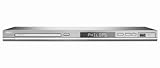
- DivX Ultra 6, Mpeg 4 video
- HDMI, 1080i Upsampling
- USB Connect, plays flash drive files
- Ultra Slim Design. Compatible with both NTSC and PAL.
- Composite and component inputs cables supplied are only for composite no optical out just digital coax
- Confirm YouTube reports the expected resolution and frame rate.
- Check for dropped frames, bitrate instability, audio problems, or other stream-health warnings.
- Verify the loop transition. A source with a visible or audible jump at its end may repeat with the same discontinuity.
- Run the process in a terminal session that will remain active. This command configures a loop, but does not establish automatic reconnection or process restart if FFmpeg or the connection stops.
Troubleshoot common failures
| Symptom | Likely cause | What to check |
|---|---|---|
| FFmpeg reports an unrecognized option or exits before opening the file | The installed build may not accept the input-loop syntax, or the input path is wrong. | Check the installed FFmpeg command help for -stream_loop, confirm the file path, and run a short test before starting the live output. |
| YouTube does not receive the stream | The server URL or stream key is incorrect, or the destination was assembled in the wrong format. | Copy the current RTMPS address and key from YouTube’s live control room; do not expose the key when sharing logs or commands. |
| Image is stretched or has unexpected bars | The source aspect ratio differs from 16:9, or the filter does not match the intended fit/crop choice. | Use the fit-and-pad filter to preserve the full image, or the increase-and-crop filter to fill the frame while sacrificing edges. |
| Stream health reports instability or dropped frames | The selected bitrate may exceed sustainable upload capacity, or encoding may be struggling. | Test the connection, choose a sustainable bitrate using the matching YouTube codec/frame-rate row, and test again with similar motion and audio. |
| Video is silent or audio options fail | The input may lack an audio stream or have a different stream layout. | Inspect the input streams; remove audio output options for a silent source or target the intended audio stream explicitly. |
| The stream stops after FFmpeg closes or the computer loses power | The command runs on the local machine and depends on its process, power, and network remaining available. | For local operation, keep the machine and process running and monitor the output. This command does not itself provide a supervisor or automatic recovery. |
Or let it run in the cloud
If your goal is to keep a pre-recorded YouTube stream running without leaving your computer on, StreamNeo runs the uploaded video or playlist from the cloud. Upload the video, add your YouTube stream key once, and go live. It keeps looping when your computer is off and automatically recovers if YouTube drops the stream.
- Each slot streams the upload as made, up to 4K 60fps, at one flat price per slot; there are no quality tiers or re-encoding.
- The first day is free with no card, once per account. A slot includes 10 GB storage, pooled across active slots, 24/7 looping and playlists, automatic recovery, and StreamNeo team support.
- Monthly: $9.99 per month. Shorter and longer billing periods are available; UPI and cards work in India, and card checkout is available worldwide.
Start the free first day at StreamNeo registration.
Quick Recap
Rank #4

- This retro game stick supports plug-and-play operation, simply connect to your TV and enjoy gaming instantly. With large 64G/128G storage capacity and 2.4G wireless rechargeable controllers, it provides a comfortable home entertainment experience for daily use and family gatherings.
- 【4K Upscaling & HD Output for Stunning Visuals】 Enjoy crisp, smooth gameplay on any modern TV, monitor, or projector. Supports up to 4K upscaling with native 1080P/720P output via HDMI—bringing retro graphics to life with vibrant clarity and zero lag.
- 【Powerful S905L Chip + Optimized Emuelec OS】 Built with a high-performance S905L quad-core processor and the latest Emuelec 4.3 system for lightning-fast loading, stable emulation, and seamless multitasking. Easily add your own ROMs via USB or microSD for endless game expansion.
- 【2 Wireless 2.4G Controllers – Ergonomic & Eye-Friendly】 Includes two full-size wireless controllers with dual analog sticks, responsive buttons, and ergonomic grips for hours of comfortable play. With an 8-meter range, you can sit farther from the screen—reducing eye strain during long gaming sessions.
- 【Perfect Gift & Hassle-Free Setup in Seconds】 Simply plug the stick into your TV’s HDMI port, connect power, and switch to the correct input—no console, PC, or internet needed! An ideal gift for birthdays, Christmas, or retro gaming fans of all ages. Quick-return shortcuts (e.g., SELECT+START) let you navigate menus effortlessly.
Product prices and availability are accurate as of the date/time indicated and are subject to change. Any price and availability information displayed on Amazon at the time of purchase will apply.

