
Quick wins for a faster PC:
Repair Windows errors before they cause bigger problemsFix Now →Fix the driver behind crashes, sound loss and screen glitchesFind Drivers →Clear out junk files and repair common Windows errorsFree Scan →If handwritten coffee notes are hard to search or repeat, a dedicated brewing app can keep bean details, recipes, brew records, and tasting notes together. Filtru, Beanconqueror, and BeanBench publish features for different levels of tracking; the right fit depends on how much you want to record and whether you need guided timing, analytics, device connections, or export.
There is no verified five-app test or evidence here that switching apps automatically improves coffee. The practical benefit is a more findable record: you can compare what you changed with how the cup tasted, provided you log consistently.
What a coffee-brewing app should help you do
A useful brew log connects three things: the coffee you used, the method and recipe you followed, and what you thought of the result. When a cup is especially good—or disappointing—you can look back for the details rather than relying on memory.
- During brewing: Does the app guide you through timed pours or steps, or is it mainly a place to save notes?
- After brewing: Can you record the beans, recipe, parameters, and tasting impressions you care about?
- Over time: Can you search previous entries or use statistics and comparisons to spot patterns?
- For your setup: Does it support your phone and, if relevant, your particular Bluetooth scale?
- For your records: Can you export data if you want a copy outside the app?
These are practical comparison questions based on the apps’ published feature descriptions, not results from a standardized independent test.
What’s actually slowing this PC down?
Pick the symptom - the matching free tool is one click away.
#1 Best Overall

- Easily dial-in your espresso with this notebook you'll love using every day
- Never waste your favourite coffee beans re-dialling in again
- Improve your espresso shots every day as your Brew Ledger helps you use your machine to its full potential
How the documented apps differ
| App | Published features | Platform and portability |
|---|---|---|
| Filtru | Guided recipes and brew timing; searchable coffee logs; ratings, tasting notes, and changes to try; espresso tracking. Its publisher says a supported Bluetooth scale can record poured weight and yield and display a brew graph. | The publisher describes availability for iPhone and iPad. No export detail is established here. |
| Beanconqueror | Brew overviews and detailed records, statistics, and Bluetooth device connections. Its project and store materials also describe tracking beans and roasting. | Its official app page links to Apple and Google app listings. Export details are not established here. |
| BeanBench | Guided brew timer, detailed brew logs, bean library, TDS and extraction-yield fields, espresso comparisons, scale support, analytics, CSV/JSON export, and import from Beanconqueror. | The developer states that it is free on the App Store and requires iOS 17 or later. Check the current listing for up-to-date requirements. |
These descriptions come from the respective publishers and are not independent verification of how each app performs in everyday use. App features, store availability, and operating-system requirements can change.
Which app fits your brewing routine?
Choose Filtru if guided brewing and searchable notes matter most
Filtru’s published feature set combines step-by-step brewing with a searchable journal. Its journal description says users can record method, recipe, timing, ratings, tasting notes, and changes to try. The product page lists methods including V60, Chemex, AeroPress, French press, and espresso. That makes it a plausible starting point if you want one place for both brewing prompts and notes you can revisit.
Rank #2
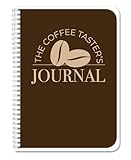
- Made in USA - Proudly produced in Ohio by a Veteran-owned business
- Track your coffee journey: The Coffee Taster’s Journal allows you to record detailed information about the coffees you try, from the bean origin and roast to the flavor profile and aroma. This can help you track your preferences and identify the types of coffee you enjoy most.
- Become a coffee connoisseur: By recording your tasting experiences, you'll start to develop a more refined palate and be able to identify subtle differences in coffees. You'll be able to distinguish between different bean origins, roasts, and brewing methods.
- Durable translux cover great for travel: Our unique cover is a semi-rigid transparent cover that leads to a sturdy book that resists stains and wrinkles. Regardless where you taste your coffee, this 5” x 7” book is a great size for travel and won’t rip or tear in your bag.
- Reorder SKU: JOU-100-57CW-PP(Coffee-Tasting)
Filtru reports 4.8 stars from 11,914 App Store ratings on its product page; the page’s rating snapshot has no stated year, and it is a vendor-reported figure rather than an independently audited result.
Choose Beanconqueror if you want a broader tracking system
Beanconqueror describes detailed brew records, statistics, and Bluetooth device connections, alongside tracking for beans and roasting in its project and store materials. Its feature set is broad, so a brewer who wants more than a basic timer should inspect the current interface and decide whether its record-keeping depth feels manageable.
The Tool Desk
Outbyte PC Repair FREERepair Windows errors before they cause bigger problemsFix Now →Outbyte Driver Updater FREEScan for outdated or missing drivers - takes under a minuteDriver Scan →Rank #3

- 🎨 [ORIGINAL DESIGN] Features A Unique, Original Design By Skilled Designers, Adding A Touch Of Style To Your Everyday Notebook.
- 🖋 [SMOOTH, INK-RESISTANT PAPER & DURABLE BINDING] High-Quality Paper Ensures Smooth Writing With No Ink Bleed-Through. The Waterproof, Scratch-Resistant Cover And Sturdy Coil Binding Allow Pages To Lay Flat For Easy Writing.
- 🎒 [COMPACT & CONVENIENT] Measuring 8.3" x 5.5", It’S Easy To Carry In Your Hand Or Slip Into A Bag, Making It Perfect For On-The-Go Use.
- 💼 [IDEAL FOR ALL USERS] Perfect For Students, Professionals, Creatives, And Anyone Who Enjoys Writing, Drawing, Or Sketching—Versatile For All Needs.
- 🎁 [PERFECT FOR GIFTING] With Its Designer Cover, This Notebook Is A Thoughtful And Stylish Gift For Any Occasion.
Choose BeanBench if export and importing an existing log are priorities
BeanBench’s developer lists CSV and JSON export, as well as import from Beanconqueror. Those capabilities may matter if you want to keep a copy of your records or are moving from that app. The developer also lists detailed brew logs, a bean library, analytics, and fields for TDS and extraction yield.
Consider a simpler timer if you mainly need prompts
Reader discussions also mention iBrewCoffee and Timer.coffee, but the available references do not establish authoritative feature details or current availability. Treat them as names to investigate rather than assume they offer a particular logging or export workflow.
Rank #4

- PERFECT GIFTS: A hardcover notebook is a thoughtful gift to impress your friends, coworkers, or loved ones, a writing journal for women's work journal is both practical and stylish, and a must-have for stationery lovers.
- VERSATILE USE: Spiral notebooks are perfect for school, office, classroom, home, business, and travel. You can use college ruled notebook for note-taking, journaling, drawing, sketching, composing, and meeting notebooks.
- EASY TO CARRY: Perfectly sized to fit in your bag, backpack, or briefcase, ensuring you can take a spiral notebook college ruled and be inspired anytime, anywhere.
- SIZE: Our journaling notebooks measure approximately 5.5X8.3 inches with 164 lined pages, journals for writing perfect for whatever you're writing.
- QUALITY PAPER: The college notebook paper is smooth and acid-free, which prevents ink from bleeding and ensures that your writing is clear and crisp on every page.
Build a log you will actually use
More fields do not automatically make a better record. Start with enough information to recognize the coffee and recreate the brew, then add detail only when it helps explain a result.
- Identify the coffee. Record the bean or blend and roaster, and add roast information if it helps you distinguish coffees.
- Save the recipe. Note the brew method and the parameters you want to repeat, such as coffee dose, water amount, temperature, grind setting, and brew time where applicable.
- Write a short sensory note. Capture what stood out in the cup in your own words, along with a rating if that is useful to you.
- Record one change to try. If the brew missed the mark, note the next adjustment rather than changing several variables without a record.
- Review your entries. Search or compare brews when you want to find a recipe or see whether a change coincided with a different result.
This is a practical logging routine, not a claim that any particular app or set of parameters guarantees better coffee. Its usefulness depends on recording consistently enough to make meaningful comparisons.
Best Value

- 【A perfect gift for coffee lovers】Crafted with an elegant embossed leather cover, soft touch, and premium texture. A5 size (16 × 21 cm), includes 1 gel pen. Perfect for Christmas, birthdays, and celebrations.
- 【Reinforced Binding, Built to Last】 Strong stitched binding enhances durability and prevents cracking or page loss. The spine also doubles as a convenient pen holder for added practicality.
- 【100 GSM Thick Paper, No Bleed-Through】 Made with 100 GSM acid-free paper, 288 pages total. Resists ink bleed-through, ghosting, and shadowing—ideal for various pens and smooth writing.
- 【Thoughtful Functional Details】 Includes a ribbon bookmark for easy page marking, an elastic closure band for secure fastening, and an inner pocket for cards, notes, and receipts.
- 【Versatile Use & Ideal Gift】 Perfect for work, study, meetings, and journaling. Suitable for professionals and students. A practical and thoughtful gift for friends, family, and colleagues.
When a Bluetooth scale helps—and when it does not
A connected coffee scale can reduce manual entry during brewing. Filtru says a supported Bluetooth scale can contribute poured weight, yield, and a brew graph; Beanconqueror describes Bluetooth device connections, and BeanBench lists scale support. A scale for logging coffee brews is optional: it is only useful if your existing device is compatible with the specific app and the measurements suit your workflow. Do not assume that every Bluetooth scale works with every app.
Check platform and data needs before committing
Filtru describes its app as available for iPhone and iPad; Beanconqueror links to Apple and Google app listings; BeanBench states an iOS 17-or-later requirement. Confirm the current store listing for your device before choosing, since app availability and requirements may change.
If you have years of notes or want to preserve your records outside an app, check import and export options before moving. Among the capabilities documented here, BeanBench explicitly lists CSV/JSON export and import from Beanconqueror; comparable export details for Filtru and Beanconqueror are not established in the cited product descriptions summarized here.
Quick Recap
Product prices and availability are accurate as of the date/time indicated and are subject to change. Any price and availability information displayed on Amazon at the time of purchase will apply.
Recommended Free Tools

