
Yes. VLC 3.0.23 adds an official native ARM64 build for Windows, so Snapdragon laptops can run a VLC executable compiled for Arm rather than the x64 version through Windows emulation. VideoLAN released it on January 8, 2026, and lists Windows 10 version 1809 (build 17763) as the minimum OS. Native support is confirmed; a specific improvement to playback smoothness or battery life has not been measured in the cited sources.
What VLC’s Windows ARM64 support means
Windows on Arm can run compatible x86 and x64 applications through emulation. VLC 3.0.23 adds a separate ARM64 build, compiled for Windows devices with Arm processors. Using that package avoids running VLC’s x64 executable through the x64 emulation layer.
This is relevant to Snapdragon-powered Windows PCs, including Snapdragon X Elite and X Plus systems. The release establishes that VLC supports the ARM64 Windows target; it does not report model-specific tests or quantify a performance difference.
What changed in VLC 3.0.23
VideoLAN released VLC 3.0.23, the 24th update to its 3.0 branch, on January 8, 2026. Alongside Windows ARM64 support, the release updates codecs, adds a dark-mode option on Windows and Linux, and improves Windows XP SP3 support. VideoLAN also describes the release as its largest bug-fix release and notes stability and security improvements to demuxers. Read VideoLAN’s release announcement.
#1 Best Overall

- ⚠️ IMPORTANT — READ BEFORE BUYING: This USB reinstalls/repairs the Windows operating system only. It CANNOT fix failing hardware (dead motherboards, bad RAM, failing hard drives, or PCs that won't power on/enter BIOS). If your computer won't turn on or won't access BIOS/UEFI setup, this tool will not resolve that — please verify your PC can enter BIOS before purchasing.
- NO PRODUCT KEY INCLUDED. WINDOWS OPERATING SYSTEM ONLY.
- Bypasses TPM, Secure Boot, RAM minimums, and Microsoft account requirements where applicable
- Compatible with ARM-based devices including Surface Pro X, Snapdragon laptops, Virtual Machines and some Raspberry Pi Models
- Family owned business, handmade and tested in Texas at our little tech shop!
The release page specifies ARM64 support for Windows 10 RS5 build 17763, also known as version 1809, or newer; it says VLC runs through Windows 11. See the VLC 3.0.23 release notes.
Download and install VLC for Windows on Arm
VideoLAN provides official ARM64 packages in several formats: EXE installer, MSI installer, 7-Zip archive, and ZIP archive. Choose the format that suits how you install or manage software; for most people, the EXE installer is the straightforward option.
Rank #2

- Dual USB-A & USB-C Bootable Drive – compatible with nearly all Windows PCs, laptops, and tablets (UEFI & Legacy BIOS). Works with Surface devices and all major brands.
- Fully Customizable USB – easily Add, Replace, or Upgrade any compatible bootable ISO app, installer, or utility (clear step-by-step instructions included).
- Complete Windows Repair Toolkit – includes tools to remove viruses, reset passwords, recover lost files, and fix boot errors like BOOTMGR or NTLDR missing.
- Reinstall or Upgrade Windows – perform a clean reinstall of Windows 7 (32bit and 64bit), 10, or 11 (amd64 + arm64) to restore performance and stability. (Windows license not included.). Includes Full Driver Pack – ensures hardware compatibility after installation. Automatically detects and installs drivers for most PCs.
- Premium Hardware & Reliable Support – built with high-quality flash chips for speed and longevity. TECH STORE ON provides responsive customer support within 24 hours.
- Open VideoLAN’s Windows download page.
- Select the ARM64 build and download the package type you want. Avoid selecting the x64 build if your aim is to install the native Arm version.
- For the EXE or MSI installer, open the downloaded file and follow its prompts. For a 7-Zip or ZIP package, extract the files and launch VLC from the extracted folder.
- Confirm that the PC is running Windows 10 version 1809 (build 17763) or newer before installing.
VideoLAN’s archive also lists the corresponding Windows ARM64 binaries for version 3.0.23. View the VLC 3.0.23 ARM64 archive.
Does native VLC improve playback or battery life?
Native ARM64 support removes the need to run VLC’s x64 application through Windows x64 emulation. That is an architectural difference, not a published benchmark. VideoLAN’s release information does not provide controlled tests for frame rate, startup time, processor use, or battery life on Snapdragon X Elite, X Plus, X2, or a named laptop.
Recommended Free Tools
Rank #3
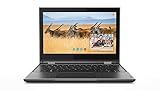
- Processor Manufacturer: Intel
- Processor Type: Celeron
- Processor model: N4100
- Processor speed: 1.10 GHz
- Processor Core: quad-core (4 Core)
Any practical difference depends on the device, codec, drivers, and playback workload. Treat native compatibility as established, but do not assume a particular speed or battery-life gain without a test on the same PC and media.
Is the Microsoft Store version ARM64?
In a 2024 developer-list response, VLC developer Steve Lhomme said the Microsoft Store version at that time supplied only x64 binaries. That statement describes the Store offering then; it does not establish the architecture of every later Store listing. The VLC 3.0.23 ARM64 packages are available directly from VideoLAN, which is the clearest documented route to the native build. Read the 2024 developer-list response.
Rank #4

- Intel Core 2 Duo Processor; 2 GB DDR2 Memory
- 80 GB Hard Drive
- Microsoft Windows Professional 32Bit.
- Microsoft is discontinuing offering Windows 7; this product will be installed with either Windows 7 or Windows 10.
- Built in Wi-Fi
What you can play with VLC
VLC describes itself as free and open source, with support for most multimedia files, DVDs, Audio CDs, VCDs, and streaming protocols. Its feature list also covers hardware decoding, HDR, 4K and 8K playback, 360-degree video, and Chromecast streaming. Whether a particular format or feature works as expected can still depend on the file, hardware, and system configuration. See VLC’s features and supported media overview.
Quick Recap
Best Value

- Complete All-in-One Dual USB-A & USB-C System Toolkit – boot, repair, recover, reinstall, reset forgotten Windows or Linux passwords, restore files, access locked systems, run LIVE/install best Linux OS systems - all from one ultra-fast 128 GB USB 3.0 drive loaded with premium Linux and Windows utilities.
- Fully Customizable USB – easily Add, Replace, or Upgrade any compatible bootable ISO app, installer, or utility (clear step-by-step instructions included).
- Powered by the most powerful Multi-Boot Manager – easily launch dozens of OS and recovery tools without reformatting. Works with laptops, desktops, mini-PCs, Windows tablets and other modern USB-C devices — no adapters or setup required.
- Includes 31+ OS & Utilities (x86-64 & ARM64) – Linux Ubuntu, Kali, Mint, Tails, retro-gaming emulator - Batocera (ready to play), Garuda, Fedora, openSUSE, Solus, CAINE Digital Forensics, 3D printing and engineering Linux OS, Windows Installers, DriverPacks, Antivirus Rescue Disks, and much more!
- Premium Hardware & Reliable Support – built with high-quality flash chips for speed and longevity. TECH STORE ON provides responsive customer support within 24 hours.
Product prices and availability are accurate as of the date/time indicated and are subject to change. Any price and availability information displayed on Amazon at the time of purchase will apply.

