
A real console remains the reference for guaranteed game compatibility and original physical behavior. A well-configured software emulator can be highly accurate and even achieve next-frame responsiveness, while an FPGA platform such as MiSTer offers real-time, hardware-style execution with optional original peripherals. The right choice depends on the specific system, game, core or emulator, BIOS, controller path and display—not on the word “emulation” alone.
How the three approaches differ
| Criterion | Original console | Software emulator | FPGA platform |
|---|---|---|---|
| Compatibility | Highest confidence for software and accessories made for that console, subject to region and hardware condition. | Varies by emulator, core, game, BIOS and settings; edge cases can fail. | Varies by core; verify the specific core’s compatibility and documented limitations. |
| Timing and latency | Original hardware timing, with additional delay possible from the controller and display chain. | Can be very low, but depends on synchronization, frame pacing, computer and display. | Real-time core execution with a separately measurable input, processing and display path. |
| Video and audio | Authentic signal and behavior, although modern displays may require conversion. | Flexible scaling, shaders and output formats; accuracy depends on the emulator or core. | Modern digital outputs with hardware-style behavior; each core has its own implementation and limits. |
| Controllers and peripherals | Native support for original accessories. | Broad controller support, but unusual peripherals may need adapters or special software. | Original controllers and peripherals can work through SNAC adapters on supported cores. |
| Convenience | Insert the game and play, but changing systems and preserving state are less convenient. | Save states, rapid system switching, portability, scaling, shaders and other software features. | Console-like operation with modern outputs, but hardware assembly and configuration are required. |
| Multiplayer | Local multiplayer through the console’s native ports and accessories. | Local play plus netplay where the core is deterministic and both players use identical content. | Primarily hardware-style local play; online features depend on the surrounding setup and core. |
| Maintenance | Aging capacitors, connectors, optical drives and cartridges may need service. | Updates, controller mappings and per-core configuration are the main maintenance tasks. | Requires board, memory, storage, updates and possibly controller or video adapters. |
| Software access and legal risk | Uses physical or otherwise lawfully obtained software in the original device. | Legal status depends on how game and BIOS files were obtained and used. | Uses core and software files whose legality likewise depends on their source and use. |
Which is more accurate?
Original hardware is the compatibility benchmark
The original console reproduces the electrical timing, cartridge or disc behavior, controller protocol and accessory interfaces for which the game was designed. It is the safest choice when a particular title, peripheral or unusual hardware behavior must work exactly as intended. That advantage comes with aging components, region restrictions, accessory availability and the need to convert older video signals for many modern televisions.
Software emulation reproduces behavior to different depths
Accuracy is emulator- and game-specific. Some emulators model hardware closely; others use higher-level emulation that reproduces expected outputs rather than the original internal behavior. Libretro notes that high-level approaches can expose bugs or glitches when a game depends on details the model does not reproduce. BIOS selection and configuration also matter, especially for systems whose firmware initializes hardware or handles timing.
FPGA cores execute in real time, but remain core-specific
MiSTer’s documentation describes its FPGA cores this way: “FPGA cores run in real time, as the original hardware did.” An FPGA core is therefore not a universal accuracy guarantee. Compatibility, timing details, video behavior and peripheral support still depend on the individual core and its documented status. Treat each core as a separate implementation to evaluate.
The Tool Desk
Outbyte Driver Updater FREEFix the driver behind crashes, sound loss and screen glitchesFind Drivers →Outbyte PC Repair FREERepair Windows errors before they cause bigger problemsFix Now →#1 Best Overall

- [Compatible with Various SOMs] Sipeed Tang Console FPGA development board enjoy powerful FPGA performance with configurations up to 60K/138K LUT4s, onboard Mega 138k/60K SOM CPU, 468Kbit SSRAM 2124Kbit BSRAM/1080Kbit SSRAM 6120Kbit BSRAM, 4Gbit 16bit DDR3 RAM/8Gbit 32bit DDR3 RAM. Ensuring smooth operation for your projects and games.
- Rich Expansion] Sipeed Tang Console FPGA Dev Board onboard PCIe Gen2/3 x 1 FPC connector, USB3 x 2 (Type-A, Device, 5Gbps or 10Gbps), USB2 x 2 (Type-A, Host, 1.5Mbps or 12Mbps), HDMI TX x 1 (1080P 30Hz/720P 60Hz), Soft-PHY USB2 x 1 (Typc-C, Device, 480Mbps), PMOD x 2 Standard Pitch Port, microSD slot x1 (Supports 4-bit SDIO/MMC or SPI mode). Support USB JTAG and UART.
- [High Performance] Sipeed Tang Console FPGA single board computer supports multiple Tang Core emulator cores,(NESTang/SNESTang/GBATang/MDTang/SMSTang), Onboard BL616 MCU, supports running TangCore firmware for BL616, which can be used as FPGA debugger. Able to meet different developers' needs.lts small size allows it to fit in a card box, making it highly portable and easy to integrate into any setup.
- [Multi-Mode Functionality] Sipeed Tang Console uses it as an FPGA development board, a RPi5 PCle FPC HAT, a retro gaming console, or a handheld device-endless possibilities in one versatile package. Equipped with dual PMOD and dual 40P interfaces, supports fast switching between emulator cores. The Tang Console offers strong expandability for your custom projects.
- [Gamestick HDMI Gaming Experience] Sipeed Tang Console FPGA Retro Game Console support 1080P HD HDMI output, suitable for different monitors, can be connected to TV/computer/TV set-top Box /PC/Laptop/Projector, perfect to meet your high resolution and game configuration needs. The retro game Console stick also support saving game progress, perfect for gaming at any time
Does emulation add input lag?
Latency is a chain, not a single emulator number
Player input passes through the controller, operating system or FPGA interface, emulation or core processing, frame synchronization, the video connection and the display’s own processing. A fast emulator can still feel slow on a television with heavy image processing, while a well-configured setup can feel immediate. Wireless controllers, USB polling, frame queues and refresh-rate mismatches can also change the result.
What RetroArch’s documented target means
Libretro documents “next-frame responsive time” for RetroArch and says that latency of 16 ms or less can be achievable with suitable configuration. Its latency documentation also states that “zero frames of input lag is achievable” under appropriate conditions. These are configuration-dependent capabilities, not a promise for every computer, core, controller or display.
MiSTer’s separate latency stages
MiSTer documentation separates input, processing and display latency. Display settings can add roughly two frames, or about four scanlines in the documented examples, depending on the output mode. The core may therefore be responsive while a particular display configuration adds visible delay.
Rank #2

- 🎮 20,000+ Classic Games: This retro gaming console comes preloaded with over 40,000 classic games from your favorite retro consoles. Play instantly—no downloads, no internet needed!
- 📡 Dual Wireless Controllers: Enjoy smooth, lag-free gaming with two 2.4GHz wireless controllers. Play comfortably from anywhere without tangled wires, making multiplayer fun hassle-free.
- 🖥 4K HDMI Output: Connect the game stick to your TV, PC, or projector via HDMI and experience stunning 4K visuals for an immersive and crystal-clear gaming experience.
- 🔌 Plug & Play: Setup is super easy! Simply plug in the console, connect to your TV, and start playing immediately—no complicated installation required.
- 🎁 Perfect for All Ages: Whether you're introducing the next generation to classic entertainment or reliving nostalgic moments, this system makes an ideal gift for any occasion. Perfect for family gatherings, holidays, or just downtime fun.
Practical software-emulation tuning
- Use a refresh rate that matches the system’s expected timing as closely as your display allows.
- Configure synchronization and frame-pacing options before increasing visual enhancements.
- Test frame delay and swap-chain settings cautiously; aggressive values can cause stutter or dropped frames if the computer cannot sustain them.
- Disable unnecessary television processing and use a display mode intended for games.
- Check controller connection and mapping latency separately from emulator settings.
- Evaluate the exact game and core, because one system or title can behave differently from another.
Video, audio and original peripherals
When authentic output matters
Original hardware is preferable if you need the console’s native signal characteristics, accessory timing or physical cartridge and disc behavior. Modern displays may not accept those signals directly, so a converter or scaler becomes part of the real-console setup and can introduce its own processing delay.
Free tools Windows power users keep installed
One-click scans. No signup required.
Why software emulation is more flexible
Software can offer integer scaling, aspect-ratio controls, shaders, resolution changes, screenshots and recording without modifying the original machine. Those features improve usability but do not automatically make the underlying emulation more accurate. Audio timing and video synchronization still depend on the selected core and the host system.
MiSTer and SNAC
MiSTer supports original controllers and peripherals through SNAC adapters on supported cores. That can provide an authentic controller or light-gun experience while retaining modern video outputs. Support is not universal: confirm that the particular core and accessory are listed as compatible before buying an adapter.
Rank #3

- MASSIVE 20,000 CLASSIC GAMES: Built-in 20,000 classic video retro stick with 4k hdmi, games and 23 emulators console for retro gaming, game emulators support arcade, tv game, video gaming nostalgia.
- ULTRA 4K HD EXPERIENCE: Retro gaming console 4k hdmi video game, hdmi tv game console, retro gaming console for tv in classic white, 4k hd hdmi tv retro stick design for gaming and console nostalgia.
- DUAL 2.4G WIRELESS CONTROLLERS: Wireless controllers for game console, 2.4g wireless tv game console with low-latency response, play video game console for tv with family, no tangled cables.
- EASY PLUG & PLAY SETUP: Plug and play video games for tv via hdmi tv gaming console with 4k hdmi game experience, connect the retro game console to hd hdmi tv in seconds, ideal for all ages.
- WHAT YOU GET: Retro wireless gaming console stick video retro stick built-in, console stick with 23 emulators, dual 2.4g controllers, hdmi cable, user guide, compact white retro stick for travel.
Convenience, portability and multiplayer
Software features
Software emulation is the practical winner for carrying many systems on one computer or handheld. Save states, rapid switching, scaling, shaders and configurable hotkeys remove much of the friction of original hardware. These features can also change the experience: a save state is a convenience rather than a behavior the original console provided.
Netplay conditions
RetroArch netplay relies on deterministic cores and identical content on the host and client. Different core versions, settings or game files can produce desynchronization even when the players are using the same system family. Netplay therefore requires matching software and a stable network, not merely an emulator with an online menu.
What’s actually slowing this PC down?
Pick the symptom - the matching free tool is one click away.
FPGA portability trade-off
A MiSTer setup is smaller and more flexible than collecting every original console, but it is still a dedicated hardware project. You need the board, compatible memory, storage and any required controller or video adapters, followed by core installation and configuration. It is less convenient than launching an emulator on hardware you already own.
Rank #4
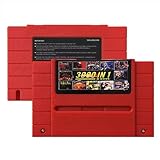
- Vast Retro Game Collection: Comes pre-loaded with thousands of classic 16-bit game ROMs on an 8GB mini SD card, offering instant access to an immense library right out of the box.
- Broad System Compatibility: Designed to be highly compatible with most original 16-bit Super Console systems (supports NTSC/PAL auto-switching), making it ideal for diverse retro gaming setups.
- Personalized Game Management: Easily add, delete, and rename your own game ROMs (supports up to 32GB TF cards, 8GB recommended for stability) with simple folder navigation for a truly customized experience.
- Reliable Battery-Free Saves: Features 32KB FRAM for automatic, persistent game progress saving, eliminating the need for internal batteries and ensuring your achievements are never lost.
- Authentic & Smooth Gameplay: Equipped with a low-latency FPGA chip that replicates original console performance, minimizing screen smearing and sound delays for a genuine, immersive retro gaming experience.
Maintenance and total cost
Original consoles
Budget time for cleaning, replacement parts and possible repairs as hardware ages. Cartridge contacts, optical drives, capacitors and proprietary cables can become failure points. Region-specific models may also require matching games, power equipment or accessories. If the console outputs an analog signal, a quality scaler or converter may be necessary for a modern display.
Software emulation
The computer or handheld is usually the largest existing cost. Ongoing work is mostly software updates, per-core settings, controller mappings and troubleshooting. Performance requirements vary by system; a setup that handles one generation easily may need more processing headroom for another.
FPGA systems
The cost is distributed across the FPGA board, memory, storage, case or cooling if desired, controller adapters and display hardware. The benefit is predictable real-time execution and a console-like workflow; the trade-off is higher setup effort and core-by-core verification.
Is emulation legal if you own the game?
Owning a game does not automatically authorize every download
Legal analysis depends on the country, the particular file, how it was made and how it was obtained. Nintendo’s piracy guidance states that uploading or downloading unauthorized ROMs is illegal and warns that circumvention products can reduce functionality and affect warranty coverage. Possessing a cartridge or disc does not by itself create a blanket right to download a ROM or BIOS file from an unauthorized source.
What U.S. court decisions actually establish
In Sega v. Accolade, the Ninth Circuit held that reverse engineering to access unprotected functional elements could qualify as fair use in the circumstances before the court. In Sony v. Connectix, the court applied fair-use analysis to intermediate BIOS copying during development of an independently written emulator. Both decisions are fact-specific and jurisdiction-specific; neither is a general piracy license.
Quick Recap
Safer compliance principles
- Use games and firmware obtained through channels authorized for your region.
- Do not upload or download unauthorized ROM or BIOS files.
- Check local law before making personal copies, modifying firmware or using circumvention tools.
- Do not assume that a court decision from the United States controls another country or a different set of facts.
Choosing the right option
Choose the original console when
- A specific game or accessory must work with the least compatibility uncertainty.
- You value cartridge or disc handling, original timing and authentic signal behavior.
- You already have working hardware and are prepared to maintain it and solve display-connection issues.
Choose software emulation when
- You want portability, broad system coverage, save states, scaling, shaders or quick system switching.
- You need netplay and can provide matching deterministic cores and content.
- You are willing to tune synchronization, frame delay, swap-chain, controller and display settings for low latency.
Choose an FPGA platform such as MiSTer when
- You want real-time, hardware-style execution with modern video outputs.
- Low and predictable latency matters, and you are comfortable measuring the display path separately.
- You want original controllers or peripherals through SNAC on supported cores and accept the setup, hardware and core-specific limitations.
Product prices and availability are accurate as of the date/time indicated and are subject to change. Any price and availability information displayed on Amazon at the time of purchase will apply.

