
Crashes, No Sound, or Screen Glitches?
Random freezes, missing sound and display glitches usually trace back to one bad driver. Find and replace yours safely.Free scan · under a minuteWindows Errors? Fix Them Before They Spread
Repair common Windows errors and clear accumulated junk for a smoother, more stable PC - no reinstall needed.Free scan · no reinstallYes—VBE7 was the working vBIOS editor people were looking for in 2013, but only for the right Radeon HD 7000-series cards and ROMs. It exposes core and memory clocks, voltages, OverDrive limits, TDP and power limits, fan behavior, and selected board identifiers. It is not a universal AMD BIOS editor, and its documented limitations—especially no UEFI/GOP support and restricted 2D/UVD power-play editing—matter before you change anything.
The tool’s historical capabilities are described in AnandTech forum discussions dated October 9 and October 17, 2013. Its present maintainer, official download location, checksum, and compatibility with modern operating systems are not established, so treat reposted binaries as unverified legacy software.
What VBE7 is—and which cards it targets
VBE7 is an editor for Radeon HD 7000-series vBIOS images, not a general editor for every AMD generation. Contemporary descriptions specifically name the Cape Verde, Pitcairn, and Tahiti families. A card carrying an HD 7000-series model name is therefore only a starting point: the exact GPU, board design, memory configuration, voltage controller, and ROM format still determine whether an edit is appropriate.
Requests for other generations in later forum discussion were outside VBE7’s intended scope. Do not assume that a ROM from a different Radeon family can be opened, modified, or flashed safely just because the file looks similar.
The Tool Desk
Outbyte Driver Updater FREEFix the driver behind crashes, sound loss and screen glitchesFind Drivers →Outbyte PC Repair FREEClear out junk files and repair common Windows errorsFree Scan →#1 Best Overall

- Authentic Original Genuine Dell Replacement Part
- For Desktop PCs via PCI-E Connection, Full High
- PNs: VVYN4 AMD HD7470 HD-7000 7470 7570 C264
- 01308-01 ATI 102-C6405 113-C2641100-108OUGA9 G742V
- HD7470 1Gb 1DP 1DVI-I Full Height Pegatron OUGA9
What the editor can change
The October 9 VBE7 discussion lists these controls. They are feature statements from the tool’s description, not performance guarantees or independent test results.
| Area | Documented controls | Important qualification |
|---|---|---|
| Operating points | Core and memory clocks; selected voltages | Voltage editing depends on the regulator being supported. |
| OverDrive limits | Core-clock and memory-clock limits | These change the limits exposed to software; they do not guarantee that a GPU or memory kit can run at them. |
| Power behavior | TDP limit and power limit | Changing a limit can increase electrical and thermal stress. |
| Cooling | Custom fan profile | A profile should be checked against the board’s cooler and safe operating temperatures. |
| Board identifiers | Vendor ID and subsystem ID | The description marks this option “not recommended.” |
Hard limits you should understand first
2D and UVD power-play states
VBE7’s documented scope does not let you raise 2D or UVD clocks above the values already stored in the BIOS, and it does not let you change 2D or UVD voltages. Those are intentional boundaries rather than missing sliders.
Rank #2

- Chipset: AMD RX 7600
- Memory: 8GB GDDR6
- XFX SWFT Dual Fan Cooling Solution
- Boost Clock: Up to 2655 MHz
Voltage-controller support
Only listed voltage regulators receive full support. If the editor encounters an unknown regulator, it uses a predefined table. That makes the regulator on your specific board a compatibility check, not a detail to discover after flashing.
UEFI and GOP ROMs
The VBE7 discussion explicitly says it does not work with UEFI/GOP BIOS images. A ROM containing a UEFI Graphics Output Protocol module is therefore outside the documented support boundary. Identify the ROM format before loading it and do not try to force an edit through the program.
Rank #3

- Brand: Dell 0 wh7 F, 00 wh7 F Low Profile video cards
- GPU: AMD Radeon HD 6450
- Memory type: 1GB DDR3 64-bit memory
- 3d API: DirectX 11, OpenGL 4.1
- Interface: PCI Express 2.1 x16
Compatibility checklist before editing
- Record the exact card model, board revision, GPU family, memory type, and memory size.
- Identify the voltage controller and compare it with the regulators VBE7 supports.
- Determine whether the source ROM contains UEFI/GOP code.
- Confirm that the ROM belongs to the same physical board, not merely a similar retail model.
- Check that you have a recovery method: a second BIOS position, another display adapter, or another machine that can restore the original ROM.
If any of those checks is unknown, stop at identification. Editing a ROM you cannot positively match to the board creates avoidable recovery risk.
A cautious edit-and-flash workflow
- Save the original ROM. Extract the card’s current vBIOS with a trusted method and keep multiple copies in separate locations. Do not edit the only copy.
- Verify the backup. Re-read the ROM, compare the files, and record the file size and board identity. The backup is your restoration image.
- Inspect before changing. Open the untouched image in VBE7 and review the clocks, voltages, power limits, fan table, regulator information, and ROM format. If it is a UEFI/GOP image or the regulator is unsupported, do not continue.
- Make one controlled change. Change a single value or related group, such as a modest clock adjustment, and leave identifiers alone. Keep a written record of the original and new values.
- Save a new image. Use a different filename from the backup. Reopen the saved file and confirm that the intended field changed while unrelated fields remained intact.
- Prepare recovery before flashing. Install the card in a configuration that gives you a display even if the modified ROM fails. A dual-BIOS switch can help, but forum reports of recovery are anecdotal and do not guarantee that every board will recover.
- Flash using the established utility for that board. Follow the flasher’s documented syntax and board-specific precautions; VBE7 edits the image but is not itself a universal flashing procedure.
- Validate after reboot. Check that the system identifies the card correctly, idle and video-decode states behave normally, fan control responds, and load stability is acceptable. If the card shows corruption, instability, or no display, switch to the recovery path and restore the untouched ROM.
VBE7 compared with YAABE
YAABE is a related AMD/ATI vBIOS editor that describes itself as exposing full AtomBIOS data structures. The available description does not establish feature parity with VBE7, so the comparison is necessarily limited.
Rank #4

- Interface: PCIe x16
- Memory: 1GB
- Memory type: DDR3
- Connectors: 1 x DVI, 1 x DisplayPort
- Thermal Solution: Fan with Heatsink
| Comparison axis | VBE7 | YAABE |
|---|---|---|
| GPU-generation focus | Radeon HD 7000-series; Cape Verde, Pitcairn, and Tahiti are named. | AMD/ATI coverage is described broadly; exact generation coverage is not stated in the available description. |
| Editable structures | Clocks, voltages, OverDrive limits, TDP/power limits, fan profile, and IDs. | Full AtomBIOS data structures are the stated focus; individual controls are not stated. |
| UEFI/GOP handling | Documented as unsupported. | Not stated in the available YAABE description. |
| Voltage-controller behavior | Full support only for listed regulators; unknown regulators use a predefined table. | Not stated. |
| Current maintenance and download | Current official host, maintainer, checksum, and modern OS compatibility are unverified. | Current maintenance and a verifiable download are not established here. |
Choose based on a verified match between the editor and your ROM, not on the number of fields an interface displays.
Independent reader supportYour contribution helps us test, update, and keep practical guides available for everyone.What the historical reports prove—and what they do not
AnandTech members reported successful VBE7 edits and flashes, including recovery planning around dual-BIOS boards. Those are user reports, not controlled testing. The discussions do not establish a success rate, a typical performance increase, a temperature reduction, or a failure percentage. They also do not prove that an old binary will run safely on a current operating system or that a mirror is an official distribution channel.
What’s actually slowing this PC down?
Pick the symptom - the matching free tool is one click away.
Best Value
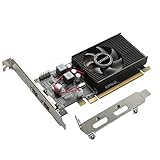
- 1GB GDDR3 Memory: Radeon HD 6570 graphics card, 650MHz core frequency, up to 1066MHz memory speed, allows good fluency, which can speed up your PC multimedia experience very well and enjoy ultra-fast web browsing and incredible photo and video editing experience. It can effectively meet your needs
- Dual HDMI Video Cards: The computer graphics card supports dual HDMI displays (single audio only), expansion or extension, can be used at the same time, and 1GB video memory capacity, lower working temperature and higher efficiency, low noise and quiet work
- Low Profile Design: This low profile graphics card with single cooling fan is suitable for slim or full sized systems (with low profile bracket), easy to install, plug and play, 480 stream processor chip (CUDA), PCIe single slot design, compatible with HTPC platform,great for those looking to build a low end pc
- Durable Construction: All solid capacitors provide lower temperature, higher efficiency, integrated thickened heat dissipation module, strengthened PCB materials, make games and works performance more stable. And the maximum resolution can up to 2K, support DirectX 11, OpenGL 4.5
- Independently Powered: No external power supply, about 60W full-load power consumption. Works with Windows 10 as well as 7, 8 and 8.1 (NOT compatible with Windows 11)
Should you use VBE7?
- Reasonable case: you have a matching HD 7000-series ROM, a supported regulator, a non-UEFI/GOP image, a verified backup, and a recovery route.
- Stop and reassess: the ROM is UEFI/GOP, the regulator is unknown, the card family is outside Cape Verde/Pitcairn/Tahiti, or you cannot restore the original image.
- Keep expectations realistic: raising clocks, voltage, or power limits can increase heat and component stress, while the editor itself cannot make an unstable GPU reliable.
VBE7 was significant because it provided a practical editing surface for a specific Radeon generation. Its value today is historical and hardware-dependent: verify every compatibility boundary before treating an old forum success as a safe recipe for your own card.
Quick Recap
Product prices and availability are accurate as of the date/time indicated and are subject to change. Any price and availability information displayed on Amazon at the time of purchase will apply.

