
The Tool Desk
Outbyte PC Repair FREEClear out junk files and repair common Windows errorsFree Scan →Outbyte Driver Updater FREEFix the driver behind crashes, sound loss and screen glitchesFind Drivers →A random hard reset on an HP EliteDesk 800 G4 Mini cannot be assigned a single fix from the symptom alone. First determine whether the event is an operating-system crash or a power, thermal, memory, storage, firmware, or motherboard failure below the normal shutdown path. Preserve the evidence, run HP’s preboot diagnostics, verify the exact external adapter, and only then isolate software and hardware changes.
What a hard reset tells you
If logs stop abruptly and the computer restarts without a clean shutdown record, the event is consistent with something below the ordinary OS shutdown path. That observation is not a diagnosis: an adapter or mains interruption, thermal protection, unstable memory or storage, firmware, motherboard hardware, or a kernel/driver fault can produce a similar symptom.
The frequency reported in one AnandTech discussion—once every one to two days on a Proxmox system—is one owner’s experience, not a failure rate or proof of a model-wide defect. The reported machine had an i7-8700T, 64 GB of RAM, two NVMe drives, and a 90 W HP adapter; do not assume those components or that adapter are correct for your Mini. Read the AnandTech report.
Collect evidence before changing anything
Write down the exact local and UTC time of every reset and what happened immediately beforehand. Record whether the power LED went out, fans stopped, the system restarted by itself, or it remained powered but became unreachable. Save logs before changing BIOS settings, updating packages, or removing components.
#1 Best Overall

- Powerful Performance: Intel Core i5 Hexa Core processor for reliable multitasking and smooth computing.
- Fast & Efficient: 16GB DDR4 RAM and 250GB SSD for quick startup and performance.
- Windows 11 Pro: Modern operating system with professional-grade tools and enhanced security.
- Compact Design: Space-saving mini chassis fits neatly on or under your desk.
- Renewed Quality: Professionally tested and renewed to perform like new; may show minor cosmetic wear.
- Identify the exact HP product number, serial number, CPU, memory, storage devices, BIOS revision, and external adapter part number and rating.
- Record the operating system or hypervisor and its version, recent hardware or software changes, and whether the event occurs at idle, under CPU load, during disk or network activity, after resume, or during a scheduled task.
- On Linux or Proxmox, preserve the previous boot’s journal (for example,
journalctl -b -1), kernel messages, machine-check or EDAC reports when supported, and power and thermal readings. Configure persistent logging if a reboot currently erases the evidence. - On Windows, correlate Reliability Monitor and Event Viewer entries with the reset timestamp. Look for a clean shutdown, bugcheck, watchdog, machine-check, or simply an abrupt end of events.
Run HP’s diagnostics outside the installed OS
- Turn the Mini on or restart it.
- Immediately press Esc repeatedly, then choose F2 for diagnostics.
- Select the available system tests and follow the on-screen instructions. HP checks for the diagnostic environment on connected USB storage, the hard drive, and then in the BIOS.
- Save the complete result. If a test fails, preserve the displayed 24-digit Failure ID and give it to HP Support or a qualified repair provider.
These steps and the Failure ID procedure are described in HP’s EliteDesk 800 G4 Desktop Mini Maintenance and Service Guide: HP service guide (PDF). A passed test lowers suspicion for the tested condition but does not prove that every intermittent fault is absent.
Work through the likely fault paths
| Area | Checks | What the result means |
|---|---|---|
| External power | Reseat the adapter at the Mini and wall; try a known-good outlet; remove nonessential peripherals; inspect the cable and brick for damage or unusual heat. | A repeatable change after replacing the adapter or outlet implicates the power path, but test with an HP adapter matched to the exact product number and required rating. |
| Cooling | Clear vents, verify the fan operates, monitor CPU temperature, and compare temperatures with reset times. | A thermal correlation is evidence to investigate cooling, not proof that overheating caused every reset. |
| Memory and storage | Use HP tests and the operating system’s appropriate memory and storage checks. Back up data before invasive testing. | Errors or reproducible failures justify isolating or replacing the indicated part; a clean result does not rule out an intermittent fault. |
| Recent additions | Return user-installed RAM, NVMe drives, adapters, and peripherals to a known-good minimal configuration where practical, changing one item at a time. | If the reset disappears, reintroduce components individually to identify the trigger. |
Verify the power adapter, not just its wattage
The 800 G4 Mini family has multiple configurations, and the title does not establish whether a particular unit uses a 35 W, 65 W, or 95 W arrangement. Read the original adapter label and confirm the exact product number in HP’s configuration information. A 90 W brick mentioned in a forum post is not a universal recommendation. If testing with a replacement, use a known-good HP adapter with the matching part number and rating; do not buy on wattage alone.
Rank #2

- 【Ultra-Powerful Performance】 This HP EliteDesk 800 G4 Mini Desktop Computer PC is equipped with an 8th Generation Intel Core i5-8500T hexa-core processor at 3.0GHz (RWI 4.2GHz), along with 8GB of DDR4 high-speed RAM, which makes it easy to deal with multi-tasking, data analysis, or editing complex documents. The 256GB NVMe SSD solid state drive realizes second-speed booting and file transfer, bidding farewell to lagging and waiting, making business office one step faster.
- 【Mini Body】 This HP 800 G4 Tiny Desktop subverts the image of traditional desktops as bulky and heavy! With a compact design of only 6.8in x 6.8in x 1.33in and a weight of only 2.8lb, it can be hidden behind the monitor or carried easily. With its metal body and silent cooling system, the Desktop is ideal for an open-plan office or a home study, creating a clean and efficient work environment.
- 【Full-Featured Interface】This Windows 11 Pro EliteDesk HP Desktop PC supports dual 4K display outputs (DisplayPort) to support multi-screen collaboration and enhance multi-tasking efficiency. 6 USB 3.1 ports, Gigabit LAN ports, and serial ports are designed to be compatible with both old and new devices to meet the diversified peripheral needs of enterprises.
- 【Enterprise-Grade Security】 This renewed EliteDesk 800 G4 Mini Computer comes with Windows 11 Pro 64-bit pre-installed and supports advanced features such as BitLocker encryption, remote desktop, and more, providing military-grade protection for enterprise data.The TPM 2.0 security chip and Kensington lock slot provide double protection against hardware theft or data leakage, making it a trusted choice for the financial, medical and other industries.
- 【Officially Guarantee】 This HP EliteDesk 800 G4 Mini Desktop Computer PC has been meticulously refurbished by a qualified Amazon reseller and is in excellent cosmetic and functional condition. It has been rigorously tested and thoroughly cleaned to ensure like-new quality.
Check firmware cautiously
After power is stable and the machine identity is recorded, compare the installed BIOS and other firmware versions with the exact HP product-specific support page. Read the release notes and update instructions for that device. Do not flash firmware while the computer has unstable power: an interrupted update can leave it unable to boot. No source establishes a particular BIOS or Intel Management Engine release as the cure for these resets.
Separate platform faults from workload faults
If HP diagnostics pass, the adapter and temperatures are stable, and the reset continues, boot a supported clean operating system or a bootable diagnostic environment where feasible. This helps determine whether the installed hypervisor, kernel, driver, or workload is involved.
Rank #3
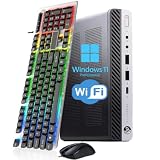
- 【Energy Efficiency and Performance】The HP EliteDesk 800 G4 Mini PC is equipped with an Intel Core i5-8500T processor (6 cores, 6 threads, up to 3.5GHz Turbo Boost) and has a Thermal Design Power (TDP) of just 35 watts. It delivers powerful desktop-class performance while consuming significantly less power than a standard desktop CPU. It is ideal for home servers, Plex media servers, or home automation hubs that require stable, round-the-clock operation without causing your electricity bill to skyrocket
- 【Ultra-Compact Design】The HP desktop computer 800 G4 mini measuring just 6.96 x 6.88 x 1.33 inches and weighing only 2.31 pounds, this mini PC fits easily into any corner. With VESA wall-mount support, it can be mounted on the back of a monitor to create a clutter-free, all-in-one workstation. Whether for retail POS systems, hotel front desk terminals, cart-based workstations, or sleek office cubicle setups, this space-saving design meets your needs without compromising on performance
- 【RAM & Storage】HP mini PC computer desktop has been upgraded to 8GB DDR4 high-bandwidth RAM to easily switch back and forth between open apps; it has also been upgraded to 256GB SSD for fast boot-up and fast data transfer
- 【Extensive Connectivity】HP EliteDesk 800 G4 Mini supports triple-display setups and a wide range of I/O ports to help you achieve maximum productivity. With Intel UHD Graphics 630, it supports up to two independent monitors, significantly boosting your productivity. The rear panel features 2 DisplayPort ports, 1 USB Type-C port, 3 USB 3.1 Gen 1 ports, and 2 USB 2.0 ports. This highly connectable device is ideal for financial trading desks, multi-screen software development, and digital signage systems
- 【READY TO WORK】Our refurbished desktop computers has already installed the Windows 11 Pro operating system and has also provided professional technical support to ensure that you can use the computer smoothly, safely and safely
- Change only one BIOS power-management or operating-system setting at a time, record the change, and keep a rollback path. A setting that masks the reset is a useful isolation result, not necessarily a permanent fix.
- For a Proxmox or Linux host, correlate resets with VM workload, PCIe activity, storage jobs, and low-power transitions while retaining previous-boot logs and hardware error reporting.
- For Windows, compare Reliability Monitor and Event Viewer records across idle and load tests.
Online reports about particular SSDs or PCIe power-management settings can suggest controlled experiments, but they are not official HP fixes and should not be treated as a diagnosis for your computer.
Independent reader supportYour contribution helps us test, update, and keep practical guides available for everyone.When to escalate
Contact HP or a qualified repair provider when diagnostics produce a Failure ID, the reset persists in a minimal configuration, or the machine fails outside the installed OS. Provide the product and serial numbers through a private support channel, BIOS revision, adapter label, diagnostic results, Failure ID, reset timestamps, OS or hypervisor version, temperature and workload correlation, and the relevant logs. This evidence is far more useful than reporting only that the Mini “randomly reboots.”
Quick Recap
Best Value

- HP EliteDesk 800 G4 Mini PC with an 8th Generation i5-8500T (2.10Ghz to 3.50Ghz Turbo, 6 Core CPU).
- 8GB GDDR4 RAM + 256GB Solid State Drive.
- USB WiFi + USB Bluetooth | Windows 11 Professional.
- Wired Keyboard and Mouse.
- Support 4K (3840x2160) Dual Display, makes it easy to connect two monitors at the same time, and you can expand working Windows, mirror content, or expand a single window across multiple monitors.
Rank #4

- Fresh install and activated Windows 11 with zero bloatware. Windows 11 will be activated via your unit's unique digital license and ready to go right out of the box.
- Intel Core i5 8500T 2.1Ghz | 6 Cores | 6 Threads
- 32GB Memory Installed | 512GB NVMe PCIe SSD Installed
- Using the ultra-fast 8th Gen Intel i5 processor, this PC is quick to boot and open programs. This PC makes an excellent home office computer, remote learning PC, or an office workstation that can fit anywhere.
- Wireless Internet: WiFi is Included | Monitor: Not Included (Sold Separately) | Keyboard and Mouse: Not Included (Sold Separately)
Product prices and availability are accurate as of the date/time indicated and are subject to change. Any price and availability information displayed on Amazon at the time of purchase will apply.

